Turn on suggestions
Auto-suggest helps you quickly narrow down your search results by suggesting possible matches as you type.
Showing results for
Get 50% OFF QuickBooks for 3 months*
Buy nowI can help you check your reports today, @jjjmurphy3.
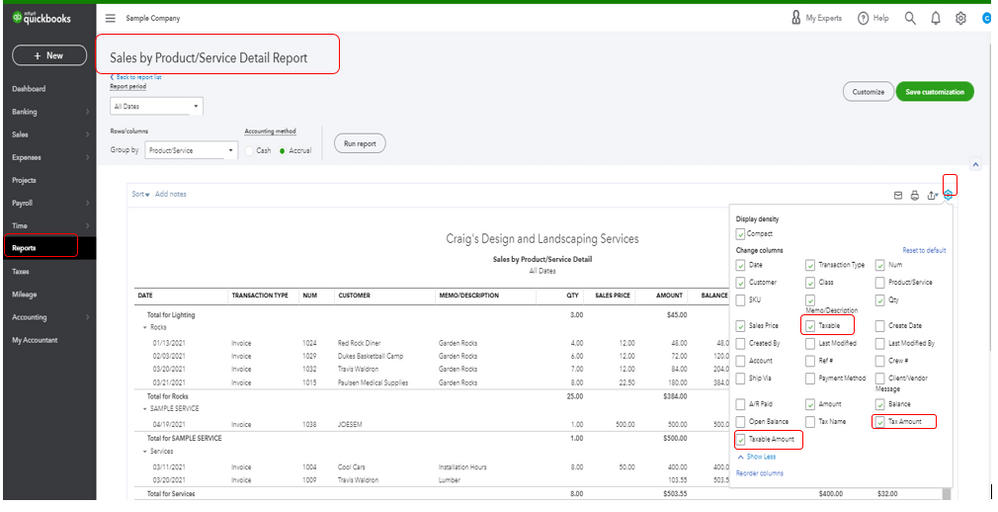
We can pull up and customize the Sales by Product/Service Detail or Sales by Customer Detail report. These reports will also show the list of all sales with all other tax information, o you can get the details you need. Let me show you how.
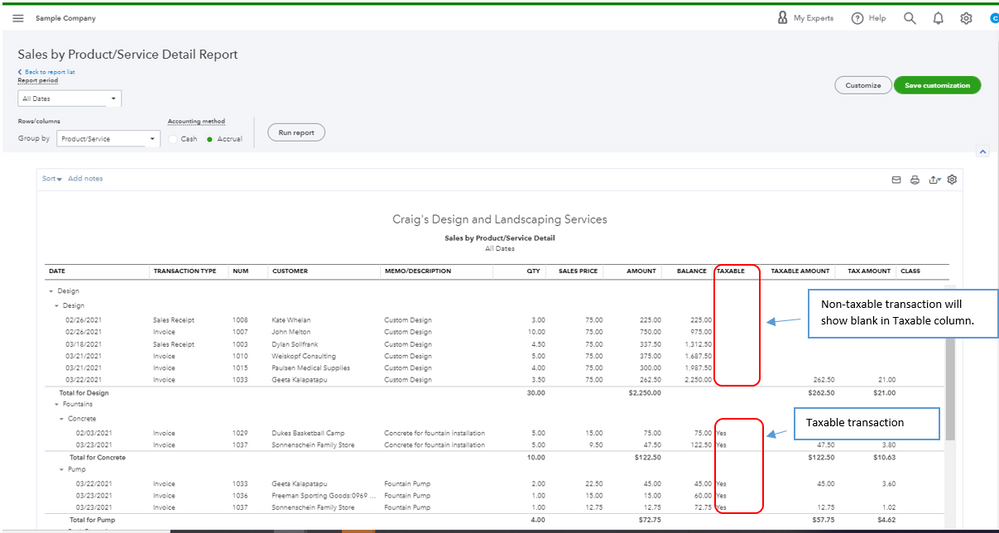
On the report, you will notice that non-taxable items are blank in the Taxable column. Also, different classes assigned to transactions will appear there.
Here are some related links that will help you run reports in QBO:
You can as well read these articles as your guide while managing sales taxes in QBO:
Please let me know how it goes by leaving a comment below. I'll be around to help if you have any other questions about running reports or any QuickBooks related. Take care and have a good one.