A person holding a mobile phone in their hands.
Midsize business

What are operating costs? How to calculate and tips to reduce them


Key Takeaways

  • Operating costs are the ongoing expenses required to run a business. They include direct costs (wages, materials) and indirect costs (rent, utilities, insurance).

  • The formula is simple: Operating Costs = Cost of Goods Sold (COGS) + Operating Expenses (OPEX).

  • Fixed, variable, and semi-variable expenses all affect cash flow in different ways.

  • Tracking operating costs regularly helps protect margins, set realistic budgets, and keep your business competitive.


  • Running a small business means keeping a close watch on everyday expenses, or your operating costs. Whether it’s rent, payroll, or supplies, rising costs can quickly shrink margins and leave little room to reinvest in growth. Understanding these expenses gives you the insight to protect cash flow and plan for long-term success.

    Operating costs fall into two main categories: fixed and variable costs. Knowing the difference helps you see where your money is going and spot opportunities to save. Tracking these costs consistently gives you the clarity to protect cash flow and build realistic budgets

    Below, we’ll cover everything you need to know about operating costs, as well as how you can use powerful tools like QuickBooks to spend less time on admin and more time growing your business.


    Understanding operating costs

    What are operating costs? They’re the ongoing expenses that keep your business running day to day. Some are fixed, others rise and fall with sales, and some combine both elements. 

    Understanding these differences helps you set prices with confidence, spot opportunities to save, and calculate cash flow more accurately. Here’s a closer look at the three main types of operating costs every small business faces:

    Fixed costs

    Fixed costs are expenses that remain constant, regardless of production or sales. These are recurring charges a business must pay even if the business produced no goods or services. Examples include:

    • Rent: Monthly payments for office, shop, or warehouse space
    • Insurance: Premiums for property, liability, or business coverage
    • Salaries: Base wages for full-time employees
    • Depreciation: The gradual loss in value of fixed assets such as buildings, machinery, or vehicles over time

    Variable costs

    Variable costs are expenses that change in line with production or sales volume. When output increases, these costs rise; when output slows, they fall. Examples include:

    • Raw materials: Supplies used to produce goods
    • Utilities: Electricity, water, or gas tied to production
    • Sales commissions: Payments based on sales performance
    • Shipping and delivery fees: Costs that change with order volume and distance

    Semi-variable costs

    Semi-variable costs, also called mixed costs, include both fixed and variable elements. Part of the cost remains constant, but the rest changes depending on production or usage levels. Examples include:

    • Telephone bills: A base monthly fee plus usage charges
    • Maintenance: Routine service costs plus extra repairs when needed
    • Salaries with overtime: Fixed base pay with additional variable overtime
    • Leased equipment: Fixed lease payments with added fees if usage exceeds limits
    A person in a pink dress is looking at a laptop.

    Let's grow your business together

    Get flexible solutions and real-time data to do everything from managing your money to paying your team. All in QuickBooks Online Advanced.

    How to calculate operating costs

    Understanding operating costs helps businesses see what it really takes to stay in operation. Operating costs are calculated by combining the costs of production with the day-to-day expenses of running the business.

    The basic formula is:

    Operating Costs = Cost of Goods Sold (COGS) + Operating Expenses (OPEX)

    • Cost of Goods Sold (COGS) covers all direct costs tied to production. This includes materials, direct labour, and any other expenses directly linked to making a product or delivering a service.
    • Operating Expenses (OPEX) cover the indirect costs of daily operations, such as rent, utilities, marketing, payroll, and office supplies.

    COGS is directly tied to what you sell, while OPEX represents the overhead needed to run the business. By combining the two, businesses get a realistic view of their total operating costs. This figure shows how much it takes to stay in operation, helps spot rising expenses, and supports smarter decisions about pricing, budgeting, and profitability.

    Always distinguish between direct production costs (COGS) and operating expenses (OPEX). Mixing them up can lead to an inaccurate picture of your business costs.

    Note: While operating costs focus on day-to-day expenses, businesses also need to account for non-operating expenses such as interest payments or one-time losses. These don’t fall under operating costs but can still impact overall profitability.

    Operating costs examples

    Operating costs look different depending on the type of business you run. To show how sales, COGS, and operating expenses can vary, here are two simple operating cost examples—one from a coffee shop and one from a landscaping company.

    Example 1: Coffee Shop

    • Net Sales – $500K (coffee, pastries, catering orders)
    • COGS – $200K (beans, milk, baked goods, packaging)
    • Gross Profit – $300K (Net Sales – COGS)
    • Operating Expenses (OPEX)
    • Rent – $60K
    • Utilities – $12K
    • Staff wages – $120K
    • Marketing – $18K
    • Insurance – $5K
    • Depreciation – $10K
    • Total OPEX – $225K
    • Operating Income – $75K (Gross Profit – OPEX)

    Example 2: Landscaping Business

    • Net Sales – $400K (residential and commercial contracts)
    • COGS – $150K (plants, soil, subcontractors, tools, fuel)
    • Gross Profit – $250K (Net Sales – COGS)
    • Operating Expenses (OPEX)
    • Equipment leasing – $25K
    • Vehicle maintenance & fuel – $20K
    • Staff wages – $110K
    • Insurance – $8K
    • Marketing – $12K
    • Office rent & utilities – $10K
    • Total OPEX – $185K
    • Operating Income – $65K (Gross Profit – OPEX)

    Both businesses generate solid sales, but their cost structures look very different. The coffee shop faces higher rent and utilities tied to a physical space, while the landscaping company spends more on vehicles, fuel, and equipment. In both cases, everyday costs like wages, marketing, and insurance eat into profits—underscoring the importance of managing operating costs carefully.

    Image Alt Text

    What costs are tax-deductible?

    When tax time rolls around, knowing what you can deduct can save your business money and stress. The Canada Revenue Agency (CRA) allows you to deduct reasonable current expenses incurred to earn business income—excluding capital costs and personal expenses. 

    This means that everyday operating expenses usually qualify, while long-term investments and personal spending do not. Here are some of the most common small business operating expenses to deduct:

    • Advertising: Costs for local or national ads, and online marketing.
    • Accounting, legal, and professional fees: Fees paid to accountants, lawyers, or consultants.
    • Insurance: Commercial coverage for buildings, equipment, and liability.
    • Office expenses and supplies: Items like stationery, printer ink, or small equipment (not capital items).
    • Salaries, benefits, and wages: Payments made to employees, including company contributions to CPP and EI.
    • Motor vehicle and travel expenses: Business-related fuel, mileage, and travel, with limits and record-keeping requirements.
    • Meals and entertainment: Generally deductible at 50%.
    • Business taxes, dues, and licences: Municipal taxes, trade association memberships, and professional fees.
    • Maintenance and repairs: Minor repairs to business property (not capital improvements).
    • Bad debts: Accounts receivable that cannot be collected and are written off.
    • Home-office expenses: A portion of utilities, insurance, property taxes, or mortgage interest if part of your home is used for business.

    Why tracking operating costs matters for small businesses

    Tracking operating costs is essential because these expenses directly impact profitability, operational efficiency, and operating income. Every dollar spent on wages, rent, or supplies reduces operating income—which is why monitoring them helps protect margins and highlight areas for improvement.

    • Cost-cutting has limits. Cutting too deeply can hurt service quality, employee morale, or the customer experience. By monitoring costs instead of slashing them blindly, businesses can:
    • Identify where reductions make sense
    • Determine where resources should be reallocated
    • Recognize where spending must continue to support growth
    • Tracking costs over time creates valuable insights. Business leaders can:
    • Monitor expense trends
    • Understand cost drivers
    • Act before problems escalate
    • Using cost ratios, industry benchmarks, and different ways to measure business profitability, leaders can turn expense data into tools to:
    • Enhance forecasting
    • Guide pricing
    • Improve financial management

    Tracking operating costs thoughtfully helps businesses maintain healthy margins, improve financial management, and support sustainable growth without compromising service or employee satisfaction.

    How to reduce operating costs

    Reducing operating costs isn’t just about cutting back—it’s about spending smarter. By managing expenses effectively, small businesses can protect profitability, strengthen cash flow, and run more efficiently without sacrificing performance. Here are some practical strategies that make a difference:

    Track and organize expenses

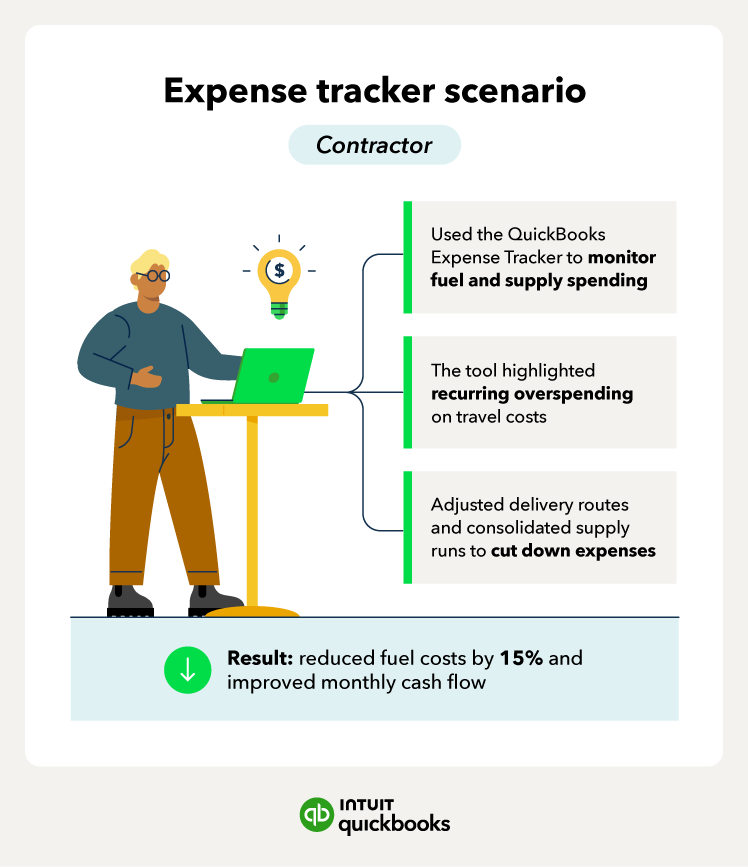
    Keep a clear record of where your money goes by spotting patterns like overspending in certain categories, duplicate payments, or rising supplier costs. With visibility, it’s easier to trim waste and create realistic budgets.

    Factor in inflation

    Even if your costs look stable, inflation can quietly increase prices for materials, wages, and utilities, impacting small businesses and putting extra pressure on operating costs

    Automate routine tasks

    Automate processes like invoicing, payroll, and expense tracking. This reduces manual work, minimizes errors, and frees up time for higher-value activities.

    Audit and cancel unused subscriptions

    Review recurring charges for software, memberships, or digital tools. Cancel anything you no longer need so every dollar you spend delivers value.

    Negotiate supplier contracts

    Revisit agreements with suppliers or compare alternative providers. You might uncover discounts, bulk savings, or better payment terms.

    Go paperless with bundled services

    Digital invoices, receipts, and reports save on printing and storage while making information easier to access. Bundled tools like QuickBooks further reduce costs by combining expense tracking, automation, and reporting in one system.

    Leverage QuickBooks insights

    With QuickBooks, you can categorize expenses, monitor high-cost areas, and set alerts to stay on top of cash flow. Real-time insights help you keep spending under control and focus on growth.

    A green box with a picture of a person on it.

    How QuickBooks supports cost management

    Managing operating costs is essential for any small business, but staying on top of every expense isn’t always easy. 

    • QuickBooks pulls everything into one place so you can track spending, automate routine tasks, and see a clear, real-time view of cash flow. 
    • By simplifying cost management, QuickBooks gives you the confidence to protect margins and plan for growth. Plus, you can build stronger financial habits and keep track of business expenses, whether you need help organizing receipts or monitoring spending patterns more effectively.
    • QuickBooks simplifies expense management by showing you exactly where your money goes and giving you the tools to act on it in real time. 

    With features like expense tracking, QuickBooks lets you capture receipts digitally, monitor costs as they happen, and spot spending patterns before they impact your bottom line. 

    Frequently asked questions

    Disclaimer

    Money movement services are provided by Intuit Canada Payments Inc.

    This content is for information purposes only and should not be considered legal, accounting or tax advice, or a substitute for obtaining such advice specific to your business. Additional information and exceptions may apply. Applicable laws may vary by region, province, state or locality. No assurance is given that the information is comprehensive in its coverage or that it is suitable in dealing with a customer’s particular situation. Intuit does not have any responsibility for updating or revising any information presented herein. Accordingly, the information provided should not be relied upon as a substitute for independent research. Intuit does not warrant that the material contained herein will continue to be accurate nor that it is completely free of errors when published. Readers should verify statements before relying on them.

    We provide third-party links as a convenience and for informational purposes only. Intuit does not endorse or approve these products and services, or the opinions of these corporations or organizations or individuals. Intuit accepts no responsibility for the accuracy, legality, or content on these sites.


    Related Articles

    Your privacy

    We collect data when you use our website to improve its performance. Doing so also helps us provide a secure, personalized experience. Select 'Accept cookies' to agree or 'Cookies settings' to choose which cookies we use. You can change your preferences anytime by clicking the 'Manage cookies' link in the footer.

    Choose your cookie preferences

    Some cookies are needed to make our website work and can't be turned off. But we need your consent to use others that are not essential. You can make your choices below and update them at any time using the 'Manage Cookies' link. To find out more, visit our Cookies Policy.

    These cookies are necessary for the site to function. They also help us keep your data safe.
    These cookies allow us to enhance your experience and remember your preferences, region or country, language, and accessibility options.
    These cookies tell us how customers use our website. We study and organize this data to help us optimise our content and provide you with personalised experiences.
    These cookies help us provide you with relevant communications and ads in our products and on other sites.

    Looking for something else?

    Get QuickBooks

    Smart features made for your business. We've got you covered.

    Firm of the Future

    Expert advice and resources for today’s accounting professionals.

    QuickBooks Support

    Get help with QuickBooks. Find articles, video tutorials, and more.