Turn on suggestions
Auto-suggest helps you quickly narrow down your search results by suggesting possible matches as you type.
Showing results for
BLACK FRIDAY SALE 70% OFF QuickBooks for 3 months* Ends 11/30
Buy nowThe time for the employees is not showing up on the project tab where the transactions are.

Time entries don't appear in the project tab when the Time filter is off, 1231.
To restore the visibility of the time list, here’s how:
You can also open a project and check Time Activity tab to see any time entries are listed or showing there.
For further questions about QuickBooks time, add a reply below.
I do not have a selection for TIME. Until AB did ANOTHER change, I had time showing. Can you please add time back to my QB? I have: Type, No. From/To, Memo, Due date, Balance, Status and Rows.
I need time to be able to operate on a daily basis.
Thank you for providing more details, 1231.
From what you’ve shared, it looks like you’re in the Transactions menu for a specific project. The filters in this menu work a bit differently, and the Time filter isn’t available here.
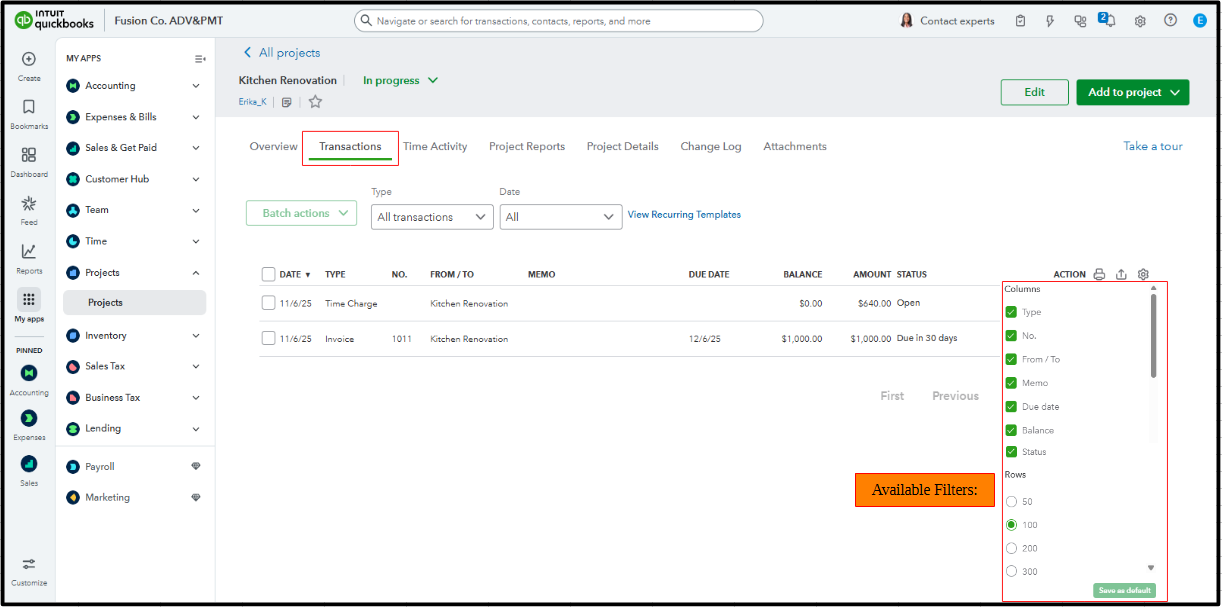
Now, what my colleague mentioned above refers to the main Projects page rather than the Transactions menu located within a specific project. That’s why the Time filter is available there. For time entries to appear in the Transactions menu, the related transactions must be marked as Billable. They will then show up as Time Charges. 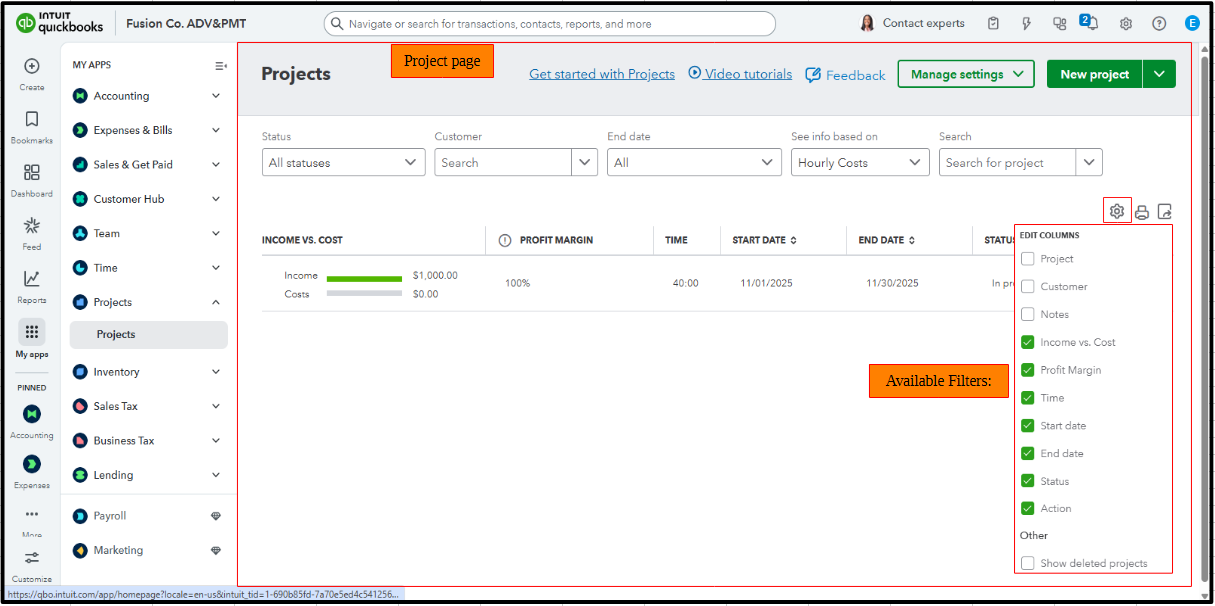
On top of that, I recommend checking out Time Activity. It allows you to view all time entries for a specific project, whether they are marked as billable or not. 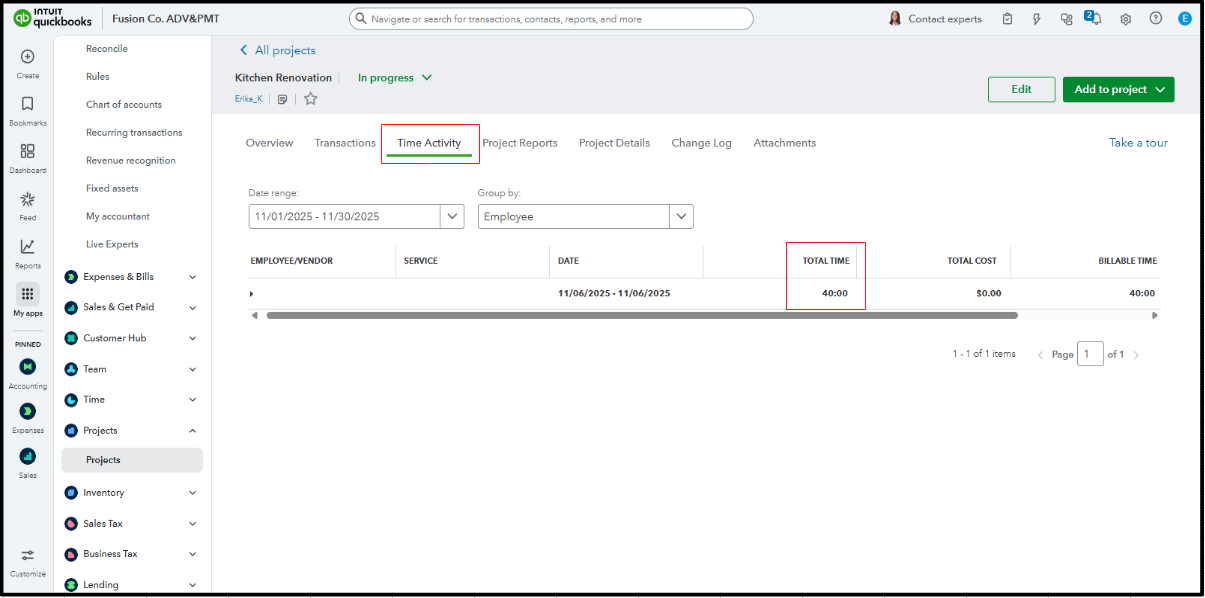
Add a Reply below if you have follow-up questions about your employee's time entries within your projects.
My time is checked in projects. However, I need to see the time on specific projects as I always have until QB did an update. Please help me get this fixed.
I understand your need to view employee time entries directly within the Transactions page of a specific project. I'm here to provide clarity and options to address this.
For the time entries to appear on the Transactions page, you can mark them as Billable. Here's how to do it:
When a time entry is marked as billable for a project, this will display as a Time Charge in the Transactions column. Please see the attached screenshot for visual reference.
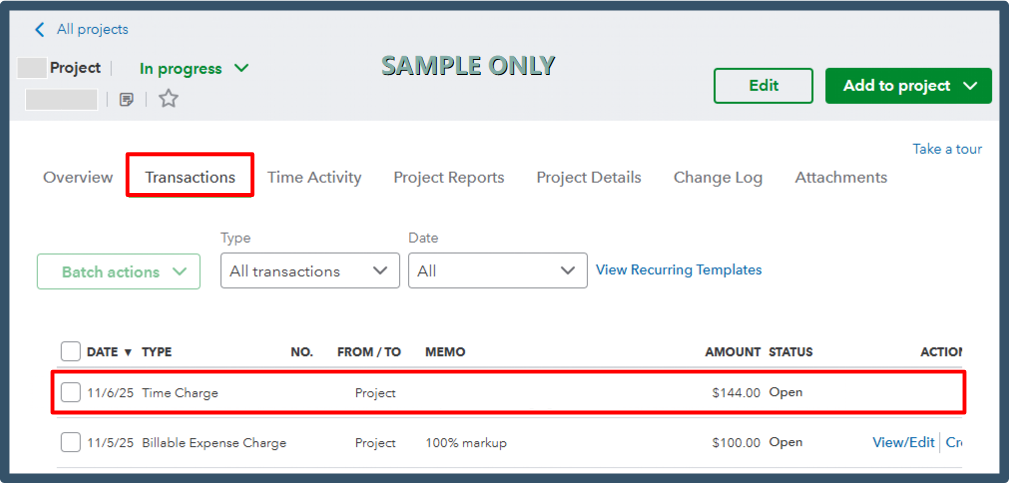
To track the total time associated with a project, you can also use the Time Activity section.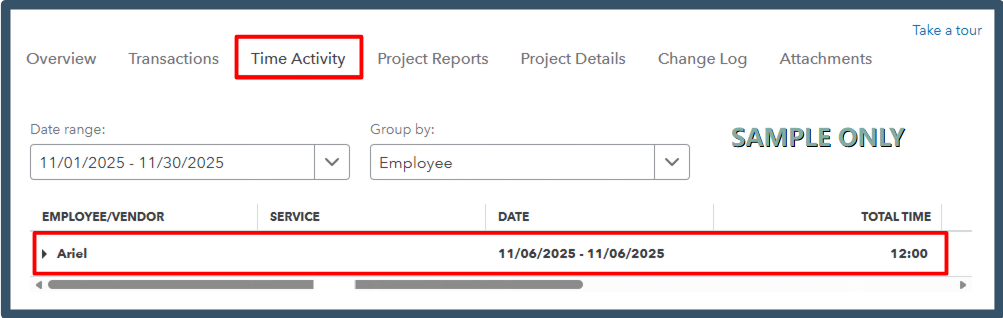
Please let us know if you need assistance with anything else. We're always here to help.


You have clicked a link to a site outside of the QuickBooks or ProFile Communities. By clicking "Continue", you will leave the community and be taken to that site instead.
For more information visit our Security Center or to report suspicious websites you can contact us here


