Turn on suggestions
Auto-suggest helps you quickly narrow down your search results by suggesting possible matches as you type.
Showing results for
Get 50% OFF QuickBooks for 3 months*
Buy nowMy dashboard graphs are not showing my data.
You'll want to ensure that the Privacy feature in your QuickBooks Online (QBO) is turned off, yas2130495.
Your dashboard provides an overview of your business and updates automatically as you enter transactions. By disabling the Privacy feature, you will be able to see your data displayed on the dashboard. I’ve included a screenshot below for your reference.
Here's how you can switch it on the old QuickBooks Experience:
Here's how to turn it on if you're using the new experience:
In the meantime, we can clear your browser's cache and cookies for a fresh start. It can help eliminate unexpected behavior, such as issues with your display preferences. If the problem persists, we can use a different supported browser to narrow down the problem.
You can post anytime if you have questions about your display preferences in QBO. We'll always be ready to assist you anytime, yas2130495.
Hello, Toggling between off and on for that privacy feature does not display my data. It just goes between showing blank boxes or $0/incorrect dollar amounts in the graphs sections. I was trying to add screenshots for you to see but I keep getting an upload failed message. Yesterday I cleared all my history and cache/cookies. I also tried Chrome, Incognito, and MS Edge browsers but nothing seems to help to include my financial data in the graphs. Is there anything else Ii can try?
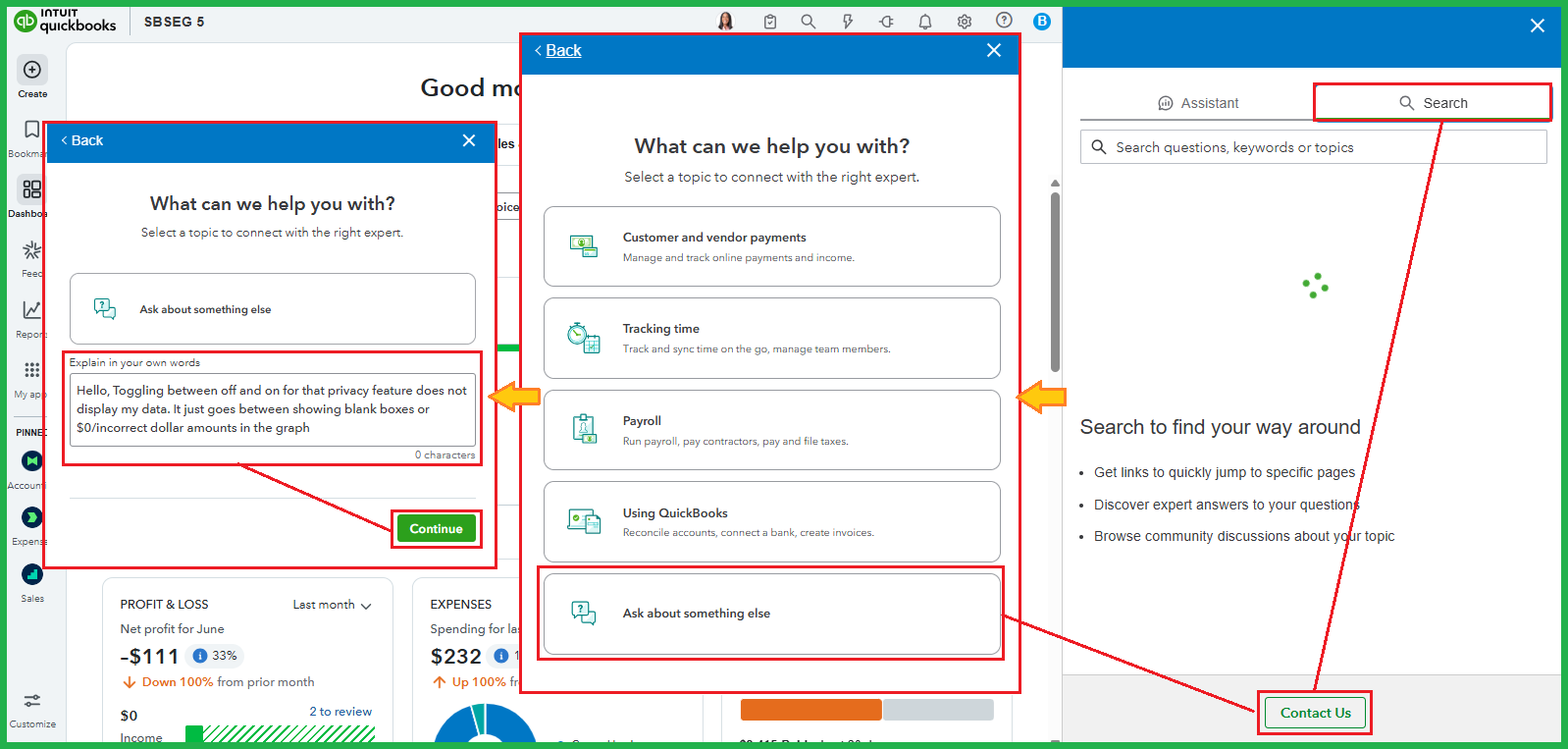
Let me direct you to our support team for further guidance in resolving the issue with your graphs, yas2130495.
I appreciate your effort in troubleshooting this matter to verify if it's a webpage issue. Since it persists, I recommend starting a chat or requesting a callback to communicate with our live experts. They can help investigate the blank or zero amount in the dashboard and assist you in determining the next steps.
Here's how:
On the other hand, I would like to know what your comparisons are in confirming the amount difference in the graphs. If you're using reports, please add them below. This way, I can elaborate on which section reflects these types of transactions and how the system recognizes them.
Although I understand that you're getting an upload failed message, including them in your response can help us narrow down this issue. In this case, please review the file type (PNG, JPG, or JPEG) and size you're uploading. Ensure that your internet connection is stable.
If you're on the go, you can always view your business dashboard details in the QuickBooks Online app.
For follow-up questions about the dashboard, comment below. We're always available to provide the assistance you need.



You have clicked a link to a site outside of the QuickBooks or ProFile Communities. By clicking "Continue", you will leave the community and be taken to that site instead.
For more information visit our Security Center or to report suspicious websites you can contact us here


