Thanks for joining the Community, Danny902.
For your QuickBooks Desktop (QBDT) company file/subscription, there's no limits on how many times you can migrate data into a QuickBooks Online (QBO) company.
On the QBO side of things, there are some limitations for how many times you can migrate data from QBDT. You have 60 days from the time you create your QBO account to move your QBDT data. Within this timeframe, you're able to migrate data as many times as you'd like. After the 60 days have lapsed, you'll no longer be able to move QBDT data into your account.
If you need to migrate data after the timeframe has ended, you can get in touch with our Customer Care team and request to have your time limit extended. They'll be able to pull up the account in a secure environment and go over your available options.
They can be reached while you're signed in.
Here's how:
- Use the Help (?) icon.

- Click Contact Us.

- Enter a description of your situation in the What can we help you with? field, then hit Let's talk.

- Select Start messaging or Get a call.
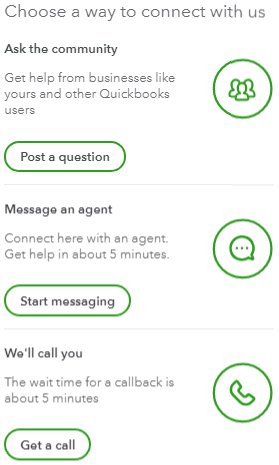
Be sure to review their support hours so you'll know when agents are available.
I've also included a detailed resource about migrating data which may come in handy moving forward: Move your QBDT file to QBO
Please feel welcome to send a reply if there's any additional questions. Have a lovely Wednesday!


