Turn on suggestions
Auto-suggest helps you quickly narrow down your search results by suggesting possible matches as you type.
Showing results for
Get 50% OFF QuickBooks for 3 months*
Buy nowWhy does the monthly ending balance change week to week for previous months in the QB Cash Planner?
Hi there, @Phoscrete.
I can help clarify why the Cash planner ending balance in QuickBooks change.
It depends on the bank account you connected and the money in and out transactions that you add, edit, or delete. The ending balance of the cash planner will change if you make certain adjustments each week.
I suggest you to manually edit items or change the preferences in your planner if you want to have the same ending balance.
Here's how:
Check out this guide for more information: How QuickBooks calculates your cash flow.
Additionally, these articles provide an overview of how to get acclimated to the Cash Flow menu/planner.
Reach out to me again on this thread if you have additional questions or concerns. I’ll pop right back in assist further. Have a good one.
Thank you for your response! Just want to clarify/confirm, I am referring to the ending balances in cash planner for previous months. Each week we review and of course make adjustments/edits but the ending balances are changing each week for August and all the way back through January of this year.
Does your response and information provided below still apply to previous months or is that just looking forward?
Thanks!
Thank you for your response! I just want to confirm...I am referring to ending balances for previous months. We review the cash planner report each week and each week the ending balances for August, all the way back through January of this year, change.
Just want to understand if your response and information below applies for previous months or if it's just looking forward.
Thanks!
Hello @Phoscrete,
I appreciate you taking the time to get back to us about the changes to the ending balance. Allow me to step in and provide some clarification about the previous balance amounts on your Cash flow planner.
The ending balance from the previous months all depends on the added items in the planner. Ideally, the projected balances in the past should retain if there are no changes from your end.
I recommend reviewing your cash flow details to figure out the cause of the changes. It may be possible that there are items removed from the planner.
Here's how:
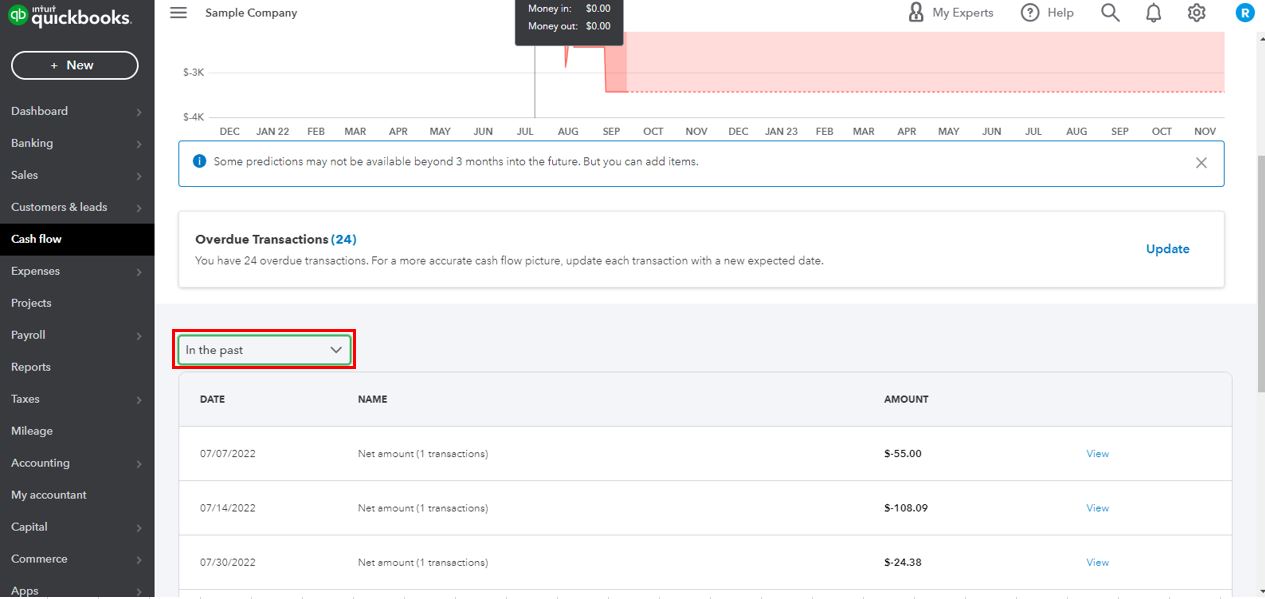
Additionally, you can change the planner's preferences to view the specific data you want. For more details, check out this link: Use the cash flow planner in QuickBooks Online.
Feel free to get back to me if you have more questions about the ending balances showing in the Cash flow planner. I'm always ready to lend a hand. Take care.


You have clicked a link to a site outside of the QuickBooks or ProFile Communities. By clicking "Continue", you will leave the community and be taken to that site instead.
For more information visit our Security Center or to report suspicious websites you can contact us here


