Turn on suggestions
Auto-suggest helps you quickly narrow down your search results by suggesting possible matches as you type.
Showing results for
Get 50% OFF QuickBooks for 3 months*
Buy now
Hi there, @shoregreen.
I have here the steps on how to save multiple rates for your customers in QuickBooks Online (QBO).
Yes, you can add and save a different rate for a particular customer by utilizing our Price rules features in QBO. This is currently running in beta testing for our users and should be available for everyone once the test is complete.
To start, let's turn on the feature in your settings. Let me guide you on how.
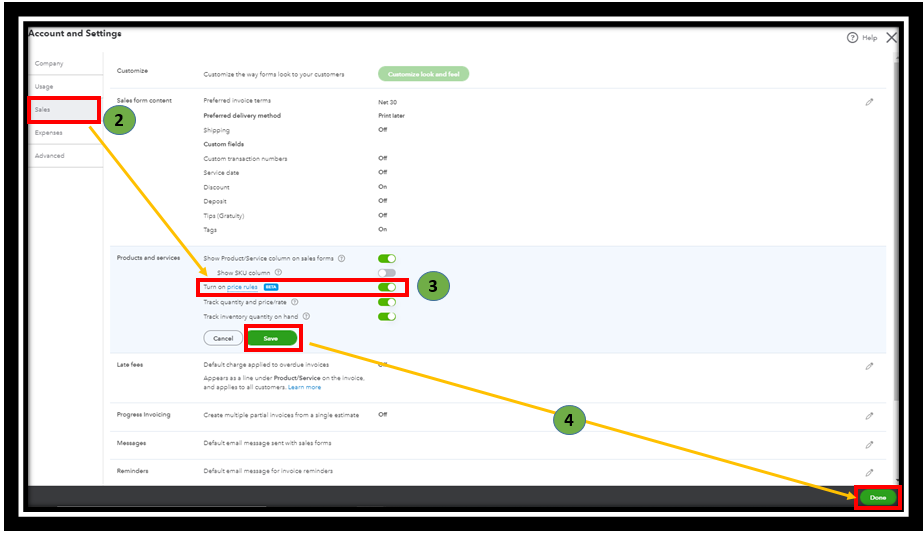
Once done, you can now create multiple rates for your customer by following the instructions underneath.
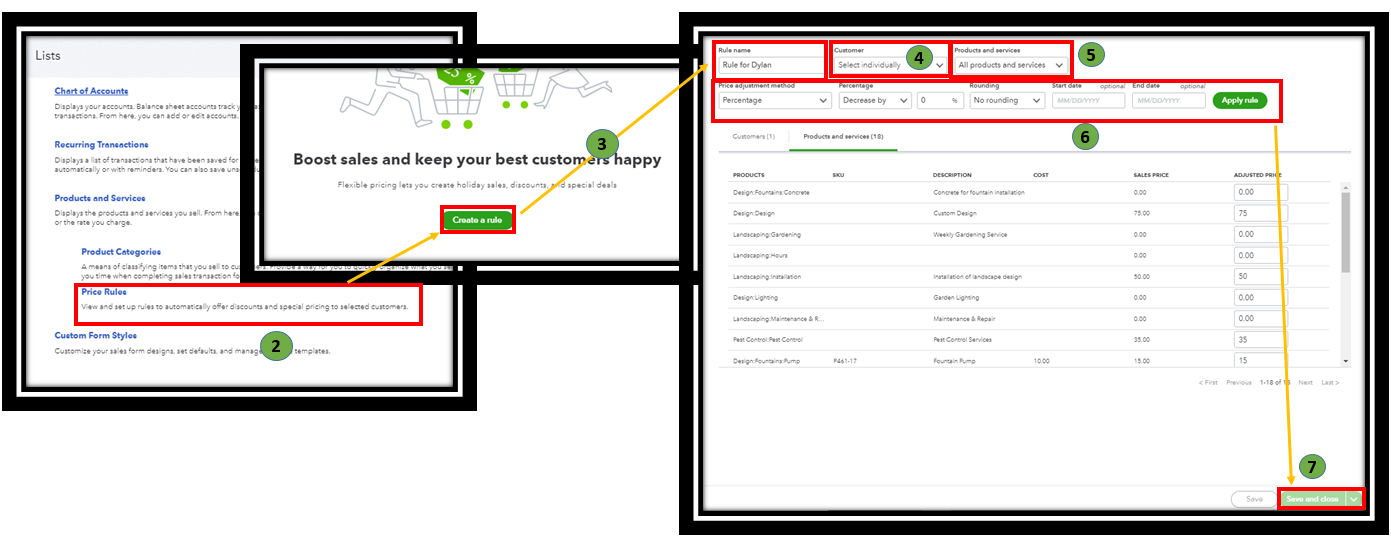
You can create less than 10 thousand price rules in your account. For more information, check out this article: Set price rules in QuickBooks Online.
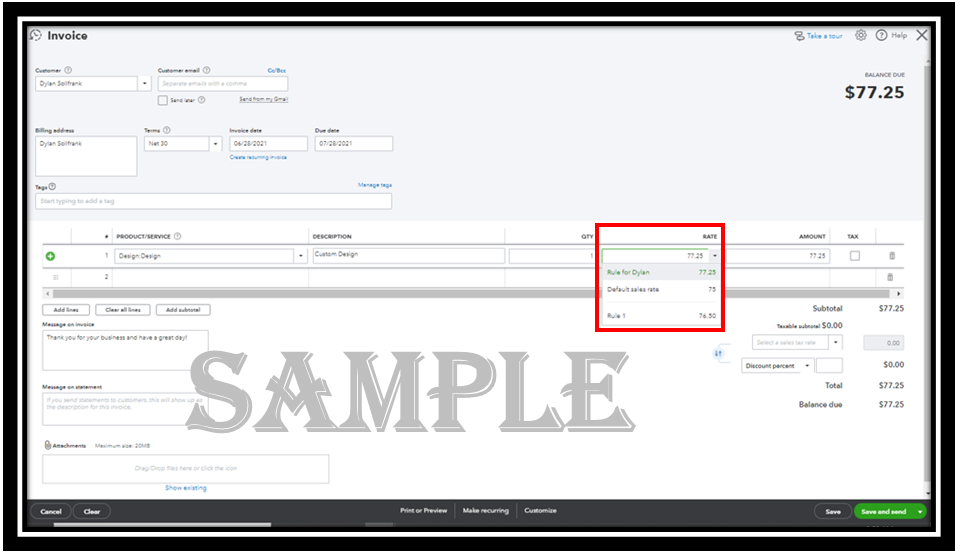
After that, when creating invoices, the price rule will automatically be applied as you add items. See the sample screenshots for your reference.
Additionally, you can run the customer reports to manage the rates and transactions you've entered into the system. Then customize it to see precise details.
Lastly, feel easy to click these articles below about personalizing sales forms, create recurring transactions, and other topics.
If you have further questions about beta feature, feel free to post a reply. I'll be around to answer. Have a great day.
Another option, consider having a field service app to integrate with your QBO.


You have clicked a link to a site outside of the QuickBooks or ProFile Communities. By clicking "Continue", you will leave the community and be taken to that site instead.
For more information visit our Security Center or to report suspicious websites you can contact us here


