Turn on suggestions
Auto-suggest helps you quickly narrow down your search results by suggesting possible matches as you type.
Showing results for
Get 50% OFF QuickBooks for 3 months*
Buy nowThis report can be very useful if I can solve the following problem:
Why I cannot see the invoices under Payments when using Projects?

Hi @Elmice,
I'll share some insight about the Invoices and Received Payment Report. I was able to replicate the report from my test account and view invoices under payment (see the image below).
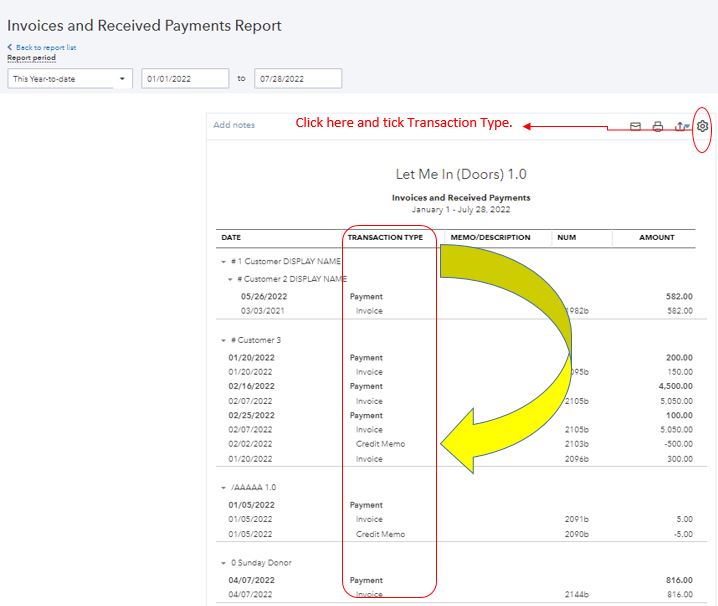
Let's try to access your QuickBooks Online (QBO) account using a private browser or an incognito window. This is to determine if it has something to do with the cache or not. Thus, the webpage is preventing the online program from viewing the invoices. Let me guide you how:
After that, pull up the report again. If you're able to view the transactions, go back to your regular browser and clear the cache. This process will optimize the QBO performance. If you're getting the same result, use the supported browser and view the invoices from there.
Here's a link in case you need help with other reports-related tasks. Browse these links below. It has information and steps to guide you along.
Don't hesitate to reply to this thread if you need help with anything else. I'll be around for you. Take care and have a nice day ahead.
Hi, thanks for reply. As I an new to the Community I started with a direct question missing details. Please see below one example of the issue. I am sure the problem is not related to cache.
1. The Customer have two invoices.
2. One has a Project to this parent Customer
3. The other invoice charge the Customer with no Project associated.
Why the report only shows one invoice?
Hello, Elmice.
Thank you for the detailed information and the screenshot. I had to replicate as well on my end and was able to view the report with project associated and no project associated with the same customer. Let's do a couple of solutions to help us fix the problem and ensure the correct data is reflected in the report.
Have you tried opening your account using incognito as suggested by my colleague above? If so, let's ensure we customize the correct report date of the invoices to ensure the data will appear on the said report.
Please see screenshots as reference below.
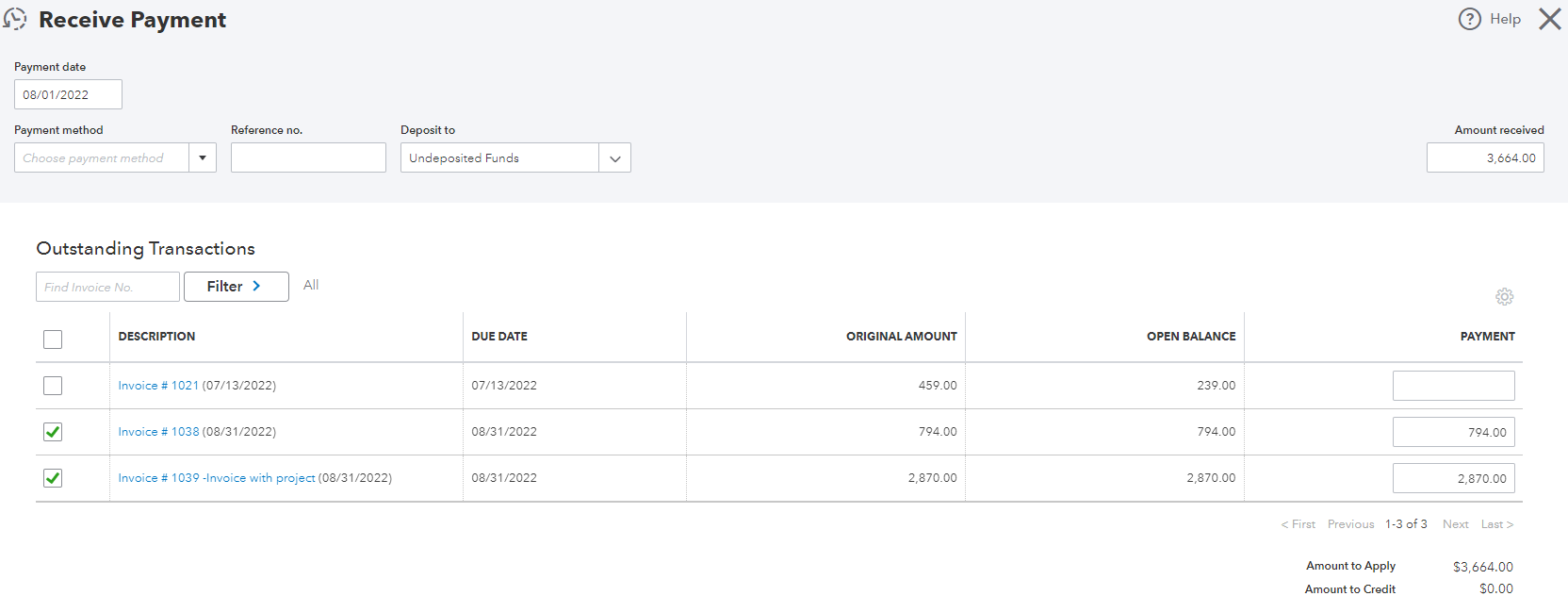
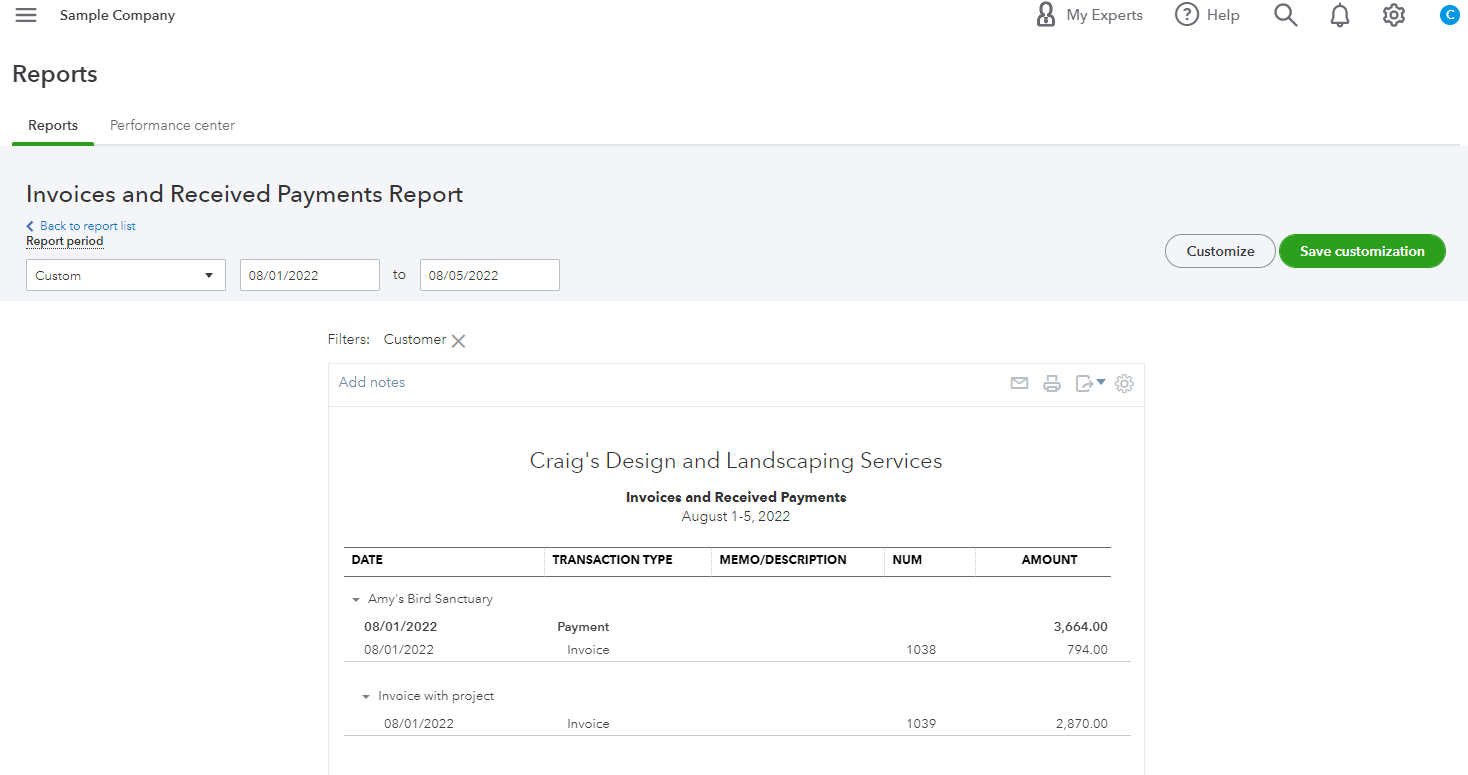
To learn more about the reports in QuickBooks Online and how you can customize them:
If you have additional questions regarding the report or need help with the other features in your account, please don’t hesitate to let us know in your reply. We’ll be here to assist you. Take care!
Thanks for following up with us, @Elmice.
I appreciate you trying an incognito browser, as my colleague has suggested above. Since that doesn't seem to work for you, I wanted to clarify if you're using a saved customized report when opening the report, or are you opening a new report each time?
The reason for my asking is because it sounds like you might have a filter applied that's excluding the Projects. Let's double-check the filters.
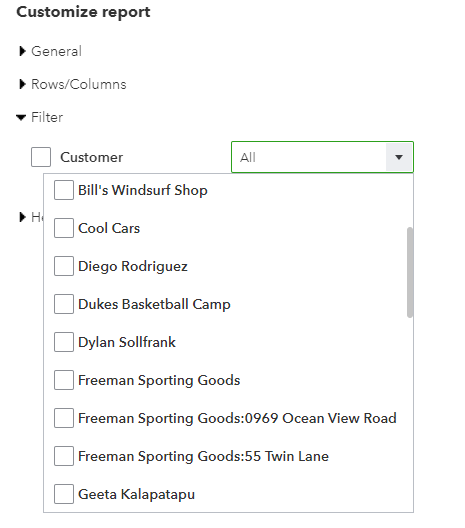
Let me know if you noticed any selections. I'll be sure to keep an eye out for your reply. Have a good one!
Hi,
I have tried both (saved customized & New Report).
The filter is All (by the way, this is the only item available for customization).
Appreciate the update, @Elmice.
I'll make sure you're able to generate a transactions report showing the correct number of invoices in QuickBooks Online.
Since the issue persists even after following the suggestion shared by my colleague above, I recommend contacting our Customer Care Support. You can work with one of our specialists in creating a ticket letting our engineering team investigate the root cause of the problem raised. To do so:
On that same page, I'm also including this article for the list of reports you can use: Create and Manage Reports in QuickBooks Online. In this reference, you're able to customize the sources and targets of a certain report to display a certain portion of your business financial activity.
Let me know how it goes in the comments below. Don't forget to include my name, @JonpriL, in your reply so that I can get back here and answer all your report concerns in QuickBooks. Take care always!


You have clicked a link to a site outside of the QuickBooks or ProFile Communities. By clicking "Continue", you will leave the community and be taken to that site instead.
For more information visit our Security Center or to report suspicious websites you can contact us here


