Solved
Sub Product/Service
- October 25, 2020
- 2 replies
- 31 views

I appreciate your time getting back here, Nazmul.
To map the sub-product/service, you will need to open the item and choose the account where you want to assign them from the Income account drop-down.
Here's how:
Here's a sample screenshot for a visual guide:

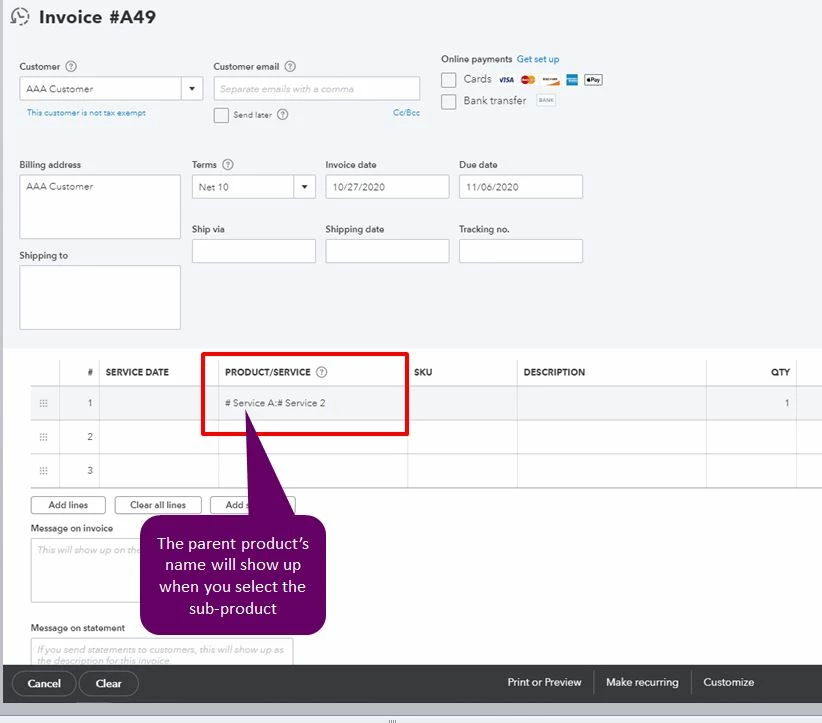
When you create an invoice then selected the sub-product/service from Product/Service column, you will also see the parent product's name. Here's a sample screenshot to see what it looks like:
To run a report, you can use the Sales by Product/Service Detail by following these steps:
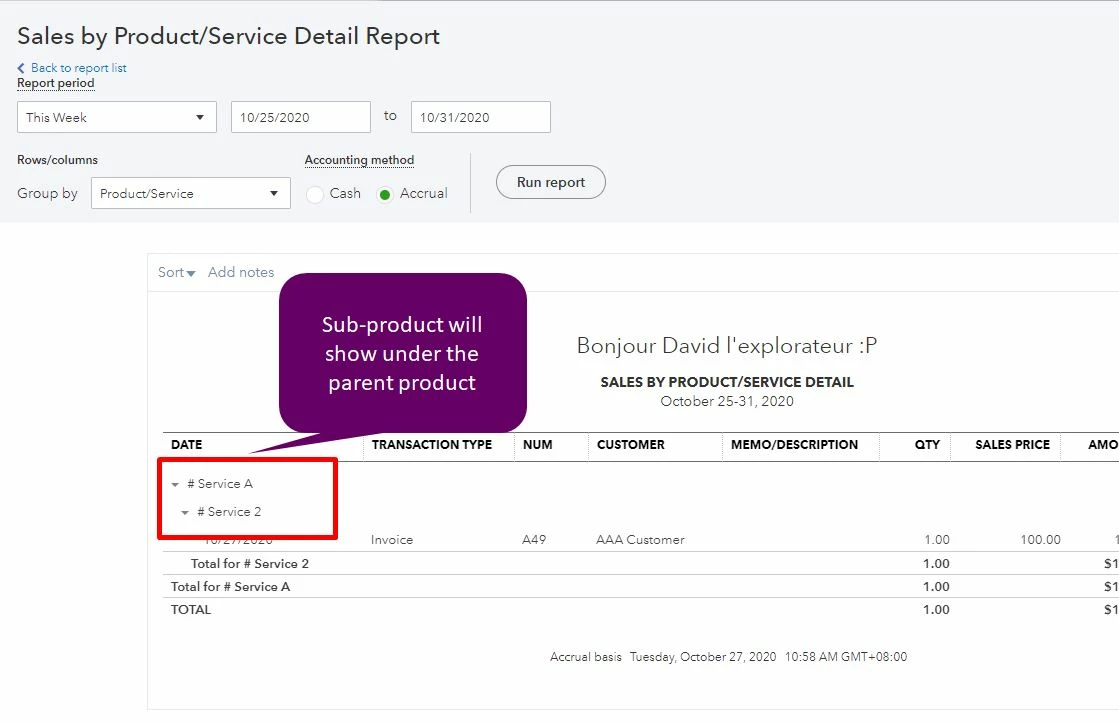
You can also read this article to further customize the report: Customize reports in QuickBooks Online.
If there's anything else you need about the sub-product/service or other concerns with QuickBooks Online, please let me know in the comments below.
Enter your E-mail address. We'll send you an e-mail with instructions to reset your password.