Yes, Sfryman62, you can reverse your local tax payment, but the process depends on the method used for filing.
Before proceeding, note that federal tax payments can only be canceled up to two banking days before the payment date, with a 5 PM PST cutoff. State tax payments, however, can be deleted before the lead time specific to your state.
With that, if you opt for QuickBooks to automatically take care of tax payments and form filings, you cannot cancel it yourself. We suggest contacting our payroll support team for secure assistance with the process.
On the other hand, if you managed and filed your tax payments yourself, you can cancel them by deleting the entries. To do so, follow the steps outlined below:
- Log in to your QBO account.
- Go to the Payroll tab, then select Payroll taxes.
- Click the Payment history.
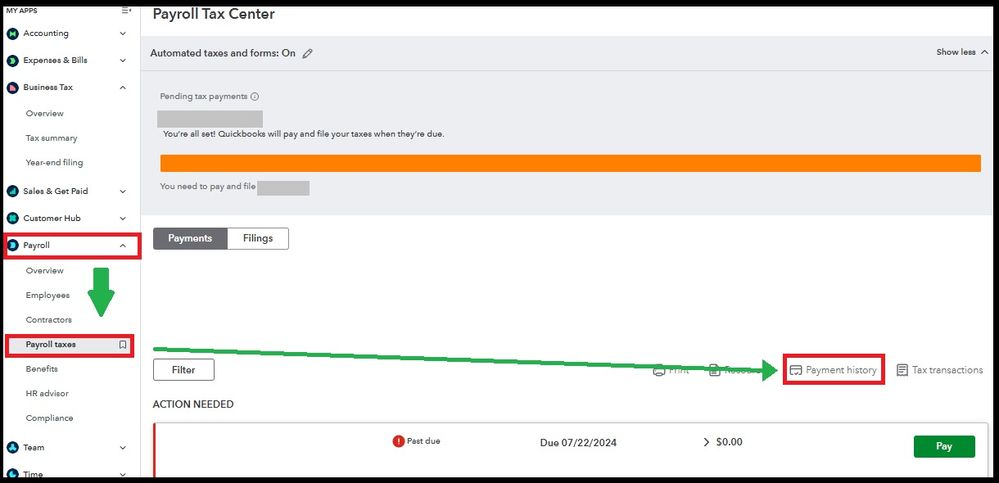
- Select the tax payment you want to cancel or delete.
- Tap the Delete Payment tab, then choose Yes, delete.
This thread is open if you have further inquiries about tax payments or any QBO-related questions.


