Turn on suggestions
Auto-suggest helps you quickly narrow down your search results by suggesting possible matches as you type.
Showing results for
Get 50% OFF QuickBooks for 3 months*
Buy nowWelcome to the Community, @NKFH.
QuickBooks Desktop (QBDT) has a Previous Reconciliation Report that you can pull up to see those complete reconciliations. This gives you details that can help you find discrepancies and other issues.
Here's how:
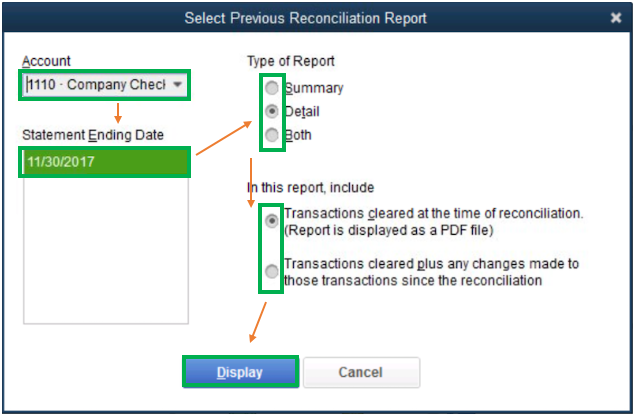
For more information about the process, refer to this article: Get reports for previous reconciliations in QuickBooks Desktop.
Please reach out to me in the comment section below if you have any other issues or concerns. I'll be here to assist. Have a wonderful day!

