Turn on suggestions
Auto-suggest helps you quickly narrow down your search results by suggesting possible matches as you type.
Showing results for

Hello there, @videoguy.
It's nice to have you here in the Community. I'm here to to help you apply a credit memo to your invoice in QuickBooks Online.
There are instances when the browser we're currently on is not working. Using a private browser can help us continue our work inside QuickBooks.
Here's how to enter the credit memo:
Once done, you'll have to apply the credit memo:
You can go to your customer profile to check if you've successfully linked the credit memo.
Another way to check your customer's balance is to run the Customer Balance Detail report.
I'm always around if there's anything else that I can help you with. Have a good day!
thanks for the quick reply but I'm talking about the Memo on the invoice. Not a credit memo.
In the old invoice design, there was a box at the bottom that read "message displayed on invoice" or something like that. Whatever you typed in that box showed up in the "transaction list" for each customer under a column titled "MEMO". I used this memo to title each invoice so I quickly knew what the invoice was for without having to click on it. With the new invoice design, this feature isn't there. But I still have the memo column which is now empty for invoices created with the new design.
How can I add text to this Memo column for new invoices?
Hello, @videoguy.
I appreciate that you've come looking into this. We labeled the memo field box as Message on statement. If you're unable to see it on a new invoice form, you may want to scroll down a little. Please see my screenshot below for visual reference:
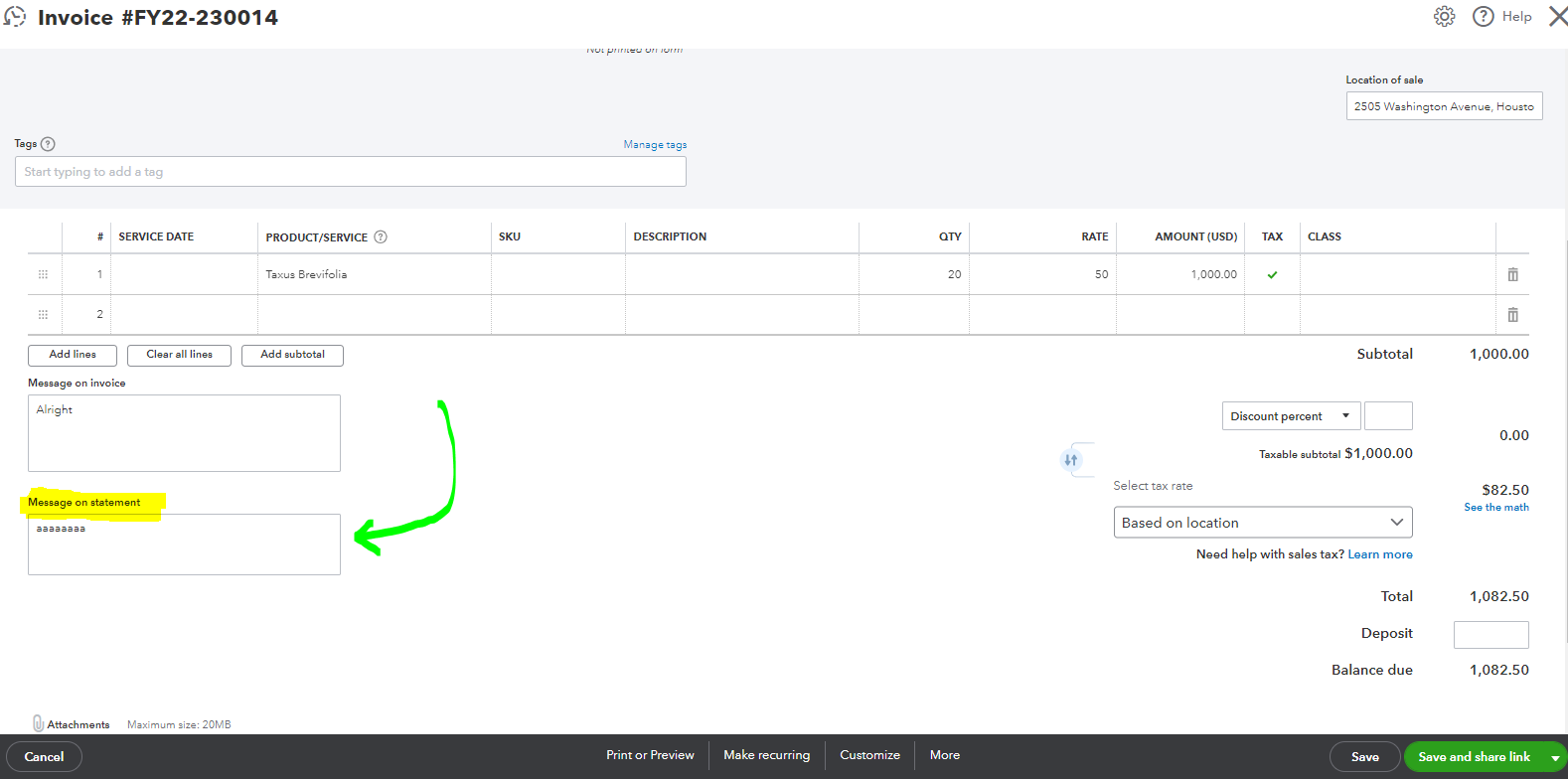
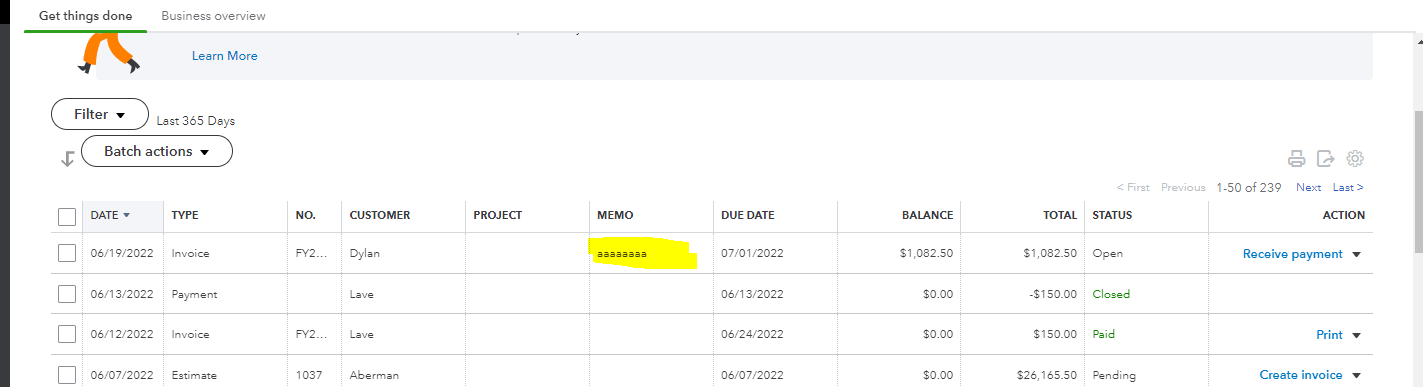
If you're still unable to see the memo box, you may have experienced a browser problem right now. In this case, I recommend isolating this issue using a private or incognito browser. This mode is free from cookies and internet files that cause hurdles while browsing websites and online applications like QuickBooks Online.
Feel free to use these shortcut keys:
Once you're on track, try creating or opening an invoice again. If you see Message on statement box, go back to your regular browser and then clear its cache to delete the accumulated junk files. Alternatively, switching to other supported browsers can also help fix this issue.
You can reference this article to learn more about making invoices: Create invoices in QuickBooks Online. This includes details about sending invoice reminders and the new and old invoice window.
Then you may want to receive customer payments manually or let them pay their invoices via credit card or ACH transfer.
Furthermore, here are the details about printing memo from your transaction forms: When the memo field will and will not print.
Let me know in the comment on how it goes. If you have other concerns with updating or creating new transactions, feel free to add them below. I'll make sure to help you more. Take care always.
I appreciate you for adding a screenshot, videoguy.
I'm here to ensure you can enter a memo on your customer's invoice.
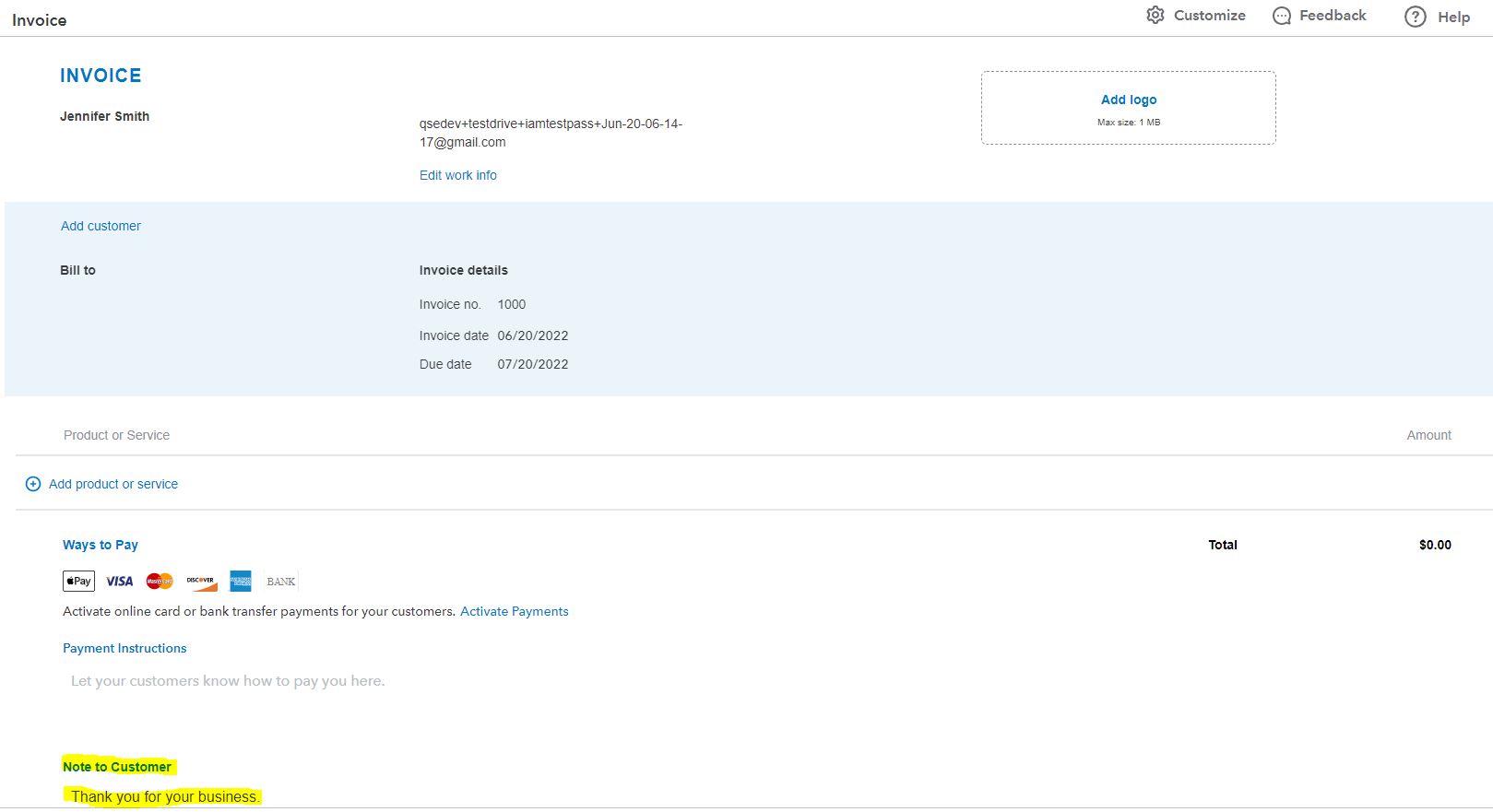
It looks like you're using the QuickBooks Self-Employed version. You can use the Note to customer field to enter the memo.
Also, if you want your customers to pay the invoice online, you can process it electronically. Here's an article as your guide: Accept payments online.
I'll be around whenever you have questions about accepting payments.
I currently have the word "TEST" written in the "note to customer" field on the example invoice I sent you. However, nothing is showing up under the "memo" column in the transaction list for that invoice.
Hello, videoguy.
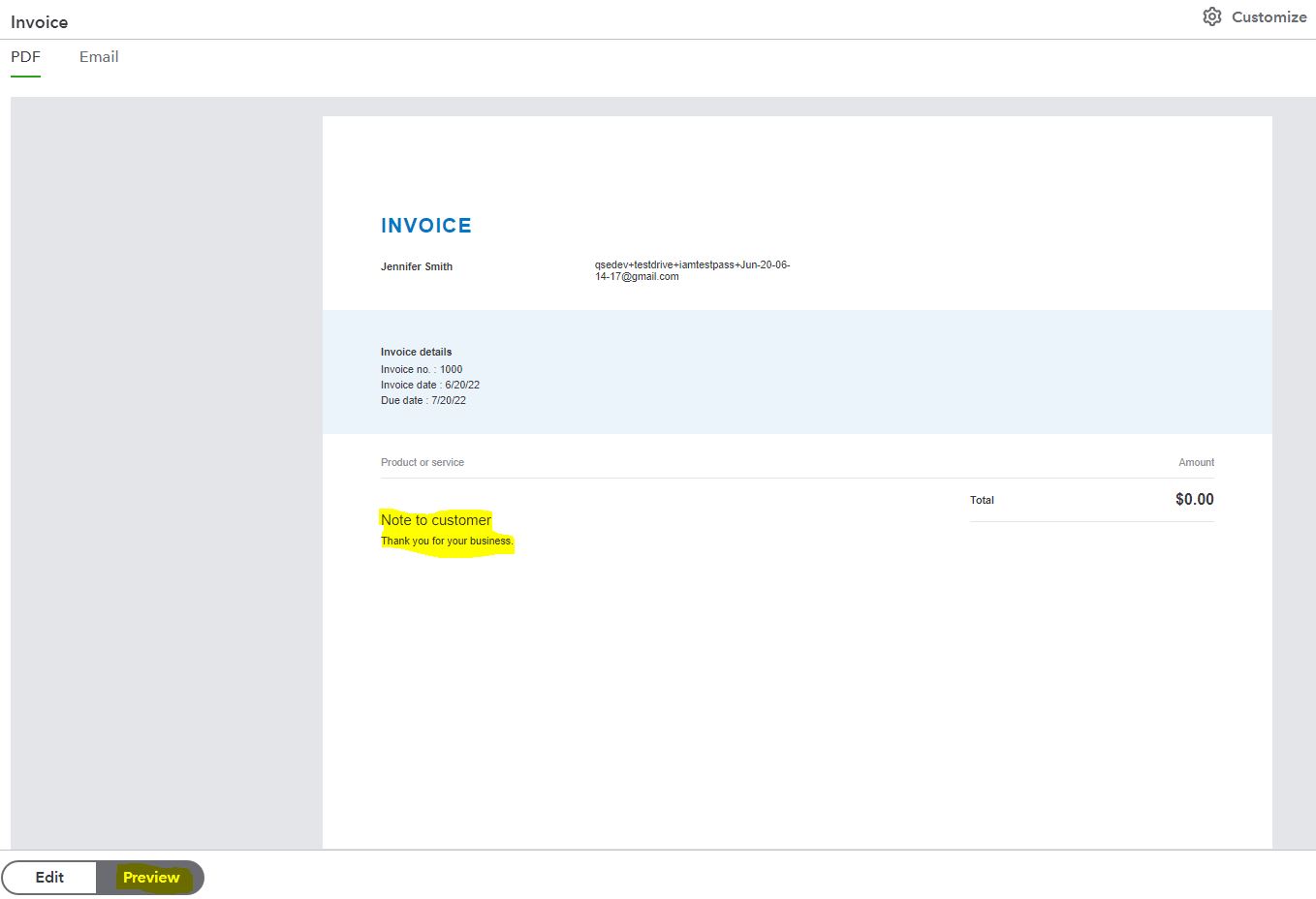
Thank you for getting back to us. The note you've added to the invoice will only show under the Note to Customer field. Once you click the Preview, the details added under Note to customer will also show up on the invoice.
If you have additional questions about working in QBSE, you can browse each topic found on this link: Help articles.
Please keep me updated if you have any more QuickBooks concerns. I'm here to assist you whenever you need help. Have a great day!
It's good to have you back here in the Community, @videoguy.
Thanks for providing a screenshot and detailed information about your concern.
The steps shared by my colleague can fix the issue. However, if the same thing happens, I suggest reaching out to us so we can further investigate the unexpected behavior.
Here’s how to reach them:
1. Choose the Help menu in the upper right hand to open the Search window.
2. From there, scroll down to click the Contact us link.
3. Type the issue/topic in the field box and then hit the Let’s talk button.
4. Select how you want to reach out to our support team: Start messaging or Get a callback.
To ensure that we address your concern on time, you can check our available hours when contacting our support.
I'm also adding this article to help track your sales receipts and open/paid invoices in QuickBooks: View sales transactions.
Should you have any follow-up questions or concerns, don't hesitate to post again here in the Community or leave a comment on this thread. Take care and have a good one.


You have clicked a link to a site outside of the QuickBooks or ProFile Communities. By clicking "Continue", you will leave the community and be taken to that site instead.
For more information visit our Security Center or to report suspicious websites you can contact us here


