Plans for every kind of business
Online accounting tools and plans for businesses of all sizes - all with free guided setup*
Simple Start
Essentials
Plus
Advanced
Your Success, Our Commitment
28 years experience
helping small businesses
4.3 out of 5
6700+ customer reviews on Capterra
Millions of customers
use QuickBooks globally
Compare QuickBooks Online Subscriptions
From side-hustles to complex companies, we have the tools you need to run your business.
QuickBooks Online Simple Start
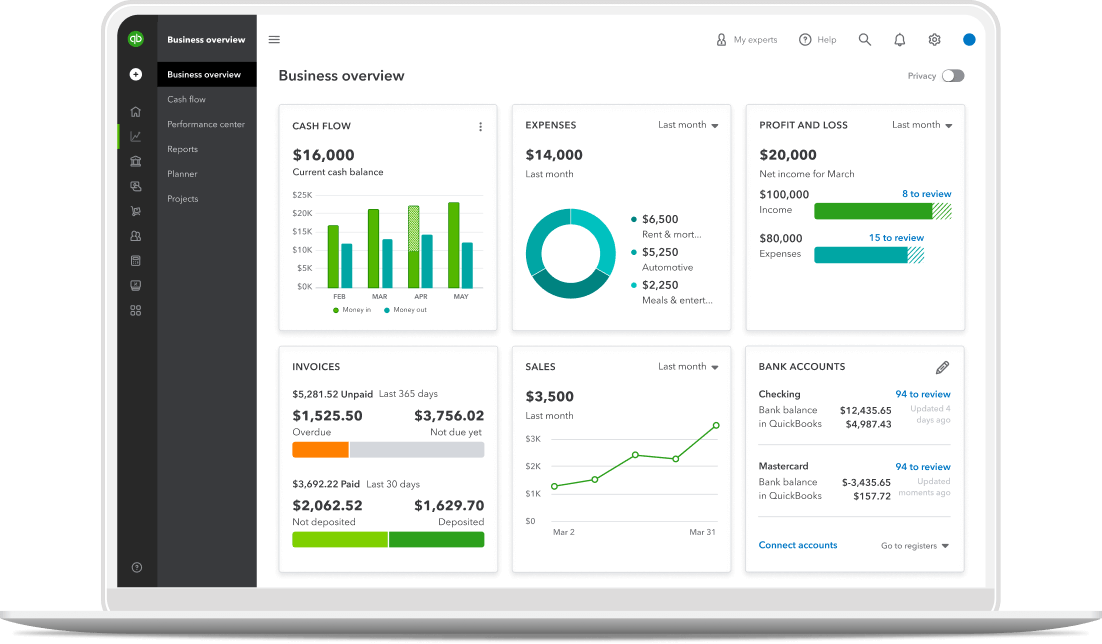
Simple Start is designed for sole proprietors, LLCs, and partnerships, with features that streamline accounting processes:
- Automate income and expense tracking by securely importing transactions.
- Connect with financial institutions to minimize manual entry.
- Allows for unlimited estimates, invoices, and sales receipts.
- Customize invoice templates.
- Stay compliant with automated sales tax calculations.
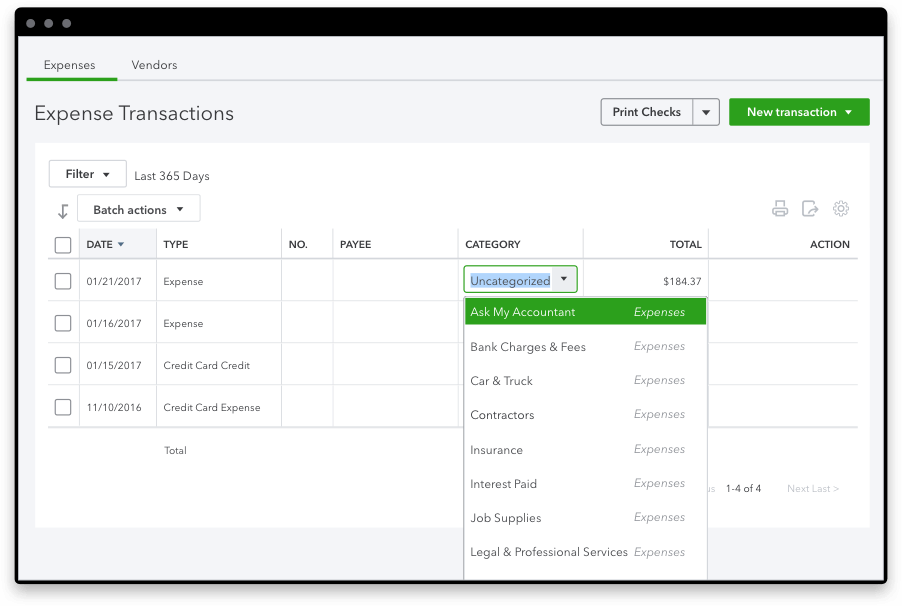
- Easily categorize expenses with receipt capture.
- Track sales on the go with the mobile app.
- Invite two accounting firms for book reviews.
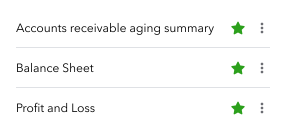
- Generate over 20 reports for business health assessment.
QuickBooks Online Essentials
Essentials expands on Simple Start to accommodate businesses with more complex needs:
- Allows three users plus time-tracking-only access for employees and contractors.
- Features an audit log to track user activities.
Includes:
- Billable time reporting by customer.
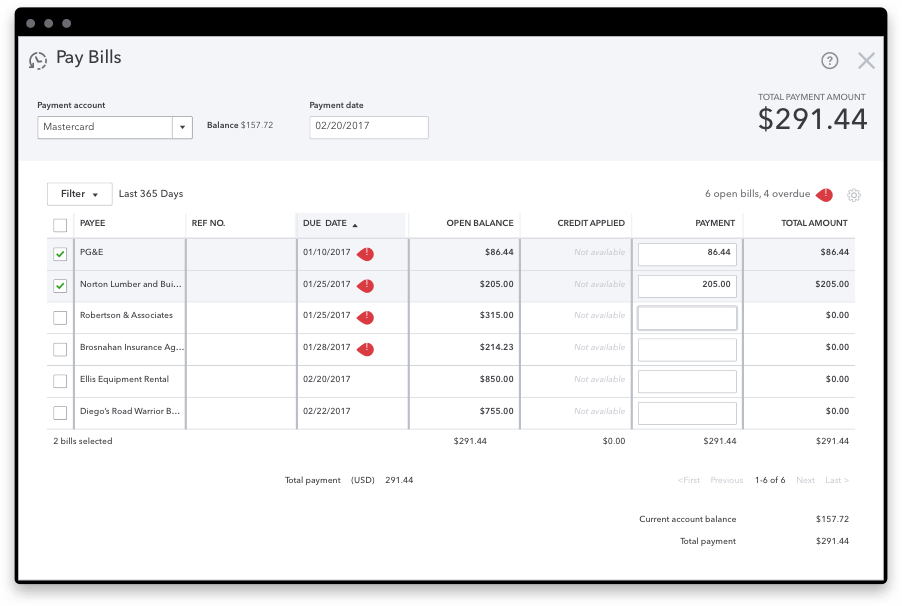
- Vendor bill management and electronic payments via Bill.com (additional fees apply).
- Automation of recurring transactions.
- Multiple currency transaction handling with automatic updates.
- Offers over 40 detailed reports for deeper financial insights.
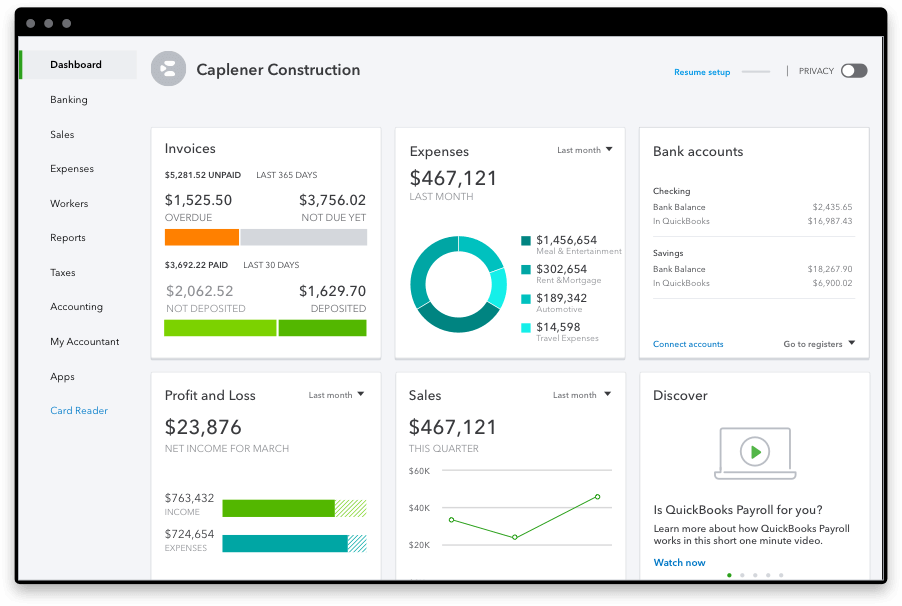
QuickBooks Online Plus
Plus is tailored for small businesses with sophisticated requirements. It has all the features included in Simple Start and Essentials, with additional functionalities:
- Manages up to five users with additional reports-only access.
- Inventory tracking using FIFO valuation and stock level monitoring.
Enables:
- Purchase order creation and management.
- Income, expense, and project profitability organization.
- Expense marking as billable.
- Budgeting for financial planning.
- Provides over 65 reports for comprehensive business analysis.
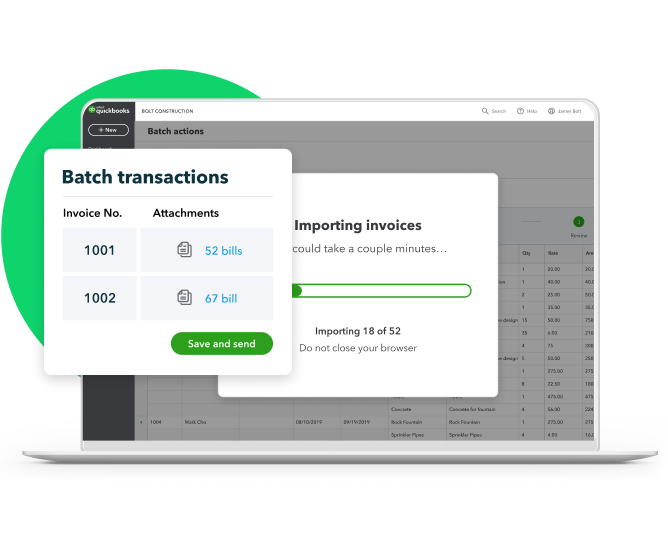
QuickBooks Online Advanced
Advanced suits growing businesses, incorporating all previous features plus enhancements for scalability. It’s ideal for high-volume management with advanced analytics and premium support.
- Supports up to 25 users with detailed permission settings.
- Offers accelerated invoicing and extensive tracking for business segments.
- Set up a chart of accounts with an unlimited number of accounts.
Includes:
- Unlimited classes and location tracking.
- Up to 10 custom fields for detailed tracking at customer or transaction level.
- A Fathom subscription for advanced reporting and analytics (a $468 value).
- Priority Circle support with dedicated resources and front-line access.
- Five QuickBooks online courses (a $2,000 value).
All plans include
Free mobile apps
QuickBooks comes with free mobile apps that help you run your business on the go—anytime, anywhere.
QuickBooks support
A member of our support team is ready and available to answer your QuickBooks questions.
App integration
Use the apps you know and love to keep your business running smoothly.
Frequently asked questions
There is no need to download QuickBooks Online because it is connected to the cloud, which means you can access online accounting from any device with an internet connection. You can download the QuickBooks Online mobile app from the Google Play Store or Apple App Store.
QuickBooks Online is a subscription-based product that gives you the freedom to work on the go. You can access and sync data across all your devices – computer, tablet and smartphone. Your data is securely backed up and you have instant access to the latest product and feature updates. Additionally, you can connect QuickBooks Online to over 300 apps you already use, and save even more time. For a subscription-based Desktop plan, learn more about QuickBooks Desktop Premier Plus.
You can upgrade between QuickBooks Online Simple Start, Essentials, or Plus.
QuickBooks Online is great for businesses who need access to their business data from anywhere and real-time collaboration. Move your accounting online to take advantage of automatic data backup, live insights from your accountant, automated workflows to reduce errors and increase efficiency, and reports that are tailored to your business. Sign up for QuickBooks Online on this page or call 877-697-8530 to hear about a limited-time offer.
We’re here to make migrating your desktop data and getting to know QuickBooks Online as seamless as possible. Easily do it yourself, or get help from a specialist if you have questions. We also offer expert-led webinars, easy-to-use guides, and free phone and chat support. Sign up for QuickBooks Online on this page or call 877-697-8530 to hear about a limited-time offer.
Yes, you're free to switch QuickBooks Online plans or cancel at any time. QuickBooks Live customers may cancel plans at any time.
Guarantees
Payroll Tax Accuracy Guarantee: As long as the information you provide us is correct and on time, and you have sufficient funds in your account, we’ll calculate your payroll taxes, file your tax forms and make tax payments directly from your account accurately and on time, or we’ll pay the resulting federal or state payroll tax penalties and interest. You are responsible for paying any additional tax liability you may owe. Additional terms apply. See QuickBooks Terms of Service.
Tax penalty protection: Only QuickBooks Workforce Elite users who have completed expert review of their payroll tax setup and enrolled in e-services for automated tax payments and filings are eligible to receive the tax penalty protection. If you receive a tax notice for payroll taxes paid and filed by QuickBooks on behalf of your company, and send it to us within 15 days of the tax notice, we will help you resolve it with the applicable tax agency and cover the payroll tax penalty and interest, up to $25,000 per year. You are responsible for paying any additional tax liability you may owe. Additional terms apply. Learn more about tax penalty protection.
*Offer terms
Bundle may include (1) a QuickBooks Online subscription and/or (2) a QuickBooks Intuit Bookkeeping plan and/or (3) QuickBooks Workforce, at your option.
QuickBooks Online and/or QuickBooks Workforce - Free 30-Day Trial: Free trial applies to the monthly base price for the first thirty (30) days of new subscriptions to QuickBooks Online and/or Workforce. You’ll automatically be charged at the end of the free trial and on a monthly basis thereafter at the then-current price for the service(s) you’ve selected until you cancel. Free trial does not apply to per-employee fees, per-contractor fees or state tax filing fees for QuickBooks Workforce, or to other add-on fees or services. To be eligible for this offer, you must be a new QuickBooks Online and/or Workforce customer, as applicable, and sign up for a monthly plan using the 30-day free trial option. Offers for the same product cannot be combined. Intuit reserves the right to modify or terminate this offer at any time for any reason in its sole discretion.
QuickBooks Online and/or QuickBooks Workforce - Introductory Discount Offer: The listed discount is applied to the monthly base price for new subscriptions to QuickBooks Online and/or Workforce for the first 3 months (the “Introductory Period”). After the Introductory Period, you’ll be charged on a monthly basis thereafter at the then-current price for the service(s) you’ve selected until you cancel. Discount does not apply to per-employee fees, per-contractor fees or state tax filing fees for QuickBooks Workforce, or to other add-on fees or services. To be eligible for this offer, you must be a new QuickBooks Online and/or Workforce customer, as applicable, and sign up for the monthly plan using the 3-month discount option. Offers for the same product cannot be combined. Intuit reserves the right to modify or terminate this offer at any time for any reason in its sole discretion.
Intuit Expert Assisted - Free 30-Day Trial: Access expert guidance when you add the thirty (30) day free trial of Intuit Expert Assisted services (“Expert Assisted”) to your purchase of a QuickBooks Online subscription. Offer is not available with free trials of QuickBooks Online. Expert Assisted will not automatically renew at the end of the free trial. Free trial does not apply to add-on fees or services. To be eligible for this offer, you must be a new QuickBooks Online customer and sign up for Intuit Expert Assisted using the "Free for 30-Days with no auto-renew” option. Offers for the same product cannot be combined. Intuit reserves the right to modify or terminate this offer at any time for any reason in its sole discretion.
QuickBooks Online Intuit Expert Assisted Discount Offer Terms: Discount applied to the first 3 months of Expert Assisted, starting from the date of enrollment, followed by the then-current monthly Expert Assisted list price with your QuickBooks Online Simple Start, Essentials, Plus or Advanced (“QBO”) subscription. Your account will automatically be charged on a monthly basis until you cancel. Sales tax may be applied where applicable. To be eligible for this offer you must be an active QBO customer, and new, or a recently lapsed trial customer, to Expert Assisted and sign up for the Expert Assisted monthly plan by calling sales at 1-800-816-4611. Offer available for a limited time only. To cancel your Expert Assisted subscription at any time go to Account & Settings in QBO and select “Cancel.” Your cancellation will become effective at the end of the monthly billing period. You will not receive a pro-rated refund; your access and subscription benefits will continue for the remainder of the billing period. Terms, conditions, pricing, special features, and service and support options subject to change without notice.
**Features
QuickBooks features
Intuit Expert Assisted: QuickBooks Online subscription required. Supported topics subject to change. Excludes bookkeeping and tax preparation services, each of which are sold separately. Additional terms and conditions apply.
Annual percentage yield: The annual percentage yield (“APY”) is accurate as of December 9, 2024, and may change at our discretion at any time. The listed APY will be paid on the average daily available balances distributed across your created envelopes within your primary QuickBooks Checking account. Balances held outside an envelope will not earn interest. See Deposit Account Agreement for terms and conditions.
Envelopes: You can create up to 9 Envelopes within your primary QuickBooks Checking account. Money in Envelopes must be moved to the available balance in your primary QuickBooks Checking account before it can be used. Envelopes within your primary QuickBooks Checking account will automatically earn interest once created. At the close of each statement cycle, the interest earned on funds in your Envelopes will be credited to each Envelope in proportion to the average daily balance of each Envelope. See Deposit Account Agreement for terms and conditions.
Intuit Expert Assisted: QuickBooks Online subscription required. Supported topics subject to change. Excludes bookkeeping and tax preparation services, each of which are sold separately. Additional terms and conditions apply.
Intuit Expert Full Service Bookkeeping: QuickBooks Online subscription required. Cleanup is required prior to commencement of bookkeeping services and charged as a one-time fee. Monthly bookkeeping pricing is based on your business’s average monthly expenses and may be reassessed at Intuit’s sole discretion. Excludes tax preparation services, which are sold separately. Additional terms, conditions and eligibility requirements apply.
Receipt capture: Requires QuickBooks Online mobile (“QBM”) application. The QuickBooks Online mobile app works with iPhone, iPad, and Android phones and tablets. Devices sold separately; data plan required. Not all features are available on the mobile apps and mobile browser. QuickBooks Online mobile access is included with your QuickBooks Online subscription at no additional cost. Data access is subject to cellular/internet provider network availability and occasional downtime due to system and server maintenance and events beyond your control. Product registration required.
Collaborate with your accountant: You can connect up to the following for each product: 1 billable user and 2 accounting firms for QuickBooks Online Simple Start, 3 billable users and 2 accounting firms for QuickBooks Online Essentials, 5 billable users and 2 accounting firms for QuickBooks Online Plus, 25 billable users and 3 accounting firms for QuickBooks Online Advanced. Accounting firms must connect using QuickBooks Online Accountant.
QuickBooks Payments: QuickBooks Payments account subject to eligibility criteria, credit and application approval. Subscription to QuickBooks Online is required. Money movement services are provided by Intuit Payments Inc., licensed as a Money Transmitter by the New York State Department of Financial Services.
Mileage tracking: Mileage tracking is only available to the master administrator of the QuickBooks Online account. Requires QuickBooks Online mobile (“QBM”) application. The QuickBooks Online mobile app works with iPhone, iPad, and Android phones and tablets. Devices sold separately; data plan required. Not all features are available on the mobile apps and mobile browser. QuickBooks Online mobile access is included with your QuickBooks Online subscription at no additional cost. Data access is subject to cellular/internet provider network availability and occasional downtime due to system and server maintenance and events beyond your control. Product registration required.
QuickBooks Checking Account opening is subject to identity verification and approval by Green Dot Bank.
QuickBooks and Intuit are a technology company, not a bank. Banking services provided by our partner, Green Dot Bank.
Deposit Sweep Program: Cash balances above $250,000 will be automatically swept from Green Dot Bank and equally spread across our participating financial institutions, providing you with up to $5 million in FDIC insurance coverage. Customers are responsible for monitoring their total assets at each institution. Learn more and see a list of participating institutions here
Mobile signatures: Requires QuickBooks Online mobile application. The QuickBooks Online mobile app works with iPhone, iPad, and Android phones and tablets. Devices sold separately; data plan required. Not all features are available on the mobile apps and mobile browser. QuickBooks Online mobile access is included with your QuickBooks Online subscription at no additional cost. Data access is subject to cellular/internet provider network availability and occasional downtime due to system and server maintenance and events beyond your control. Product registration required.
Pay-enabled invoices: Requires a separate QuickBooks Payments account which is subject to eligibility criteria, credit and application approval. Additional fees may apply. Additional terms and conditions apply.
Third party apps: Third party applications available on apps.com. Subject to additional terms, conditions, and fees.
Automated 1099 e-file & delivery: Prepare your 1099s in QuickBooks at no extra charge. If you choose the 1099 E-File Service, Intuit will e-file your Federal 1099 information with the IRS, and then print and mail a copy directly to your contractors; fees apply. As part of the paid 1099 E-File Service, we also give your contractors online access to their 1099s. State filing not included. You should check with your state agency on any state filing requirements.
1099 e-file service pricing: 1099 E-File Service minimum of $14.99 includes 3 forms. Forms 4-20 are $3.99 each. Forms 21 and up are free. Early Bird E-File Service pricing is available through January 16: minimum of $12.99 includes 3 forms. Forms 4-20 are $2.99 each. Forms 21 and up are free.
Accelerated Invoicing: QuickBooks Online Advanced supports the upload of 1000 transaction lines for invoices at one time. 20% faster based off of internal tests comparing QuickBooks Online regular invoice workflow with QuickBooks Online Advanced multiple invoice workflow.
Account team benefits for Priority Circle: Only available with a paid subscription. Trial customers have access to QuickBooks Online Advanced product experts.
Priority Circle: Access to Priority Circle and its benefits are available only to customers located in the 50 United States, including DC, who have an active, paid subscription to QuickBooks Desktop Enterprise or QuickBooks Online Advanced. Eligibility criteria may apply to certain products. When customers no longer have an active, paid subscription, they will not be eligible to receive benefits. Phone and messaging premium support is available. Support hours exclude occasional downtime due to system and server maintenance, company events, observed U.S. holidays and events beyond our control. Intuit reserves the right to change these hours without notice. Terms, conditions, pricing, service, support options, and support team members are subject to change without notice.
Automatic data backup and recovery: QuickBooks Online uses technical and administrative security measures such as, but not limited to, firewalls, encryption techniques, and authentication procedures, among others, to work to maintain the security of your online session and information.
**QuickBooks Workforce features
401(k): 401(k) and other retirement offerings are provided and administered by independent third parties and not by Intuit. Intuit is not a retirement plan administrator, fiduciary or other provider. Intuit receives a fee for referred clients. Additional third party terms and conditions apply.
Automated I-9s: Available in QuickBooks Workforce Premium and Elite only.
Auto payroll: Available after first successful payroll run for salaried employees or hourly employees on default hours, with direct deposit set up.
Automated tax payments and filings: Requires completion of tax setup. Available for state and federal taxes. Certain local taxes available in QuickBooks Workforce Premium and Elite only.
Automated benefits deductions: Must sign-up for benefits through integrated third party benefits partners or purchase benefits administration services in order for QuickBooks Workforce to automatically calculate employee benefit deductions.
Expert product support: Phone and chat support included with QuickBooks Workforce during business hours. Weekend phone and chat support is only available with Workforce Premium and Elite.
Expert review: Only available with QuickBooks Workforce Premium and Elite.
Expert setup: Only available with QuickBooks Workforce Elite.
Garnishments and deductions: Available for employees only. User is responsible for setting the garnishment amount and making the garnishment payment to the appropriate entity.
Guided Setup: Free one-time 60-min virtual session with a QuickBooks Workforce expert. Only available to new Workforce customers who are within the first 30 days and have not yet run payroll. Does not include data migration.
Health benefits: Health insurance info is provided by Intuit Insurance Services Inc., a licensed insurance broker, through a partnership with Allstate Health Solutions. Intuit Insurance Services Inc. is owned and operated by Intuit Inc. and is paid a fee by Allstate Health Solutions in connection with referred clients. Intuit is not an insurance carrier. Plans are sold separately and require acceptance of Allstate's Terms of Use and Privacy Policy.
HR services: HR services are provided by Mineral, Inc. HR support center is available only to QuickBooks Workforce Premium and Elite. HR advisor support is only available in QuickBooks Workforce Elite. Mineral’s Privacy Policy and Terms of Service apply.
Next-day direct deposit: Subject to eligibility criteria. Payroll processing cut-off times apply for timely deposit. Deposit delays may occur due to third party delays, risk reviews, or issues beyond Intuit’s control. Available for contractors for an additional fee.
Same-day direct deposit: Subject to eligibility requirements. Available to QuickBooks Workforce Premium and Elite users only. Payroll processing cut-off times apply for timely deposit. Deposit delays may occur due to third party delays, risk reviews, or issues beyond Intuit’s control. Available only for employees, not available for contractors.
Payroll cost allocation: Allocation of payroll costs by class or project only available to QuickBooks Workforce Premium and Elite users who have a QuickBooks Online Plus, QuickBooks Online Advanced, or Intuit Enterprise Suite plan.
1099 E-file: 1099 forms are e-filed with the IRS only for the current filing year and for payments recorded in QuickBooks. Includes state filings for eligible states participating in IRS Combined Federal/State Filing program; please check with your state agency on any additional state filing requirements. Additional fees may apply to print and mail a copy to your vendors and contractors.
Workers’ comp administration: Benefits are powered by NEXT Insurance and require acceptance of NEXT Insurance's Privacy Policy and Terms of Use. Additional fees will apply. Eligibility criteria applies to transfer active insurance policy broker of record, including insurance carrier, policy renewal date, and payment method. Workers compensation insurance is not available in OH, ND, WA and WY.
Time Tracking: Available in QuickBooks Workforce Premium and Elite only.
Benefits administration: Sold separately. Must have 20+ employees to be eligible. Benefit plan setup required; not all benefit plans are supported. Subscription to QuickBooks Workforce required.
Background Checks: Background check services provided by Checkr. Checkr's terms and additional fees apply. Subscription to QuickBooks Workforce required.
Claims
Run payroll in less than 5 minutes with QuickBooks Workforce: Median time for QuickBooks payroll customers to view and approve payroll is less than 5 minutes. Based on an Intuit survey of 505 QuickBooks Payroll customers in December 2018 who stated average time savings compared with their prior solution.
**Product information
Cancellation policy: There's no contract or commitment. You're free to switch plans or cancel any time.
Mobile apps: The QuickBooks Online mobile and QuickBooks Self-Employed mobile companion apps work with iPhone, iPad, and Android phones and tablets. Devices sold separately; data plan required. Not all features are available on the mobile apps and mobile browser. QuickBooks Online mobile access is included with your QuickBooks Online subscription at no additional cost. Data access is subject to cellular/internet provider network availability and occasional downtime due to system and server maintenance and events beyond your control. Product registration required.
Usage limits: QuickBooks Online Advanced includes unlimited Chart of Account entry. Simple Start, Essentials and Plus allow up to 250 accounts. QuickBooks Online Advanced includes unlimited Tracked Classes and Locations. QuickBooks Plus includes up to 40 combined tracked classes and tracked locations. Tracked Classes and Locations are not available in Simple Start and Essentials.
QuickBooks Checking Account opening is subject to identity verification and approval by Green Dot Bank.
QuickBooks and Intuit are a technology company, not a bank. Banking services provided by our partner, Green Dot Bank.
QuickBooks Payments and QuickBooks Checking accounts: Users must apply for both QuickBooks Payments and QuickBooks Checking accounts when bundled. QuickBooks Payments’ Merchant Agreement and QuickBooks Checking account’s Deposit Account Agreement apply.
QuickBooks Checking account: Banking services provided by and the QuickBooks Visa® Debit Card is issued by Green Dot Bank, Member FDIC, pursuant to license from Visa U.S.A., Inc. Green Dot Bank operates under the following registered trade names: GoBank, GO2bank and Bonneville Bank. Registered trade names are used by, and refer to, a single FDIC-insured bank, Green Dot Bank. Deposits under any of these trade names are deposits with Green Dot Bank and are aggregated for deposit insurance coverage up to the allowable limits. Green Dot is a registered trademark of Green Dot Corporation. ©2022 Green Dot Corporation. All rights reserved. QuickBooks products and services, including Instant Deposit, QuickBooks Payments, Cash flow planning / forecasting are not provided by Green Dot Bank.
Deposit Sweep Program: Cash balances above $250,000 will be automatically swept from Green Dot Bank and equally spread across our participating financial institutions, providing you with up to $5 million in FDIC insurance coverage. Customers are responsible for monitoring their total assets at each institution. Learn more and see a list of participating institutions here
#Claims
1. Over 40x U.S. average APY: Average interest rate: The average interest rate is based on the Federal Deposit Insurance Corporation's national rate published the week of October 16, 2023. Learn more. Terms, conditions, pricing, special features, and service and support options subject to change without notice.
Call Sales: 1-877-866-5232
© 2026 Intuit Inc. All rights reserved.
Intuit, QuickBooks, QB, TurboTax, Credit Karma, and Mailchimp are registered trademarks of Intuit Inc.
Money movement services are provided by Intuit Payments Inc., licensed as a Money Transmitter by the New York State Department of Financial Services. For details about our money transmission licenses, or for Texas customers with complaints about our service, please click here.
By accessing and using this page you agree to the Website Terms of Service.