
INTUIT INTELLIGENCENEW
Comparison overview
Compare the features, pricing plans, and add-ons available with both QuickBooks and FreshBooks to find the best accounting solution for your business.

Comparison overview
QuickBooks Online
FreshBooks
Plan Overview
Pricing
(per company file/EIN)
Simple Start: $19/mo,
Essentials: $42.50mo, Plus: $70/mo, Advanced: $170/mo.
Save 50% for 3 months*
Lite: $5.70/mo., Plus: $9.90/mo., Premium: $18.00/mo., Select: Custom Pricing
User Limits
Simple Start: 1, Essentials: 3, Plus: 5, Advanced: 25
Additional $11/user
Expert Support
(phone, live chat, help articles, how to videos)


No direct phone number for lower plans.
Accounting and Reporting
General Accounting
(chart of accounts, journal entries, financial statements, sales tax)
Bank Reconciling
(connect bank feeds, categorize, match transactions)
Accounts Receivable
(customer portal, estimates, invoices, recurring invoices)
Accounts Payable
(vendor portal, purchase orders, expenses, bills, recurring bills)
With Premium
Financial Planning
(cash flow planner, forecasting, budgets, custom formulas)
budgets require Plus
forecasting available with Advanced
Industry Specific
Inventory Management
(track products, add markups, view QTY on hand, etc)
Requires Plus

Project management
(tag income/expenses to a specific job)
Requires Plus
E-Commerce Management
(connect to Shopify, eBay, Amazon and Etsy)
Simple Start: 1 connection, Essentials: 3 connections,
Plus: All connections
Ecosystem Add-Ons (extra cost)
Payroll & time
(manage payroll, HR, benefits, and track time)
Accept Payments
(take credit card or ACH payments via invoice or card reader)
no card reader option
Pay Bills
(send ACH payments to vendors or contractors)
Expert Bookkeeping
(get expert help with your books and preparing for tax time.)
Banking and Capital
(open a business banking account or apply for a business loan)
*Discount offer. See offer terms below.
Pricing reflects total monthly costs as of November 1st, 2025. Pricing may vary subject to discounted introductory rates. Pricing and feature list accurate as per FreshBooks website on November 1st, 2025.
QuickBooks Online vs. FreshBooks: comparison overview 2026
While QuickBooks and FreshBooks are both popular accounting software options for small businesses, QuickBooks is a more comprehensive and scalable solution than FreshBooks. It provides a wider array of advanced features, industry-specific tools, and in-depth reporting, empowering businesses to gain greater control and insights into their financial performance. Below, we break down the key differences in features, benefits, and pricing to help you choose the platform that best suits your business needs and budget.

QuickBooks overview
QuickBooks is the leading accounting software for small businesses, designed to simplify financial management and empower growth. With a user-friendly interface and a comprehensive suite of tools, QuickBooks streamlines tasks like invoicing, expense tracking, and reporting, giving you a clear picture of your financial health. From automating payments to managing payroll, QuickBooks offers a better, scalable solution that can adapt to your business needs.

Easily run and export reports, including profit and loss, expenses, and balance sheets. Customize your reports to make them more specific to the needs of your business.

Manage your cash flow from anywhere. See your business money come in and out over time so you can make smart business decisions, reflect on historical data, and pivot as you grow.

QuickBooks keeps track of thousands of tax laws, so you don’t have to. When you add sales tax to an invoice in QuickBooks, it automatically calculates the tax based on the date, location, product type, and customer information you provide.

Send, track, and file 1099 forms for your independent contractors. Be prepared when it’s time to file with the IRS and stay compliant.

QuickBooks' user-friendly interface makes navigating your finances a breeze, even if you're not an accounting expert. The layout and simple design ensure that you can find what you need quickly and efficiently.

With QuickBooks, you'll get expert help from real people through phone and live chat six days a week. Our specialists are here to support you with every part of your QuickBooks journey, from the initial switch to onboarding.

Seamlessly connect QuickBooks to over 750 apps and tools, creating a unified hub for your business operations. From CRM systems to payment processors, QuickBooks integrates with a wide range of popular platforms, saving you time and effort. Live bookkeeping is also available.

Organize and manage bills online so you always pay on time.

All your bank and credit card transactions automatically sync to QuickBooks, making it easy to track your income and expenses.

Automatically find deductions you didn’t know about to get all you deserve.

Track expenses across all your different accounts.

Create professional custom invoices with your logo that you can send from any device.

QuickBooks comes with a free mobile app that helps you run your business on the go—anytime, anywhere.
FreshBooks overview
FreshBooks is cloud-based accounting software designed primarily for small business owners, solopreneurs, and freelancers who need to streamline their financial tasks. Its features include income and expense tracking, invoicing, receipt capture, and project profitability management.
FreshBooks provides four distinct pricing plans tailored to different business needs: Lite, Plus, Premium,
and Select. Each plan offers varying levels of functionality and support.

Lite is a budget-friendly plan ideal for freelancers. It covers the fundamentals, including invoicing with bank and credit card payment capabilities, unlimited expense tracking and estimate sending, and basic financial reports.
Designed for self-employed professionals, Plus offers everything in Lite, plus unlimited invoicing to up to 50 clients, unlimited estimates and proposals, automatic expense receipt data capture, and tools that allow collaboration with your accountant.

Premium is a plan for businesses with contractors. It includes everything in Plus, as well as customized email templates, unlimited invoicing to an unlimited number of clients, automatic bill receipt data capture, and profitability summaries.
Businesses with employees can choose the Select plan. This customizable plan includes everything in Premium plus a dedicated support number, access to lower credit card transaction fees, advanced payment solutions, and optional add-ons.
Use the invoice generator to create professional-looking invoices complete with tracked time and expenses.
FreshBooks provides live chat for quick assistance, email support for detailed inquiries, and a Help Center with articles for self-service troubleshooting. The Select plan includes a dedicated support phone number.

Users can integrate FreshBooks with over 100 partner apps to extend its core functionality. FreshBooks also integrates with Zapier to connect with thousands of more apps.
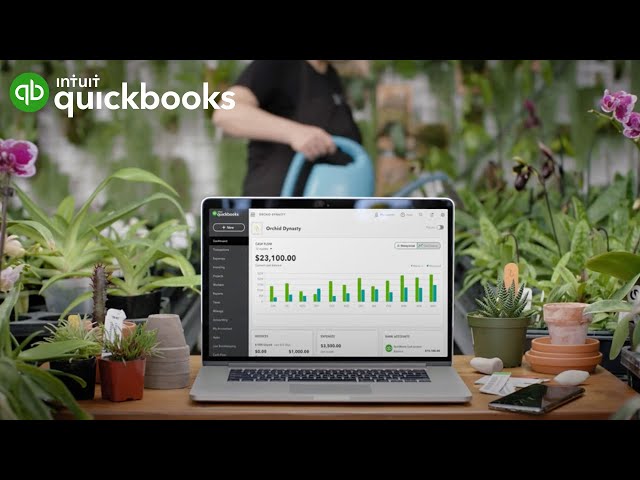
QuickBooks is a standout choice for small-to midsize businesses thanks to its intuitive interface and robust features. It has plans to help businesses streamline accounting tasks, manage 1099 contractors, track inventory, and automatically calculate sales tax, all while offering comprehensive live support. Whether you’re a solopreneur or looking to scale your operations, QuickBooks is a user-friendly solution designed to grow with your needs.

QuickBooks has a wide network of banking partners, making it easy to securely import your bank feeds from a variety of banks and credit card companies. This seamless integration saves time, ensures accuracy, and eliminates manual errors.
QuickBooks goes beyond accounting with 750+ integrated apps, streamlining everything from payroll to customer relationships. This eliminates the need for multiple platforms, reducing time and effort while empowering smarter business decisions.
QuickBooks offers expert phone and chat support, providing you with a direct line to experts when you need them. With personalized assistance, you can tackle any accounting challenge with confidence and keep your business on track.
QuickBooks has a range of plans. All offer free live chat or phone support, free expert help as you get started, unlimited invoices, plus reports, dashboards, and more. Compare the plans and find the optimal fit for your business.
 Guides you through setup and onboardingGuides you through setup and onboarding
 Categorizes expensesMaximizes tax deductionsChat for instant insightsGuides you through setup and onboardingEverything in Simple StartGuides you through setup and onboardingCleans up your books, fastGets you paid fasterChat for instant insightsGuides you through setup and onboardingEverything in EssentialsGuides you through setup and onboardingReconciles your booksSurfaces profit & loss insightsFinds and fixes errorsAutomates sales taxesSources leads, helps follow upChat for instant insightsGuides you through setup and onboardingEverything in PlusGuides you through setup and onboardingPersonalizes business intelligence metricsCreate custom KPIs, dashboards, and reportsIntegrates project managementGives tailored financial insightsChat for instant insights

Choose the right accounting solution fit for your business.
Compare QuickBooks and Gusto to determine which platform delivers the payroll and business management tools your company needs.
Explore how QuickBooks stacks up against Wave in providing features that cater to businesses of all sizes.
Discover the differences between QuickBooks and Xero and decide which platform offers the tools your business needs to thrive.
Key Considerations When Choosing Accounting Software
When selecting accounting software like QuickBooks, businesses should consider their size and complexity, the accounting experience of their team, budget constraints, and long term growth plans. Smaller companies with simpler needs may prefer streamlined tools, while larger or growing organizations often require advanced features, integrations, and scalability. Balancing ease of use, affordability, and the ability to expand ensures the software will support both current operations and future success.
Call Sales: 1-877-866-5232





Millions of customers
use QuickBooks globally1
4.3/5
6700+ customer reviews on Capterra
Save almost 4 hours per week
on average by using QuickBooks.2