Space for pervasive banner when authenticated

Add users to QuickBooks Payments


Learn how to add users so they can process payments in QuickBooks.
 Create your own roles and customize permissions by upgrading to QuickBooks Online Advanced. Choose what users can see and do in different areas like banking, sales, payroll, and more.
If multiple people on your team handle customer payments, add them to your business's QuickBooks Paymentsaccount.
This lets them process payments in QuickBooks without giving them full access to your accounting data. Here's how to add users to QuickBooks Payments from each product.
Step 1: Add a user who can process payments
In the GoPayment App
Follow the steps based on your version of GoPayment. The steps are the same on both iOs and Android versions. If you need to add a Take Payments user, manage users in QuickBooks Online and not the app.
Learn which GoPayment app you have
If your app has a green background, you have the green GoPayment app.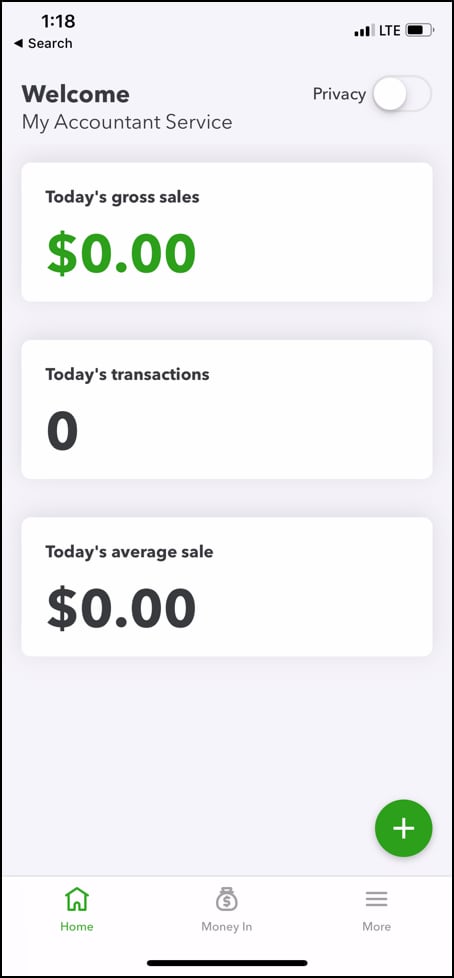
If your app has a blue background, you have the blue GoPayment app.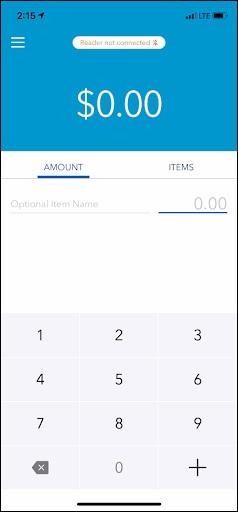
If you have the Green GoPayment app:
From the main screen, select More ☰ and then User management.
Select the Plus (+) to invite a user.
Enter the user’s name and email.
Select Take payments only or Take payments only restricted for the user role.
Select Invite to add the user.
If you have the Blue GoPayment app:
From the main screen, select Menu ☰ and then Settings.
Go to the Manage Users section and select Manage Users.
Select Invite user if you're inviting a user for the first time. Tap the Plus (+) to add additional users.
Enter the user’s name and email.
Select a mobile payments role for the user. To learn more, select Learn more about roles.
Select Invite to add the user.
An invite is emailed to the user. All they have to do is select the link in the email. Note: We recommend opening the link on a computer instead of a mobile device.
If the user already has a QuickBooks account, they can select the Sign in link. If they don't have an account yet, or want to create a new one, they can select Sign up.
In QuickBooks Online
If you're using QuickBooks Online in a web browser, here's how to add a user for payments.
Select Settings ⚙ and then Manage Users.
Select Add user.
Select the Take payments only role. Then select Next.
Select the types of transactions the user can view: All transactions or Transactions they create. Then select Next.
Enter the user’s name and email.
When you're done, select Save.
Learn more about user types in QuickBooks OnlineQuickBooks Online.
In QuickBooks Desktop
Go to Account Center and select Payments.
Select Add User. Enter the EMAIL of the user you want to invite, select a ROLE and select Send.
The new user will receive an invitation email to start using QuickBooks Payments. If they already have an Intuit account, they can select Sign in. Otherwise, sign up.
In Merchant Service Center
Sign in to Merchant Service Center.
Go to Account, then select Users and check to see if you already have an account created for your user.
If not, select this invite link.
Enter the email of the user you want to invite, then select a role. Users won't show on your list unless they accept your invitation.
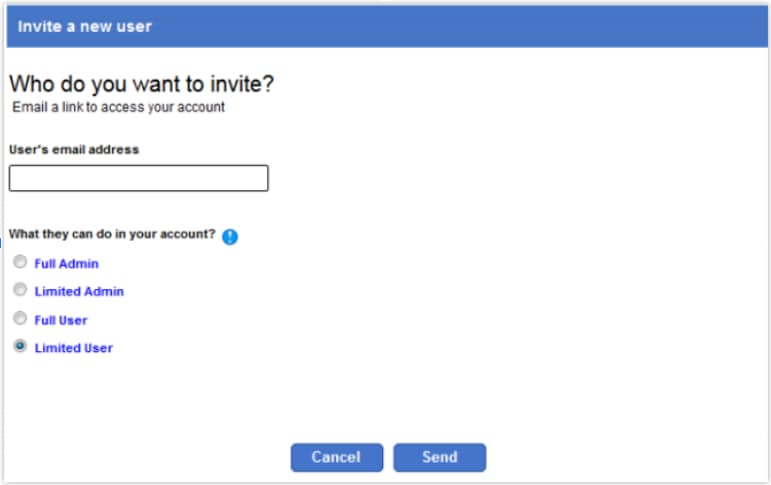
They’ll receive an invitation email to start using QuickBooks Payments. If they already have an Intuit account, they can select Sign in. Otherwise, sign up.
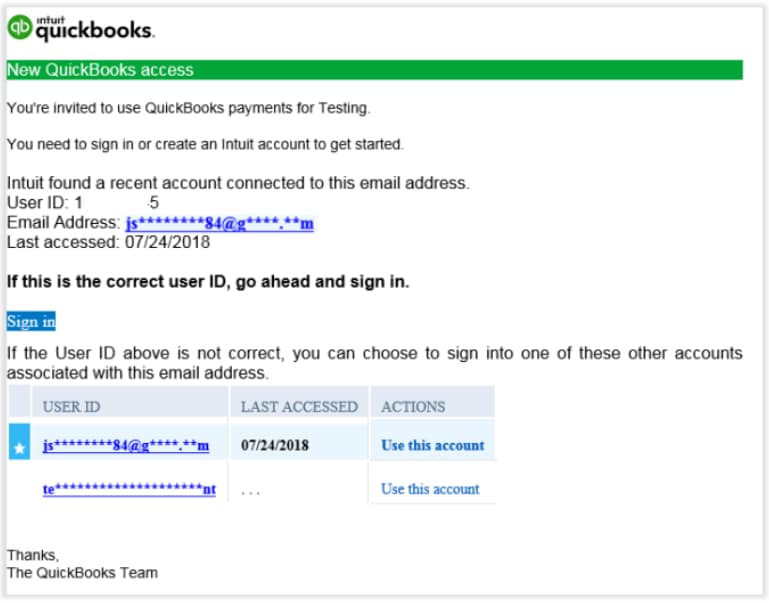 Didn't receive the email? Check the spam or junk folder.
After they sign in, they’ll get a link to the Merchant Service Center.
Step 2: Edit or change users' payment permissions
You can only edit payment permissions from specific products.
For QuickBooks Desktop, change users' permissions from the GoPayment app.
For QuickBooks Online, QuickBooks Online mobile app, and GoPayment, change users' permissions from QuickBooks Online.
For Merchant Service Center, change users' permissions from the Account-Users page. Select the Role link and change the role from the drop-down menu.
Disclaimer: QuickBooks Payments account subject to eligibility criteria, credit and application approval. Money movement services are provided by Intuit Payments Inc., licensed as a Money Transmitter by the New York State Department of Financial Services.
Sign in now for personalized help
See articles customized for your product and join our large community of QuickBooks users.
Call Sales: 1-800-365-9606




