Compare the features, pricing plans, and add-ons available with both QuickBooks and Xero to find the best accounting solution for your business.
28 years experience
helping small businesses
4.3/5

6400+ customer reviews on Capterra
Join millions of customers globally
use QuickBooks globally2
QuickBooks vs Xero


Plan Overview
Pricing
(per company file/EIN)
Simple Start: $19/mo,
Essentials: $37.50/mo, Plus: $57.50/mo
Save 50% for 3 months*
Early: $15/mo, Growing: $42/mo, Established: $78/mo
User Limits
(role-based access means tighter security control)
Simple Start: 1, Essentials: 3, Plus: 5, Advanced: 25
unlimited
Live Support
(phone, live chat, help articles, how to videos)

no direct phone number or chat support
Accounting and Reporting
General Accounting
(chart of accounts, journal entries, financial statements, sales tax)
Bank Reconciling
(connect bank feeds, categorize, match transactions)
Accounts Receivable
(customer portal, estimates, invoices, recurring invoices)
usage limits on Early Plan
Accounts Payable
(vendor portal, purchase orders, expenses, bills, recurring bills)
usage limits on Early Plan
Financial Planning
(cash flow projector,forecasting, budgets, custom formulas)
budgets require Plus forecasting available with Advanced
scenario planning requires Established
Industry Specific
Inventory Management
(track products, add markups, view QTY on hand, etc)
requires Plus
Project management
(tag income/expenses to a specific job)
requires Plus
requires Established
E-Commerce Management
(connect to Shopify, eBay, and Amazon)
SS: 1 connection, Ess: 3 connections, Plus: All connections
Shopify only requires Growing or Established
Ecosystem Add-Ons (extra cost)
Time & Payroll
(manage W2 & 1099, track time, paychecks, and payroll tax)

Accept Payments
(take credit card or ACH payments via invoice or card reader)
no card reader option
Pay Bills
(send ACH payments to vendors or contractors)
Expert Bookkeeping
(get expert help with your books and preparing for tax time)
Banking and Capital
(open a business banking account or apply for a business loan)
Pricing reflects total monthly costs as of November 1st, 2025. Total cost per year is calculated by adding all the features that require additional fees.
Pricing may vary subject to discounted introductory rates. Pricing and feature list accurate as per Xero UK website on Nov 1st, 2025.
QB vs Xero: comparison overview 2026
QuickBooks and Xero are both popular accounting software options for small businesses, but which one is right for you? Here, we break down the key differences in features, benefits, and pricing to help you choose the platform that best suits your business needs and budget.
QuickBooks overview
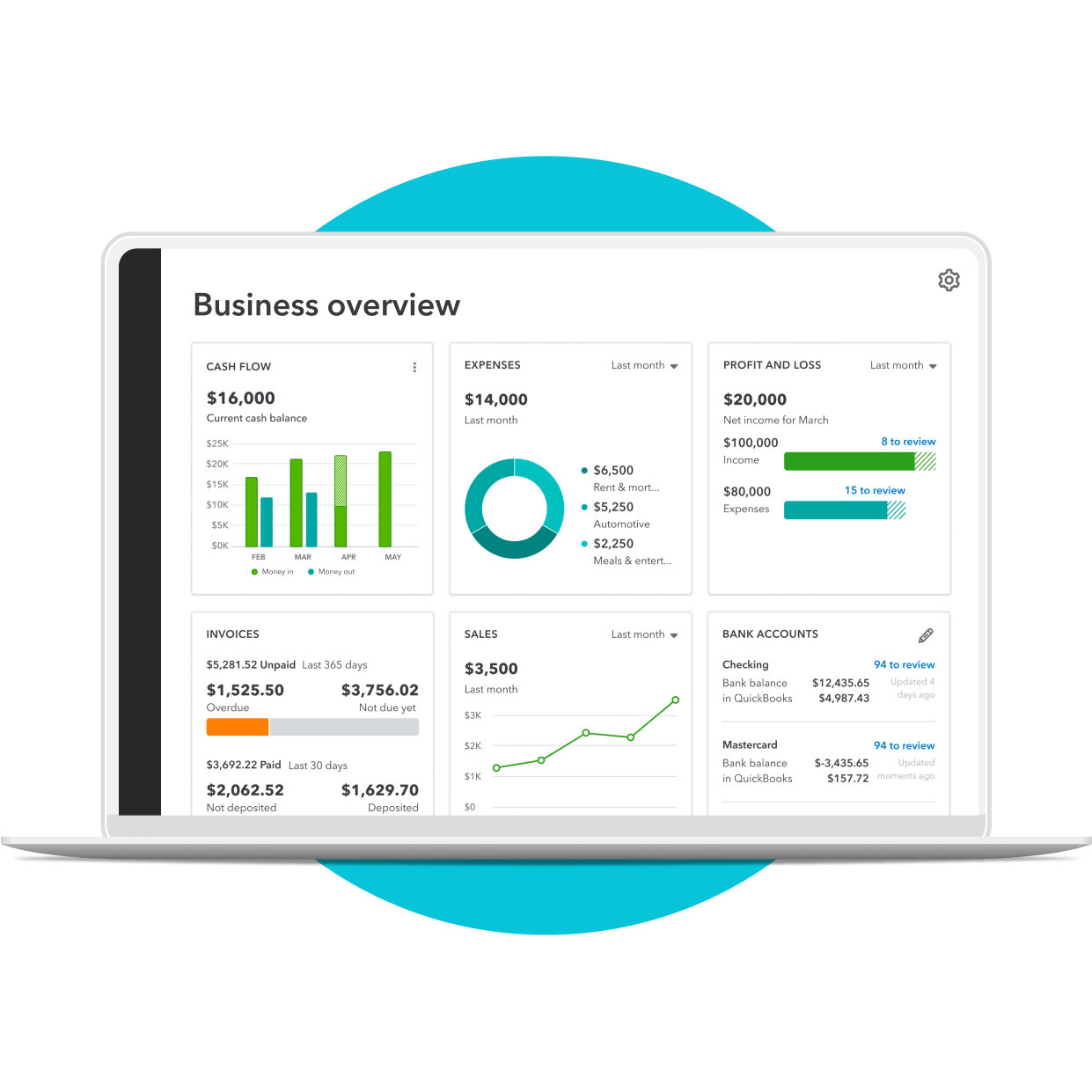
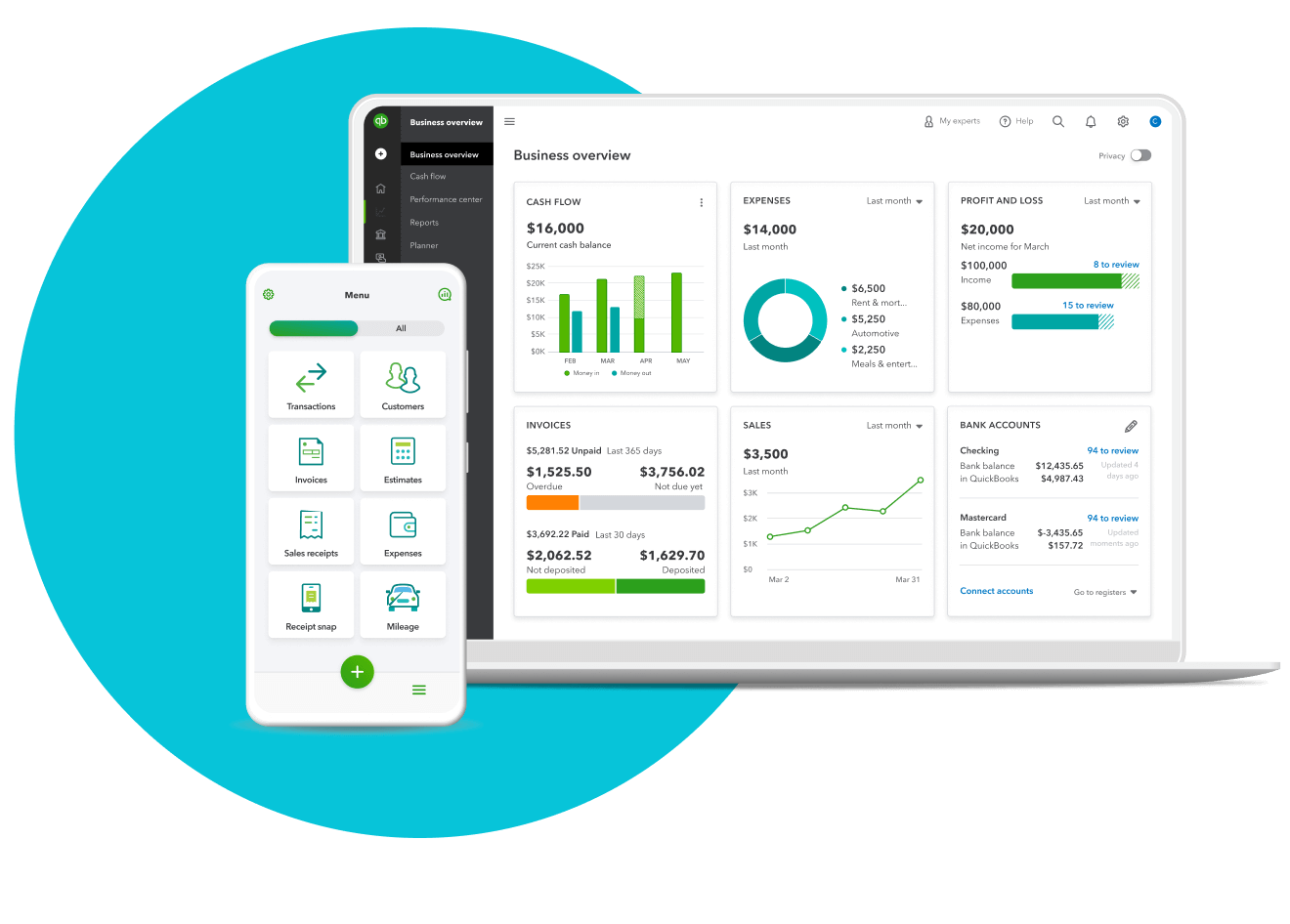
QuickBooks is the leading accounting software for small businesses, designed to simplify financial management and empower growth. With a user-friendly interface and a comprehensive suite of tools, QuickBooks streamlines tasks like invoicing, expense tracking, and reporting, giving you a clear picture of your financial health. From automating payments to managing payroll, QuickBooks offers a better, scalable solution that can adapt to your business needs.
Plans for every kind of business
Subscribe to QuickBooks Online and try Intuit Expert Assisted FREE for 30 days.
1
Select plan
2
Add payroll
3
Checkout
Simple Start
$38
$19/mo
Save 50% for 3 months*
Intuit Expert Assisted
*Connect with Intuit experts when you need it. They can provide setup help and bookkeeping guidance in QuickBooks, so you can stay organized and run your business with confidence. Free for 30 days. No auto-renew.
Try expert help FREE for 30 days*
Access expert tax help
Save time and effort by seamlessly moving from books to taxes, then prepare your current tax year return with unlimited expert help to get every credit you deserve. Access Intuit Expert Business Tax experts powered by TurboTax and pay only when you file. Costs vary by entity type. Subject to eligibility.
with Intuit Expert Business Tax
Income and expenses
Securely import transactions and organize your finances automatically.
Banking with 3.00% APY
Every dollar put away in savings envelopes earns you interest at over 40x the U.S. average.
Bookkeeping automation
Automate bookkeeping to cut down on tedious tasks and get more time to focus on your business.
Invoice and payments
Accept credit cards and bank transfers in the invoice with QuickBooks Payments, get status updates and reminders.**
Tax deductions
Share your books with your accountant or export important documents.**
General reports
Run and export reports including profit & loss, expenses, and balance sheets.*
Receipt capture
Snap photos of your receipts and categorize them on the go.**
Mileage tracking
Automatically track miles, categorize trips, and get sharable reports.**
Cash flow
Get paid online or in person, deposited instantly, if eligible.
Sales and sales tax
Accept credit cards anywhere, connect to e-commerce tools, and calculate taxes automatically.**
Estimates
Customize estimates, accept mobile signatures, see estimate status, and convert estimates into invoices.**
Contractors
Assign vendor payments to 1099 categories, see payment history, prepare and file 1099s from QuickBooks.**
Connect 1 sales channel
Connect 1 online sales channel and automatically sync with QuickBooks.
Bill management
Organize and track your business bills online.
Essentials
$75
$3750/mo
Save 50% for 3 months*
Intuit Expert Assisted
Connect with Intuit experts when you need it. They can provide setup help and bookkeeping guidance in QuickBooks, so you can stay organized and run your business with confidence. Free for 30 days. No auto-renew.
Try expert help FREE for 30 days*
Access expert tax help
Save time and effort by seamlessly moving from books to taxes, then prepare your current tax year return with unlimited expert help to get every credit you deserve. Access Intuit Expert Business Tax experts powered by TurboTax and pay only when you file. Costs vary by entity type. Subject to eligibility.
with Intuit Expert Business Tax
Income and expenses
Securely import transactions and organize your finances automatically.
Banking with 3.00% APY
Every dollar put away in savings envelopes earns you interest at over 40x the U.S. average.
Bookkeeping automation
Automate bookkeeping to cut down on tedious tasks and get more time to focus on your business.
Invoice and payments
Accept credit cards and bank transfers in the invoice with QuickBooks Payments, get status updates and reminders.**
Tax deductions
Share your books with your accountant or export important documents.**
Enhanced reports
Know how your business is doing with sales, accounts receivable, and accounts payable reports.*
Receipt capture
Snap photos of your receipts and categorize them on the go.**
Mileage tracking
Automatically track miles, categorize trips, and get sharable reports.**
Cash flow
Get paid online or in person, deposited instantly, if eligible.
Sales and sales tax
Accept credit cards anywhere, connect to e-commerce tools, and calculate taxes automatically.**
Estimates
Customize estimates, accept mobile signatures, see estimate status, and convert estimates into invoices.**
Contractors
Assign vendor payments to 1099 categories, see payment history, prepare and file 1099s from QuickBooks.**
Connect 3 sales channels
Connect up to 3 online sales channels and automatically sync with QuickBooks.
Bill management
Organize and track your business bills online.
Multiple currencies
Record transactions in other currencies without worrying about exchange rate conversions.
Includes 3 users
Invite your accountant to access your books, control user-access levels, and share reports without sharing a log-in.**
Enter time
Enter employee time by client/project and automatically add it to invoices.
Plus
$115
$5750/mo
Save 50% for 3 months*
Intuit Expert Assisted
Connect with Intuit experts when you need it. They can provide setup help and bookkeeping guidance in QuickBooks, so you can stay organized and run your business with confidence. Free for 30 days. No auto-renew.
Try expert help FREE for 30 days*
Access expert tax help
Save time and effort by seamlessly moving from books to taxes, then prepare your current tax year return with unlimited expert help to get every credit you deserve. Access live tax experts powered by TurboTax. Costs vary by entity type. Subject to eligibility.
with Intuit Expert Business Tax
Income and expenses
Securely import transactions and organize your finances automatically.
Banking with 3.00% APY
Every dollar put away in savings envelopes earns you interest at over 40x the U.S. average.
Bookkeeping automation
Automate bookkeeping to cut down on tedious tasks and get more time to focus on your business.
Invoice and payments
Accept credit cards and bank transfers in the invoice with QuickBooks Payments, get status updates and reminders.**
Tax deductions
Share your books with your accountant or export important documents.**
Comprehensive reports
Stay on track with inventory reports, enhanced sales reports, and profitability reports.*
Receipt capture
Snap photos of your receipts and categorize them on the go.**
Mileage tracking
Automatically track miles, categorize trips, and get sharable reports.**
Cash flow
Get paid online or in person, deposited instantly, if eligible.
Sales and sales tax
Accept credit cards anywhere, connect to e-commerce tools, and calculate taxes automatically.**
Estimates
Customize estimates, accept mobile signatures, see estimate status, and convert estimates into invoices.**
Contractors
Assign vendor payments to 1099 categories, see payment history, prepare and file 1099s from QuickBooks.**
Connect all sales channels
Connect any available online sales channels and automatically sync with QuickBooks.
Bill management
Organize and track your business bills online.
Multiple currencies
Record transactions in other currencies without worrying about exchange rate conversions.
Includes 5 users
Invite your accountant to access your books, control user-access levels, and share reports without sharing a log-in.**
Enter time
Enter employee time by client/project and automatically add it to invoices.
Inventory
Track products, cost of goods, see what’s popular, create purchase orders, and manage vendors.
Project profitability
Track all your projects in one place, track labor costs, payroll and expenses.
Financial planning
Create budgets with real-time data you can collaborate with your team on.
Advanced
$275
$13750/mo
Save 50% for 3 months*
Intuit Expert Assisted
Connect with Intuit experts when you need it. They can provide setup help and bookkeeping guidance in QuickBooks, so you can stay organized and run your business with confidence. Free for 30 days. No auto-renew.
Try expert help FREE for 30 days*
Access expert tax help
Save time and effort by seamlessly moving from books to taxes, then prepare your current tax year return with unlimited expert help to get every credit you deserve. Access Intuit Expert Business Tax experts powered by TurboTax and pay only when you file. Costs vary by entity type. Subject to eligibility.
with Intuit Expert Business Tax
Income and expenses
Securely import transactions and organize your finances automatically.
Banking with 3.00% APY
Every dollar put away in savings envelopes earns you interest at over 40x the U.S. average.
Bookkeeping automation
Automate bookkeeping to cut down on tedious tasks and get more time to focus on your business.
Invoice and payments
Accept credit cards and bank transfers in the invoice with QuickBooks Payments, get status updates and reminders.**
Tax deductions
Share your books with your accountant or export important documents.**
Powerful reports
Monitor financial metrics and build customized dashboards that measure performance.
Receipt capture
Snap photos of your receipts and categorize them on the go.**
Mileage tracking
Automatically track miles, categorize trips, and get sharable reports.**
Cash flow
Get paid online or in person, deposited instantly, if eligible.
Sales and sales tax
Accept credit cards anywhere, connect to e-commerce tools, and calculate taxes automatically.**
Estimates
Customize estimates, accept mobile signatures, see estimate status, and convert estimates into invoices.**
Contractors
Assign vendor payments to 1099 categories, see payment history, prepare and file 1099s from QuickBooks.**
Connect all sales channels
Connect any available online sales channels and automatically sync with QuickBooks.
Bill management
Organize and track your business bills online.
Multiple currencies
Record transactions in other currencies without worrying about exchange rate conversions.
Includes 25 users
Invite your accountant to access your books, control user-access levels, and share reports without sharing a log-in.**
Enter time
Enter employee time by client/project and automatically add it to invoices.
Inventory
Track products, cost of goods, see what’s popular, create purchase orders, and manage vendors.
Project profitability
Track all your projects in one place, track labor costs, payroll and expenses.
Financial planning
Create budgets with real-time data you can collaborate with your team on.
Auto-track fixed assets
Automatically track fixed asset values, access all fixed asset info in one spot, and get insights about what may come next.
Data sync with Excel
Seamlessly send data back and forth between QuickBooks Online Advanced and Excel for more accurate business data and custom insights.
Batch invoices and expenses
Create invoices, enter, edit, and send multiple invoices faster.**
Custom access controls
Easily control who sees your data, assign work to specific users, and create custom permissions.
Workflow automation
Save time and mitigate risk with automated workflows and set reminders for improved cash flows and more.
Data restoration
Continuously and automatically back up your changes, restore a specific version of your company, and view version history.**
Support & training
QuickBooks Priority Circle support and access to special training resources.
Revenue recognition
Stay consistent, compliant, and credible with automated revenue recognition.
Overall features
User-friendly design
QuickBooks' user-friendly interface makes navigating your finances a breeze, even if you're not an accounting expert. The layout and simple design ensure that you can find what you need quickly and efficiently.

Customer support
With QuickBooks, you'll get expert help from real people through phone and live chat six days a week. Our specialists are here to support you with every part of your QuickBooks journey, from the initial switch to onboarding.

Integrations
Seamlessly connect QuickBooks to your favorite apps and tools, creating a unified hub for your business operations. From CRM systems to payment processors, QuickBooks integrates with a wide range of popular platforms, saving you time and effort. Live bookkeeping is also available.

Income tracking
All of your bank and credit card transactions automatically sync to QuickBooks to help you seamlessly track your income and expenses.

Calculate tax deductions
Automatically find deductions you didn’t know about to get all you deserve.

Expense tracking
Track expenses across all your different accounts.


Xero overview
Xero is cloud-based accounting software designed for small-to-medium-sized businesses. Its features include invoicing, bank reconciliation, expense tracking, and reporting. Xero's scalable plans and app marketplace cater to an organization’s evolving demands.
Plans & pricing
Xero provides three distinct pricing plans tailored to different business needs: Early, Growing, and Established, each offering varying levels of functionality and support.
Early
Xero Early is a budget-friendly plan for sole traders, new businesses, and the self-employed. It covers the fundamentals, including sending quotes and invoices, reconciling bank transactions, capturing bills, and basic reporting.
Growing
Xero Growing is designed for growing businesses, offering everything in Early, plus bill management tools, additional invoicing, and bulk reconciling transactions.
Established
Xero Established is a comprehensive plan for businesses managing multiple projects and tracking in-depth financials. It includes everything in Growing, plus multi-currency accounting, project costing and tracking, expense claims, and in-depth analytics.
Overall features
Clean design
Xero's interface is designed to be clean and modern. However, the layout and navigation may not be as intuitive for some users, especially those who are new to accounting software.
Customer support
Xero provides free online support 24/7. Other resources include guides, online articles, and courses.
Integrations
Xero utilizes an App Marketplace with over 1,000 apps to extend its core functionality.
See how QuickBooks works in comparison to Xero
It’s easy to see why QuickBooks is a standout choice for small-to mid-size businesses. Its intuitive interface, robust feature set, and readily available customer support make it a comprehensive and user-friendly solution designed to help grow—and scale with—your business.
How QuickBooks Online can help your business differently

Connected Banking
QuickBooks has a wide network of banking partners, making it easy to securely import your bank feeds from a variety of banks and credit card companies. This seamless integration saves time, ensures accuracy, and eliminates manual errors.
Easy integration
QuickBooks goes beyond accounting with 750+ integrated apps, streamlining everything from payroll to customer relationships. This eliminates the need for multiple platforms, reducing time and effort while empowering smarter business decisions.
Live support
QuickBooks offers live phone and chat support six days a week, providing you with a direct line to experts whenever you need them. With personalized assistance, you can tackle any accounting challenge with confidence and keep your business on track.
Key Considerations When Choosing Accounting Software
When selecting accounting software like QuickBooks, businesses should consider their size and complexity, the accounting experience of their team, budget constraints, and long term growth plans. Smaller companies with simpler needs may prefer streamlined tools, while larger or growing organizations often require advanced features, integrations, and scalability. Balancing ease of use, affordability, and the ability to expand ensures the software will support both current operations and future success.
Frequently asked questions
Explore additional comparisons
Choose the right accounting solution fit for your business.
Millions of small businesses have chosen QuickBooks
Call Sales: 1-877-866-5232




