Space for pervasive banner when authenticated

Error 1712 when installing QuickBooks Desktop


You may encounter the following error when installing QuickBooks Desktop for Windows:
We're sorry! Something went wrong with your installation.
Error 1712. One or more of the files required to restore your computer to its previous state could not be found. Restoration will not be possible.
This error can be caused by one or more missing Windows components.
Step 1: Download and install the QuickBooks Tools Hub
QuickBooks needs to be closed to use the tool hub.
The QuickBooks Tool Hub helps fix common errors. You'll need to close QuickBooks to use the tool hub. For the best experience, we recommend you use Tool Hub on Windows 11, 64-bit.
Close QuickBooks.
Download the most recent version (1.6.0.8) of the QuickBooks Tool Hub. Save the file somewhere you can easily find it (like your Downloads folder or your Windows desktop).
Note: If you've installed Tool Hub before, you can find out which version you have. Select the Home tab. The version will be on the bottom.Open the file you downloaded (QuickBooksToolHub.exe).
Follow the on-screen steps to install and agree to the terms and conditions.
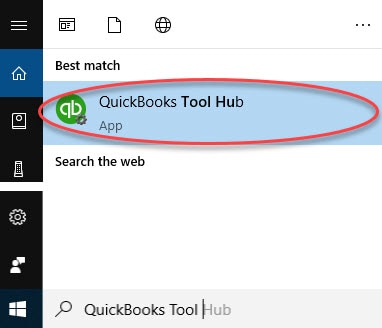
When the install finishes, double-click the icon on your Windows desktop to open the tool hub.

Note: If you can't find the icon, do a search in Windows for QuickBooks Tool Hub and select the program.
Step 2: Run the Quick Fix my Program from the QuickBooks Tools Hub
In the QuickBooks Tools Hub, select Program Problems.
Select Quick Fix my Program.
Retry installing QuickBooks.
If that did not fix the error, Add or create a Windows user with Administrator rights, then attempt QuickBooks installation.
Troubleshooting Windows Update and Windows installer have resolved every instance. If you are not comfortable performing these, please contact an IT professional.
Sign in now for personalized help
See articles customized for your product and join our large community of QuickBooks users.
Call Sales: 1-800-365-9606




