Reduce tasks with team hub
With QuickBooks Workforce, your team can view pay details and track time with a tap.**
WORKFORCE PORTAL
Streamline payroll setup
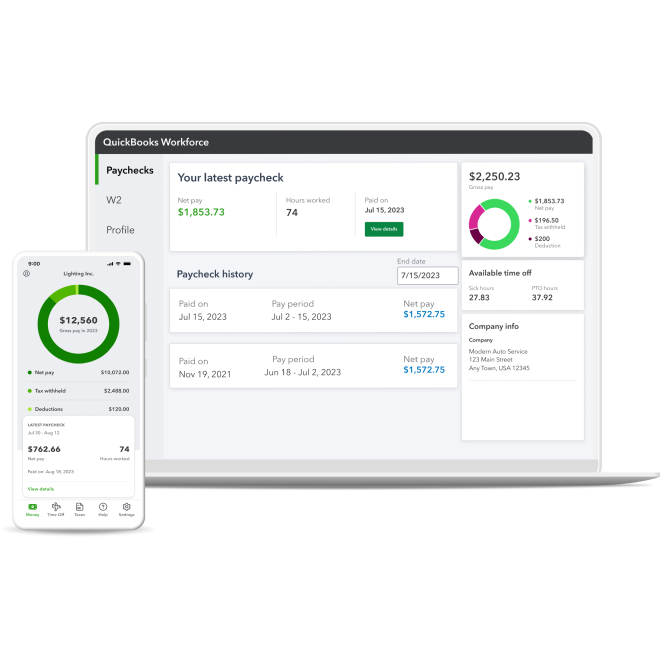
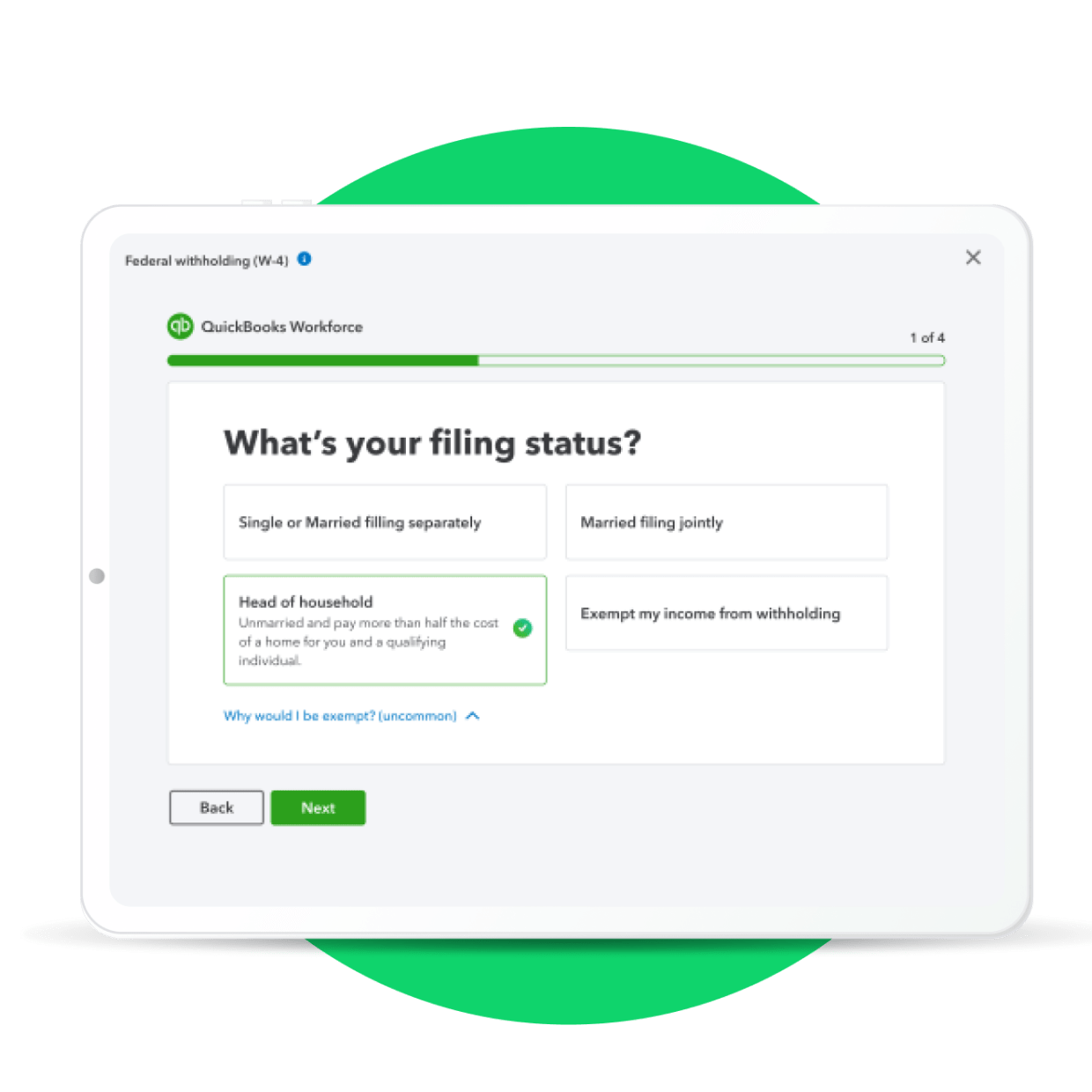
Employees can submit their own pay preferences, personal details, and tax info, so you can add them to your payroll without the hassle. Once set up, they can view their pay details whenever they want.
One centralized app for your team
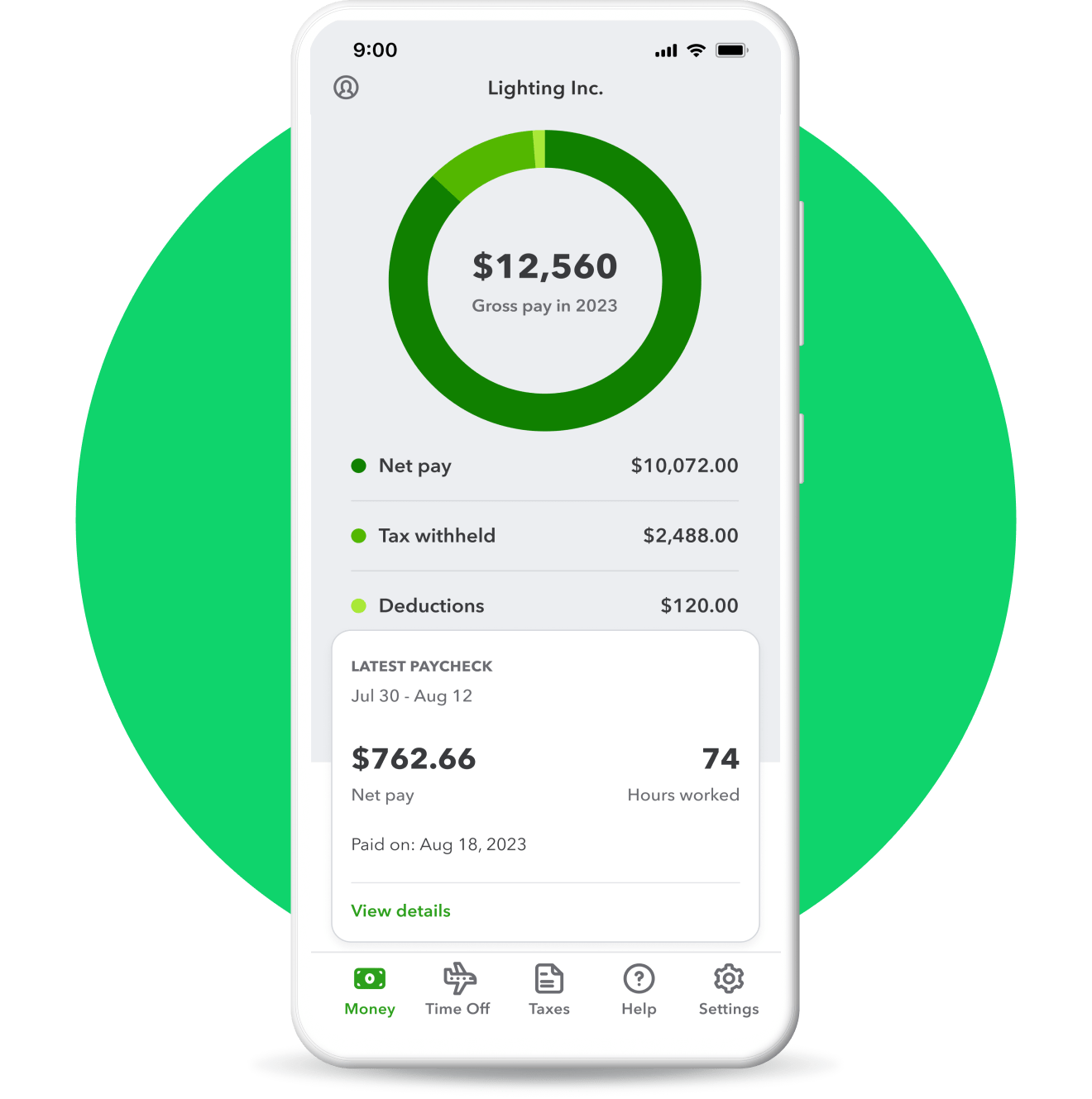
Whether you manage payroll, time tracking, or both—see how the QuickBooks Workforce app can help you and your team increase accuracy and efficiency.
WORKFORCE MOBILE APP
Provide access to pay details
Employees can access their pay stubs, W-2s, total earnings, time off, and year-to-date pay—including deductions, withholdings, and taxes—at no cost.
 Available with all QuickBooks Workforce plans.

Build your knowledge
Invite your team to add their own info in QuickBooks Workforce
Let your team to set up their account so they can view pay details, time off balances, and more.
The QuickBooks Time app is now called QuickBooks Workforce
The QuickBooks Workforce app allows your team to track time and access pay details in one place.
Frequently asked questions
The QuickBooks Workforce portal lets employees:
- Submit pay preferences, personal, and tax info, so you can quickly add them to your payroll
- Access pay stubs, W-2s, total earnings, time off, and year-to-date pay—including deductions, withholdings, and taxes
With the QuickBooks Workforce app, employees and contractors can also clock in and out, manage time off, edit timesheets, and more.**
Learn more about the QuickBooks Workforce app (formerly QuickBooks Time app), here.
See detailed instructions on how to invite your employees, here.
Employees can edit their name, address, and tax withholding. Employees won't be able to edit their bank account info, social security number, or change their address to a state that isn’t already set up in your payroll account. When an employee makes an update, we’ll send you an email so you know if there’s any action needed.
Your employees will have access for 12 months after canceling your payroll subscription. After that, access is no longer available, so be sure to tell your employees to print their documents.
Yes! QuickBooks Workforce is provided to you and your employees for free as part of your QuickBooks Workforce or QuickBooks Time subscription.
If you don't want an employee to have access any longer, visit their employee profile and select Actions. Then, select Turn off Workforce access.
Guarantees
Payroll Tax Accuracy Guarantee: As long as the information you provide us is correct and on time, and you have sufficient funds in your account, we’ll calculate your payroll taxes, file your tax forms and make tax payments directly from your account accurately and on time, or we’ll pay the resulting federal or state payroll tax penalties and interest. You are responsible for paying any additional tax liability you may owe. Additional terms apply. See QuickBooks Terms of Service.
Tax penalty protection: Only QuickBooks Workforce Elite users who have completed expert review of their payroll tax setup and enrolled in e-services for automated tax payments and filings are eligible to receive the tax penalty protection. If you receive a tax notice for payroll taxes paid and filed by QuickBooks on behalf of your company, and send it to us within 15 days of the tax notice, we will help you resolve it with the applicable tax agency and cover the payroll tax penalty and interest, up to $25,000 per year. You are responsible for paying any additional tax liability you may owe. Additional terms apply. Learn more about tax penalty protection.
*Offer terms
QuickBooks Online and/or QuickBooks Workforce - Free 30-Day Trial: Free trial applies to the monthly base price for the first thirty (30) days of new subscriptions to QuickBooks Online and/or Workforce. You’ll automatically be charged at the end of the free trial and on a monthly basis thereafter at the then-current price for the service(s) you’ve selected until you cancel. Free trial does not apply to per-employee fees, per-contractor fees or state tax filing fees for QuickBooks Workforce, or to other add-on fees or services. To be eligible for this offer, you must be a new QuickBooks Online and/or Workforce customer, as applicable, and sign up for a monthly plan using the 30-day free trial option. Offers for the same product cannot be combined. Intuit reserves the right to modify or terminate this offer at any time for any reason in its sole discretion.
QuickBooks Online and/or QuickBooks Workforce - Introductory Discount Offer: The listed discount is applied to the monthly base price for new subscriptions to QuickBooks Online and/or Workforce for the first 3 months (the “Introductory Period”). After the Introductory Period, you’ll be charged on a monthly basis thereafter at the then-current price for the service(s) you’ve selected until you cancel. Discount does not apply to per-employee fees, per-contractor fees or state tax filing fees for QuickBooks Workforce, or to other add-on fees or services. To be eligible for this offer, you must be a new QuickBooks Online and/or Workforce customer, as applicable, and sign up for the monthly plan using the 3-month discount option. Offers for the same product cannot be combined. Intuit reserves the right to modify or terminate this offer at any time for any reason in its sole discretion.
Intuit Expert Assisted - Free 30-Day Trial: Access expert guidance when you add the thirty (30) day free trial of Intuit Expert Assisted services (“Expert Assisted”) to your purchase of a QuickBooks Online subscription. Offer is not available with free trials of QuickBooks Online. Expert Assisted will not automatically renew at the end of the free trial. Free trial does not apply to add-on fees or services. To be eligible for this offer, you must be a new QuickBooks Online customer and sign up for Intuit Expert Assisted using the "Free for 30-Days with no auto-renew” option. Offers for the same product cannot be combined. Intuit reserves the right to modify or terminate this offer at any time for any reason in its sole discretion.
**QuickBooks Workforce features
401(k): 401(k) and other retirement offerings are provided and administered by independent third parties and not by Intuit. Intuit is not a retirement plan administrator, fiduciary or other provider. Intuit receives a fee for referred clients. Additional third party terms and conditions apply.
Automated I-9s: Available in QuickBooks Workforce Premium and Elite only.
Auto payroll: Available after first successful payroll run for salaried employees or hourly employees on default hours, with direct deposit set up.
Automated tax payments and filings: Requires completion of tax setup. Available for state and federal taxes. Certain local taxes available in QuickBooks Workforce Premium and Elite only.
Automated benefits deductions: Must sign-up for benefits through integrated third party benefits partners or purchase benefits administration services in order for QuickBooks Workforce to automatically calculate employee benefit deductions.
Expert product support: Phone and chat support included with QuickBooks Workforce during business hours. Weekend phone and chat support is only available with Workforce Premium and Elite.
Expert review: Only available with QuickBooks Workforce Premium and Elite.
Expert setup: Only available with QuickBooks Workforce Elite.
Garnishments and deductions: Available for employees only. User is responsible for setting the garnishment amount and making the garnishment payment to the appropriate entity.
Guided Setup: Free one-time 60-min virtual session with a QuickBooks Workforce expert. Only available to new Workforce customers who are within the first 30 days and have not yet run payroll. Does not include data migration.
Health benefits: Health insurance info is provided by Intuit Insurance Services Inc., a licensed insurance broker, through a partnership with Allstate Health Solutions. Intuit Insurance Services Inc. is owned and operated by Intuit Inc. and is paid a fee by Allstate Health Solutions in connection with referred clients. Intuit is not an insurance carrier. Plans are sold separately and require acceptance of Allstate's Terms of Use and Privacy Policy.
HR services: HR services are provided by Mineral, Inc. HR support center is available only to QuickBooks Workforce Premium and Elite. HR advisor support is only available in QuickBooks Workforce Elite. Mineral’s Privacy Policy and Terms of Service apply.
Next-day direct deposit: Subject to eligibility criteria. Payroll processing cut-off times apply for timely deposit. Deposit delays may occur due to third party delays, risk reviews, or issues beyond Intuit’s control. Available for contractors for an additional fee.
Same-day direct deposit: Subject to eligibility requirements. Available to QuickBooks Workforce Premium and Elite users only. Payroll processing cut-off times apply for timely deposit. Deposit delays may occur due to third party delays, risk reviews, or issues beyond Intuit’s control. Available only for employees, not available for contractors.
Payroll cost allocation: Allocation of payroll costs by class or project only available to QuickBooks Workforce Premium and Elite users who have a QuickBooks Online Plus, QuickBooks Online Advanced, or Intuit Enterprise Suite plan.
1099 E-file: 1099 forms are e-filed with the IRS only for the current filing year and for payments recorded in QuickBooks. Includes state filings for eligible states participating in IRS Combined Federal/State Filing program; please check with your state agency on any additional state filing requirements. Additional fees may apply to print and mail a copy to your vendors and contractors.
Workers’ comp administration: Benefits are powered by NEXT Insurance and require acceptance of NEXT Insurance's Privacy Policy and Terms of Use. Additional fees will apply. Eligibility criteria applies to transfer active insurance policy broker of record, including insurance carrier, policy renewal date, and payment method. Workers compensation insurance is not available in OH, ND, WA and WY.
Time Tracking: Available in QuickBooks Workforce Premium and Elite only.
Benefits administration: Sold separately. Must have 20+ employees to be eligible. Benefit plan setup required; not all benefit plans are supported. Subscription to QuickBooks Workforce required.
Background Checks: Background check services provided by Checkr. Checkr's terms and additional fees apply. Subscription to QuickBooks Workforce required.
#Claims
1 QuickBooks Workforce is the #1 online payroll service provider for small businesses: Based on the overall number of customers for QuickBooks Workforce products as of 06/2025.
2 We help 1.4 million businesses do payroll and file taxes: Based on overall number of customers for QuickBooks Workforce products as of 8/2021.
Run payroll in 5 minutes: 5 minute time period based on median time spent by Workforce users reviewing and approving payroll as of September 2021.
Terms, conditions, pricing, special features, and service and support options subject to change without notice.
Call Sales: 1-888-857-3710





© 2026 Intuit Inc. All rights reserved.
Intuit, QuickBooks, QB, TurboTax, Credit Karma, and Mailchimp are registered trademarks of Intuit Inc.
Money movement services are provided by Intuit Payments Inc., licensed as a Money Transmitter by the New York State Department of Financial Services. For details about our money transmission licenses, or for Texas customers with complaints about our service, please click here.
By accessing and using this page you agree to the Website Terms of Service.