Space for pervasive banner when authenticated

Using the Vendor Invite Widget


Learn how to use the vendor invite widget.
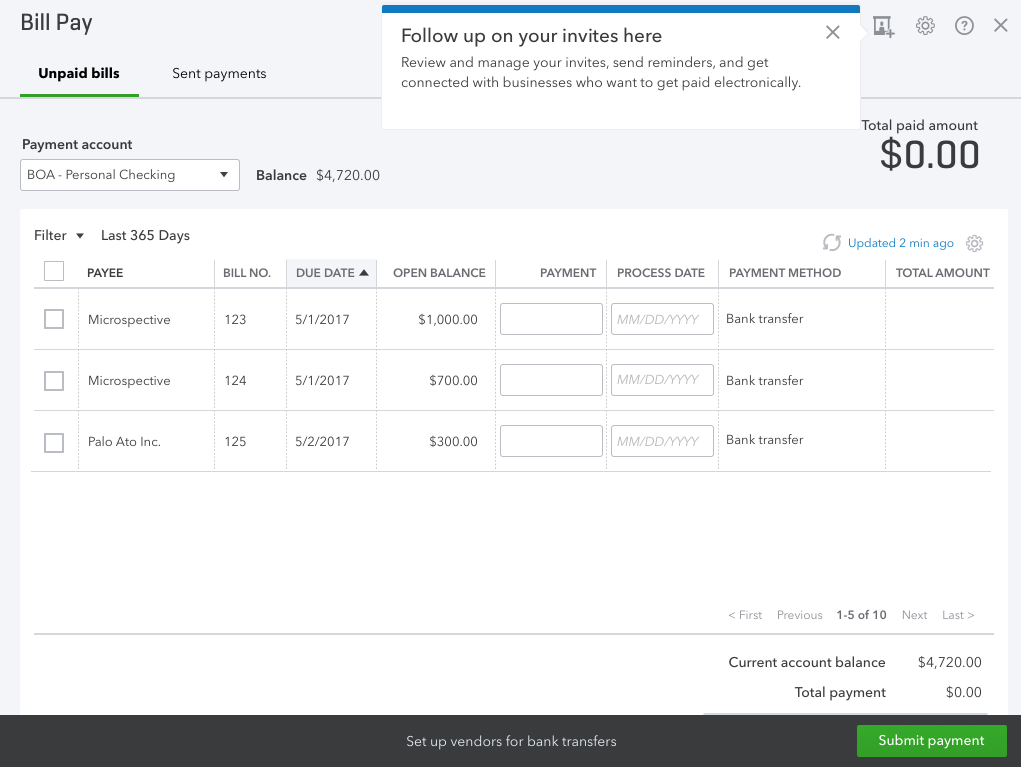
If you're looking for one place to manage all your vendor invitations, look no further than the vendor invite widget. It can be found on the Pay Bills Online page, and lets you do the following.
View pending bank transfer invitations sent to vendors.
Send reminders about pending invitations.
Cancel a pending invitation.
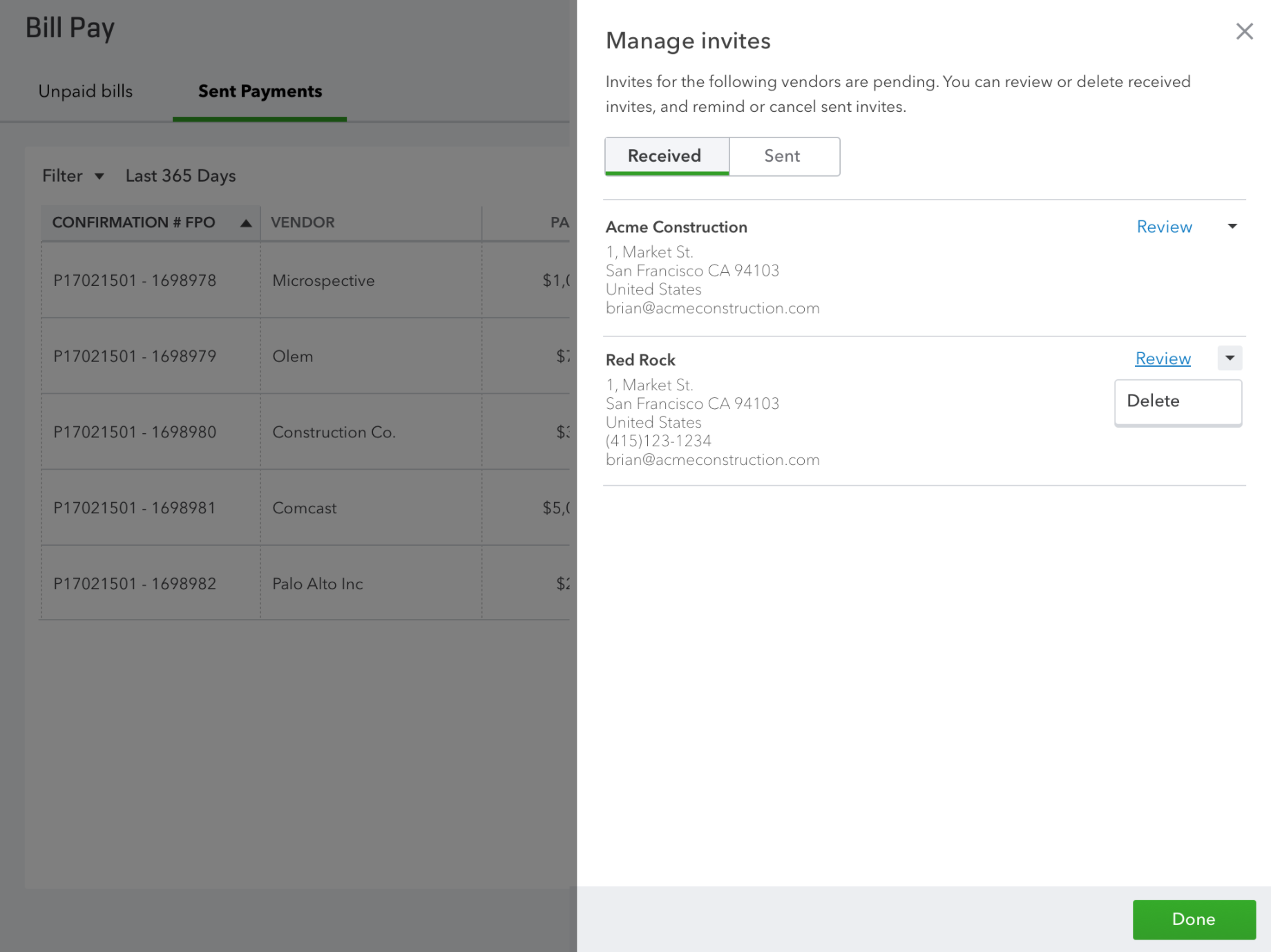
Receive and accept invitations from other vendors using Bill Pay.
Delete received invitations.
Follow-up on invites
You can check the status of invitations.
Manage invitations
You can manage and invitations all in one place.
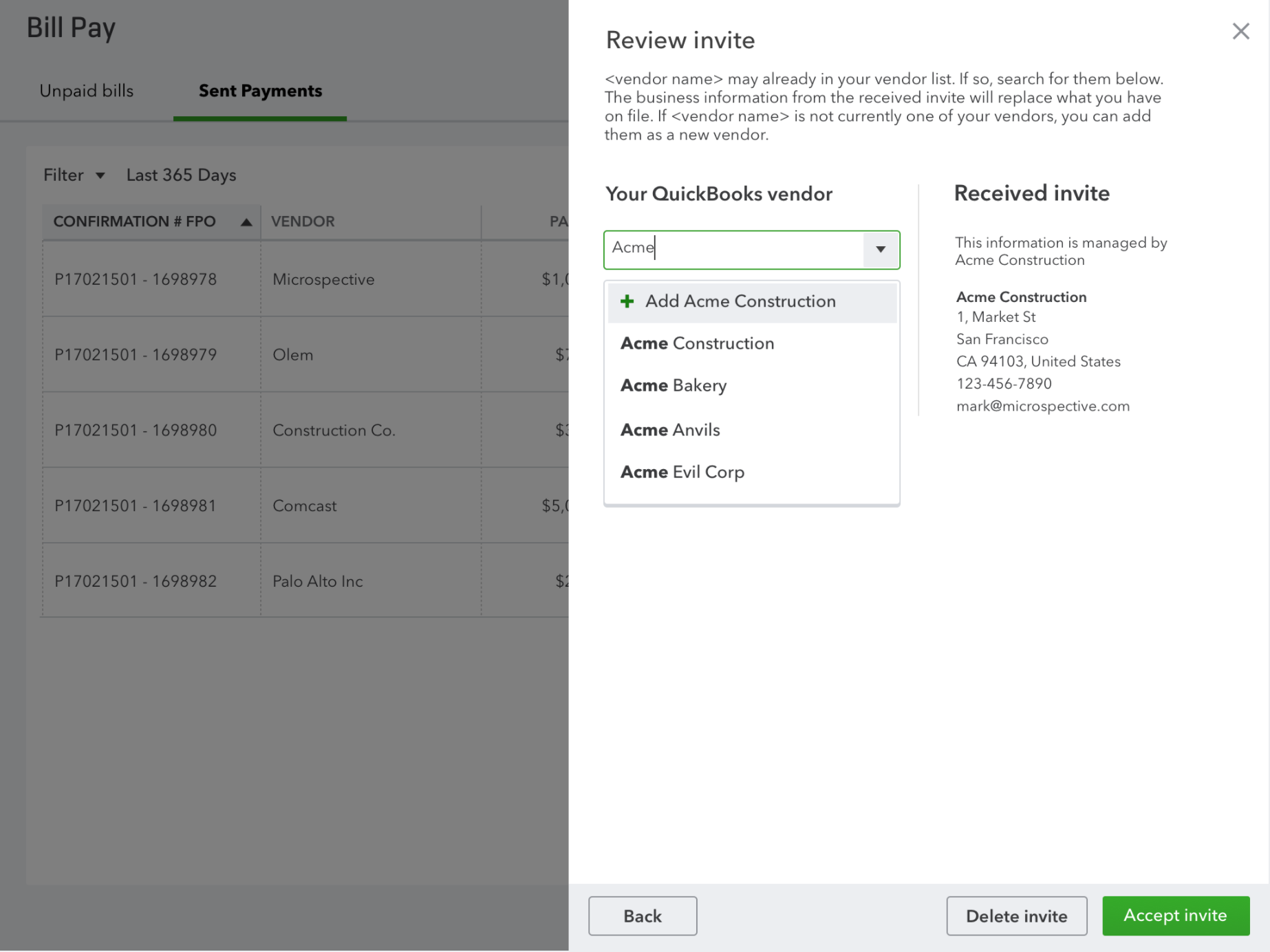
Reviewing an invite
When reviewing an invite, you can select an existing vendor or create a new one that matches the received invite.
Sign in now for personalized help
See articles customized for your product and join our large community of QuickBooks users.
Call Sales: 1-800-365-9606




