Compare the features, pricing plans, and add-ons available with both QuickBooks and Sage to find the best accounting solution for your business.
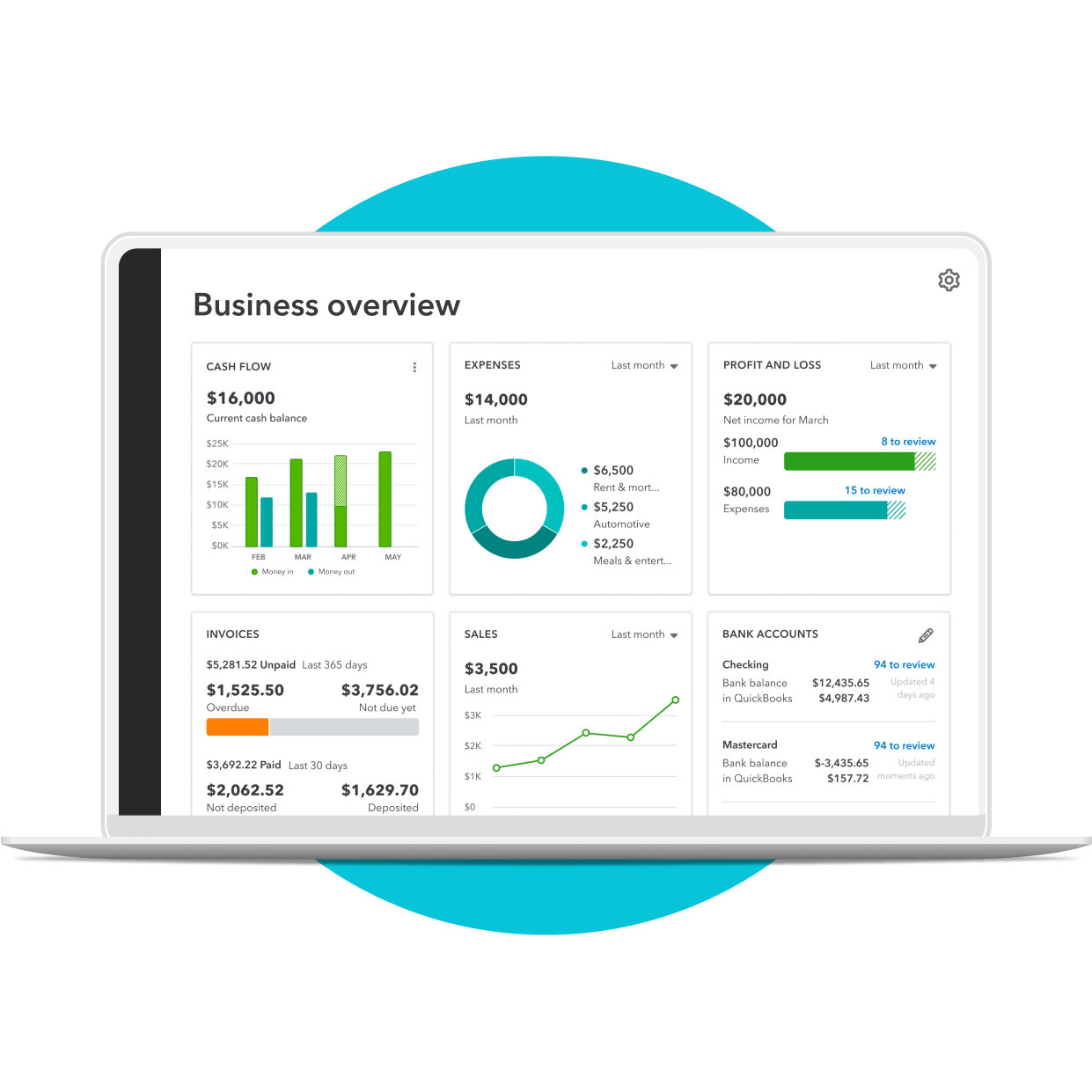
28 years experience
helping small businesses
4.3/5

6400+ customer reviews on Capterra
Millions of customers
use QuickBooks globally2
QuickBooks vs Sage


Plan Details
Overview
QuickBooks is the #1 accounting software for businesses of all sizes, from freelancers to large enterprises, focused on simplifying financial management and enabling growth.
Accounting solutions tailored to different business sizes and industries, offering flexibility to manage operations, people, payroll, and payments, whether in the cloud, on-premises, or both.
Plans & pricing
- Simple Start: $19/mo (50% off for 3 months)
- Essentials: $42.50/mo (50% off for 3 months)
- Plus: $70/mo (50% off for 3 months)
- Online Advanced: $170/mo (50% off for 3 months)
Sage 50 has three plans:
- Pro Accounting: $60.08/mo (Annual commitment required)
- Premium Accounting: $103.92/mo to $239.17/mo (Based on users, annual commitment required)
- Quantum Accounting: $177.17/mo for one user (up to 40 users, annual commitment required)
- Sage Intacct: Custom pricing, annual commitment required
Integrations
Integrates with a wide range of popular platforms, offering over 750 connected apps, including Salesforce, HubSpot, Bill.com, and more.
Sage 50 integrates with third-party applications through the Sage Marketplace to extend its functionality. Sage Intacct integrates with over 350 business applications through the Sage Intacct Marketplace
Customer support
Provides expert support via phone and live chat, with Priority Circle offering premium training and access for Online Advanced subscribers.
Offers support through a toll-free number and Sage Support Central, including online courses, a knowledge base, community forums, and unlimited phone support for all pricing plans.
Scalability
Highly scalable, with options to add features like QuickBooks Time, Payroll, Payments, Bill Pay, Banking, Capital, Benefits as your business grows.
Provides scalable solutions with options to upgrade as business needs evolve, offering flexibility and integration with commonly used business applications.
Reporting
Offers customizable reporting features, with more advanced options available in Online Advanced for detailed analysis, budget management, and forecasting.
Provides real-time financial and operational reporting with customizable dashboards. Sage 50 gives you over 150 reports including ones for construction, manufacturing, and distribution.
Project costing & management
QuickBooks Online Advanced includes job costing features to track profits and costs in real time, providing profitability insights for each project.
Comprehensive project costing and billing features, best for project-based businesses with unique billing, resource management, and revenue tracking requirements.
Time tracking
QuickBooks Essentials and higher plans include basic time tracking, with the option to integrate QuickBooks Time for more advanced functionality.
Sage can integrate Sage People or Sage HRMS solutions for comprehensive time tracking and HR capabilities.
Cloud connectivity
QuickBooks Online is fully cloud-based, accessible from any device with an internet connection.
Sage Intacct is a true cloud-based solution with advanced financial management features. Sage 50 is a desktop application with cloud-connectivity — e.g., remote data access and cloud backups.
User-friendly design
A user-friendly interface, designed to simplify financial tasks even for non-experts, with easy navigation and a clean layout.
A professional interface with customizable options to meet the specific needs of various industries, though it may require more familiarity with accounting practices.
Tax deduction calculation
QuickBooks automatically identifies potential tax deductions, ensuring users maximize their tax savings.
Robust financial management tools can assist in tax preparation, though automatic deduction identification is more prominent in QuickBooks.
Expense tracking & bill management
QuickBooks syncs transactions from bank and credit card accounts for seamless expense tracking and allows users to manage and pay bills online.
Comprehensive expense management features, with advanced tools are available in higher-tier plans for more complex needs like job costing and audit trails.
Pricing reflects total monthly costs as of October 24, 2024. Pricing may vary subject to discounted introductory rates. Pricing and feature list accurate as per Sage website on October 24, 2024.
QuickBooks vs. Sage: Comparison Overview 2026
QuickBooks and Sage are both popular accounting software options for small businesses, but QuickBooks is a more cost-effective and scalable solution. It offers flexible subscription plans without long-term contracts, allowing you to easily adjust your services and control expenses as your business grows. This means you can start with a basic plan and easily upgrade as your needs evolve.
Below, we break down the key differences in features, benefits, and pricing to help you choose the platform that best suits your business needs and budget.
QuickBooks overview
QuickBooks is an accounting software solution for businesses of all sizes and complexity. Whether you’re a freelancer, a startup, or a large enterprise with sophisticated needs, QuickBooks is designed to simplify financial management and empower growth.
With a user-friendly interface and a comprehensive suite of tools, QuickBooks streamlines tasks like invoicing, expense tracking, and reporting, giving you a clear picture of your financial health. From automating payments to managing payroll, QuickBooks offers a scalable solution that can adapt to your business needs. And when you’re ready to move to an enterprise resource planning (ERP) solution, you can seamlessly upgrade to Intuit Enterprise Suite without disrupting your business.
Plans for every kind of business
QuickBooks has a range of competitively priced plans that allow businesses to manage their accounting needs without having to stretch their financial resources.
No commitment period is required. All offer free live chat or phone support, unlimited invoices, reports, dashboards, and more. Compare the plans and find the optimal fit for your business.
1
Select plan
2
Add payroll
3
Checkout
Simple Start
$38
$19/mo
Save 50% for 3 months*
Income and expenses
Securely import transactions and organize your finances automatically.
Banking with 3.00% APY
Every dollar put away in savings envelopes earns you interest at over 40x the U.S. average.
Bookkeeping automation
Automate bookkeeping to cut down on tedious tasks and get more time to focus on your business.
Invoice and payments
Accept credit cards and bank transfers in the invoice with QuickBooks Payments, get status updates and reminders.**
Tax deductions
Share your books with your accountant or export important documents.**
General reports
Run and export reports including profit & loss, expenses, and balance sheets.*
Receipt capture
Snap photos of your receipts and categorize them on the go.**
Mileage tracking
Automatically track miles, categorize trips, and get sharable reports.**
Cash flow
Get paid online or in person, deposited instantly, if eligible.
Sales and sales tax
Accept credit cards anywhere, connect to e-commerce tools, and calculate taxes automatically.**
Estimates
Customize estimates, accept mobile signatures, see estimate status, and convert estimates into invoices.**
Contractors
Assign vendor payments to 1099 categories, see payment history, prepare and file 1099s from QuickBooks.**
Connect 1 sales channel
Connect 1 online sales channel and automatically sync with QuickBooks.
Bill management
Organize and track your business bills online.
Essentials
$85
$4250/mo
Save 50% for 3 months*
Income and expenses
Securely import transactions and organize your finances automatically.
Banking with 3.00% APY
Every dollar put away in savings envelopes earns you interest at over 40x the U.S. average.
Bookkeeping automation
Automate bookkeeping to cut down on tedious tasks and get more time to focus on your business.
Invoice and payments
Accept credit cards and bank transfers in the invoice with QuickBooks Payments, get status updates and reminders.**
Tax deductions
Share your books with your accountant or export important documents.**
Enhanced reports
Know how your business is doing with sales, accounts receivable, and accounts payable reports.*
Receipt capture
Snap photos of your receipts and categorize them on the go.**
Mileage tracking
Automatically track miles, categorize trips, and get sharable reports.**
Cash flow
Get paid online or in person, deposited instantly, if eligible.
Sales and sales tax
Accept credit cards anywhere, connect to e-commerce tools, and calculate taxes automatically.**
Estimates
Customize estimates, accept mobile signatures, see estimate status, and convert estimates into invoices.**
Contractors
Assign vendor payments to 1099 categories, see payment history, prepare and file 1099s from QuickBooks.**
Connect 3 sales channels
Connect up to 3 online sales channels and automatically sync with QuickBooks.
Bill management
Organize and track your business bills online.
Multiple currencies
Record transactions in other currencies without worrying about exchange rate conversions.
Includes 3 users
Invite your accountant to access your books, control user-access levels, and share reports without sharing a log-in.**
Enter time
Enter employee time by client/project and automatically add it to invoices.
Plus
$140
$70/mo
Save 50% for 3 months*
Income and expenses
Securely import transactions and organize your finances automatically.
Banking with 3.00% APY
Every dollar put away in savings envelopes earns you interest at over 40x the U.S. average.
Bookkeeping automation
Automate bookkeeping to cut down on tedious tasks and get more time to focus on your business.
Invoice and payments
Accept credit cards and bank transfers in the invoice with QuickBooks Payments, get status updates and reminders.**
Tax deductions
Share your books with your accountant or export important documents.**
Comprehensive reports
Stay on track with inventory reports, enhanced sales reports, and profitability reports.*
Receipt capture
Snap photos of your receipts and categorize them on the go.**
Mileage tracking
Automatically track miles, categorize trips, and get sharable reports.**
Cash flow
Get paid online or in person, deposited instantly, if eligible.
Sales and sales tax
Accept credit cards anywhere, connect to e-commerce tools, and calculate taxes automatically.**
Estimates
Customize estimates, accept mobile signatures, see estimate status, and convert estimates into invoices.**
Contractors
Assign vendor payments to 1099 categories, see payment history, prepare and file 1099s from QuickBooks.**
Connect all sales channels
Connect any available online sales channels and automatically sync with QuickBooks.
Bill management
Organize and track your business bills online.
Multiple currencies
Record transactions in other currencies without worrying about exchange rate conversions.
Includes 5 users
Invite your accountant to access your books, control user-access levels, and share reports without sharing a log-in.**
Enter time
Enter employee time by client/project and automatically add it to invoices.
Inventory
Track products, cost of goods, see what’s popular, create purchase orders, and manage vendors.
Project profitability
Track all your projects in one place, track labor costs, payroll and expenses.
Financial planning
Create budgets with real-time data you can collaborate with your team on.
Advanced
$340
$170/mo
Save 50% for 3 months*
Income and expenses
Securely import transactions and organize your finances automatically.
Banking with 3.00% APY
Every dollar put away in savings envelopes earns you interest at over 40x the U.S. average.
Bookkeeping automation
Automate bookkeeping to cut down on tedious tasks and get more time to focus on your business.
Invoice and payments
Accept credit cards and bank transfers in the invoice with QuickBooks Payments, get status updates and reminders.**
Tax deductions
Share your books with your accountant or export important documents.**
Powerful reports
Monitor financial metrics and build customized dashboards that measure performance.
Receipt capture
Snap photos of your receipts and categorize them on the go.**
Mileage tracking
Automatically track miles, categorize trips, and get sharable reports.**
Cash flow
Get paid online or in person, deposited instantly, if eligible.
Sales and sales tax
Accept credit cards anywhere, connect to e-commerce tools, and calculate taxes automatically.**
Estimates
Customize estimates, accept mobile signatures, see estimate status, and convert estimates into invoices.**
Contractors
Assign vendor payments to 1099 categories, see payment history, prepare and file 1099s from QuickBooks.**
Connect all sales channels
Connect any available online sales channels and automatically sync with QuickBooks.
Bill management
Organize and track your business bills online.
Multiple currencies
Record transactions in other currencies without worrying about exchange rate conversions.
Includes 25 users
Invite your accountant to access your books, control user-access levels, and share reports without sharing a log-in.**
Enter time
Enter employee time by client/project and automatically add it to invoices.
Inventory
Track products, cost of goods, see what’s popular, create purchase orders, and manage vendors.
Project profitability
Track all your projects in one place, track labor costs, payroll and expenses.
Financial planning
Create budgets with real-time data you can collaborate with your team on.
Auto-track fixed assets
Automatically track fixed asset values, access all fixed asset info in one spot, and get insights about what may come next.
Data sync with Excel
Seamlessly send data back and forth between QuickBooks Online Advanced and Excel for more accurate business data and custom insights.
Batch invoices and expenses
Create invoices, enter, edit, and send multiple invoices faster.**
Custom access controls
Easily control who sees your data, assign work to specific users, and create custom permissions.
Workflow automation
Save time and mitigate risk with automated workflows and set reminders for improved cash flows and more.
Data restoration
Continuously and automatically back up your changes, restore a specific version of your company, and view version history.**
Support & training
QuickBooks Priority Circle support and access to special training resources.
Revenue recognition
Stay consistent, compliant, and credible with automated revenue recognition.
Features and benefits

Integrations
Seamlessly connect QuickBooks to your favorite apps and tools, creating a unified hub for your business operations. From CRM systems to payment processors, QuickBooks integrates with a wide range of popular platforms, saving you time and effort. Live bookkeeping is also available.
QuickBooks Online Advanced Premium apps** provide advanced features and functions for deeper integration with select partners:
- Salesforce
- HubSpot
- Bill.com
- LeanLaw
- DocuSign**

Reporting
QuickBooks offers a robust set of reporting features that provide businesses with valuable insights into their financial health. Users can easily track income, expenses, and profitability, while also personalizing reports to fit specific needs.
For businesses requiring more detailed analysis, higher levels like QuickBooks Online Advanced offer additional capabilities. Access standard and customizable reports to help monitor critical financial metrics and drill into transaction-level details specific to your company. Manage budgets, plan and forecast scenarios, track inventory, sales fulfillment, job costs, and much more.

Customer support
Every QuickBooks plan provides expert help from real people through phone and live chat six days a week. Our specialists are here to support you with every part of your QuickBooks journey, from the initial switch to onboarding.
QuickBooks Enterprise and QuickBooks Online Advanced subscriptions include Priority Circle, a premium support service with exclusive features.
Priority Circle grants access to premium training and supports features that include on-demand QuickBooks training, and phone or chat with premium care specialists.

Time tracking
QuickBooks Essentials plans and higher include basic time tracking features and the ability to integrate with QuickBooks Time for increased functionality.*

Project costing and management
QuickBooks Online Advanced job costing features allow users to track profits and cos ts in real-time to get profitability insights for each project and create accurate estimates for future jobs.

Scalability
QuickBooks is highly scalable, so you’re ready to grow as your business expands. For example, the QuickBooks Time and Payroll modules can be added to QuickBooks Online Advance and Enterprise.





Sage overview
Sage helps businesses manage their accounting needs, including operations, people, payroll, and payments, with solutions for businesses of different sizes and industries. These solutions meet business builders wherever they’re needed—in the cloud, on-premises, or both.
When considering Sage, there’s Sage 50 and Sage Intacct. Sage 50 is a desktop accounting solution with limited cloud connectivity — e.g., remote data access and cloud backups — that’s designed for small to medium-sized businesses. Meanwhile, Sage Intacct is a true cloud-based, enterprise-level solution for growing businesses that need advanced financial management and scalability.
Plans & pricing
Sage 50 has three different plans and pricing options — Pro, Premium, and Quantum. Each offers varying levels of functionality and support. Sage Intacct is an AI-powered cloud accounting, payroll, and HR solution.
Pro Accounting
Desktop accounting software with cloud connectivity. It covers invoicing, income and expense management, and payments.
Starts at $60.08/month. Annual commitment period required.
Premium Accounting
Premium Accounting includes everything in Pro, with advanced budgeting and inventory features, job costing, audit trails, and more.
Ranges from $103.92/mo. - $239.17/mo. Depending on the number of users. Annual commitment period required.
Quantum Accounting
Accounting software for larger accounting teams. Includes everything in Premium, plus role-based user permissions, workflow management, and faster processing.
Starts at $177.17/mo. for one user. Can have up to 40 users. Annual commitment period required.
Sage Intacct
Sage Intacct is a cloud-based financial management software designed for growing businesses, offering advanced features like real-time reporting, multi-entity consolidation, and automation to streamline accounting processes.
Sage Intacct requires an annual subscription, and there is no cost specified on their site. Customers fill out a pricing request form to begin the process of customizing a pricing plan.
Features and benefits
Invoicing
Sage allows you to create and send professional invoices. However, sending recurring invoices requires the Pro plan.
Customer support
Sage customers can access support through a toll-free number or Sage Support Central, which offers online courses from Sage University, a 24/7 knowledge base, a community forum, and options to submit cases or chat online. All Sage 50 pricing plans include unlimited North American phone support, online chat, a 24/7 knowledge base, and access to the Sage City community.
Integrations
Sage Intacct Marketplace and Sage Business Cloud App Marketplace offer users native solutions that integrate over 350 business applications. j
Scalability
Sage enables users to upgrade with various offerings, allowing users to choose a solution that fits their needs. Users have the flexibility to adapt to demand. Sage does offer integrations with commonly used business applications, allowing users to capture additional data.
Time tracking
If you require time-tracking capabilities, you can add the Sage People or Sage HRMS solutions to your accounting/business module to introduce comprehensive HR capabilities to the stack.
Project costing and management
Sage project costing and billing features simplify the complicated aspects of managing projects and billing. These features are ideal for project-based companies with a range of clients and jobs that have unique billing requirements.
Sage has several features that track aspects of a project, like revenue and billing to identify costs and manage resources.
See how QuickBooks works compared to Sage
It’s easy to see why QuickBooks is a standout choice for small and mid-size businesses. Its robust feature set, industry-specific tools, and readily available live customer support make it a comprehensive and user-friendly solution designed to help grow—and scale with—your business.
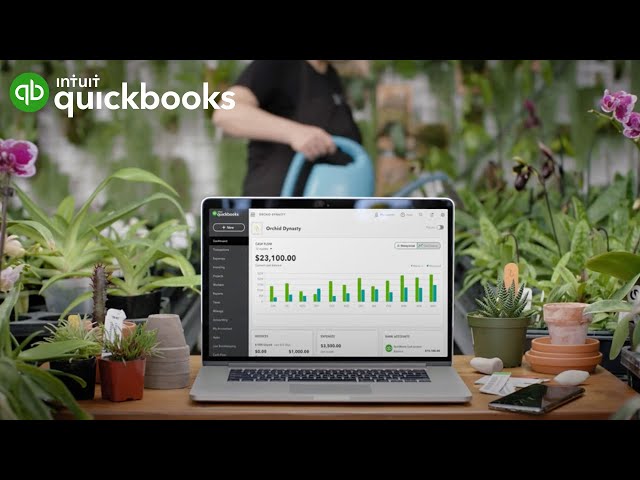
How QuickBooks Online can help your business differently
Cost effective
QuickBooks offers a range of pricing plans to suit different budgets, with options for everyone from solopreneurs to large enterprises. QuickBooks does not require businesses to complete a commitment period, so you have the flexibility to cancel or adjust your subscription at any time without being locked into a long-term contract. This ability to scale your services up or down as your business needs change offers greater adaptability and control over your expenses.
Sage's pricing structure tends to be higher, making it less accessible for startups and those with limited resources.
QuickBooks provides scalable solutions that can adapt to your expanding business without incurring significant costs. As you grow, you can access greater functionality, simplifying essential core tasks and giving you more time to invest in business development.

Cloud connectivity
QuickBooks Online plans are fully cloud-based, providing seamless access to your financial data from any device with an internet connection. It offers easy integration with numerous third-party apps, allowing you to manage various aspects of your operations, from payroll to inventory, all within a single, cloud-connected platform.
Large ecosystem for expansive integration
The QuickBooks ecosystem goes beyond accounting, offering a range of connected tools + 750 apps. You can streamline your accounting processes, eliminate manual data entry, and avoid the need to switch between different solutions.
Frequently asked questions
Explore additional comparisons
Choose the right accounting solution fit for your business.
Millions of small businesses have chosen QuickBooks
Call Sales: 1-877-866-5232




