QuickBooks Blog
A person is looking at her cell phone.
payments

What is mobile commerce? A guide for small businesses

Imagine this: A customer discovers your business while scrolling on their phone. Within minutes, they browse your products, compare prices, and complete a purchase—all from their mobile device. By the time you check your notifications, the order is already confirmed.

Mobile technology has evolved far beyond checking email or social media. Today, smartphones are powerful shopping tools that allow customers to discover products, place orders, and complete payments from almost anywhere. For businesses, that means sales can happen at any time, not just when someone is sitting at a desktop computer.

In this guide, you’ll learn how mobile commerce is changing the way businesses sell and get paid. We’ll cover types, trends, best practices, and the latest strategies–including using AI and automation–for capturing more of today’s mobile-first shoppers.

Jump to:

What is mobile commerce?

Mobile commerce is the process of using a handheld device, like a phone or tablet, to complete a purchase online. You’ll also hear mobile commerce referred to as mCommerce or m-commerce.

Since we’re all glued to our devices these days, mobile commerce has quickly become one of the largest segments of online retail. Oberlo projects mobile commerce will reach $3.35 trillion by 2028, representing about 63% of total retail ecommerce sales.

Much of this is owed to the fact that mobile commerce gives shoppers flexibility. They don’t need to use a desktop computer to make a purchase, and they can pay for prod

What mobile commerce means for business owners today

Mobile commerce affects more than just how customers shop—it also changes how businesses capture and manage sales. Customers may move from discovery to purchase in just a few taps, often without ever visiting a desktop site or physical store.

For business owners, that shift means focusing on convenience and speed. Product pages need to load quickly on phones, checkout should be simple, and payment options should support digital wallets and tap-to-pay. It also means being prepared to accept payments in more places, such as online, through social platforms, via payment links, or in person using mobile point-of-sale tools.

Businesses that adapt to these mobile behaviors make it easier for customers to buy when the moment strikes.

Benefits of mobile e-commerce

Mobile commerce changes how quickly and easily sales come together. With the right setup, businesses can serve customers where they are and remove common barriers to purchase.

  • Capture intent in the moment: Customers can move from discovery to checkout in just a few taps, reducing the gap between interest and action.
  • Shorten the path to payment: Mobile-friendly checkouts, saved payment methods, and digital wallets make transactions faster and easier to complete.
  • Sell across more touchpoints: Payment links, social platforms, and messaging channels create more opportunities to connect with customers and close sales.
  • Keep sales active beyond business hours: Customers can browse and pay at any time, making it easier to generate revenue outside of a set schedule.
  • Support on-the-go transactions: Mobile tools allow businesses to accept payments in different settings, from events to client meetings.
  • Limit abandoned purchases: Faster load times and simplified experiences encourage customers to follow through on purchases.
  • Stay flexible as you grow: Mobile-first setups make it easier to test new channels, reach new audiences, and adjust how you sell over time.

Types of mobile commerce

Mobile commerce is a broad term that encompasses a number of different types of mobile transactions, including:

  • Mobile shopping: A customer uses an internet browser to access an e-commerce website (which is often optimized for a seamless mobile experience) using their cell phone or other handheld device.
  • In-app purchasing: A customer completes a purchase using a dedicated mobile application. For example, a customer orders a coffee through the Starbucks mobile app and receives push notifications when it’s ready for pickup.
  • Virtual marketplaces: Many marketplaces, like eBay or Amazon, have their own dedicated mobile apps where customers can browse items and complete online transactions.
  • Mobile banking: Mobile banking is often discussed alongside mobile commerce because it allows users to complete financial transactions from mobile devices. 
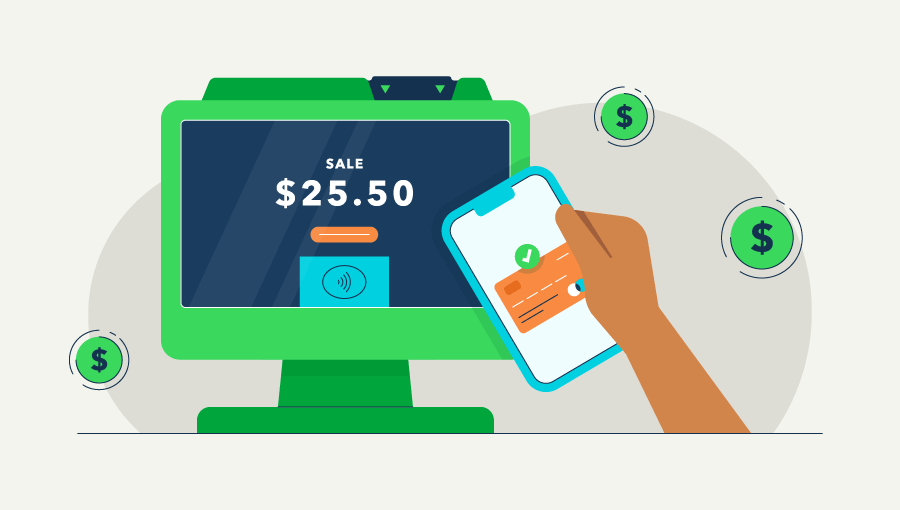
  • Mobile wallets: More and more customers are using digital wallets to pay for purchases online and in stores. Customers store their credit card or other payment information in a digital wallet (like Apple Pay, Samsung Pay, Google Pay, or PayPal) and use it as their payment method when checking out with online retailers or at physical stores.

Adoption continues to grow rapidly. According to Juniper Research, digital wallets are expected to surpass 5 billion users worldwide this year, reaching more than half the global population. As technology evolves, digital wallets are expanding beyond payments to include features like Buy Now, Pay Later (BNPL), virtual cards, digital tickets, and digital identity tools.

A detailed example of mobile commerce 

To see an example of mobile commerce in action, think about how a customer shops directly from their phone. A small business shares a product through a social post, email, or text message, giving customers a quick way to browse without switching devices.

From there, the customer taps the link, lands on a mobile-optimized page, and completes their purchase in just a few steps. Payment options like digital wallets or saved card details make checkout fast, while order confirmations and receipts are sent instantly.

On the business side, each transaction is automatically tracked, helping keep financial records accurate and up to date. Inventory adjusts in real time, and sales data is easy to review. This kind of setup keeps everything running smoothly while making it easier for customers to buy whenever and wherever they want.

M-commerce vs. e-commerce: What’s the difference?

You might hear m-commerce and e-commerce used interchangeably, or you might even hear the term “mobile e-commerce.” However, there’s a slight difference between m-commerce and e-commerce that business owners should be aware of.

M-commerce is actually a specific subset of e-commerce. Here’s the most straightforward way to think about it:

  • E-commerce stands for electronic commerce, which is any type of purchase that’s completed online.
  • M-commerce stands for mobile commerce, which is any type of purchase that’s completed using a mobile device, specifically.

So, saying “e-commerce” instead of “m-commerce” isn’t technically incorrect—mobile commerce is a part of electronic commerce. However, if you’re talking about purchases made via mobile, the term “mobile commerce” gives a more accurate representation of the type of sale and customer experience you’re referring to.

Mobile commerce trends for 2026

As mobile shopping grows, businesses are adjusting their strategies to meet customers where they already spend time—on their phones. These key trends show how mobile commerce is evolving in 2026.

Small businesses are actively optimizing for mobile buyers

Nearly 7 in 10 (68%) small businesses surveyed in a late 2025 Intuit QuickBooks holiday survey, said they’re investing in mobile. Businesses are adding payment options, improving mobile checkout, and boosting mobile ad spend to capture more phone‑based shoppers.

Shopping is heavily mobile

That same Intuit QuickBooks holiday survey found that two‑thirds of consumers (65%) said they’ll use their phones to browse, compare prices, and buy gifts, and small businesses expect 40% of their online holiday sales to come from mobile devices. While the survey looked specifically at holiday shopping, it reflects a broader shift toward mobile-first shopping behavior throughout the year.

AI‑assisted payments and invoicing on mobile

Another emerging mobile commerce trend is the use of AI to streamline payments and invoicing. AI-powered tools can analyze how and when customers pay and suggest strategies to help businesses get paid faster.

For example, Payments AI in QuickBooks learns payment patterns and can recommend actions like setting up recurring payments when invoices are paid inconsistently, helping turn unpredictable payments into steadier cash flow. AI tools can also automate reminders, recommend payment options, and make it easier for customers to pay invoices directly from their phones.

Intuit AI also supports mobile workflows by helping businesses capture leads from emails and quickly generate estimates, using written notes or voice recordings, so they can review and send them on the go from a mobile device.

How to implement a mobile commerce strategy

A mobile commerce strategy means designing your customer experience around speed, accessibility, and flexibility. It encourages customers to browse, purchase, and pay easily from their mobile devices.

Ready to kick off a mobile commerce strategy for your small business? Here are some tips for getting started.

1. Focus on the moments that matter most

You don't have to overhaul your entire business overnight. Prioritize the touchpoints where speed creates the most value.

  • Identify where delays hurt customer experience. Is it the time it takes to send a quote? Is it the lag in confirming a payment? Pinpoint these friction areas.
  • Prioritize mobile access for those high-impact moments. Make sure you can send estimates, issue mobile invoices, confirm payments, and update customer records directly from your phone so routine tasks don’t slow the business down.

2. Optimize your website for mobile shoppers

Your website might look great on a desktop computer, but mobile shoppers expect a fast and easy experience on their phones. If customers struggle to browse products, read information, or complete checkout on a mobile device, they’re more likely to leave before finishing a purchase.

Make sure your website works smoothly across smartphones and tablets.

  • Test your site on mobile devices. Visit your own website on a smartphone or tablet and check whether navigation, images, and product pages load correctly.
  • Look for friction in the buying journey. Make sure prospective shoppers can easily browse products, add items to their cart, and move through checkout without confusion.
  • Simplify the checkout process. A shorter, mobile-friendly checkout makes it easier for customers to complete purchases from their phones.

3. Enable social commerce

Mobile commerce doesn’t always require a full e-commerce website. Many social media platforms, such as Facebook, Instagram, Pinterest, and TikTok, allow customers to discover and purchase products directly inside the app.

Setting up social commerce allows customers to browse and buy from their mobile devices without leaving the platform.

  • Use business accounts. Set up business profiles on social platforms to access shopping features.
  • Create a product catalog. Upload products or services so they can be displayed within the platform.
  • Turn on shopping features. Enable product tagging so posts become shoppable.
  • Make posts interactive. Tag products in photos or videos so followers can click and purchase directly.

4. Offer multiple mobile payment options

Mobile shoppers want flexibility at checkout. If their preferred payment method isn’t available, they may abandon their purchase.

Customers are more likely to complete transactions on mobile when payment is quick and convenient. Providing several payment options helps create a smoother mobile checkout experience.

  • Accept credit and debit cards. These remain the most common payment methods.
  • Support digital wallets. Options like Apple Pay, Google Pay, and PayPal allow customers to pay quickly from their phones.
  • Enable fast checkout options. Streamlined payment flows reduce the steps required to complete a purchase.

5. Support an omnichannel shopping experience

Mobile commerce is just one part of how customers interact with a business. Shoppers often move between devices and channels before making a purchase.

Your mobile strategy should work alongside other channels to create a consistent buying experience.

  • Ensure consistency across platforms. Customers should see the same products, pricing, and messaging across your website, social channels, and mobile experiences.
  • Connect discovery and purchase. A customer might find a product on social media, research it on a desktop, and complete the purchase on their phone.
  • Keep the buying journey seamless. When all touchpoints work together, customers are less likely to drop off before completing a purchase.

Common challenges with mobile commerce

Mobile commerce offers convenience for both businesses and customers. But selling through mobile devices also brings challenges that can affect the buying experience.

Mobile experience requires ongoing optimization

A mobile site or app doesn’t automatically create a good shopping experience. Small screens, slower connections, and touch navigation can create friction if pages aren’t designed for mobile users.

  • Test your website regularly on different mobile devices.
  • Make sure product pages load quickly and display correctly.
  • Simplify navigation so shoppers can easily browse products and categories.
  • Streamline the checkout process to reduce abandoned carts.

Compliance and tax requirements

Mobile commerce is still e-commerce, which means businesses must follow tax laws, payment regulations, and consumer protection requirements. Selling to customers in multiple states or countries can add another layer of complexity.

  • Understand sales tax nexus rules for online purchases.
  • Follow payment processing standards and e-commerce regulations.
  • Maintain clear financial records for reporting and compliance.

Security and privacy concerns

Many customers still worry about sharing payment details on their phones. Mobile devices can also introduce additional security risks if websites or apps aren’t properly protected.

  • Work with payment processors that support fraud detection.
  • Ensure your mobile site and apps comply with PCI standards.
  • Protect customer data using encryption and strong authentication.

How AI and automation are powering the future of mobile commerce

Mobile commerce is reshaping how customers discover, buy, and pay from wherever they are, and businesses need to adapt to keep pace. They need tools that support transactions, along with AI capabilities to help predict demand, automate workflows, and provide real-time visibility into sales activity.

Platforms like QuickBooks will continue to combine mobile payments, automation, and AI to help manage these evolving processes and drive decision-making. 

Here are a few ways these tools will support the future of mobile commerce.

Mobile payment technology enables transactions anywhere

Modern payment tools allow businesses to accept payments directly from mobile devices, no matter where they are working. Looking ahead, mobile payments will continue to shift toward contactless, embedded, and one-tap experiences that reduce friction for customers. 

Tools like QuickBooks already support many of these experiences, helping businesses meet customers where they are today. For example, QuickBooks enables businesses to:

  • Send payment links to make it easier for customers to pay. 
  • Accept in-person payments using Tap to Pay or card readers.
  • Process credit card or ACH payments.

AI analyzes payment behavior to improve cash flow

Artificial intelligence can evaluate how customers pay and surface patterns that affect payment timing. Payments AI in QuickBooks can:

  • Identify trends in invoice payment behavior.
  • Recommend recurring payments when invoices are paid irregularly.
  • Surface actions that help stabilize cash flow.

Businesses using Payments AI tools get paid an average of 5 days faster,1 a speed that helps keep your cash flow steady. Over time, AI will play a larger role in reducing late payments by automatically prompting customers at the right moments and streamlining follow-ups without added effort.

Automate sales tax 

Mobile commerce often involves selling to customers in different states where tax rules vary. As businesses reach more customers across state lines and digital channels, automated tax tools will help reduce compliance risk and simplify multi-jurisdiction reporting. QuickBooks supports this by helping businesses:

  • Calculate sales tax based on the customer’s location.
  • Track tax collected across jurisdictions.
  • Generate reports needed for tax filing.

Real-time visibility keeps mobile sales organized

Mobile transactions can happen throughout the day. Businesses need clear visibility into payments and activity. Mobile tools such as QuickBooks help businesses stay on top of this by allowing them to:

  • See invoices sent and payments received.
  • Monitor outstanding balances.
  • Review recent transactions and payment activity.

In the future, real-time insights will continue to shift toward predictive dashboards and automated alerts that highlight changes in performance as they happen, helping businesses respond with greater speed and confidence.


Meeting customers where they shop with QuickBooks

Customers no longer plan purchases around a computer or storefront. A quick search, a product discovery on social media, or a shared payment link can turn into a completed sale within minutes.

QuickBooks can help you tap into those new revenue-capturing opportunities. As an AI-powered accounting tool, it supports each step by connecting payments, automating tasks, and tracking finances in one place. AI-driven automation takes care of time-consuming work like sending payment reminders, categorizing transactions, and surfacing insights—so you can stay focused on growing your business instead of managing manual processes.

The businesses that adapt to this buying behavior will be ready for what comes next, wherever their customers decide to shop.

**Product information

Money movement services are provided by Intuit Payments Inc., licensed as a Money Transmitter by the New York State Department of Financial Services. For more information about Intuit Payments' money transmission licenses, please visit https://www.intuit.com/legal/licenses/payment-licenses/

Claims

  1. Get paid 5 days faster on average when you send invoice reminders with Intuit Assist: Based on U.S. Intuit Assist Beta customers using outstanding invoice notifications and AI-drafted invoice reminder features, compared to customers sending standard invoice reminders to the same customers, from January 2024 to August 2024. Not available in QuickBooks Online Advanced.

Recommended for you

Mail icon
Get the latest to your inbox
No Thanks

Looking for something else?

QuickBooks

From big jobs to small tasks, we've got your business covered.

Firm of the Future

Topical articles and news from top pros and Intuit product experts.

QuickBooks Support

Get help with QuickBooks. Find articles, video tutorials, and more.