You could save up to 25% on transaction costs².
Speak with us now to see if you qualify.
Talk to sales 1-800-515-8366
Monday - Friday, 6 AM to 4 PM PT

Table of contents
Table of contents
While HR and payroll both affect each other, they’re often handled separately. This separation, aggravated by incompatible tech stacks, leads to data silos and unnecessary, error-prone manual entry.
According to QuickBooks' 2025 report, 45% of small business owners say stability, not growth, is their long-term goal. Integrating HR and payroll systems with QuickBooks Workforce Payroll creates a simplified, stable, and “boring” back office, while eliminating the surprises that come with data silos and human error.
In this article, we’ll show you how integrating HR and payroll systems creates a general ledger that is stable, consistent, and unified.

HR directly impacts company culture, and payroll affects employees’ perceived worth, both of which make or break productivity and morale.
Traditional businesses accidentally create unstable back offices by treating HR and payroll as separate islands. This way creates unnecessary friction in both workflows, leading to errors, tax liabilities, and unhappy, undervalued employees.
Having a solid, AI-powered back office prioritizes both HR budgets for proper people management and payroll automation for accurate, timely payouts. It creates a seamless, consistent data and hands-off workflow from a new hire’s first day to the final entry on your profit and loss statement.
By using HR and payroll software like QuickBooks Workforce Payroll, small business owners can shift from putting out fires to a predictable, stable administrative system that automates payroll, manages employee benefits, and more.
Payroll is the process of paying employees in the workplace. Calculating employee wages and factoring in federal and state payroll taxes are all part of running payroll.
Payroll can also refer to employee financial records at a company, paychecks sent to employees, and employee wage records kept annually.
Alongside inventory and other overhead costs, payroll might be a company’s most expensive overhead expenditure. Furthermore, the payroll procedure is complex.
However, knowledge of each component of payroll may help you have a better understanding of your company’s finances. It can also help you stay in compliance with federal and state labor and tax regulations.
 Consider encouraging HR professionals and payroll specialists to communicate in person when possible rather than relying on emails alone. This can improve clarity and reduce the risk of misunderstandings or missed emails.
Payroll functions tend to be more administrative and straightforward. A good payroll department ensures that employees’ pay is correct, delivered at the right time, and documented correctly.
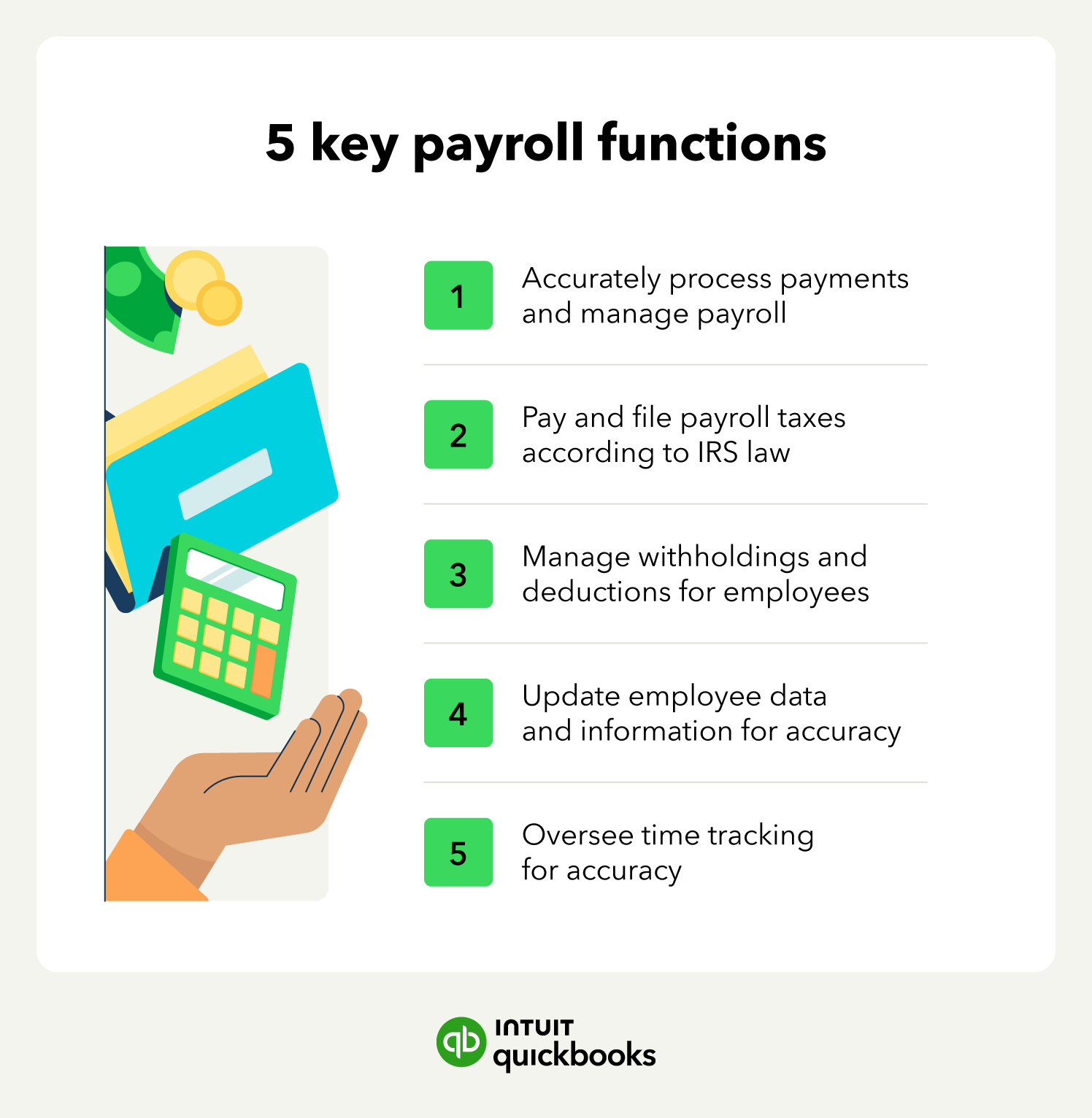
Here are some of the functions you can expect to assign to your specialists or payroll tasks you can do yourself if needed:
Keep in mind that the exact responsibilities will depend on your business’s needs.
The human resources department, often referred to as HR, effectively oversees the people you hire at your company. HR professionals are there to support your team, help your company grow sustainably, and are widely considered to be one of the most important parts of a business.
Depending on the size of your company, HR specialists may oversee payroll specialists or may perform payroll tasks despite being a separate discipline.
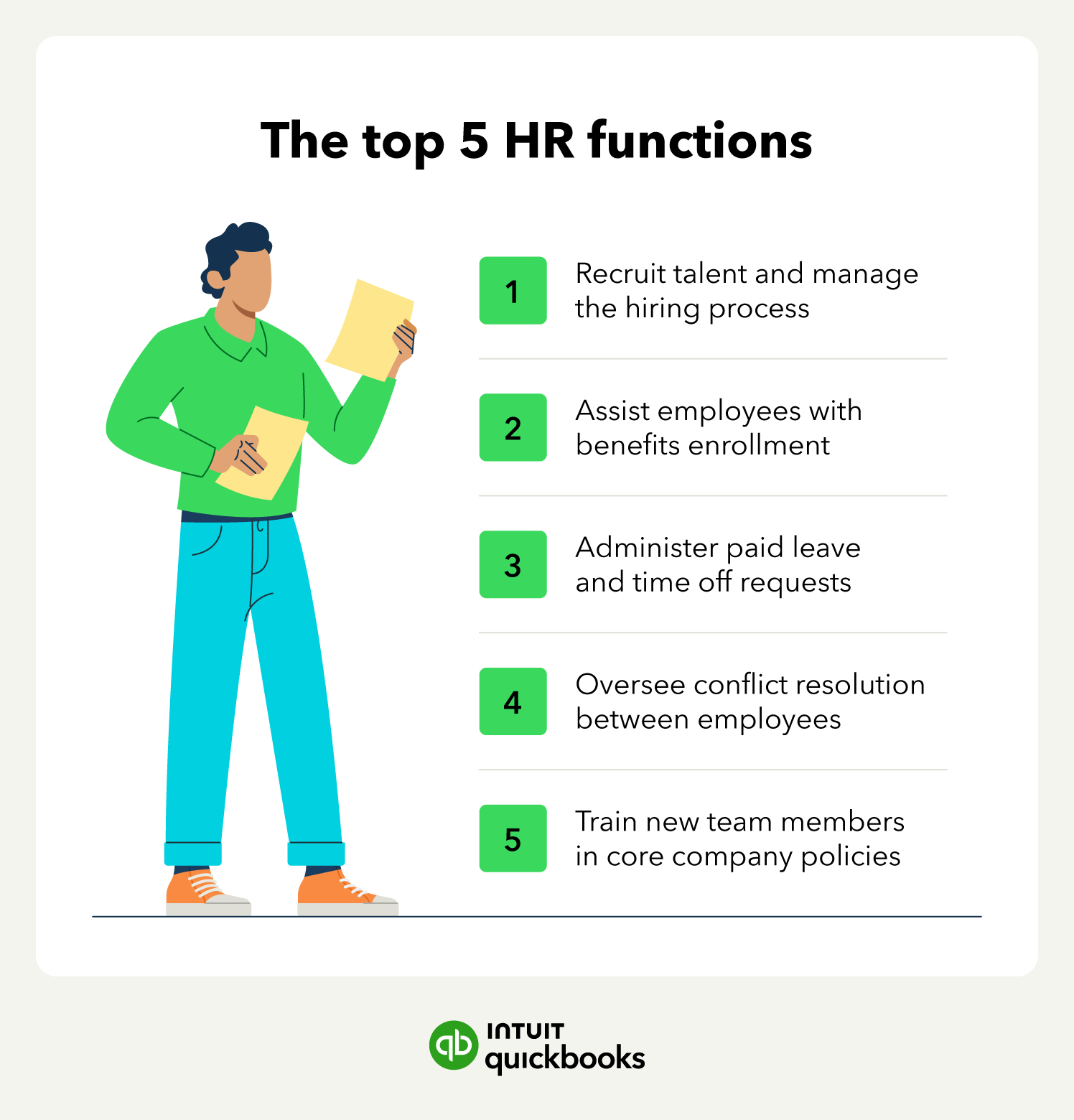
Though HR teams can oversee certain financial tasks and payroll needs, it’s not their primary function. HR professionals are trained in conflict resolution, managing negotiations, and other interpersonal-oriented business needs. Some essential HR functions to keep in mind include:
Having solid HR services at your business can help improve employee retention and overall employee experience. They can also help with everything from data entry to running innovative webinars. The bottom line is that HR professionals are versatile.
Payroll can certainly be part of your HR department. But it depends on the way your organization is structured. Some managers think that, because payroll deals directly with employees, it’s best suited as a part of HR. However, others may think that the finance and accounting wing of an organization is better built to tackle payroll because of their numbers expertise.
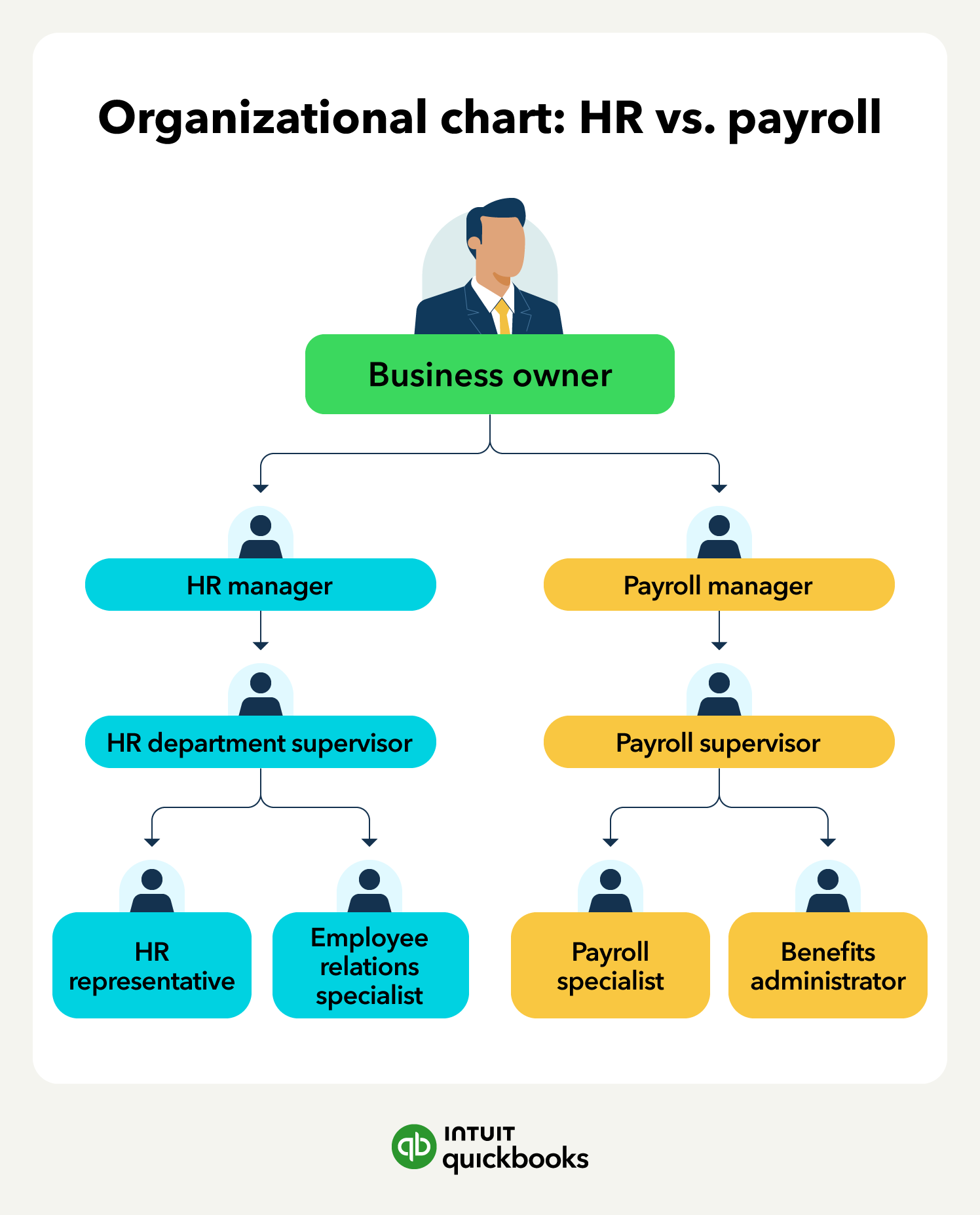
Ultimately, the way you organize your business is up to you. However, some of the ways that payroll and HR interact are good to keep in mind as you finalize business plans or consider an expansion.
No matter how your organization is structured, payroll needs to work closely with HR. That’s because there are many areas where HR and payroll administration can overlap, such as:
Ultimately, however, these two departments take different approaches and serve different functions when it comes to these and other issues. Let’s break it down.
Bringing HR and payroll together creates a stronger foundation for positive workplace dynamics. Instead of treating people and finances as unrelated entities, small business owners are turning to unified systems.
Specialized HR and payroll services improve consistency across these workflows, promote clear communication with employees, and ultimately enhance your team's workplace experience. Here are five steps you can take to harmonize HR and payroll with QuickBooks Workforce Payroll today.
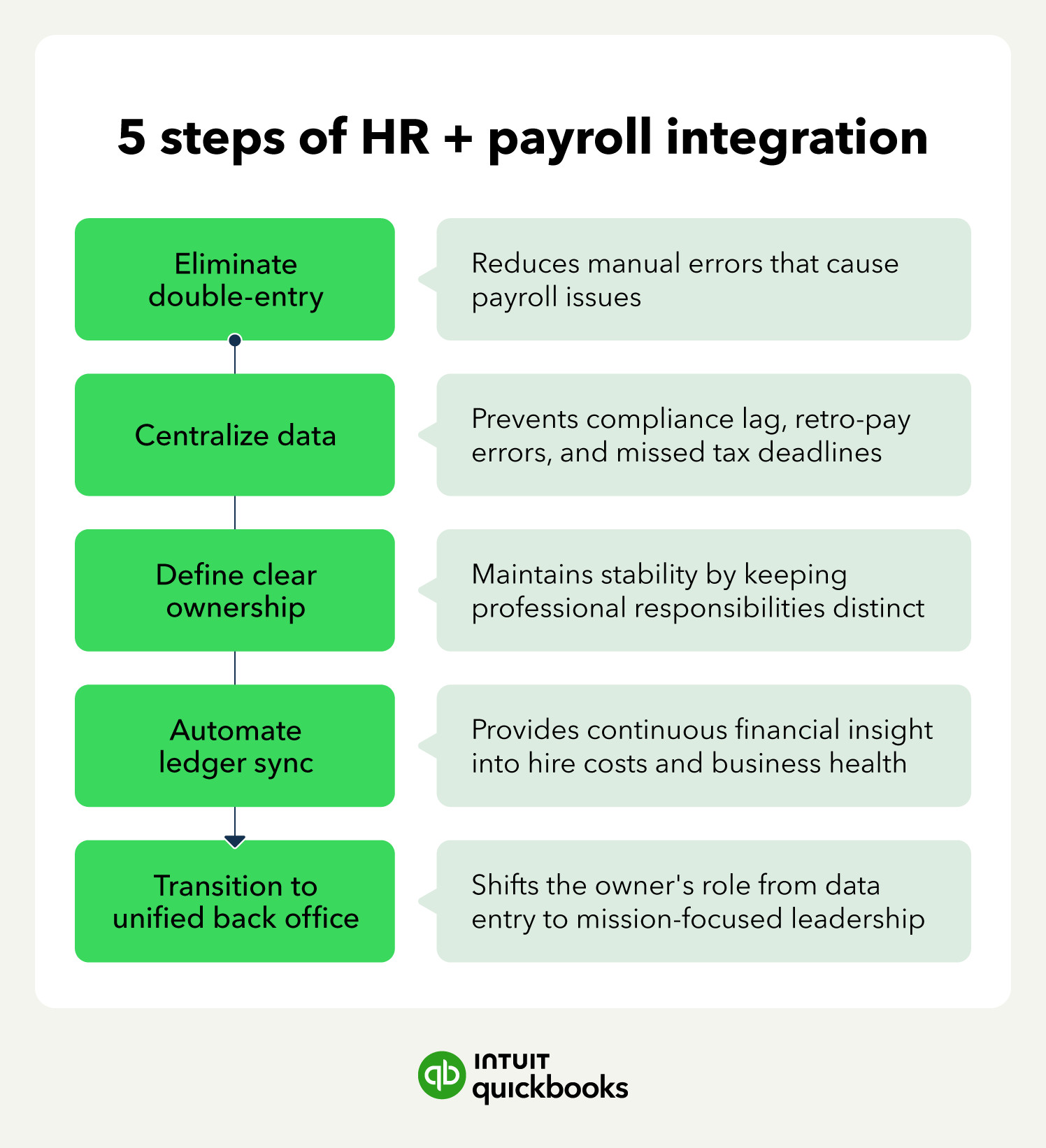
Without unified HR and payroll software, most businesses must enter the same data into their system twice.
This doubles the risk of error. And given that the data is in separate systems, it’s harder to catch. Even a single typo in an SSN or bank account can lead to failed payments or IRS flags, and 1 in 6 small business employees said a single inaccurate paycheck would be enough to cause them to quit.
The best HR and payroll platforms use a single set for both workflows, ensuring 100% record consistency. Nothing is siloed, and everything is shared. The solution is to create a single source of information that provides 100% consistency between workflows.
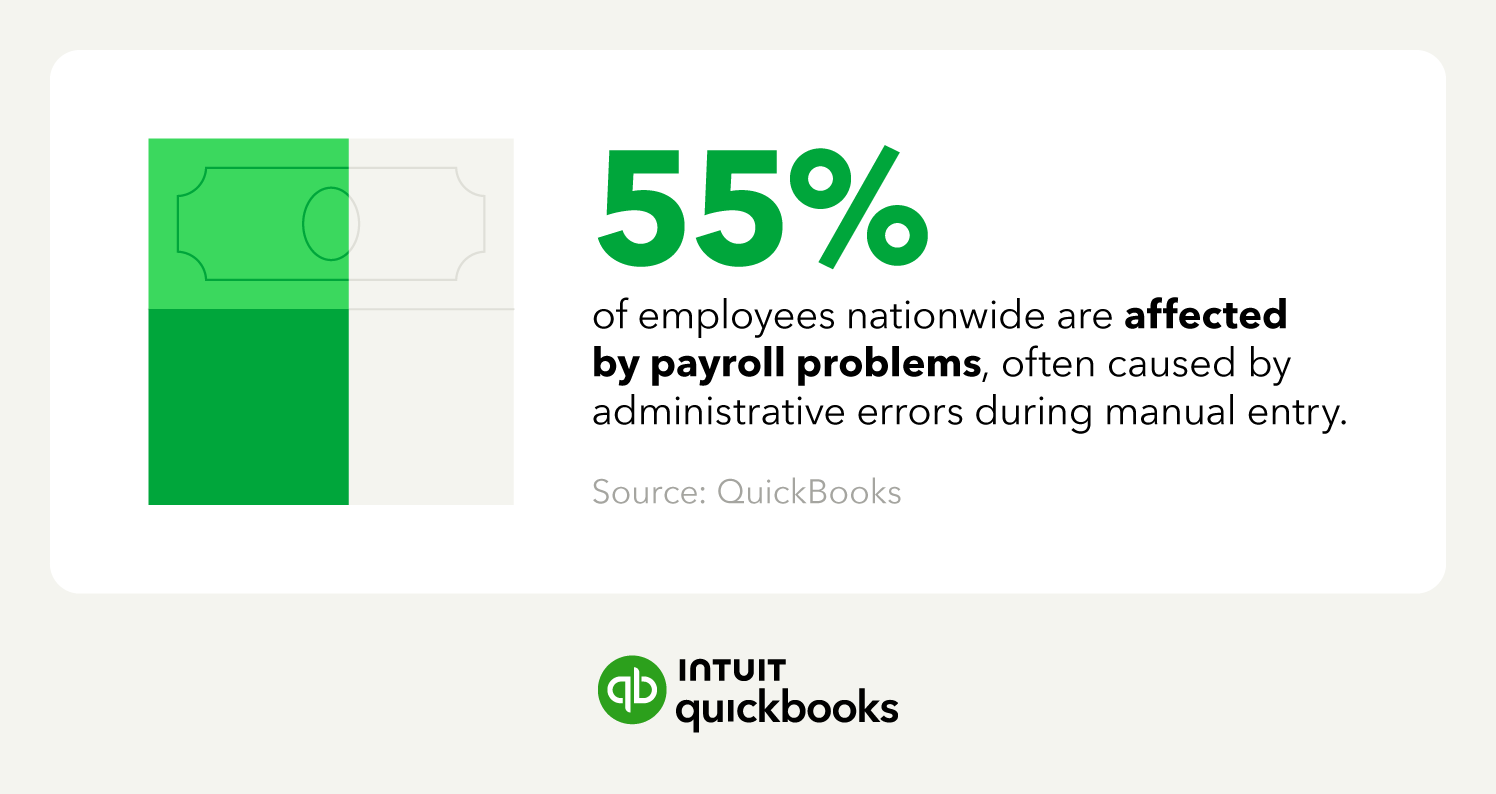
Nearly 55% of employees nationwide are affected by payroll problems, often caused by administrative errors during manual entry. Software like QuickBooks Workforce Payroll helps you perform audits to catch anomalies and discrepancies early.
Employees want to feel valued the moment they begin work. Connecting your onboarding process to your payroll ensures the new employee’s timesheet is ready before a single minute is clocked. This eliminates back-logging and keeps paychecks accurate from the start.
Integrating HR and payroll processes also ensures that raise negotiations and terminations are synced in real time. This unified approach prevents compliance lag that causes expensive retro-pay errors or missed state-mandated deadlines for final paychecks.
Using a single HR and payroll platform avoids these payment delays and improves tax compliance by instantly recording changes to employee addresses.
Even in a unified system, roles must remain clear. To ensure operational stability, give each employee or team specific, distinct responsibilities.
HR professionals should be responsible for the promises and commitments made to their employees. This includes salary negotiation, benefits selection, and the official offer letter.
The payroll team should be responsible for ensuring these promises are fulfilled. This means ensuring direct deposits are accurate and timely and that tax liabilities are filed correctly.
Small business owners who use HR and payroll services benefit from AI-powered software that keeps data unified but responsibilities distinct.
In QuickBooks Online accounting software, for example, once HR teams complete their onboarding checklist, the newly entered employee data automatically triggers the payroll setup. This creates a seamless hand-off with no lost information.
Many HR platforms are limited only to “people management” based on specific HR KPIs. While keeping employees happy and overseeing proper conflict resolution are important, there are other considerations to a thriving business.
QuickBooks Workforce Payroll takes employee management further by accounting for the financial components of your workforce. Our software automatically incorporates all new and updated employee records directly into your General Ledger. This allows you to see the actual cost of a new hire reflected in their business health immediately.
While the immediacy of information is crucial for onboarding and compliance, the goal is continuous financial insight. QuickBooks Workforce Payroll provides a live feed powered by AI accounting software. This means profit and loss (P&L) statements, tax liabilities, and bank reconciliations are updated automatically to give you an accurate look at your margins and bottom line every second of the day.
Converting to a unified, automated HR and payroll system still requires human oversight, especially at first. Be sure to audit the new workflow to ensure no manual journals are required at the end of the month.
Confirm that data is syncing correctly between HR, payroll, and the ledger, enable payroll automation, and digitize any remaining paper records to ensure your dataset is complete.
With these elements in place, HR and payroll create a self-sustaining system. You can sit back and watch as records are updated automatically and anomalies are flagged in real time. This allows you to stop acting as a data-entry middleman and start focusing on your company’s mission.
Small business owners choosing QuickBooks Online as their HR and payroll solution benefit from expert-guided setup. With human specialists and smart conversational AI agents to oversee your onboarding, you can be confident that everything is correctly configured for a fully unified, automated system.
Unifying your HR and payroll processes improves accuracy, frees up time through automation, and gives you a clear read-time look at your financial standing.
QuickBooks Workforce Payroll provides HR and payroll integration to operate as your General Ledger. Learn more about the full suite of features in QuickBooks Online today.








Call Sales: 1-800-285-4854