You could save up to 25% on transaction costs².
Speak with us now to see if you qualify.
Talk to sales 1-800-515-8366
Monday - Friday, 6 AM to 4 PM PT

Table of contents
Table of contents
A bookkeeper is a professional responsible for accurately recording a business's daily financial transactions and maintaining its financial ledgers and records. They primarily focus on recording financial history, while an accountant typically interprets that financial data for analysis, strategic planning, and advisory purposes.
Bookkeeping is vital to your business finances, but tasks like tracking sales and logging expenses can steal time you'd rather spend growing your business. And while keeping accurate records helps ensure clearer financial insights and smoother tax seasons, it's easy for small business owners to fall behind or make errors.
According to the QuickBooks Entrepreneurship in 2025 report, over 34% of business owners have made errors when filing taxes. To help prevent this, many of them turn to bookkeepers.
Let’s explore what bookkeepers do, some of the benefits of having one, and your options for bookkeeping services.
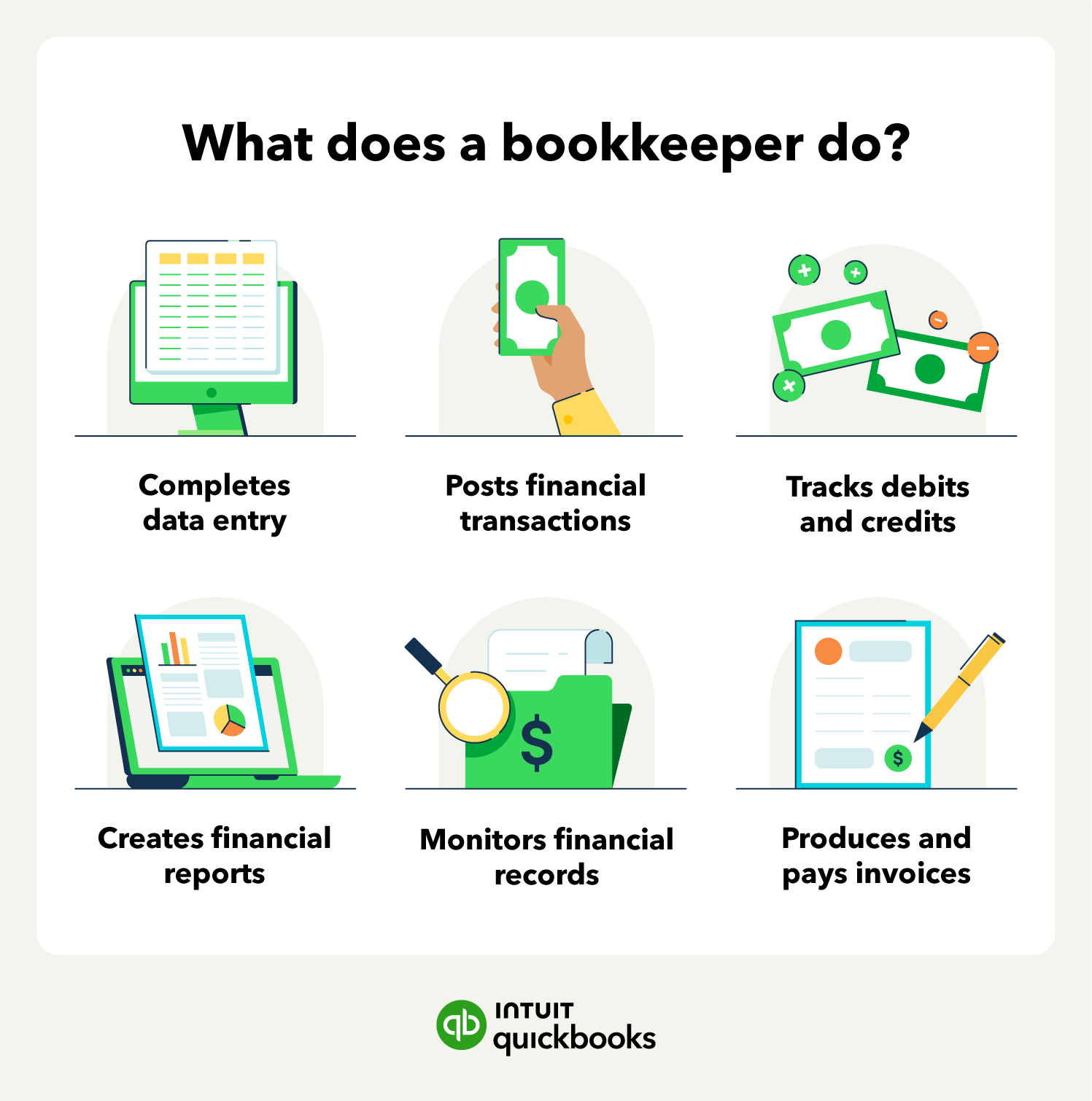
Bookkeepers help businesses manage their finances by monitoring different accounts, transactions, and reports. They collect, organize, and store the business’s financial records, including reconciliation, income, and cash flow statements.
The top 5 daily responsibilities of a bookkeeper:
1. Records and posts daily transactions: Logs all incoming and outgoing transactions. Categorizes and records these transactions using a chart of accounts (COA) for easy insight and compliance.
2. Generate accurate financial reports: Creates profit and loss (P&L) statements, balance sheets, cash flow statements, and custom reports.
3. Reconciles accounts and discrepancies: Flags anomalies between bank statements and internal records and resolves inconsistencies.
4. Manages invoices and bills: Prepares, sends, and tracks invoices to ensure timely payments and pays incoming bills.
5. Process payroll: Calculates and issues paychecks and direct deposits for every employee on payday.
Bookkeepers also make it possible for business owners and accountants to build budgets, identify trends, and plan for the future.
Some typical bookkeeping responsibilities and duties include:
Bookkeepers record the details of every financial transaction, like payments the business received or bills it paid. They gather information such as the date, amount, and who the transaction involved from sources like receipts or bank statements. Keeping these daily records up-to-date helps create an accurate picture of the company's finances.
After recording transactions, bookkeepers assign them to the right categories in the company's books, often using accounting software. For example, they might categorize a purchase as 'Office Supplies' or income under 'Product Sales'. This careful sorting prepares the financial information to use in reports later.
**Products and features
**QuickBooks Free: Free is currently available at no charge and may be offered for a limited time. Features and availability, are subject to change or discontinuation at any time, with or without notice. If the Free plan is discontinued, we will notify you in advance and provide you with comparable options to transition to another QuickBooks plan that meets your business needs. Certain add-on products may be eligible for use with the Free plan. To utilize any add-on products, you must agree to additional terms and conditions, and limitations and fees for and any selected add-ons will apply.
Terms, conditions, pricing, special features, service and support options are subject to change without notice.
Bookkeepers use organized data to create financial reports like income statements and balance sheets—usually monthly or quarterly. Business owners can review these reports to understand how the business is performing and see its financial standing.
Another ongoing part of bookkeeping is reviewing financial records for accuracy. This means checking for errors and making sure details match supporting documents, like receipts.
Bookkeepers regularly, usually monthly, compare the company's financial records to bank and credit card statements to make sure the transactions and balances match. If something doesn't line up, they figure out why—maybe there was a bank error or missed transaction—and fix the company's books.
An important part of the bookkeeping role involves handling money coming in and going out that are related to sales and purchases. Bookkeepers prepare and send invoices to customers, as well as keep track of who has paid and who hasn’t (accounts receivable).
They also process and track bills from suppliers (accounts payable) and help ensure your business pays on schedule, which aids in managing the company's cash.
Bookkeepers often handle the process of paying employees. This includes calculating wages, figuring out tax deductions and other withholdings, and making sure payments go out on time. Staying up-to-date with payroll rules helps the business pay people correctly and handle payroll taxes properly.
You might need only some or all of these services that can be part of the job of a bookkeeper. How your business operates is unique, and your bookkeeping follows suit.
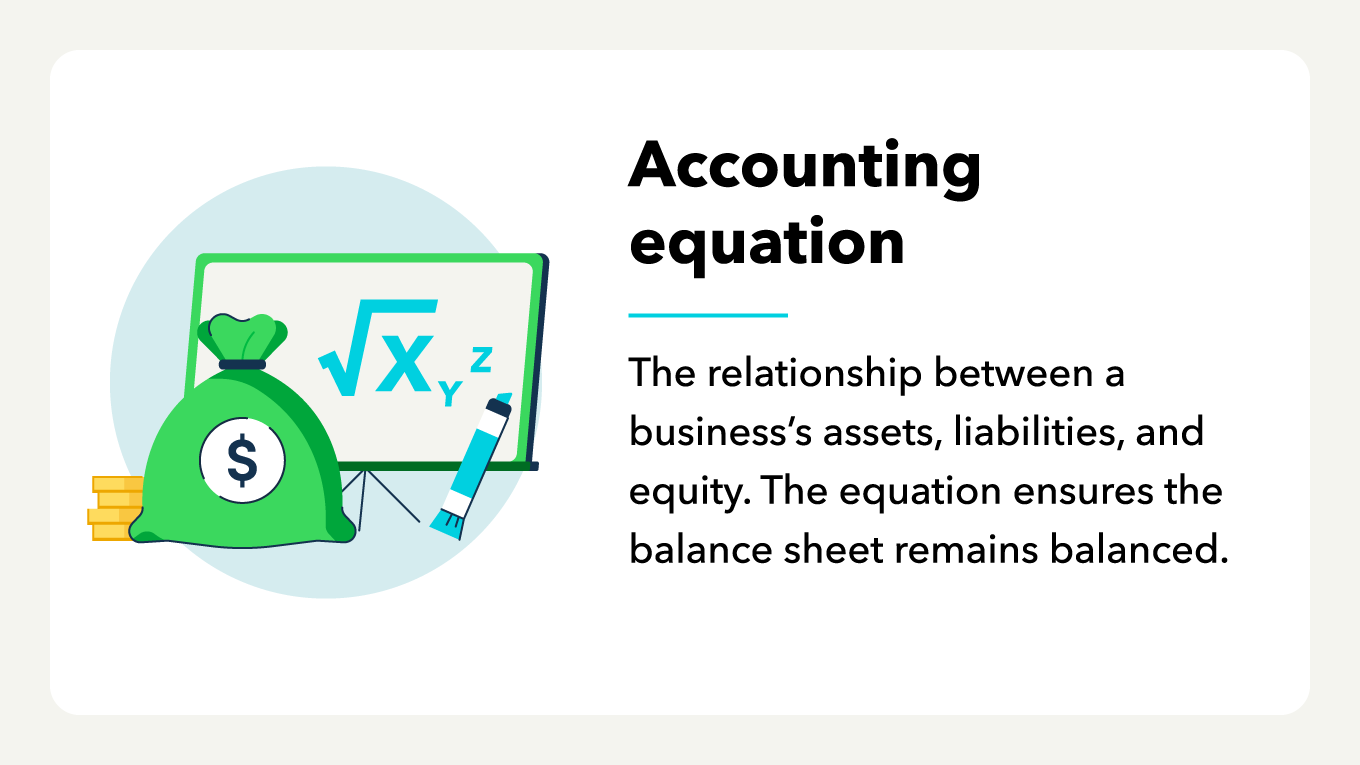
There are different types of bookkeeping services available, depending on the time and money investment you want to make. While you can do it yourself if you know numbers and spreadsheets, the tasks can be time-consuming and cut into your other business responsibilities.
If you’re thinking about hiring a bookkeeper or want to clean up your business books, some options include:

You know what a bookkeeper does and what their day-to-day responsibilities look like. But how do these job duties translate into benefits for your business? A bookkeeper can help organize your business finances so you can focus on running and growing your small business. If you're considering offering these services yourself, learn how to start a bookkeeping business and build a client base of your own.
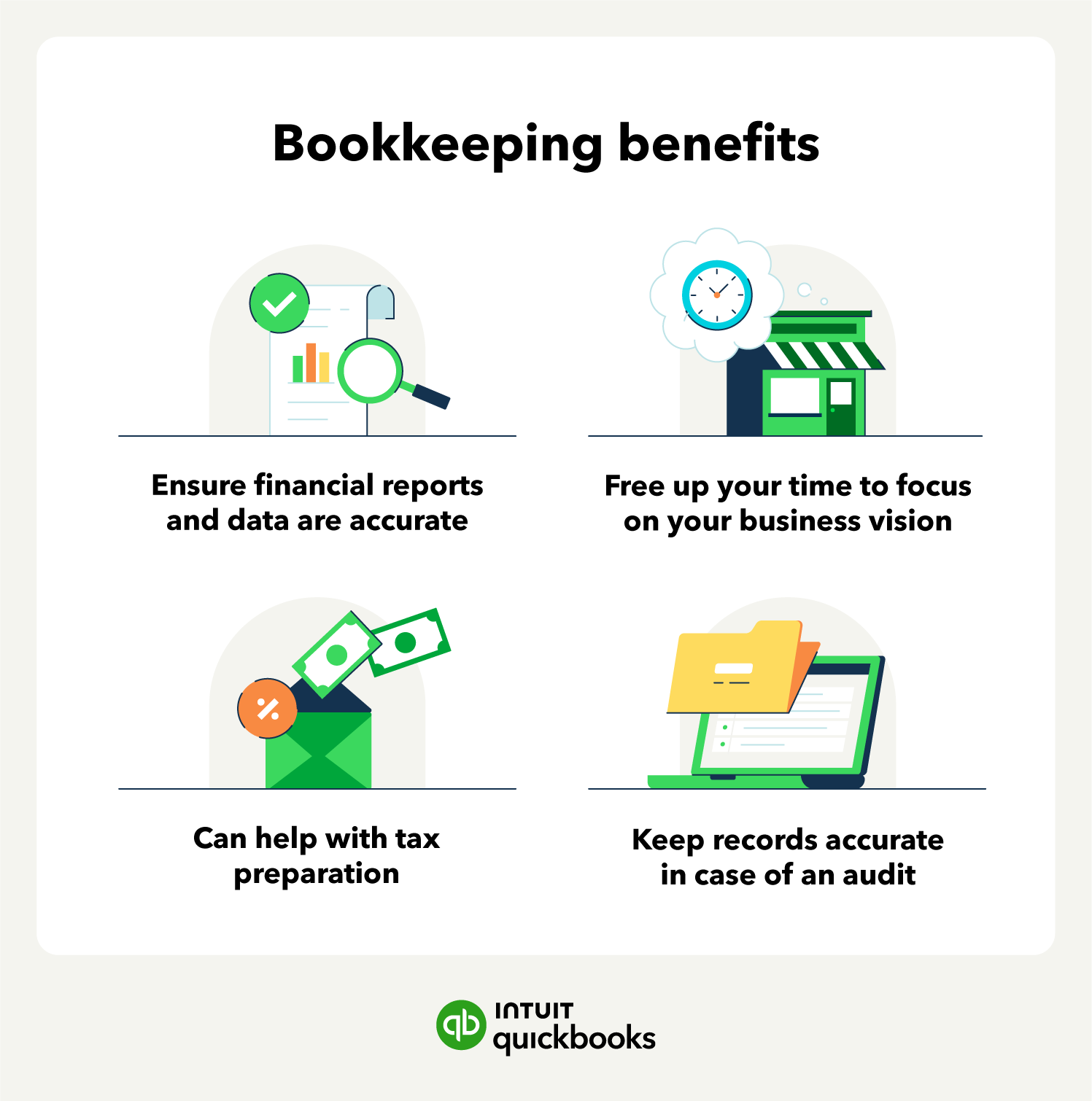
Benefits of bookkeeping include:
QuickBooks Online users already have access to verified experts who can support their whole business, from books to taxes. With Intuit Experts, you can get peace of mind and personalized expertise focused on your success.
There are key differences between bookkeepers and accountants that you want to know before hiring a financial professional.

Bookkeepers help business owners manage their finances by documenting transactions, paying and issuing invoices, generating reports, and recording accurate financial data. Bookkeepers can also deliver reports on your business’s financial standing.
But what do all of these figures mean, and where do you go from there? That’s where an accountant comes in.
Accountants use the records a bookkeeper provides and their own expertise to help build budgets, assess finances, and make business decisions. Additionally, an accountant may oversee a bookkeeper’s work. Accountants typically have higher education requirements and may have training in bookkeeping roles.
When comparing the two roles, know that an accountant may also be a bookkeeper. However, entry-level bookkeepers are not accountants.
If you’re considering hiring a bookkeeper, a few things can play a part in your decision.
Start by clearly defining what level of support your business requires.
Do you primarily need someone to enter basic data and categorize daily transactions? Or do you require more comprehensive services like generating monthly financial statements and managing accounts payable and accounts receivable?
Consider whether you need assistance with payroll processing or sales tax preparation and filing.
Think about the volume of your transactions and the complexity of your industry. Realistically assess which tasks you can handle yourself and whether tools like bookkeeping software can improve your workflow. For example, see how this voiceover artist uses Intuit Experts:
Having a precise understanding of your needs ensures you find a bookkeeper whose services match your requirements, preventing you from paying for support you don't need or missing out on essential functions.
Before actively searching, establish a realistic budget for bookkeeping services. Knowing what you can afford will help narrow down the types of bookkeeping options available to you.
When you contact potential bookkeepers or firms, ask for a clear and detailed breakdown of their fees and services.
Understand their bookkeeping fees: Do they charge by the hour, offer a flat monthly rate, provide tiered packages, or use value-based pricing?
Make sure you know exactly what services the quoted price includes, and clarify if there are additional charges for tasks outside the standard scope, like extra phone calls or reports. This transparency helps avoid unexpected costs down the line.
Discuss their standard response times to inquiries and think about how you prefer to work and communicate with your bookkeeper.
How often do you need updates or reports—daily, weekly, or monthly? What is your preferred method of communication?
Beyond the logistics, consider the importance of rapport. You should feel comfortable discussing sensitive financial information and asking questions.
Ensure their communication style aligns with yours and that you feel confident in their ability to explain financial matters clearly. A strong working relationship built on clear communication and trust is essential.
Once you have a good idea of the work involved, focus on finding a bookkeeper whose background aligns with your business needs. Look for professionals who have experience working with businesses similar to yours, considering factors like size or industry structure.
Asking candidates about their experience or qualifications specifically within your industry can be very insightful. Industry-specific knowledge often means they'll be familiar with relevant financial details and common challenges.
Some common certifications in the US include:
If you're a professional bookkeeper or accountant, QuickBooks Online Accountant gives you the tools to manage multiple clients and grow your practice. Beyond experience, consider the specific skills that contribute to effective bookkeeping.
Look for candidates who demonstrate:
 Don't hesitate to request references from current or past clients to get a better sense of their reliability, communication style, and overall effectiveness.
Ensuring they have industry experience, key skills, and relevant qualifications can help you select an expert bookkeeper who can reliably support your business's financial management.
Hiring a bookkeeper is not an excuse for you to stay in the dark about your finances. In fact, small businesses owners lose an average of over $100,000 due to low financial literacy. Knowing the top three most common bookkeeping mistakes is the first step to avoiding them.
Having both business and personal finances in a single bank account creates a forensic nightmare come tax season. Such commingling of funds blurs the distinction between personal and business expenses and significantly increases the risk of losing limited liability protection during audits, otherwise known as piercing the corporate veil.
This makes you, as the business owner, personally liable for the company's debts and lawsuits, rather than your business. Mixing finances also opens the door for claims of misappropriation of funds, at best, and embezzlement, at worst.
Instead, draw a hard line between your personal and business finances by keeping separate bank accounts, using designated personal and business credit cards associated with each account, and using sophisticated accounting software to automate owner’s draw transfers.
Creating and keeping such a clean break between personal and business finances ultimately simplifies bookkeeping and reduces risk exposure.
Reconciliation should be done frequently and regularly. Failing to review your business’s internal financial records against external bank statements, invoices, and vendor reports can lead to discrepancies going unnoticed and growing.
Worse, delaying this process prevents you from seeing your true cash position, which can lead to overspending. This lack of insight also inhibits a business’s ability to pivot and adapt to changing circumstances and market fluctuations.
While monthly reconciliation is the industry standard, you can benefit from moving to weekly micro-reconciliations. This higher frequency helps smaller teams avoid cumbersome month-end backlogs and makes sure your financial reports are current.
You can go a step further by providing your bookkeepers with AI-powered accounting software that performs real-time reconciliations, keeping reporting dashboards accurate to the second for greater financial transparency and improved decision-making.
In bookkeeping, not all expenses are treated equally; every line item must be accurately classified as either a one-time expense or a long-term asset. A one-time expense is a single purchase, cost, or service request, like utilities, employee salaries, and inventory orders. These costs are added to revenue and expense reports immediately.
Long-term assets, on the other hand, are typically larger, more expensive purchases like AI servers, equipment, or machinery that have utility beyond the current fiscal year. Unlike one-time expenses, which are deducted from profit reports immediately, long-term assets can be depreciated over time, effectively spreading the purchase cost across the item’s lifetime.
Misclassifying expenses and assets can have significant tax implications at the end of the year. More immediately, mislabeling an expensive long-term asset as a one-time expense can artificially deflate your profit margins and misrepresent your company’s value.
You as the business owner and your bookkeepers should set up a standardized chart of accounts (COA). This system uses four-digit numerical codes to classify assets, liabilities, income, and expenses into different accounts, such as:
These codes keep reporting consistent year after year and allow you to track each account and obtain granular insight into its performance and movement. This means business owners can prioritize winning revenue accounts to boost income or catch runaway expense accounts before they hurt your bottom line.
While human bookkeeping oversight is a necessary part of any business, new technology is making accounting simpler, reconciliation faster, and reporting more accurate. Here are the top tools you can use to streamline your bookkeeping process while reducing errors and reallocating time and talent to more strategy-oriented tasks.
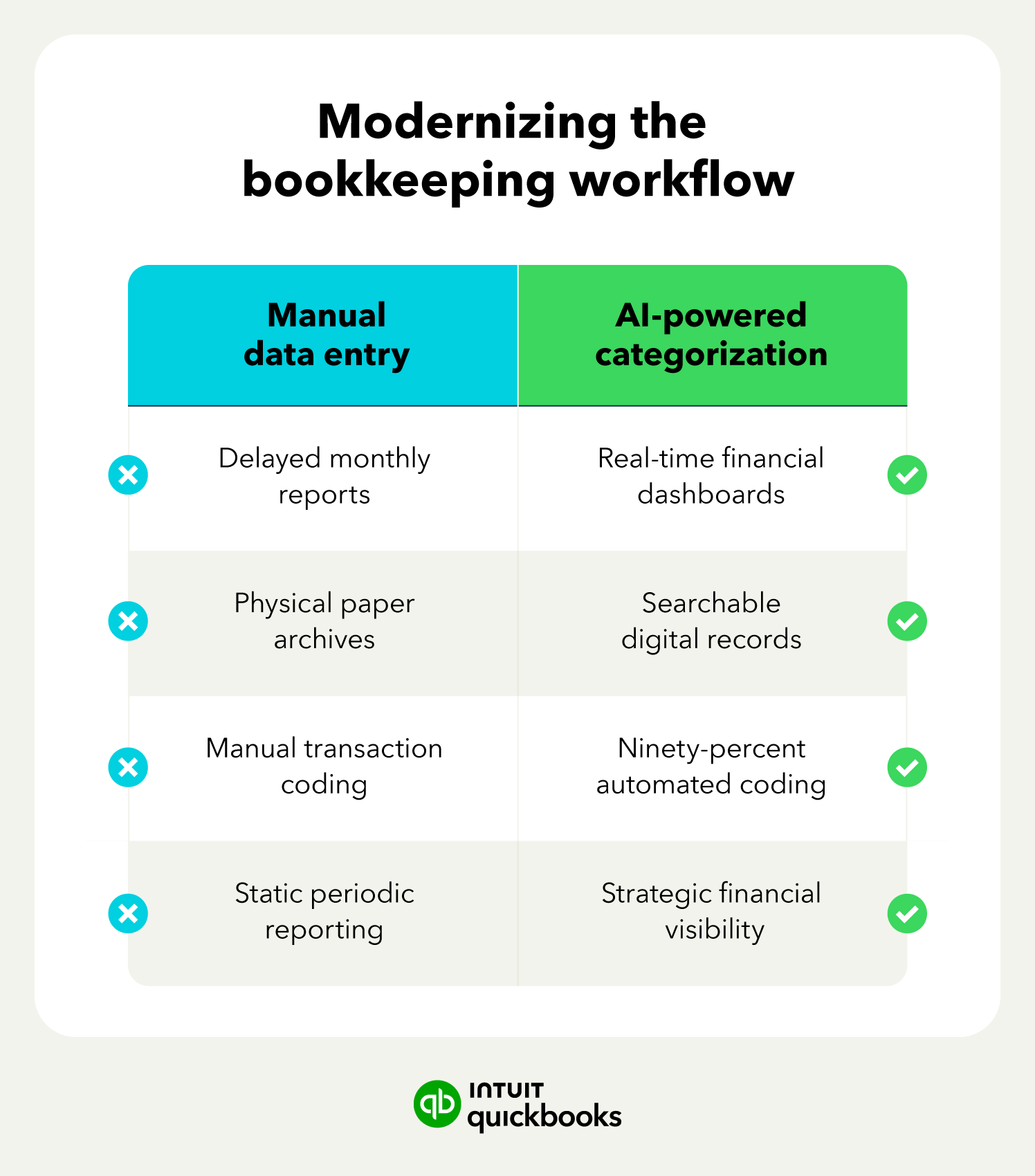
In bookkeeping, AI and machine learning models can analyze vast amounts of data to identify vendor patterns and automatically suggest tax-compliant categories for each transaction.
By automatically organizing financial data under labels like income, deductible business expenses by tier, payroll, professional services and fees, and asset depreciation, AI helps small businesses strengthen their chart of accounts to limit tax liability and maximize returns.
Clear, consistent, and compliant categorization gives you a head start come tax season. With AI drastically reducing human error and optimizing every transaction categorization, small business owners stand to keep more money in their pockets and improve their bottom line.
In fact, top-performing AI-accounting software can automate transaction coding while keeping you and your bookkeeper in the loop for edge case verification.
Application programming interfaces (APIs) create a common language that allows distinct software, programs, and tools to exchange information.
Integrating API-driven solutions into their bookkeeping allows you to generate real-time bank feeds and financial dashboards that pull information from every corner of their operations. This creates an accurate, round-the-clock view of liquidity to facilitate spending decisions like inventory purchases or hiring.
Rather than rely on periodic reports and after-the-fact data, this moment-to-moment insight turns financial reporting into a continuous process. You can benefit from a greater level of transparency when making purchasing decisions or strategizing growth.
The technology and its ability to provide you views into your business finances day or night eliminates end-of-the-month anxiety and restores peace of mind.
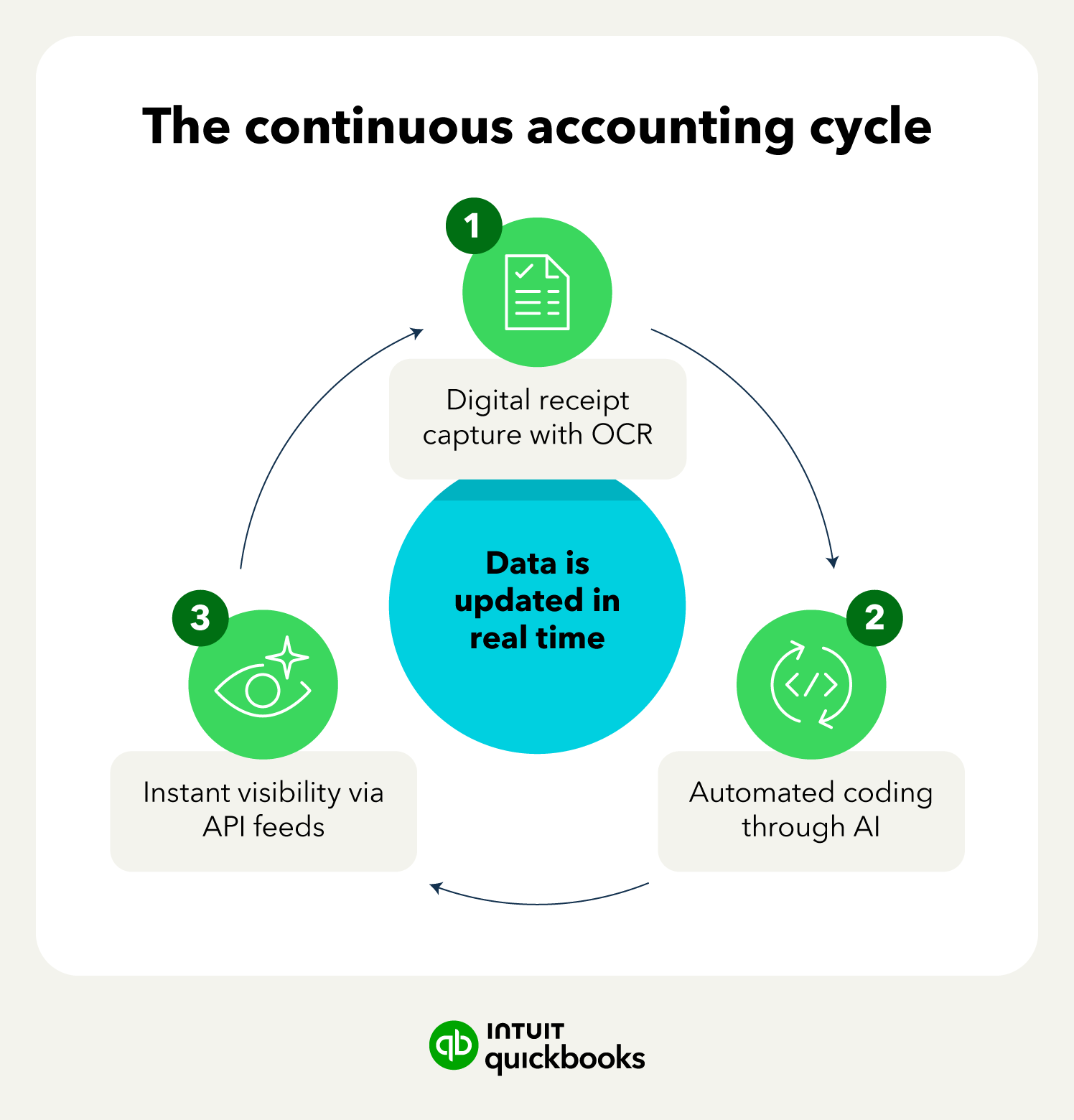
Small business owners and bookkeepers no longer need to manually enter physical receipts into their digital systems. Optical character recognition (OCR) technology can identify written or printed language and convert it into digital text.
This means it can scan physical receipts and automatically generate an audit-ready entry in your digital accounting system, complete with links to the relevant bank transactions.
OCR tools can eliminate paper ledgers and replace them with a searchable, digital archive. Backed by the cloud, your records become a permanent database. Paperless ledgers are unaffected by physical storage limitations or events that can damage or lose physical files like moves, burst pipes, or simply getting misplaced.
When all financial records are in a single digital system, IRS inquiries and internal audits become simple and streamlined, surfacing the needed information in just a few clicks or a single search.
Bookkeepers offer support to several organizations, including small businesses, nonprofits, and corporations. They are vital to managing a business’s finances by documenting transactions, generating reports, and assisting with accounting efforts.
Business owners have several options when selecting a bookkeeping style. Looking for bookkeeping support? Learn how Intuit Experts can help you streamline your bookkeeping and free up time spent on finances.
Disclaimers:
Intuit Expert services require QuickBooks Online subscription. Additional terms, conditions, limitations, and fees apply.
QuickBooks Online Payroll & Contractor Payments: Money movement services are provided by Intuit Payments Inc., licensed as a Money Transmitter by the New York State Department of Financial Services, subject to eligibility criteria, credit and application approval. For more information about Intuit Payments Inc.’s money transmission licenses, please visit https://www.intuit.com/legal/licenses/payment-licenses/









Call Sales: 1-800-285-4854