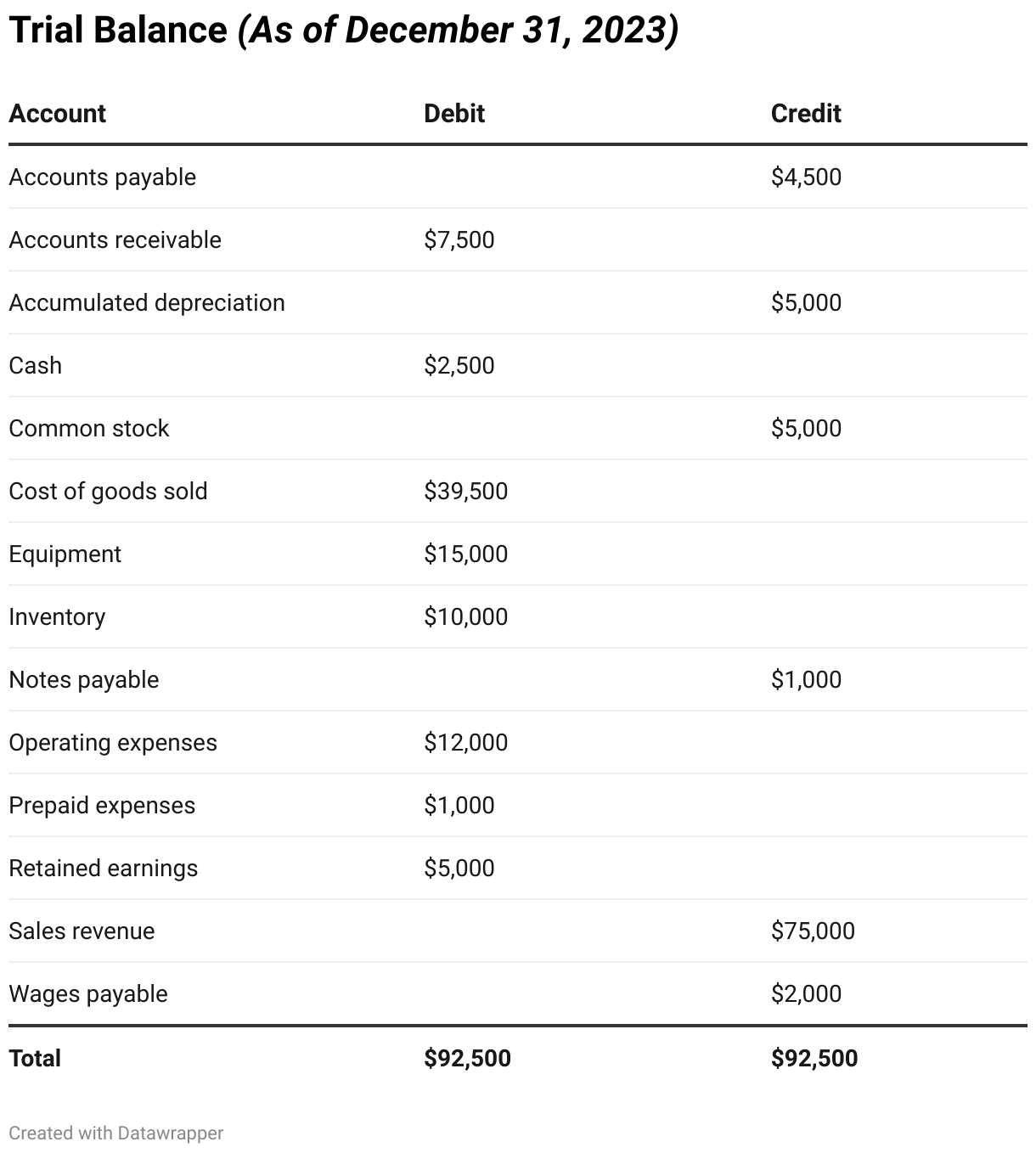
Most accounting software will let you generate a trial balance at any point in time to allow you to assess the current state of your accounts and spot discrepancies before they become larger issues.
Using a trial balance at the end of an accounting period
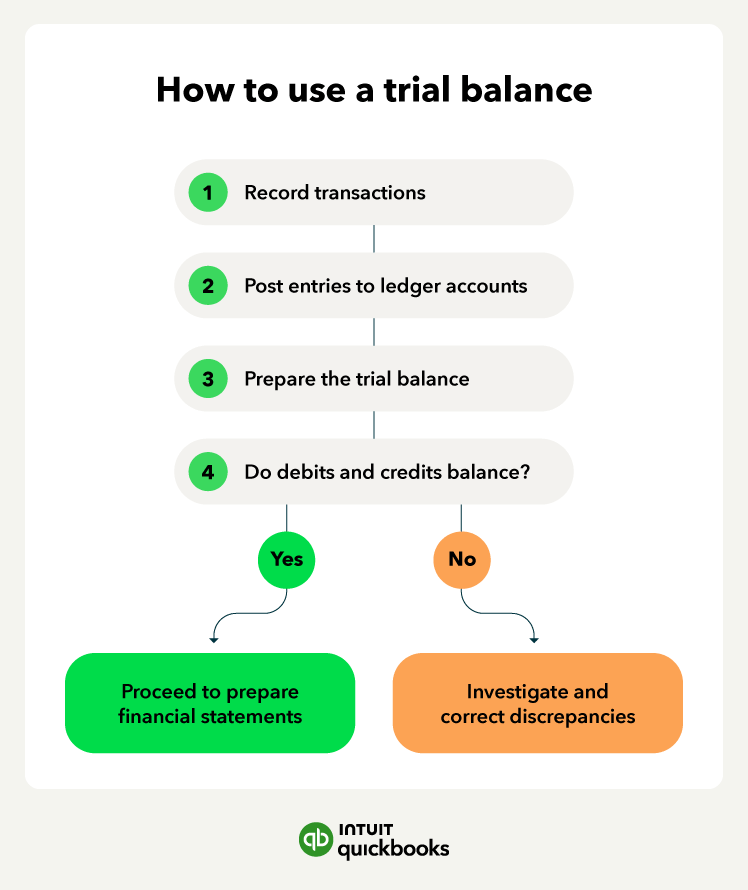
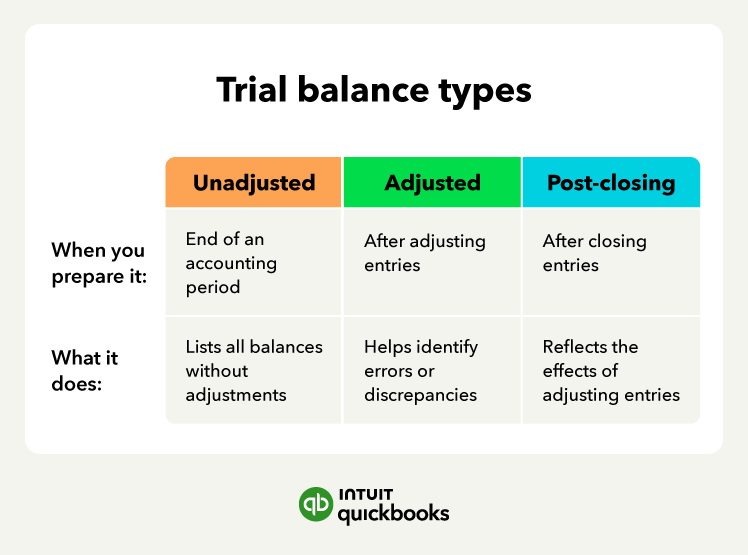
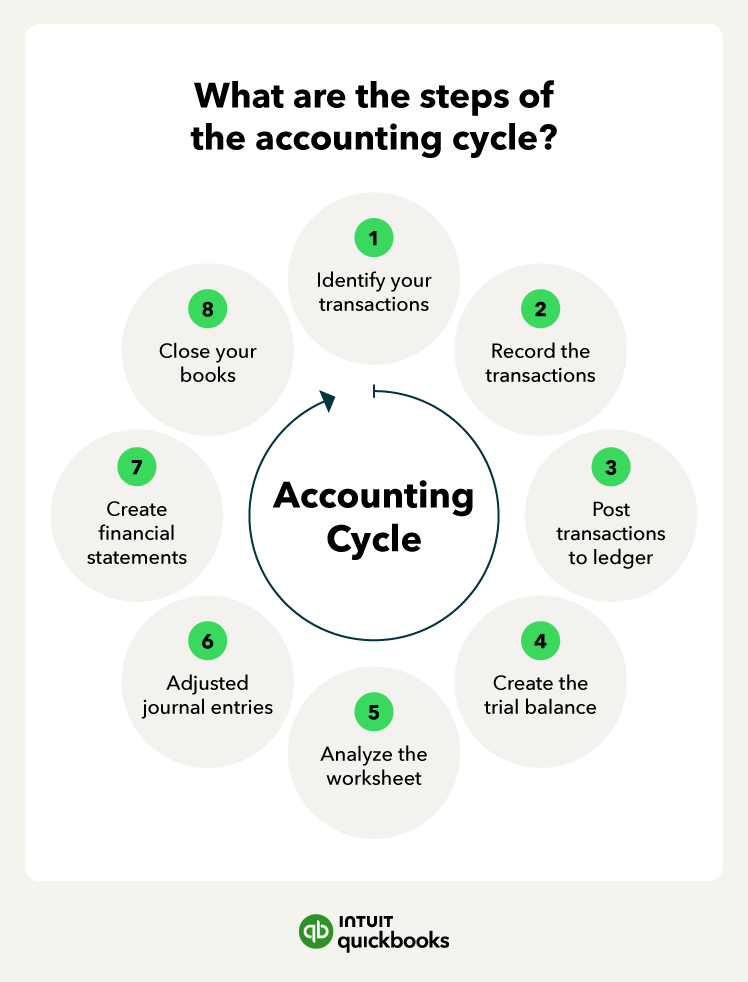
At the close of each month, quarter, or year, a trial balance helps confirm that the business has correctly recorded all transactions in the accounting ledger. This step—usually stage four of the accounting cycle—ensures the books are balanced before adjusting entries are made. Regular review at this stage can help prevent costly mistakes down the line.
Running a trial balance after adjusting entries
Adjusting entries account for items like accruals, deferrals, and depreciation, aligning financial data with the correct period. Running a trial balance after these entries—typically after step six—helps verify that your books still balance and that you recorded updates accurately.
Most accounting software can generate this adjusted trial balance automatically, saving time and reducing errors.
Generating a trial balance after closing entries
Once temporary accounts like revenue and expenses are closed and transferred to retained earnings, a post-closing trial balance confirms that only permanent accounts remain.
This is part eight of the accounting cycle and ensures your books are ready to start the next accounting period. Automated accounting software simplifies this by updating account balances and generating post-closing trial balances on demand.
How to use trial balances for ongoing accuracy
You don’t have to wait until the end of the period to run a trial balance. Many businesses review trial balances weekly or monthly to proactively catch issues and maintain accurate records. Most financial reporting software platforms offer real-time access to trial balances, allowing you to continuously monitor financial health.