You could save up to 25% on transaction costs².
Speak with us now to see if you qualify.
Talk to sales 1-800-515-8366
Monday - Friday, 6 AM to 4 PM PT

Table of contents
Table of contents
Filing taxes is stressful, but mastering Form 1040, the two-page core of your federal return, reduces errors, penalties, and delays. More than half of small business owners (51%) say they use an accountant, which can make tax prep and filing easier.
If you’re self-employed or run a small business, you’ll use Form 1040 to report your income, claim deductions, and calculate your total sole proprietorship taxes. Let’s walk through how to fill out a 1040 form step-by-step for the 2026 tax year, plus what schedules you might need to include.

If you work or earn income, you’ll likely need to file a Form 1040. This form, also known as the US Individual Income Tax Return, is how most individuals file their taxes.
The 1040 form is a two-page document for taxpayers to determine, report, and file their income. It’s also here that taxpayers calculate their deductions and ultimately figure out how much they owe in federal income taxes.
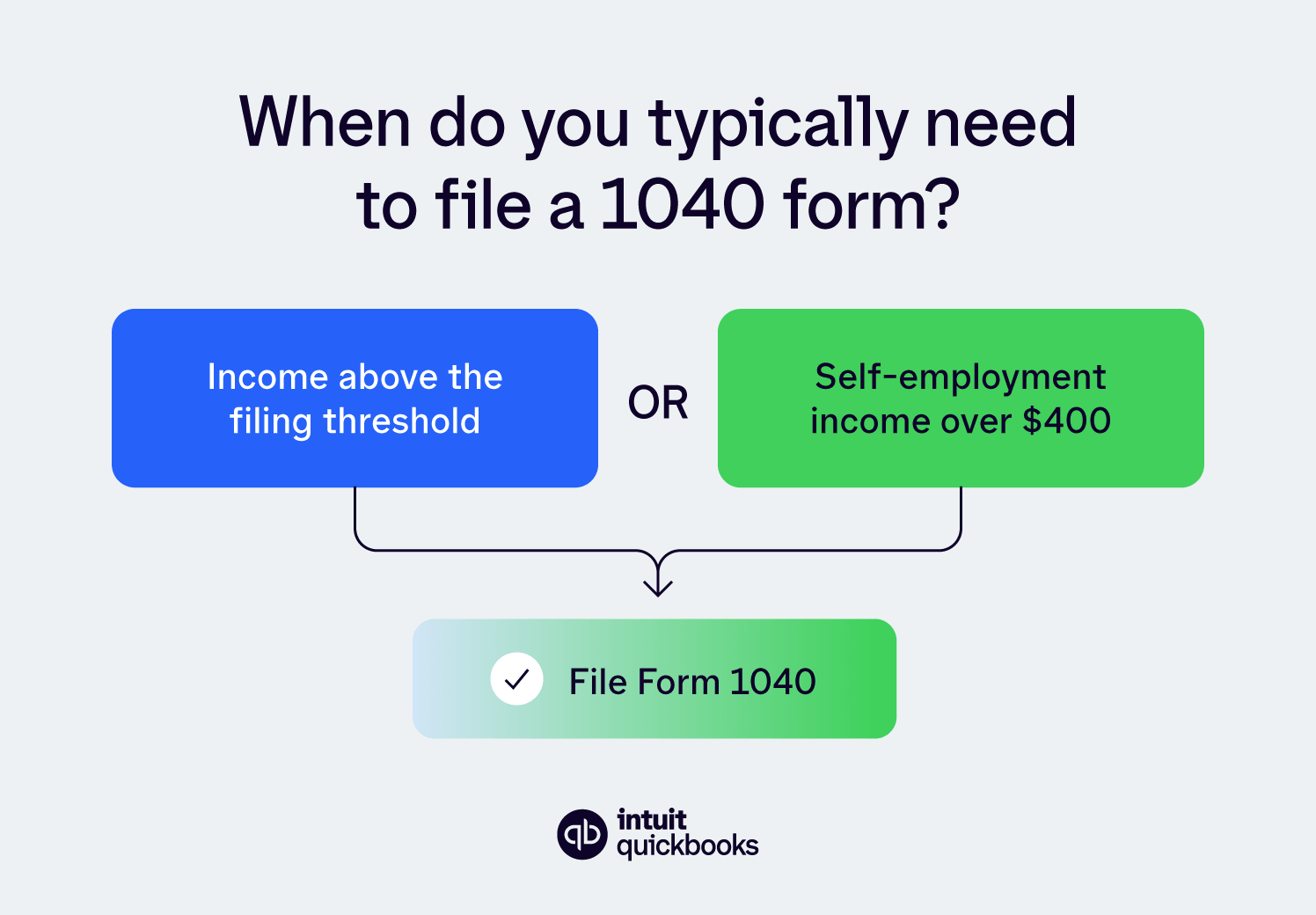
Generally, the Form 1040 requirements require you to file a tax form for 2026 if:
You can report your business income and expenses using Form 1040 if you’re self-employed, a small business owner who runs your company as a sole proprietorship, or your company is a single-member LLC. If your company is an S corporation or a C corporation, you’ll need to prepare a separate corporate tax return.
Accurately filling out your personal information is the first step to completing your Form 1040. This section captures key details about you and anyone else you're claiming on your tax return.
Fill out your personal information:
In addition to your personal details, you'll need documentation to support your income and any deductions or credits you're claiming. Organizing these beforehand will make the tax filing process much smoother.

Some of the key documents you'll want to gather:
Refer to a copy of your previous year's tax return, if available, for helpful information as you fill out your 2026 Form 1040.
Boxes 1-15 are for reporting your income. Your income can include items like:
Box 8 of the income section includes additional income from your Schedule 1, which is a form for additional types of income that do not appear on page one of the 1040 form.
For example, Schedule 1 includes items like rent and royalty, alimony, business income or loss, income from S-corps, or unemployment.
See your vendors and anyone who needs a 1099 in one place to help stay compliant. QuickBooks Bill Pay gives you unlimited 1099 e-filing with printing and mailing at no additional cost. This makes tracking income and reporting easier for small business owners and self-employed individuals.**
For your 1040 form, you can either choose standard or itemized deductions. Most filers choose the standard deductions, but if you have itemized deductions that are greater than the standard deduction, you can itemize them with Schedule A.
The IRS standard deduction amount for 2026 is $16,100 if you are single or married filing separately, $32,200 for married filing jointly, or $24,150 for the head of household.
Meanwhile, itemized deductions include expenses like:
Note these are different from self-employed tax deductions, which you’ll include on your Schedule C.

Also, you may benefit from the Qualified Business Income (QBI) deduction, aka Section 199A deduction, if your business is a pass-through entity.
Taxpayers with simpler tax returns, such as those with just W-2 income and the standard deduction, will likely only need to file Form 1040. However, small business owners, self-employed individuals, and others with unique situations will likely need to file an additional schedule and attach it to their 1040 form.
Here are some of the most common schedules that you might need to append to your 1040 form:

Note that you might also need to use other schedules, such as Schedule EIC for Earned Income Credit, Schedule F for farm profit or loss, or Schedule H for household employment taxes.
Now, it's time to calculate your tax liability. To do this accurately, you'll first need to determine your taxable income. This is found by subtracting either your standard or itemized deductions from your adjusted gross income.
The US uses a progressive tax system, meaning you pay different tax rates on different portions of your income. These rates increase as your income increases. For example, in 2026, the first $11,925 of taxable income for a single filer is taxed at 10%, the next $36,550 (up to $48,475) is taxed at 12%, and so on.
Only the portion of your income within each tax bracket is taxed at that rate. This is your marginal tax rate (the rate applied to the last dollar you earned).
Here are the 2026 marginal tax rates:
With your taxable income and an understanding of marginal tax rates, you can determine your tax liability.
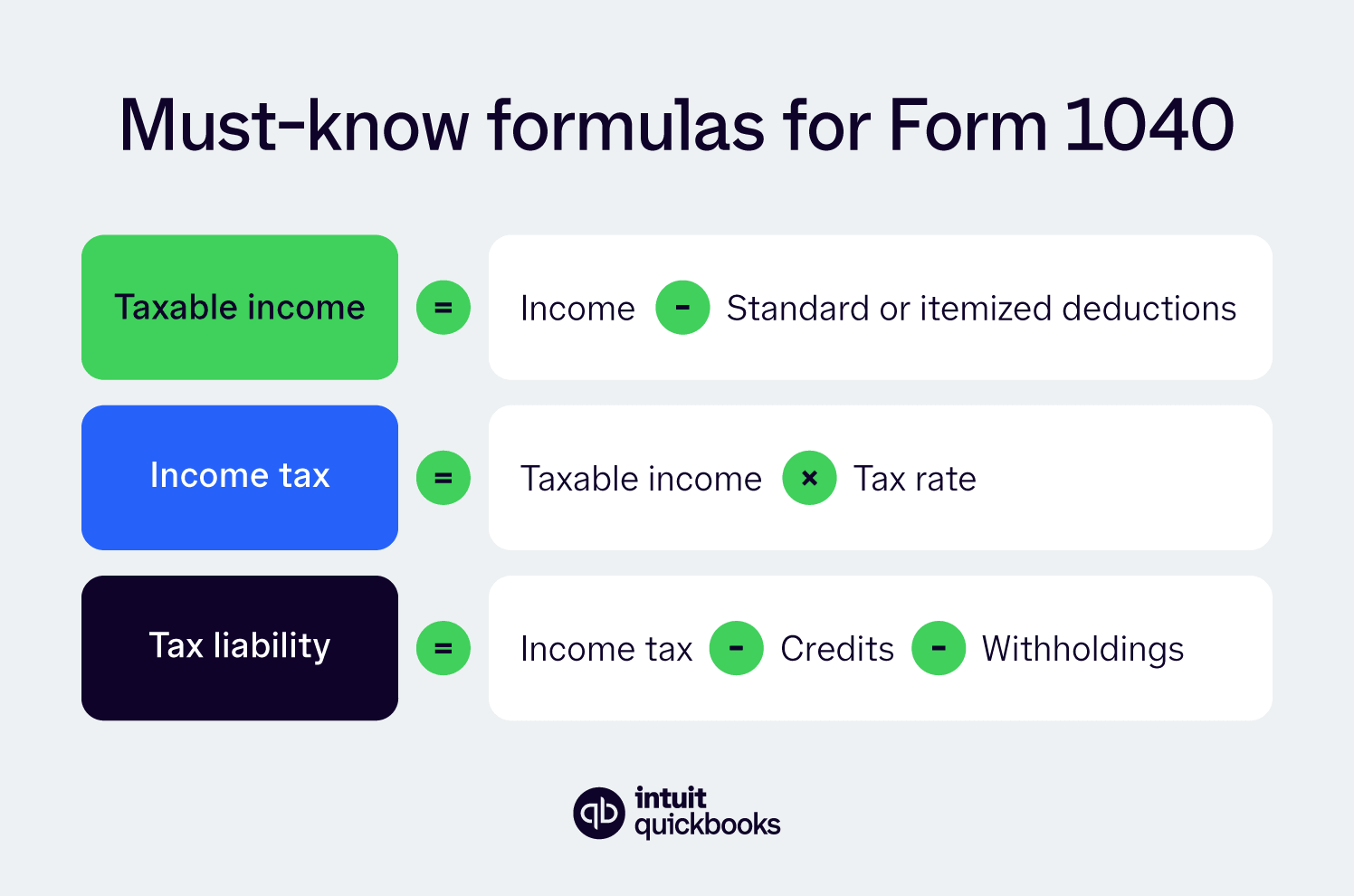
Here’s step-by-step instructions for calculating your tax liability:
1. Find your taxable income: Subtract your deductions from your adjusted gross income.
2. Use the tax tables: The 2026 tax tables in the Form 1040 instructions will show the tax rates for each income bracket based on your filing status.
3. Calculate your tax: Apply the appropriate tax rate to each portion of your taxable income based on the tax brackets.
4. Subtract credits and withholdings: Your final tax liability is the amount of tax you owe minus any tax credits and tax withholdings.
While Form 1040 instructions include tax tables for calculating your tax liability, using tax software can help you automatically calculate this.
FYI: If your tax liability is negative, the IRS owes you a tax refund. If the number is positive, that’s how much you owe the governmen
Now that you know how to fill out a 1040 form, it’s time to file it with the IRS. Luckily, this part is much easier than filling it out. You can file your tax forms with the IRS via mail or go paperless this tax season and file electronically.
Filing electronically, also known as e-filing, can mean you get a refund quicker, especially if you send the refund to your bank account. No matter how you file your 1040 form, the tax due date is the deadline for both filing and paying your taxes.
If your tax situation is complex, you can request a six-month extension for more time to file. However, you still have to pay your tax liability by the due date to avoid interest charges.
Even experienced business owners and self-employed individuals can stumble on small errors that slow processing or reduce refunds. Here are key areas to watch:
Using the wrong deduction or credit can trigger an audit or reduce your refund. Double-check standard vs. itemized deductions, and make sure you have receipts or records to support any business deductions.

Errors in Social Security numbers, names, or addresses are surprisingly common. Small typos can delay processing or cause the IRS to reject your return.
Missing the filing deadline or sending a paper return unnecessarily can delay your refund and incur late fees. E-filing is faster, more accurate, and helps you get your refund sooner.
Keep thorough records year-round. Organized documentation for expenses, deductions, and business transactions makes tax season smoother and reduces the chance of errors.
Before you file, it helps to understand a few of the most common questions taxpayers have about Form 1040. Here’s a closer look at what information you’ll need, what key lines mean, and whether you should file if you have little or no income.
To file Form 1040, gather your personal information, including your name, Social Security number, and the same for any dependents. You’ll also need documents that show your income, like W-2s for wages, 1099s for contract or freelance work, and records of dividends or Social Security benefits. Having everything ready makes filling out your return faster and easier.
Line 16 is one of the most important numbers on your Form 1040; it shows your total tax due for the year. This figure includes the tax on your taxable income and any additional taxes from forms like 8814 (child’s interest and dividends) or 4972 (lump-sum distributions). Double-check this line to ensure it matches your calculations or software output.
You generally don’t have to file Form 1040, if you earned no income during the year, but some exceptions apply. For example, if you qualify for certain tax credits, owe special taxes, or need to report health coverage.
Checking the IRS filing requirements each year ensures you stay compliant and don’t miss out on potential refunds or credits.
Whether you fill out your 1099 and 1040 forms on your own, use software, consult an accountant, or do all three, it’s a good idea to know the tax laws. But if you don’t want to read through all the IRS instructions on how to fill out a 1040 form, there are tools to help simplify the process for you.
Consider using accounting software like QuickBooks to keep track of your expenses during the current year.
Disclaimer
** QuickBooks Bill Pay: QuickBooks Bill Pay account subject to eligibility criteria, credit, and application approval. Subscription to QuickBooks Online required. Not available in U.S. territories or outside the U.S. Money movement services are provided by Intuit Payments Inc., licensed as a Money Transmitter by the New York State Department of Financial Services. For more information about Intuit Payments' money transmission licenses, please visit https://www.intuit.com/legal/licenses/payment-licenses/.









Call Sales: 1-800-285-4854