QuickBooks Blog
Three hands of varying shades, each holding a different business payment method: cash, card, and check
payments

Business payment methods explained: Costs and how to choose


Quick guide to business payment methods:

  • Small businesses have several payment options to choose from, including cash, cards, checks, ACH, and digital payments.
  • Each method comes with different costs, processing times, and security considerations that can affect your cash flow.
  • Choosing a payment system that integrates with your accounting software can help streamline operations and reduce manual work.


With more efficient payment methods, your business can save money and speed up cash flow. Slow transfers make it harder to get paid on time, and those delays add up. According to QuickBooks' 2025 Small Business Late Payments Report, late payments cost US small businesses an average of $17,500 a year.

That massive cash flow challenge often starts with inefficient business payment methods. Getting paid should be simple, which is why having an integrated payment system is so important.

Ultimately, the best payment method for your business depends on factors like transaction size, how customers prefer to pay, and how your accounting system integrates with your payment processes.

Here’s a closer look at today’s most common business payment options and payment processing tools that may fit your company.

Jump to:

5 types of business payment methods

Small businesses can choose from a variety of payment methods, from cash to digital options. Here’s a closer look at six common types and what to know about each one.

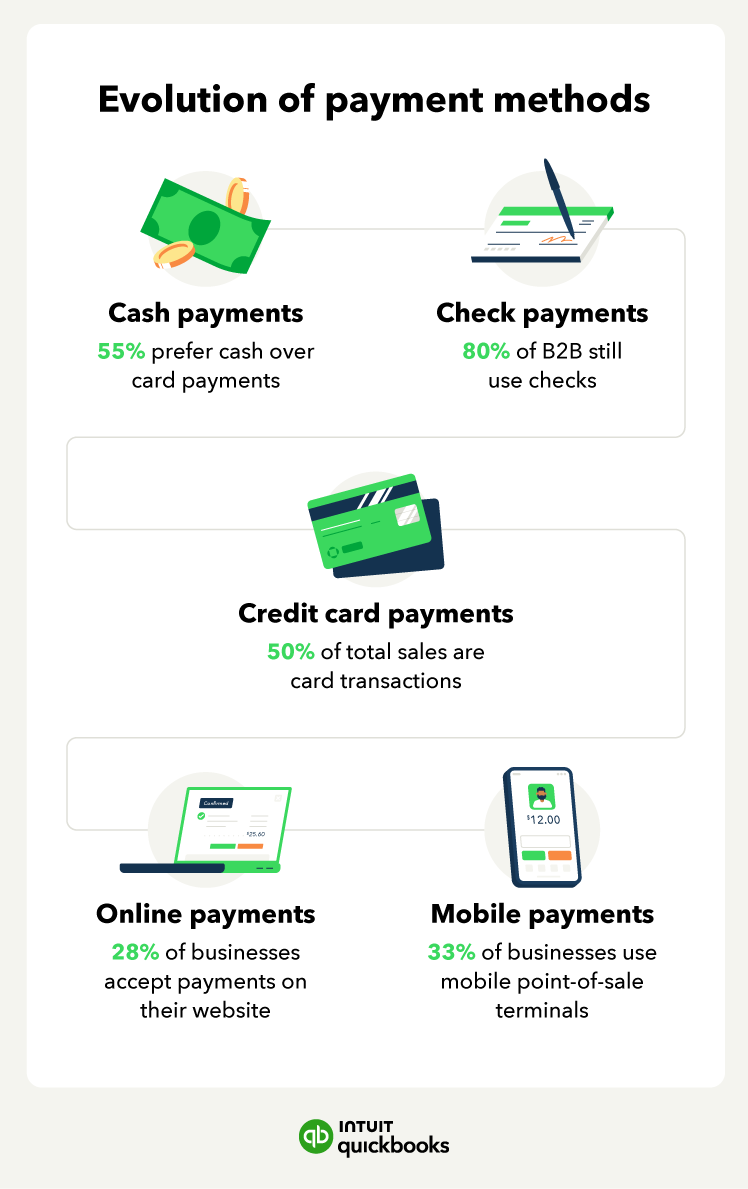
The evolution of business payment methods

1. Cash payments

Consumers make cash payments with bills and coins, typically managed through a point-of-sale system. While cash used to be a primary payment method, digital options have steadily grown in popularity.

Cash is appealing because it immediately boosts your margin—you skip processing fees and get instant access to funds. It’s also the simplest payment method to accept, requiring no special equipment or complex setup.

Regardless of your industry, if cash is your preferred payment method, you can avoid an audit with diligent accounting. Many businesses find the most efficient solution is to integrate a digital system alongside cash to streamline the payment process.

2. Card payments

Debit and credit cards are among the most popular ways consumers pay for purchases today. They’re fast, convenient, and make checkout smoother for both shoppers and business owners. Cards can also help customers manage large transactions, which is why most people expect businesses to accept them.

While federal rules, like the Durbin Amendment, help cap certain debit card fees, those caps don't apply to credit cards. That means your processing costs can vary widely depending on the processor, card type, and dispute rules.

Accepting credit cards and debit cards can be a smart move when you need to offer flexibility at checkout—especially if you choose a processor that keeps fees predictable and helps protect your business from disputes.

3. Check payments

Checks authorize banks to transfer funds from a customer’s account to your business account, and they include details like the payment amount, date, and payer information. While paper checks used to be a primary way to get paid, many businesses now use digital alternatives like eChecks as more transactions move online.

Despite this shift, checks can still make sense for certain operations, especially for businesses that work directly with individual clients—like rental property owners or lawn service providers.

To start accepting checks, you'll need a business bank account, and the US Small Business Administration (SBA) recommends creating a bad check policy for your protection.


note icon

Best practices for accepting checks: Standard practice is to accept check payments written in the exact amount and issued by major banks in your state. A third-party company can help verify the legitimacy of each check.


4. ACH Payments

ACH (Automated Clearing House) payments move money directly between bank accounts. This payment type is commonly used for recurring billing, payroll, invoices, and larger transactions because it does not rely on costly credit card networks.

To complete an ACH transfer, customers provide their bank account and routing numbers. Once authorized, funds move electronically—often at a lower cost than card payments. Many providers charge a small percentage, a flat fee, or cap the cost per transaction, which helps keep payment expenses manageable over time.

ACH is a strong fit for businesses that handle predictable or high-volume payments, such as subscription services, utility services, and B2B companies. Additionally, a reliable ACH setup can be especially helpful if you regularly handle recurring invoices or want a more automated way to support consistent cash flow.

Get paid on time, every time

Create a recurring payment and put your payments on auto pilot. Simply set the schedule and amount and share with your customer.

5. Digital payments

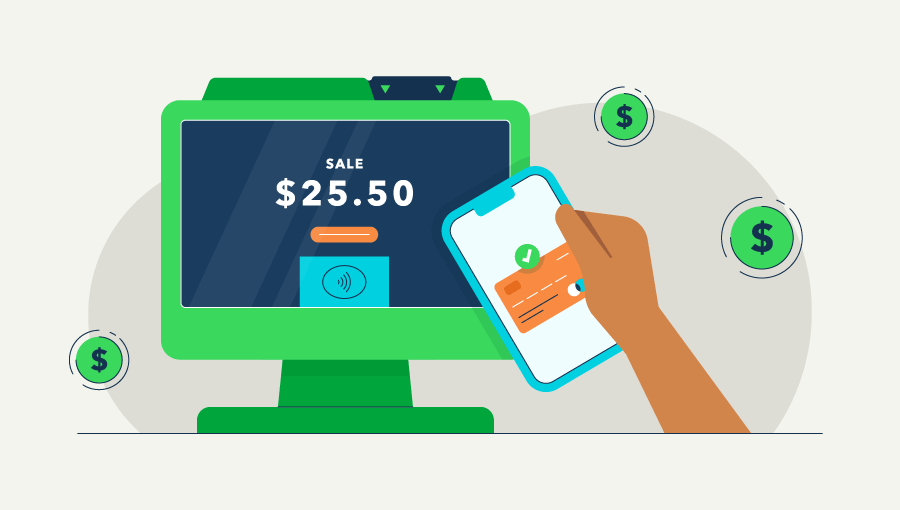
Digital payments let customers pay using methods other than cash or physical cards. This includes online payments made through a payment gateway, as well as mobile and contactless options like digital wallets.

These tools support several payment types—including debit and credit cards, eChecks, and direct debit—making them a flexible choice for many small businesses.

Mobile apps and digital wallets securely store a customer’s card information, allowing for faster, contactless checkout. These options also offer superior security due to tokenization—a process that replaces sensitive card data with a unique, secure code for each transaction. Popular among younger consumers, they help streamline in-person transactions.

Digital payment tools can also simplify recurring payments and automation. Many payment platforms let you set automatic payment schedules, which reduces manual follow-up and helps make cash flow more predictable.

Accept payments all in one place

Accept cards, ACH, Apple Pay®, PayPal, and Venmo payments. No matter how you get paid, manage it all in QuickBooks so you never miss a thing.

The best online payment processors for small businesses

Online payment methods can help you gain more customers, cut expensive costs, and simplify accounting processes. But it’s smart to compare the best online payment methods for small businesses to find the right solution for your needs.

A few major players dominate the credit card processing industry. While many providers can help your company process payments online, remember that they’re all structured differently.

When comparing the best online payment providers, you’ll want to consider:

  • Price: How is the pricing set up? Which transactions are assessed a fee, and at what rate?
  • Features: What unique offering does the provider bring to the table?
  • Flexibility: Can customers choose whether to pay by credit, debit, or bank transfer?
  • Functionality: How does the payment processing software integrate with your business?
  • Security: Does the provider offer fraud protection? Are payments secure?

Let’s take a look at several online payment processors for small businesses, including how they stack up and who they’re best for.

QuickBooks Payments

QuickBooks Payments is one of the most dynamic online payment methods for small to medium-sized businesses, designed to support a seamless, unified payments and accounting workflow.

Your books update automatically with every payment you take through QuickBooks, saving you time and giving you an up-to-date picture of your cash flow to make smarter financial decisions. You can access QuickBooks Payments by signing up for QuickBooks Money or QuickBooks Online.

Who is it for?

QuickBooks Payments is ideal for small to medium-sized businesses across industries, including online retailers, service providers, and brick-and-mortar stores.

From taking in-person payments at a craft fair to sending invoices for your construction business or scheduling recurring payments for property management, QuickBooks Payments helps you manage every type of payment in one place.

How does it work?

QuickBooks Payments supports businesses of all types by automating the tedious aspects of getting paid so that you can focus on your business. It handles sales tax, processes payments, creates receipts, and records transactions automatically so that your books are always up-to-date.

QuickBooks Payments helps you have more control over your cash flow with eligible payments deposited the next business day—or instantly for an extra 1.75% fee. You can also have the option for automatic protection on chargebacks for credit and debit card disputes. We’ll cover up to $25,000 per year—$10,000 per dispute on card payments.

What types of payments does it accept?

QuickBooks Payments allows you to accept customer payments via PayPal, Venmo, Apple PayⓇ, credit, debit, or ACH bank transfer. And you can choose how customers pay. For example, if you’d like to receive a bank transfer for an invoice of $500, simply turn off the card option.

With QuickBooks Online and QuickBooks Payments, you can also accept in-person payments using Tap to Pay for iPhone or a card reader.

What does it cost?

QuickBooks offers simple pricing for small businesses. Online payments via invoice, recurring payments, or payments links cost 1% with ACH bank transfers or 2.8% when paid by card or digital wallets. Manual keyed-in transactions using the GoPayment app are 3.3%. Best of all, there are no upfront fees, hidden costs, or termination charges.

In-person transactions (swipe, dip, or tap) cost 2.3% for Visa, Mastercard, American Express, and Discover. Digital wallets like Apple Pay, Google Pay, and Samsung Pay are also supported.

Three ways to get paid with QuickBooks Payments

PayPal

PayPal is one of the biggest names in online payments, with over 430 million customers. That reach has helped build strong trust among businesses and consumers when it comes to security and risk management.

Who is it for?

PayPal offers a range of features for businesses looking for standard payment processing, including ways to accept payments both online and in person. Check with your shopping cart provider or e-commerce platform to confirm whether PayPal checkout is compatible with your site.

What types of payments does it accept?

PayPal users can pay using their PayPal account balance, PayPal Credit, digital wallets, a debit or credit card, or a bank account.

What does it cost?

If you sell goods or services through an online transaction in the US, you’ll pay a merchant fee of 2.99% of the transaction amount. Micropayments under $10 are subject to a fee of 4.99% of the transaction amount plus a fixed fee based on the currency.

Depending on the size of your transactions, this payment method could be expensive for your small business.

Simplify getting paid

Give your customers more convenient ways to pay with recurring payments. Payments get charged on time, automatically making it easier to plan and predict your business cash flow.

Venmo

Venmo is known for processing peer-to-peer (P2P) payments, but the app also has a business side. Their social commerce platform can help build brand awareness because users can see, like, and comment on each other’s purchases.

Who is it for?

Venmo can be a good choice for street vendors who need a way to accept cashless payments. Users can quickly scan a QR code linked to your business account and send money to complete a sale. These payments come with instant confirmation of funds. You can also integrate Venmo as a checkout option on your app or website.

What types of payments does it accept?

To pay with Venmo, users must link their bank accounts or debit cards. Credit cards are subject to an additional charge. This payment method could deter customers who want to pay off purchases over time. Users can make payments using their Venmo balance, bank account, debit cards, and credit cards.

What does it cost?

For business transactions made through a Venmo business profile, you’ll pay a merchant fee of 1.9% + a fixed fee of 10 cents. There are no setup fees or monthly subscription costs. However, there is a fee for electronic withdrawals using the Instant Transfer feature.

If you want immediate access to your money, you will pay a fee of 1.75% (minimum 25 cents, maximum $25).

Square

Square is a user-friendly payment solution that offers an integrated system for businesses of all sizes, focusing on ease of use and scalability. It is especially beneficial for those with physical locations or mobile businesses, offering a range of tools to manage sales, inventory, and reporting.

Square’s ability to accept various payment types, both in-person and online, makes it a versatile option for business owners seeking efficiency and simplicity. A transparent pricing model and low-cost hardware options further solidify Square as an attractive choice for small to medium-sized businesses.

Who is it for?

Square is a versatile payment solution designed for small to medium-sized businesses, especially those that rely on in-person transactions. It’s ideal for retailers, restaurants, and service providers who need a reliable, all-in-one system for processing payments.

Hardware options, such as card readers and point-of-sale (POS) systems, make it a convenient choice for brick-and-mortar businesses. Additionally, its robust software features cater to businesses looking for tools to manage inventory, track sales, and generate reports.

For businesses on the go, such as food trucks or pop-up shops, Square’s mobile card readers allow for seamless payments anywhere. The user-friendly interface and scalability make it appealing to new entrepreneurs and established businesses alike.

What types of payments does it accept?

Supported payment methods include debit and credit cards, digital wallets like Apple Pay and Google Pay, and other contactless options.

Customers can also pay via Square’s online payment links, which make it easy to send invoices or facilitate online sales. The platform supports recurring payments and subscriptions, broadening its use cases for service-based businesses.

Hardware devices such as the Square Terminal and Square Register accept chip cards, magnetic stripe cards, and NFC (near-field communication) payments, giving customers several ways to pay.

What does it cost?

For businesses on the free plan, processing fees are 2.6% + 15 cents per transaction for tap, dip, or swipe payments, and 3.3% + 30 cents for online payments. There are no monthly fees for its free plan. If you upgrade to a paid plan, you’ll get lower in-person processing fees along with advanced industry-specific tools.

Hardware costs vary, with contactless card readers starting at $59 and full POS systems priced higher. Square offers transparent pricing, which makes it easier for businesses to predict and manage costs.


note icon

Before choosing a processor, review your average transaction size. Some providers charge higher fees for small transactions, which can impact margins for low-ticket businesses.


Stripe

Stripe is a powerful payment processor designed for online businesses that need advanced features and flexibility. Customizability through API integrations makes the platform a top choice for developers, e-commerce businesses, and subscription-based services

International reach, support for numerous currencies, and a wide range of payment methods help the platform accommodate global operations. The straightforward fee structure and strong scalability also make it a good fit for businesses expecting rapid growth or requiring specialized solutions.

Who is it for?

Stripe is a payment platform tailored for online businesses, developers, and startups seeking a customizable solution. It’s particularly well-suited for e-commerce stores, subscription services, and software-as-a-service (SaaS) companies that require advanced features like recurring billing, API integrations, and multi-currency support.

For businesses that prioritize global reach, Stripe is a strong contender. It’s available in 195 countries and supports payments in 135+ currencies, making it ideal for those operating internationally.

What types of payments does it accept?

Stripe accepts a wide range of payment methods, including credit and debit cards, ACH transfers, digital wallets like Apple Pay and Google Pay, and regional payment options such as Alipay and WeChat Pay. Businesses can also leverage Stripe’s tools to accept recurring payments, manage subscriptions, and facilitate buy-now-pay-later options.

With Stripe’s API, businesses can create custom payment solutions tailored to their specific needs. This flexibility makes it a favorite for developers and tech-savvy entrepreneurs.

What does it cost?

The standard fee is 2.9% + 30 cents per successful card transaction. ACH direct debit payments cost 0.8% per transaction, capped at $5. Additional fees may apply for features like currency conversion, international cards, and disputes.

While Stripe doesn’t have monthly subscription fees for its core offerings, custom enterprise solutions may involve negotiated pricing.

Get paid on time, every time

Create a recurring payment and put your payments on auto pilot. Simply set the schedule and amount and share with your customer.

Apple Pay

Apple Pay simplifies the checkout experience for customers by enabling quick, contactless transactions and enhancing payment security for businesses with built-in encryption and tokenization features.

Reducing the need for physical cards or cash simplifies the payment process, while its advanced security measures offer peace of mind.

Who is it for?

Apple Pay is an excellent option for businesses targeting tech-savvy customers who prefer digital wallets over traditional payment methods. It’s especially appealing for retailers, e-commerce platforms, and service providers who want to offer a seamless, contactless checkout experience.

What types of payments does it accept?

Customers can make purchases using their iPhone, iPad, Apple Watch, or Mac. Payments can go through linked credit or debit cards, and the system integrates with most major card issuers. Apple Pay also works with in-app and online purchases, providing a smooth experience for mobile-first customers.

What does it cost?

There are no additional fees for businesses to accept Apple Pay beyond standard credit card processing fees charged by your payment processor. Apple Pay’s integration with existing payment systems ensures that adopting it doesn’t add significant costs.

Google Pay

Google Pay is an excellent choice for businesses looking to provide a seamless, secure payment experience for Android users. Its widespread adoption ensures that businesses can cater to a diverse customer base, both online and in person.

Who is it for?

Google Pay is ideal for businesses that cater to Android users and want to enable quick, secure digital payments. It’s a great fit for both online and in-person retailers, as well as app developers looking to streamline payment processes.

What types of payments does it accept?

Google Pay supports payments linked to credit and debit cards, bank accounts, and PayPal. It works for in-store NFC payments, in-app purchases, and online checkouts, giving businesses a versatile solution to meet diverse customer preferences.

What does it cost?

Like Apple Pay, Google Pay doesn’t charge businesses extra fees to accept payments. Standard processing fees from your payment provider apply. Google Pay’s seamless integration with existing systems makes it a low-cost option for businesses.

Zelle

Zelle is a fast and convenient payment solution for businesses that want to enable direct bank-to-bank transfers. Its simplicity and speed make it a popular choice among service providers and small businesses.

Who is it for?

Zelle is designed for businesses that want to enable fast, direct bank-to-bank transfers. It’s particularly useful for service providers, freelancers, and small businesses that deal with repeat customers and prefer avoiding credit card fees.

What types of payments does it accept?

Payments are facilitated directly between bank accounts through Zelle, eliminating the need for intermediary platforms. Customers must have a US bank account enrolled in Zelle to make payments, making this option appealing for businesses focused on local transactions.

What does it cost?

Zelle itself doesn’t charge fees for transactions, but participating banks may impose fees for business use. It’s worth checking with your bank to understand any associated costs.

How to choose the right payment method for your small business

The best small business payment methods should be affordable and capable of integrating with your accounting software. Choosing the right payment method starts with knowing what your business needs most.

Consider your business size and needs

Choosing the right payment method starts with understanding your business’s unique characteristics. For instance, the type of business you operate plays a significant role in payment options.

Retailers may prioritize point-of-sale (POS) systems that handle in-person card transactions, while online businesses might need robust e-commerce integrations that support credit cards, digital wallets, and bank transfers.

  • Does my transaction volume matter? High-volume businesses should consider systems with competitive processing fees and batch payment capabilities to save on costs and time. Meanwhile, smaller operations might prioritize user-friendly, low-cost solutions that match their scale.
  • What about my customer demographics? If your target audience skews younger, digital payments may align with their preferences. On the other hand, older customers may feel more comfortable with traditional methods like checks or credit cards.

Payment speed

For small businesses, cash flow is king—and quick payment processing is essential to keeping it healthy. Quick payment methods can help you get clients to pay bills faster, helping you cover expenses and reinvest in your business.

Payment solutions like Direct Debit or Instant Bank Pay can significantly reduce the time it takes for funds to appear in your account compared to traditional methods like checks or manual invoicing.

Instant payment options are particularly valuable for industries that rely on frequent or high-ticket transactions. For example, service providers using Instant Bank Pay can collect funds directly after completing a job, avoiding delays that can disrupt their operations.

 Graphic showing that 56% of small businesses are owed money from unpaid invoices

Payment collection automation

Automation can transform how your business manages payments, reducing administrative burdens and improving reliability. Systems that support recurring payments are especially useful for subscription-based models or businesses with regular customers.

Payment automation comes with several advantages, including:

  • Free up time for other priorities: Automation eliminates the need to manually chase payments, freeing up your administrative hours
  • Helps minimize late payments: Reminders and recurring schedules help keep customers on track and protect your cash flow
  • Improves accuracy and efficiency: Fewer manual steps decreases the risk of errors that could lead to delayed or missed payments

Costs and efficiency

Understanding the costs associated with different payment methods is critical to choosing the most efficient option for your business. Credit card payments are the most familiar to customers, but they often come with higher transaction fees that can cut into your profits.

If your business processes recurring payments or handles a large transaction volume, Direct Debit may offer better value because of its lower processing costs.

It’s also important to watch for hidden fees. Some providers charge extra for things like chargebacks, monthly minimums, or flat service rates, which can add up quickly if they’re not built into your pricing expectations.

When it comes to improving efficiency, consider:

  • Streamlined integration: Faster reconciliation and fewer admin hours
  • Avoid manual processes: Lower risk of errors and more reliable payments
  • Choose providers that balance affordability and functionality to maximize value. A smart choice now can lead to long-term cost savings and better efficiency.

Choose the best payment setup for your business

Managing payments doesn’t have to be complicated. With the right tools and processes, you can automate your accounts payable and keep accurate records easily.

QuickBooks Payments helps you accept cards, bank transfers, and digital wallets in one place while automatically recording each transaction. That means fewer errors, less time spent reconciling, and more predictable cash flow.

If you’re ready to simplify how you get paid, consider using a solution that integrates directly with your accounting software. With everything connected, you can streamline your workflow and focus on what matters most—growing your business.


Recommended for you

Mail icon
Get the latest to your inbox
No Thanks

Get the latest to your inbox

Relevant resources to help start, run, and grow your business.

By clicking “Submit,” you agree to permit Intuit to contact you regarding QuickBooks and have read and acknowledge our Privacy Statement.

Thanks for subscribing.

Fresh business resources are headed your way!

Looking for something else?

QuickBooks

From big jobs to small tasks, we've got your business covered.

Firm of the Future

Topical articles and news from top pros and Intuit product experts.

QuickBooks Support

Get help with QuickBooks. Find articles, video tutorials, and more.