QuickBooks Blog
A person wearing a toolbelt is holding a ceiling lamp in a room.
Invoicing

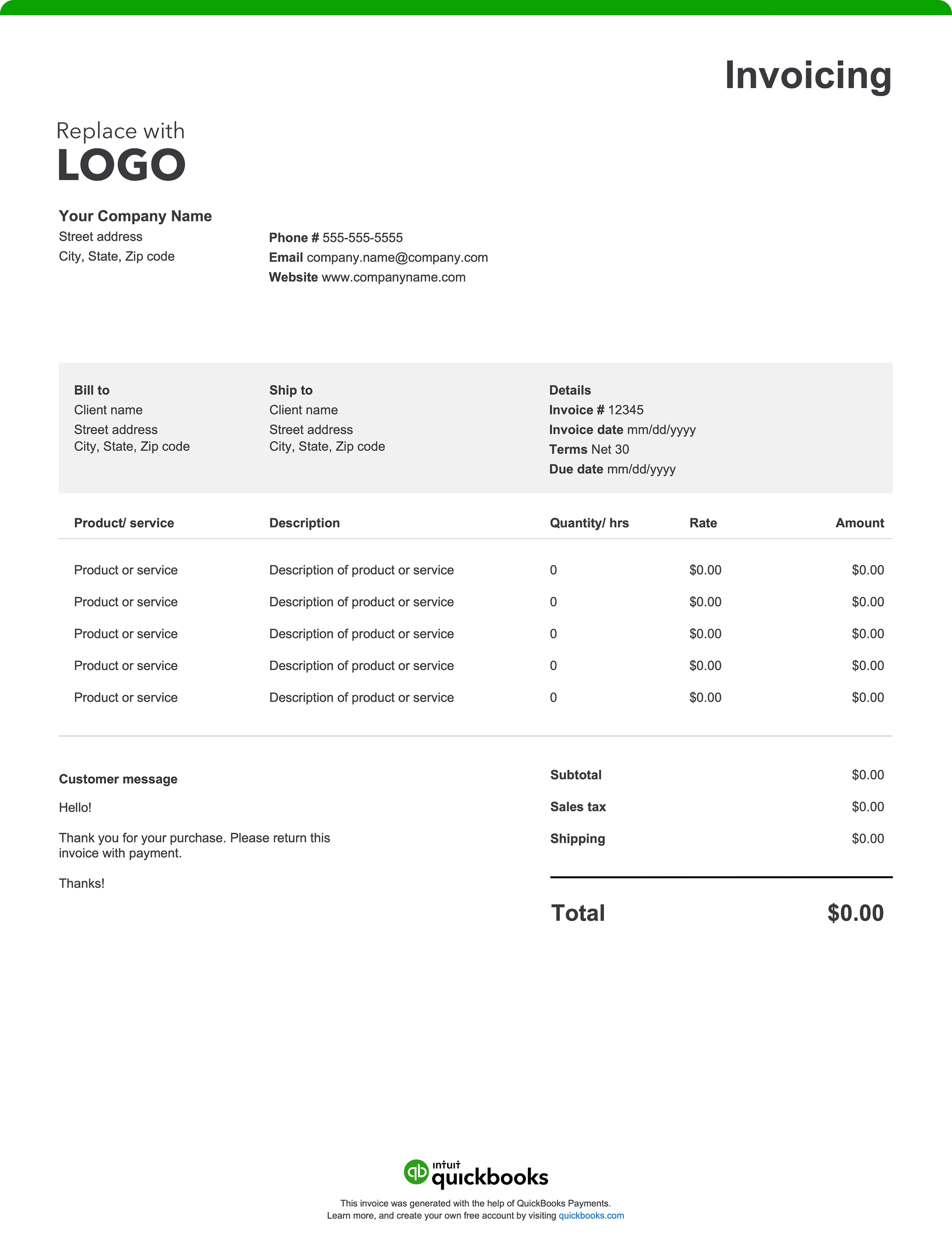
Free electrician invoice template: PDF, Excel & Word downloads

Electricians make it all work—from the planning to power-on. A professional invoice keeps your business running just as smoothly, making it easy to track work, bill accurately, and get paid without delays. A clear, well-designed invoice also gives clients confidence in your services and helps maintain healthy cash flow. Create yours with a free invoice template or invoicing software.

Jump to:

Downloadable electrician invoice template

Excel / Word / PDF

A pair of black leather bank reconciliatory cards.

Run and grow your business on one platform

Your books are just the beginning. Grow your business, unlock insights, and work like you have a larger team behind you—all in QuickBooks.

11 things invoices for electrical work should include

As an experienced electrician, your day might include anything from replacing outlets to wiring new builds. Detailed invoices help your clients understand every charge and create a thorough record that protects your business. Here are 11 essential elements electrical invoices must include:

1. Business and license info

Start your invoice with your company name, logo, address, and contact information. Add your electrician or contractor license details to verify your qualifications and compliance.

If applicable, include your license classification along with any local permit or inspection numbers required by state or municipal regulations. For larger commercial or government projects, list your insurance carrier and policy number if it’s specified in the contract.

2. Invoice and service dates

List the invoice issuance date plus the date(s) when the electrical services were performed to help track the job timeline and payment schedule.

3. Invoice or job number

Assign a unique invoice or job number to every project. This helps you and your clients track payments, reference work performed, and stay organized, especially if you manage multiple jobs or service contracts.

4. Client information

To link the invoice to the specific electrical project, include the customer’s name and contact information, along with the job location address.

5. Services provided

Itemize every electrical service performed, such as panel upgrades, fixture installation, wiring repairs, testing, or inspections, describing the work to justify charges.

6. Labor cost breakdown

Specify labor hours worked, rates charged (hourly or flat), and any special fees like overtime or emergency call-out premiums. For larger projects, consider breaking labor down by task or role—such as journeyman, apprentice, or subcontractor rates—to give clients transparency and support payroll reporting or prevailing wage compliance when required.

7. Materials and equipment

Detail all materials supplied, including quantities and costs for wire, breakers, conduit, and other required parts or equipment.

8. Additional charges

Include permit costs, travel fees, special inspection charges, or any after-hours/emergency service fees clearly labeled. More complex jobs may also include billing for utility coordination fees, disposal of old electrical components, or compliance-related testing charges (like load or continuity testing) as separate line items.

9. Totals

Add all costs (labor, materials, fees) together and include applicable taxes to show the total amount owed.

10. Payment terms and instructions

Your invoice should include straightforward payment terms and instructions that outline exactly how and when you expect to be paid. Be sure it lists the following:

Payment timeframe

For small residential jobs, “Due on Receipt” or Net 7–15 is typical. Larger commercial projects may use progress billing tied to project milestones.

Accepted payment method

List the payment types you accept, such as checks, credit cards, online payments, or cash.

Deposit or progress payments

If you require a deposit before ordering materials or a percentage payment at key project stages, make that clear.

Payment details

Include all required information for each payment method, like your check mailing address or online payment portal link.

Late payment penalties

State the penalty or finance charge for overdue invoices and the date it applies (for example, “1.5% per month after 30 days”).

Early payment discounts

Mention any discount available for early payment and eligibility criteria.

11. Warranty or guarantee information

State any warranty or guarantee for labor or materials provided (e.g., “Labor guaranteed for 1 year”), as appropriate for the job.

How often should electrical work invoices be sent to customers?

The frequency depends on the scope and nature of the work. The following are common guidelines that can help you stay organized, maintain steady cash flow, and match billing with the work delivered.

  • One-time or small jobs: Issue the invoice immediately upon job completion or delivery.
  • Larger or multi-phase projects: Use deposits, periodic (progress) billing, and a final invoice once all work is done.
  • Service contracts or maintenance plans: Bill on a recurring schedule (monthly, quarterly, or per contract terms).

Do electricians give itemized invoices?

Yes. Itemized invoices listing labor, parts, and additional charges are standard. They improve clarity, prevent disputes, and support accurate bookkeeping and tax reporting.

Electrician invoice template best practices

Whether you handle residential service calls or manage commercial projects, a straightforward invoice helps you get paid on time and minimizes customer inquiries. Accurate invoicing is also essential for recordkeeping, job costing, and taxes. The best invoices are easy to read, reflect your brand, and document exactly what was done, when, and at what price.

Add business branding

Your invoices should look consistent and reflect your company's identity. Include your logo, business name, address, phone, email, and website so customers can quickly confirm who the bill is from.

Professional branding helps customers recognize your invoices immediately. It also instills confidence in your business, which is especially important for independent electricians or small firms competing with larger contractors.

Include licensing and insurance information

Display your electrical contractor license number (and master/journeyman number where required), any state or local registrations, and note proof of liability/worker’s comp insurance availability upon request.

Many commercial clients, general contractors, and government agencies require license and insurance details on invoices and project documentation. This signals professionalism and supports compliance expectations for residential and commercial clients.

Clearly list client and job details

Accurate client and job information helps every part of your business run more smoothly—from billing and scheduling to recordkeeping and customer service. Precise details make it easy to match invoices to specific projects, resolve questions quickly, and maintain a reliable service history for repeat clients. This information also helps ensure payment processing isn’t delayed by missing job numbers or site references.

Separate labor, materials, and additional fees in the invoice

Breaking out each cost shows customers exactly what they’re paying for. Detailed breakdowns reduce confusion, speed up approvals for larger jobs, and provide a record for taxes and future estimates.

For electricians managing ongoing service contracts or multi-phase installations, itemized sections make it easier to track profitability and manage parts inventory across projects.

Attach supporting documentation like work orders or permits

Back up charges with signed work orders, change orders, permit or inspection references, photos (before/after when appropriate), and time logs. Detailed documentation creates a reliable history for warranty or follow-up service and can potentially mean fewer disputes.

Be specific about payment terms, accepted methods, and penalties

State the due date (e.g., Due on Receipt, Net 15/30), required deposits for larger jobs, progress billing cadence on multi-phase projects, and late-fee or early-pay discount policies. List accepted methods (ACH, card, check) and how to pay. Straightforward terms and multiple payment options improve on-time collection.


Review invoice for accuracy before sending

Confirm names, addresses, part numbers, quantities, tax rates, and totals. A quick audit prevents avoidable delays and support calls, which in turn, helps keep your revenue timeline on track.

Save the invoice and share as a PDF

Finalize your invoice in PDF format to maintain layout and readability on any device. Sending a polished digital copy also creates an orderly record for your team and your customers.

Electrical invoice template vs. QuickBooks invoicing software

While free invoice templates are a good starting point, managing an electrical business often requires more robust tools. From scheduling jobs and tracking materials to separating labor costs and handling multiple site visits, QuickBooks invoicing and accounting software helps electrical contractors save time, reduce errors, and maintain accurate financial records for taxes and audits.

Streamlines the estimate-to-invoice process

Electrical work often starts by creating an estimate or quote, then moves to an invoice once the job—or a project phase—is complete. QuickBooks makes this process seamless by letting you easily convert approved estimates into invoices. This helps ensure pricing accuracy and keeps records connected and consistent.

Customize invoices without manual entry

Templates may look professional, but with each new job, details must be re-entered. With QuickBooks you can auto-populate invoices using stored customer info, rates, and job descriptions. Add your logo, contact information, and required licenses so every invoice maintains a standardized look.

Automate invoices and job updates

Electricians handle multiple service calls, installations, and projects at once. QuickBooks helps you stay organized and get paid on schedule with smart automation tools:

  • Progress invoicing. Bill in stages—for example, after rough-in, inspection, and final installation—so payments follow your workflow.
  • Automatic payment matching. Payments link instantly to the right customer or job, eliminating manual reconciliation.
  • Batch invoicing. Send multiple invoices simultaneously for maintenance contracts or repeat commercial clients.
  • Change order management. Update your estimates as the scope or materials change, and QuickBooks automatically adjusts your invoices.

Manage job costs and expense tracking

Use the QuickBooks mobile app to track mileage, material costs, permits, and subcontracted labor. Expenses for electrician work can be tied to specific jobs, improving profitability analysis and making tax deductions easier to claim at year-end.

Monitor and forecast

Get an up-to-date view of receivables, paid invoices, and outstanding amounts. With QuickBooks, electricians gain insights that make it easier to manage cash flow, anticipate income, and plan ahead for payroll, materials, or new equipment. With built-in tracking tools, you can instantly see which invoices are open, overdue, or paid, helping you forecast earnings and keep every project on budget.

Send or schedule invoices

From your phone, tablet, or desktop, QuickBooks lets you send invoices on the spot or schedule them to go out automatically.

Work from anywhere

Whether you’re in the truck, at a job site, or back at the office, you can create and send invoices, estimates, and attachments instantly. Add photos, permits, or completion notes, and know the moment your customer opens or pays an invoice.

Get paid faster

QuickBooks gives customers convenient ways to pay—credit or debit card, ACH transfer, Apple Pay®, PayPal, or Venmo—right from the invoice. When payment is simple, you get paid faster and keep your cash flow strong.

Try our free invoice generator powered by AI

Create a custom electrical invoice online with our free generator. You can autofill job details, add branding, download, and send. Prefer a downloadable blank invoice template? Use our free printable invoice templates in Word, Excel, PDF, and other formats.

For electricians seeking an easier and faster way to handle invoicing, QuickBooks offers a practical solution. Our invoicing software simplifies the billing process by automating the creation of professional, instantly payable invoices. It also integrates seamlessly with expense tracking and reporting tools, centralizing your financial management. This streamlined approach helps with tax preparation, improves organization, and provides valuable insights to support smarter business decisions.


Recommended for you

Mail icon
Get the latest to your inbox
No Thanks

Get the latest to your inbox

Relevant resources to help start, run, and grow your business.

By clicking “Submit,” you agree to permit Intuit to contact you regarding QuickBooks and have read and acknowledge our Privacy Statement.

Thanks for subscribing.

Fresh business resources are headed your way!

Looking for something else?

QuickBooks

From big jobs to small tasks, we've got your business covered.

Firm of the Future

Topical articles and news from top pros and Intuit product experts.

QuickBooks Support

Get help with QuickBooks. Find articles, video tutorials, and more.