QuickBooks Blog
A person playing a guitar in front of a woman.
Invoicing

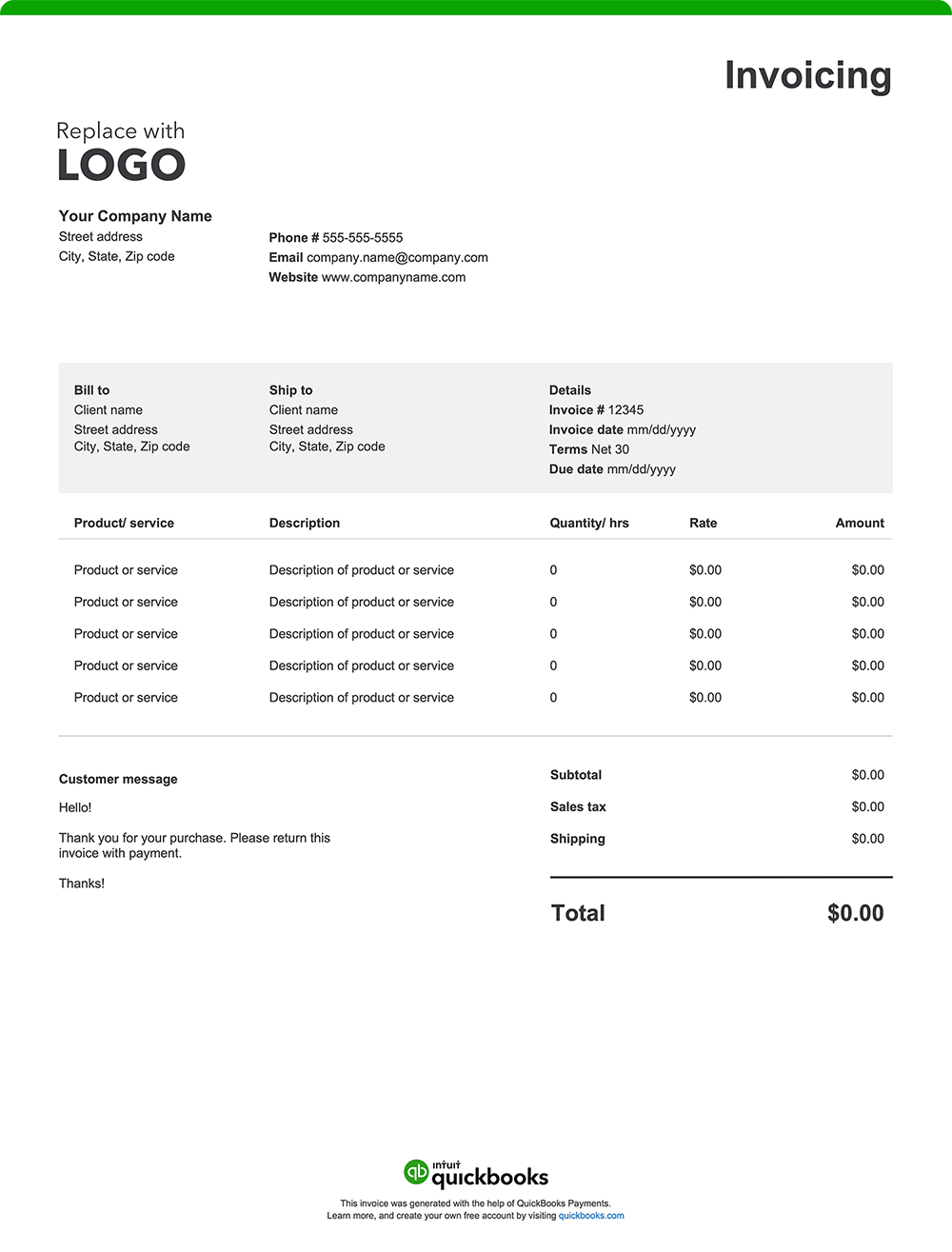
Free musician invoice template: PDF, Excel, and Word downloads

As a musical artist, you’ve dedicated your talent to composing, performing, producing, and recording your music. Now, it's time to ensure you get paid for your expertise and hard work. A clear, professional invoice is key to being compensated accurately and promptly for every project. A well-designed invoice created with a free invoice template or invoicing software tool builds client trust and keeps your finances on track.

Jump to:

Downloadable musician invoice template

Excel / Word / PDF

Proforma invoice

10 things musician invoices should include

Musicians juggle a variety of projects: live shows, studio recordings, private lessons, session work, and more. Each job is unique, so keeping your invoices detailed and organized makes it easy for clients to understand their charges and helps you avoid payment delays or disputes. Here are ten essentials every musician’s invoice should have:

1. Musician and branding info

Your invoice should include your name (or band name), contact info, and, if you have them, a logo or social handles. A polished presentation helps clients remember and recommend you.

2. Invoice and gig dates

State the invoice date, your performance or service date, and the timeline for multi-day projects. 

3. Venue or session location

List where you worked, for example, a concert hall, club, catering venue, recording studio, or student’s home. This information keeps your records neat and clarifies service details for clients.

4. Services provided

Clearly outline what you delivered—such as “Solo guitar performance at Local Café – 2 sets” or “Four private piano lessons in June.” 

5. Rates and session details

Break down your fees: hourly or flat rate, how many sets or sessions, overtime charges, or extra rehearsals. This helps clients understand exactly what they’re paying for.

6. Materials and equipment

Include any costs for materials or equipment that fall outside your normal performance or teaching setup. This could include sheet music or scores purchased for a specific project, or instrument and sound equipment rentals, studio time, or specialized gear arranged for the client. Listing these items ensures you’re reimbursed for project-related expenses that go beyond your standard tools of the trade.

7. Additional fees

Include any extra charges, such as rush bookings, travel per diem, or hiring backup musicians. Transparent invoicing helps avoid awkward conversations later.

8. Totals

Calculate your subtotal, taxes (if any), and total amount due. 

9. Payment terms

Your invoice should include straightforward payment terms and instructions that outline exactly how and when you expect to be paid. Be sure it lists the following:

Payment timeframe

Specify the timeframe for payment, such as "Net 30" (payment due within 30 days of the invoice date), "Due on Receipt," or any other agreed-upon terms.

Accepted payment method

List the accepted payment types, such as checks, credit cards, online payments, or cash.

Payment details

Include all required information for each payment method, like your check mailing address or online payment portal link.

Late payment penalties 

If you charge penalties for late payments, state the penalty amount or percentage.

Early payment discount

Mention any discount available for early payment and eligibility criteria.

Notes or thank-you message

Leave space at the end of your invoice for a note or thank-you message. A brief, friendly message such as "Thank you for your business!" adds a personal touch and reinforces positive client relations.


How often should musician invoices be sent to clients?

Your invoicing schedule should reflect the type of musical work you do and the agreements you have with your clients. Flexibility and consistent communication help ensure you get paid promptly and maintain a professional relationship. Here are some common guidelines:

  • One-time performances or recording sessions: For gigs or studio sessions, send your invoice immediately after the event. The sooner you invoice, the sooner you get paid—and you’ll leave a positive, organized impression.
  • Ongoing lessons or coaching: If you teach music, consider invoicing at the start or end of each month, or every week, based on what you and your students agree upon. Consistent billing helps students plan and keeps your income predictable.
  • Large or long-term projects: For big collaborations (like album production, musical theater, or touring work), break invoices into milestones. Send one for the deposit, other invoices at key stages, and a final invoice at project completion. This approach is especially helpful for projects spanning several weeks or months.
  • Regular band gigs, studio work, or accompaniment: For repeating weekly or monthly engagements, set a simple schedule—such as invoicing at the end of each month or after a block of sessions.

Do musicians give itemized invoices?

Yes. Itemized invoices clearly show each service, fee, or extra charge, reducing confusion and building trust. Plus, they make tax season much smoother.

Musician invoice template best practices

Getting paid shouldn't be complicated, regardless of your role in music. A comprehensive, well-designed invoice helps keep your business organized and prepares you for whatever's next. Let's take a look at some best practices for invoicing.

Personalize with your brand

Incorporate your unique style, logo, or artist imagery so clients instantly recognize who they're working with. A visually memorable invoice helps you stand out and reinforces your musical identity, making clients more likely to hire you again.

Stay organized with templates

Set up invoice templates for your regular gigs, teaching sessions, and collaborations. With key details ready to go, you can send out polished invoices in minutes, cutting down your admin time and helping you get paid faster.

Be transparent about extras

Create distinct sections for any extra gear rentals, travel, or special requests. This clarity can help reduce questions and streamline payment approvals.

Break down your services

Clients appreciate a detailed breakdown of performance sets, lesson counts, or hours worked. It shows transparency and sets clear expectations.

Attach backup when needed

When gigs have unique requirements or multiple collaborators, attach setlists, agreement summaries, or lesson logs. Relevant documentation can support your invoice and help prevent payment disputes.

Clarify payment options upfront

Be direct and spell out your preferred payment methods, due dates, and any discounts for early payment. Making this information easy to find and understand encourages faster payments and reduces the need for follow-ups.

Double-check for accuracy

Small mistakes can delay payment. Before sending an invoice, review it for complete details, correct totals, and accurate client information.

Save and send as a PDF

Export your invoice as a PDF so it looks great and is easy to share or print, no matter what devices your clients use.

Musician invoice template vs. QuickBooks invoicing software

While Excel, Word, or PDF invoice templates can be useful, busy musicians often need more flexible and time-saving tools to keep their business organized. QuickBooks invoicing and accounting software can streamline your invoicing, reduce the need for manual entry, and keep records ready for tax season.

Customize without repetitive manual entry

Unlike standard invoice templates, QuickBooks pulls in client details, rates, and project types automatically, so each invoice stays consistent and professional. You don’t waste hours retyping details for every job.

Automate invoices and workflow

QuickBooks helps you manage billing and payments by automating routine tasks. With built-in tools for invoicing, tracking, and organization, it keeps your business running smoothly from one project to the next.

  • Progress invoicing: Bill for different project stages—such as deposits, rehearsals, recording sessions, mixing, or final delivery.
  • Automatic payment matching: Payments automatically link to the correct gigs, clients, or projects, making it easier to stay on top of income.
  • Batch invoicing: Perfect for music teachers, session players, or freelancers who invoice multiple students, clients, or venues simultaneously.

Track mileage

The QuickBooks mileage tracker enables easy logging of job-related travel, helping you maximize that valuable tax-deductible expense.

Stay on top of your cash flow

See at a glance what you’ve billed, what’s been paid, and what’s outstanding. With real-time cash flow management, you always know where you stand and can plan confidently for your next tour, lesson series, or release.

Get paid anywhere

Gigging or teaching on the go? Create and send invoices from your phone or laptop, so you can get paid at the show, after a lesson, or between studio takes. Clients can pay by card, ACH, PayPal, Venmo, and more.

Organize your records for tax season

QuickBooks organizes your invoices, deducts expenses, and prepares what you or your accountant needs to file.

Less paperwork, more music

Automated invoicing, expense tracking, and payment processing free you up to focus on your music. QuickBooks takes care of the business side so you can keep creating.

Try our free invoice generator powered by AI

Easily create a custom musician invoice online with our free generator—auto-fill client details, add your branding, download, and send. Prefer a downloadable blank invoice template? Use our free printable invoice templates in Word, Excel, PDF, and other formats.

QuickBooks offers musicians a practical, flexible way to get paid faster and keep every part of their business running smoothly. With streamlined billing, income tracking, and financial organization, you’ll have peace of mind and more time for what matters most.


Recommended for you

Mail icon
Get the latest to your inbox
No Thanks

Get the latest to your inbox

Relevant resources to help start, run, and grow your business.

By clicking “Submit,” you agree to permit Intuit to contact you regarding QuickBooks and have read and acknowledge our Privacy Statement.

Thanks for subscribing.

Fresh business resources are headed your way!

Looking for something else?

QuickBooks

From big jobs to small tasks, we've got your business covered.

Firm of the Future

Topical articles and news from top pros and Intuit product experts.

QuickBooks Support

Get help with QuickBooks. Find articles, video tutorials, and more.