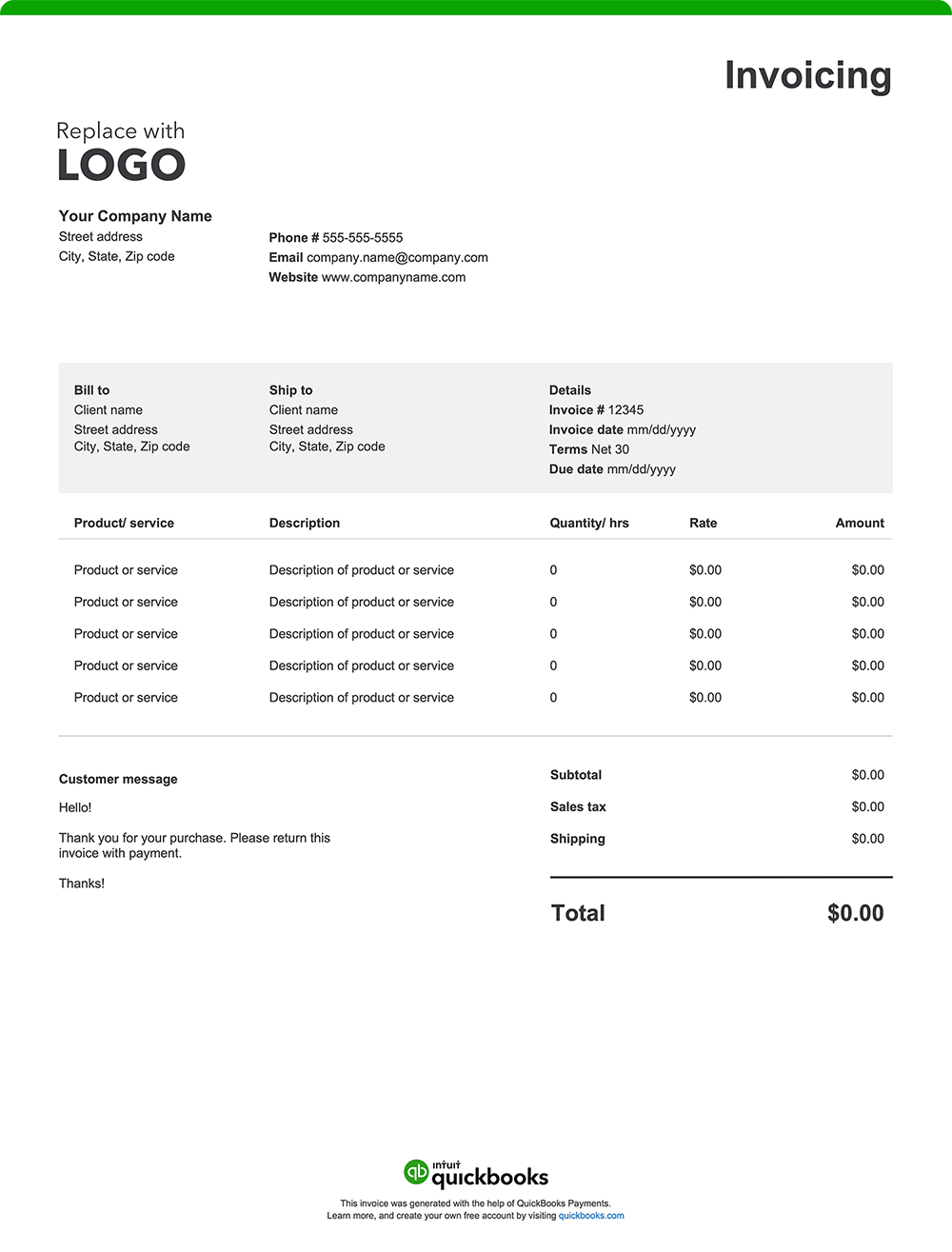
You’ve closed the deal, delivered outstanding work, and earned a loyal customer. Now, it’s time to get paid for your products, services, and efforts. A well-organized invoice not only speeds up payment but also reinforces your brand’s professionalism and keeps everything moving efficiently. Whether you’re selling to consumers, managing B2B accounts, fulfilling custom orders, or billing for ongoing services, every sales invoice should include the following:
1. Business details
Add your company name, logo, address, phone number, and email. A branded header builds recognition and trust. It matters for every kind of customer—from new clients and repeat buyers to large accounts with ongoing orders.
2. Customer information
Include your customer’s full name, business name, billing address, phone number, and email. For B2B sales, list the key contact or department to ensure the invoice reaches the right hands without delay.
3. Invoice number and date
Assign a unique, sequential invoice number and include the date the invoice was issued. These details make it easier to track payments, reference sales history, and keep your financial records in order for reporting and taxes.
4. Itemized description of goods or services
Break it all down: what you sold, how much of it, and when it was delivered. Whether you’re billing for 20 hours of consulting, 100 units of product, or three catered events, a clear line-item format removes ambiguity, which can contribute to faster approvals. Descriptions and format will differ based on your business specifics, but here are some examples:
- Sales training workshop – 2 sessions @ $350 each
- Wholesale apparel order – 1,200 units @ $8.50 each
- Lead generation services – 500 qualified leads @ $3 each
- Promotional items – 5,000 custom pens @ $0.85 each
5. Rates and quantities
Specify price per unit, number of units or hours, and total for each line. Consistency here ensures your invoice aligns with sales quotes, proposals, or contracts.
6. Additional charges
Avoid surprises by detailing any extra charges not covered in the base fee, such as:
- Delivery or shipping
- Weekend or after-hours rates
- Equipment rentals
- Rush orders or expedited service
- Mileage or travel fees
7. Total amount due
Sum up the subtotal, taxes, fees, discounts, and any other adjustments to calculate the final amount due.
8. Payment terms and instructions
Minimize payment delays by clearly outlining your payment terms and everything your customer needs to know to pay you on time:
- Due date: Net 30, Due on Receipt, etc.
- Accepted payment methods: Bank transfer, check, credit card, ACH, digital wallet
- How to pay: Include your mailing address, online payment link, or banking info
- Late fees: Mention any late penalties to set expectations
- Early payment perks: Offer a discount for early payment if applicable