You could save up to 25% on transaction costs².
Speak with us now to see if you qualify.
Talk to sales 1-800-515-8366
Monday - Friday, 6 AM to 4 PM PT

Table of contents
Table of contents
Businesses often reach a stage of growth where their existing financial tools are no longer enough. The team is expanding, the books are more complex, and data needs to be at your fingertips to make the next investment decision — fast. But the goal isn't to hire a brand new department or invest in a sprawling set of expensive, disconnected software solutions. The goal is to scale back-office capabilities without scaling headcount.
That’s exactly who the new QuickBooks Online Advanced is built for: lean teams with big ambitions.
Unlike tools designed for earlier stages of business, QuickBooks Online Advanced is a true all-in-one financial platform built for companies operating at a more sophisticated level of complexity. In this stage, multiple team members need access to the books, workflows need to run automatically, and the numbers must deliver a clear story to executives, boards, or investors at a moment's notice.
QuickBooks Online Advanced connects accounting, payroll, employee hiring and onboarding, payments, and reporting in one place, and then it goes further by helping to get the work done automatically. Automated workflows and AI insights streamline back-office operations so books close faster and payments come in sooner. And because all data stays connected across the platform, businesses get instant clarity on performance, cash flow, and reporting without reaching for additional tools.
The result is the financial intelligence and expert support of a much larger organization, without the headcount or cost that used to come with it. Read on to learn more about what’s new in QuickBooks Online Advanced, the most powerful QuickBooks yet.
Your financial data shouldn't live in many different places. QuickBooks Online Advanced connects everything, so your team moves faster and your costs stay lower.
Eliminate manual data stitching and save hours every reporting cycle by pushing and pulling your connected data directly from Salesforce, HubSpot, Monday, Excel, Google Sheets, and other CRMs and third-party apps. Because your data is always connected, you get instant clarity on where your business stands — whether you're tracking performance, understanding cash flow, or preparing reports — without relying on additional tools.
QuickBooks Online Advanced also supports up to 25 users with granular role-based permissions, unlimited charts of accounts, classes, and locations, and a backup and restore feature that lets you safely rewind your books to a specific point in time, giving your growing team the enhanced security and scale to operate with confidence.

No two businesses track success the same way. QuickBooks Online Advanced gives you the flexibility to build the reporting setup that fits your business, not someone else's.
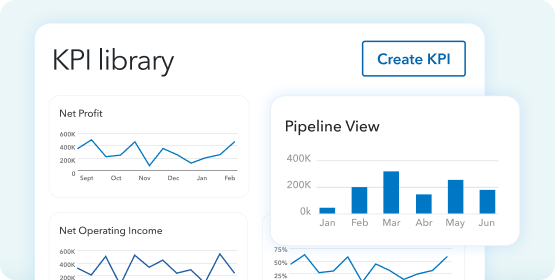
Create custom metrics or pull from a library with more than 100 KPIs. Build your own customizable dashboards from scratch or leverage pre-built recommendations. With anomaly spotting and AI finance insights, your data is transformed into clear, actionable intelligence. Unlimited locations and classes let you go from store-wide tracking to specific product lines, without hitting tracking caps, so you can identify business opportunities by measuring how specific products, services, and locations are performing.
Instant P&L and balance sheet summaries let you generate overviews with KPIs and historical insights with no manual analysis required. And with 13-week cash flow forecasting, you can spot potential cash gaps or surpluses before they become problems.
Getting the numbers is one thing. Communicating them clearly to executives, boards, banks, or clients is another. QuickBooks Online Advanced makes it easy to do both.
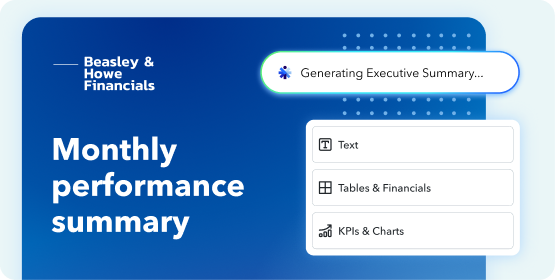
Quickly combine KPIs, dashboards, and commentary into a cohesive, branded story with management-ready reports, all in a few clicks. Advanced reporting formatting lets you automate the creation of professional, polished reports in PDF with visual formatting, calculated fields, and global settings, saving hours on repetitive edits. The result: management-ready reports in minutes, not hours.
With the integration of QuickBooks Workforce Elite, enhanced reporting and analytics tools give you access to workforce data and custom reports, so you can uncover strategic insights across your entire business, not just your finances. Whether you're presenting to a board or reviewing performance with management, QuickBooks Online Advanced gives you one place to see the full picture and tell the story behind it.
QuickBooks Online Advanced delivers the financial and operational intelligence you need to stop wondering and start acting.
With Intuit Intelligence's "ask anything" bar, you can go from questions like "What's driving my profit?" or "What invoices am I waiting on?" to instant, contextual answers in plain language. It's an AI conversational experience that lets you explore ideas and uncover opportunities using your own business data, helping you think through decisions with confidence and turn ideas into action.
Finance AI provides instant visibility for planning ahead, with KPI-level insights, cash flow trends, and monthly financial performance summaries. New AI capabilities detect anomalies to help ensure nothing falls through the cracks, summarizing complex performance data in clear, conversational language that's easy to understand and share.
Project Management AI takes it further, tracking project budgets, allocating costs, and automating estimates creation for predictable financial outcomes.
Operational efficiency gets a boost with QuickBooks Online Advanced. Automated workflows handle AR and AP approvals, batch invoicing, cash flow management, and close-the-book processes, helping you close the books an average of 2.2 days faster per month.* Custom workflows let you automate repetitive tasks like reminders, approvals, and invoice follow-ups, while batch entry lets you create, edit, and update hundreds of transactions or bills at once. You can also send reminders to your team to complete specific tasks, like reviewing open invoices.
Accounting AI automates key processes for a faster close, categorizes and reconciles transactions, flags inconsistencies for your review and proactively recommends next steps. It compares PDF financial statements to what's in your account, surfaces any differences, and suggests how to resolve them, working to accurately categorize the details of transactions, learning from your responses so they’re done right.
One unified, connected workflow for construction businesses.
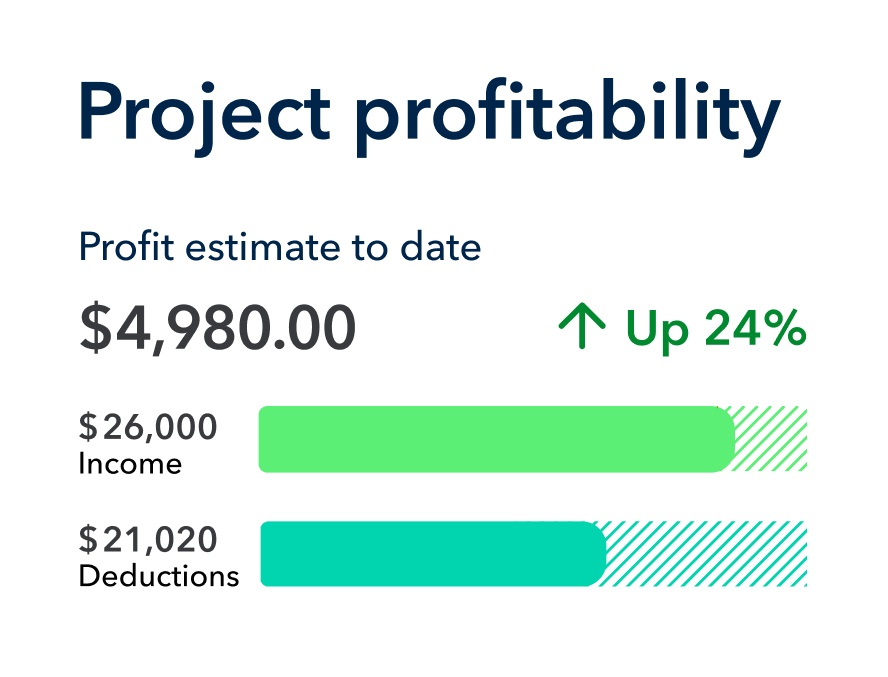
For construction teams, the new paid construction add-on module creates a single connected workflow from bid to closeout. Financials stay aligned across the entire project lifecycle with no re-entry across tools. The module brings together granular job costing, project profitability insights, and structured budgets with budget vs. actuals monitoring directly into QuickBooks Online Advanced. AI alerts catch overruns early, so you're not never caught off guard. No more wasting time on manual reporting and "best guess" budgets.
AIA-style invoicing tied directly to project phases and milestones means your scope, budgets, and invoicing are always in sync. Change orders can be approved by clients online and automatically update the corresponding estimates, budgets, and invoices.
QuickBooks Online Advanced works with QuickBooks Workforce Elite, the human capital management (HCM) platform helping your growing business manage all your data, including payroll, time, benefits, and your entire team lifecycle alongside the rest of your operations.
With the integration of QuickBooks Workforce Elite to QuickBooks Online Advanced, you’ll be able to:
Recruiting, onboarding, benefits administration, payroll automation, and talent management tools are all available from a single dashboard, so your team operations run as smoothly as your books. With QuickBooks Online Advanced and Workforce Elite together, the HR Manager role controls access to employee data across the platform and can delegate HR tasks.
Then, enhanced reporting and analytics tools give you access to Workforce data and custom reports, so you can uncover strategic insights across your entire business, not just across your finances. Customizable, automated workflows in both QuickBooks Online Advanced and QuickBooks Workforce Elite can save hours a month to reinvest time in growing the business.
Your business is leveling up. Your tools should, too.
QuickBooks Online Advanced is the only all-in-one solution that gives you the financial intelligence and expert muscle of a large company, without the added headcount, sprawling tools, or cost that used to come with it. Whether you're customizing dashboards, asking AI for instant answers, managing your team from a single HR platform, or preparing a board-ready report, every feature is designed to help you make faster, data-backed decisions.
As QuickBooks Online Advanced customer Derrick Roberts, owner of American Grit Electric, put it, "Without it, I don't think we would have been able to grow at the rate that we have."
Growing your business is now easier than ever. With QuickBooks Online Advanced, scaling up won't mean hiring sprees, fragmented tools, or costly mistakes. It means a leaner, faster, smarter operation, built for wherever your ambitions take you next.
Get started with QuickBooks Online Advanced today.
Disclaimers
*Real customers paid for their time. Reflects the individual experience of this customer. Your results may vary. Customers report closing their books 2.2 days faster on average per month, the equivalent of saving approximately $5K in time per year, since using QuickBooks Online Advanced.
**Features
1. References to payroll: Money movement services are provided by Intuit Payments Inc., licensed as a Money Transmitter by the New York State Department of Financial Services. For more information about Intuit Payments' money transmission licenses, please visit https://www.intuit.com/legal/licenses/payment-licenses/.
2. References to paying bills or receiving money: Money movement services are provided by Intuit Payments Inc., licensed as a Money Transmitter by the New York State Department of Financial Services. For more information about Intuit Payments' money transmission licenses, please visit https://www.intuit.com/legal/licenses/payment-licenses/.
3. References to invoicing: Money movement services are provided by Intuit Payments Inc., licensed as a Money Transmitter by the New York State Department of Financial Services. For more information about Intuit Payments' money transmission licenses, please visit https://www.intuit.com/legal/licenses/payment-licenses/.
4. AI Agents or AI Features: This information is intended to outline our general product direction, but represents no obligation and should not be relied on in making a purchasing decision. Additional terms, conditions and fees may apply. Product offers, features, and functionality are subject to change without notice, and Feature availability varies by product.
5. Third Party apps: Apps may require a third-party subscription. Third party applications available on apps.com. Subject to additional eligibility criteria, terms, conditions, and fees.
6. Workforce Elite requires a separate QuickBooks Online Payroll subscription. Additional fees will apply. For more information about QuickBooks Online Payroll see here.
7. Batch invoicing: Requires a separate QuickBooks Online Payroll subscription. Additional fees will apply. For more information about QuickBooks Online Payroll see here.
8. Conversational “chat” interface is currently available in beta for all eligible QuickBooks Online, QuickBooks Online Advanced, and Intuit Enterprise Suite customers.

Call Sales: 1-800-285-4854