QuickBooks Blog
Smiling woman working on laptop in office
product update

Turn Gemini answers into action: Your QuickBooks data, now in Gemini across Google Workspace

Table of contents

Table of contents

Ask about discounts

You could save up to 25% on transaction costs².

Speak with us now to see if you qualify.

Talk to sales 1-800-515-8366

Monday - Friday, 6 AM to 4 PM PT

More about payments

Running a business shouldn't mean spending hours toggling between spreadsheets, emails, and financial software just to answer a simple question. More than one in three businesses report real inefficiencies because their tools don't talk to each other, according to the Intuit QuickBooks Small Business Insights Survey (July 2026). Now, you can skip the tab-switching: the QuickBooks connector is available in Google Workspace with Gemini, bringing your financial data directly into Gmail, Sheets, Docs, and Drive.

Introducing QuickBooks in Google Workspace with Gemini

The new QuickBooks connector brings your trusted QuickBooks data and actions directly into Gemini across the Google Workspace tools where you already work. Built on Model Context Protocol (MCP) connectors, the integration pairs Gemini's assistance with the financial data and domain expertise behind QuickBooks. The answers you get are grounded in your own books, in real time.
What you can do with QuickBooks in Gemini

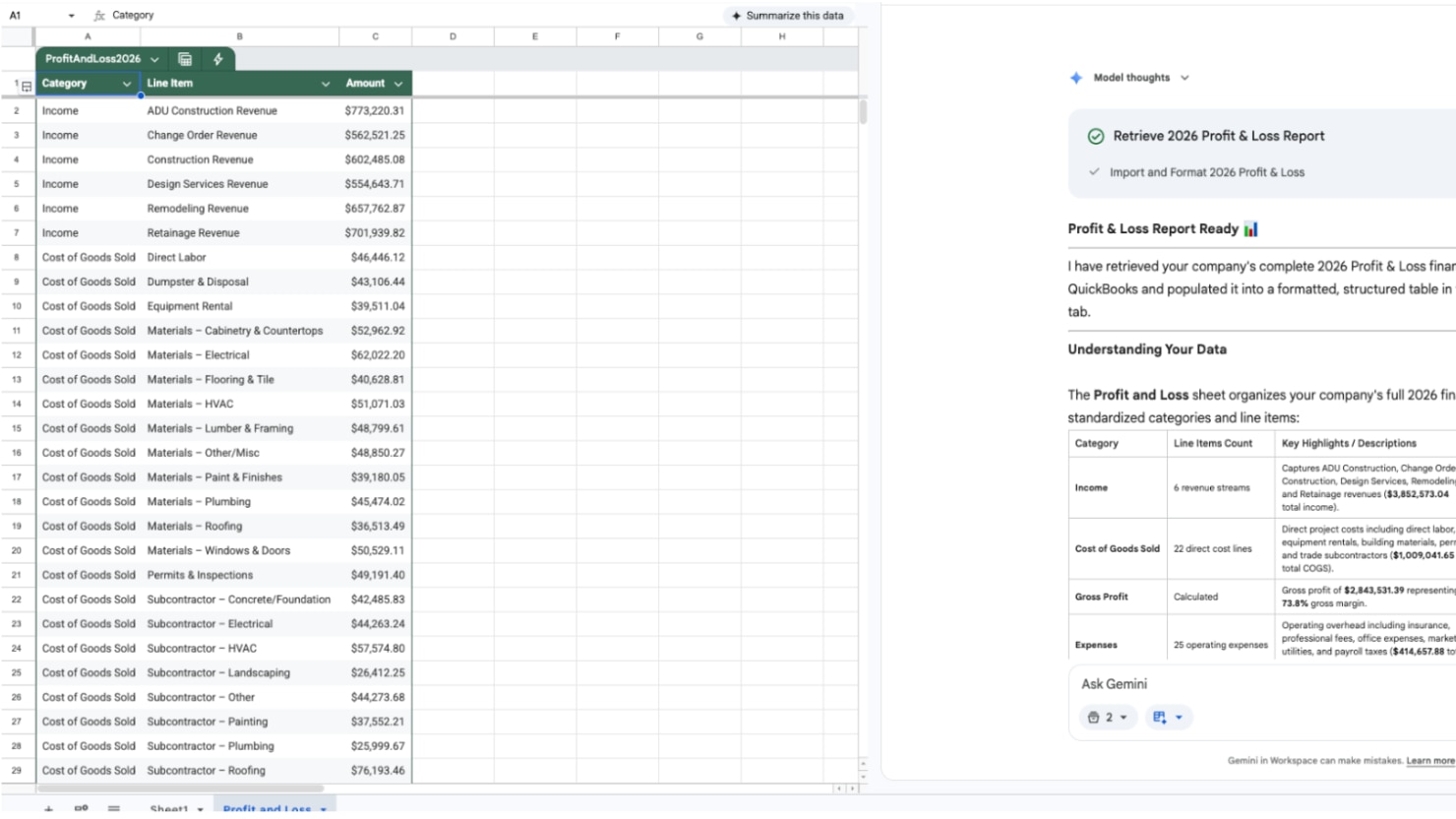
  • Understand why the month felt the way it did: Ask Gemini what changed in your cash flow this month. Instead of reconciling reports manually, get clear explanations across cash flow, profit and loss, and balance sheet data directly within Google Workspace.
  • See it in action: Prompt Gemini in Google Sheets, "Summarize my cash flow changes for this month compared to last month," to immediately generate an overview breaking down your net cash changes and key driving factors.
  • Know where you stand: Compare your performance against similar businesses in your industry, and see which numbers are worth a closer look.
  • See it in action: Ask Gemini in Google Docs, "How does my gross profit margin compare to industry benchmarks for similar businesses?" to see a clear side-by-side comparison with actionable recommendations.
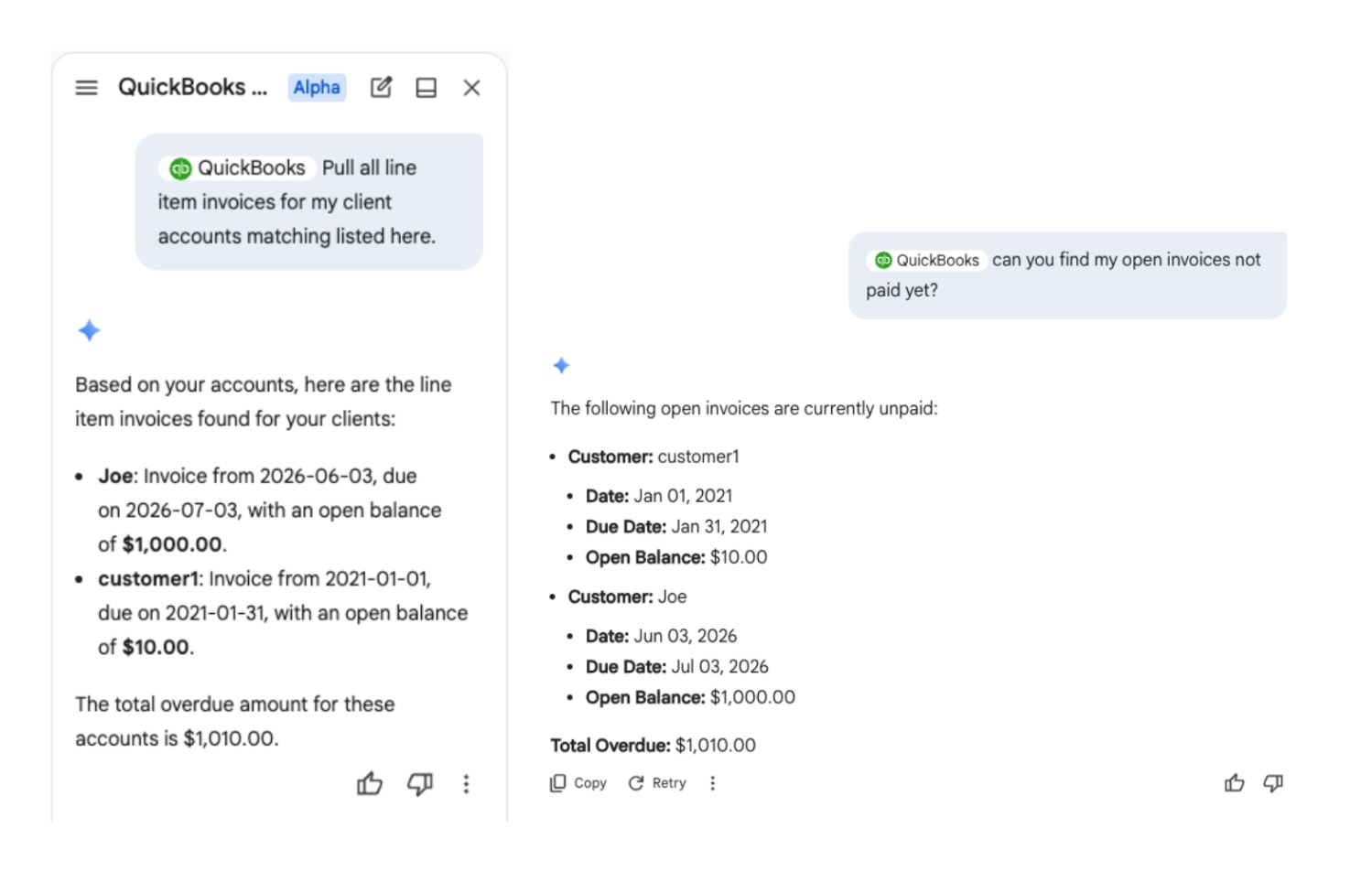
  • Stay ahead of cash flow: Keep track of overdue customer balances alongside unpaid vendor bills at a glance. Easily check exact customer and vendor details to see which customers and bills need attention.
  • See it in action: Ask Gemini in Gmail, "Which client invoices are more than 30 days overdue, and what are their balances?" to get a list instantly without navigating away from your email thread.
  • Analyze sales performance with catalog clarity: Discover top customer revenue drivers while drawing insights directly from your product and service catalog to understand your sales mix and see whether too much of your revenue leans on too few accounts.
  • See it in action: Ask Gemini in Google Sheets, "Which of my products or services generated the most revenue this quarter?" to quickly surface top performers and evaluate revenue distribution across your offerings.
  • Turn answers into immediate action: Prepare invoice details from existing email threads or bring transaction data directly into your QuickBooks workflow. And with human review at every step, you're always the one who hits send.
In Gmail, ask Gemini to "Draft an invoice for the hours discussed in this email string," review the generated line items and pricing, and send it directly once approved.

How QuickBooks and Gemini work together

  • Connect once: Add the QuickBooks connector from the Google Workspace Marketplace and sign in with your existing QuickBooks account. From then on, you can get the financial answers you need from QuickBooks in Google Workspace.
  • Your data stays your data: Your financial information stays inside Intuit's systems, protected by the same security, privacy, and compliance controls behind QuickBooks. Your data is not shared with our partners to train their models, and our agreements explicitly prohibit the use of customer data for model training. 
  • You stay in control: Nothing moves, sends, or changes in your books without your explicit review and approval. You always have the final say.
  • Built on trusted AI governance: All Intuit products, including embedded AI-powered platform experiences, are built with Intuit's commitment to data privacy, security, and responsible AI governance.
Google Sheets spreadsheet alongside a Gemini side panel displaying a Profit & Loss Report summary, next to the Gmail interface.
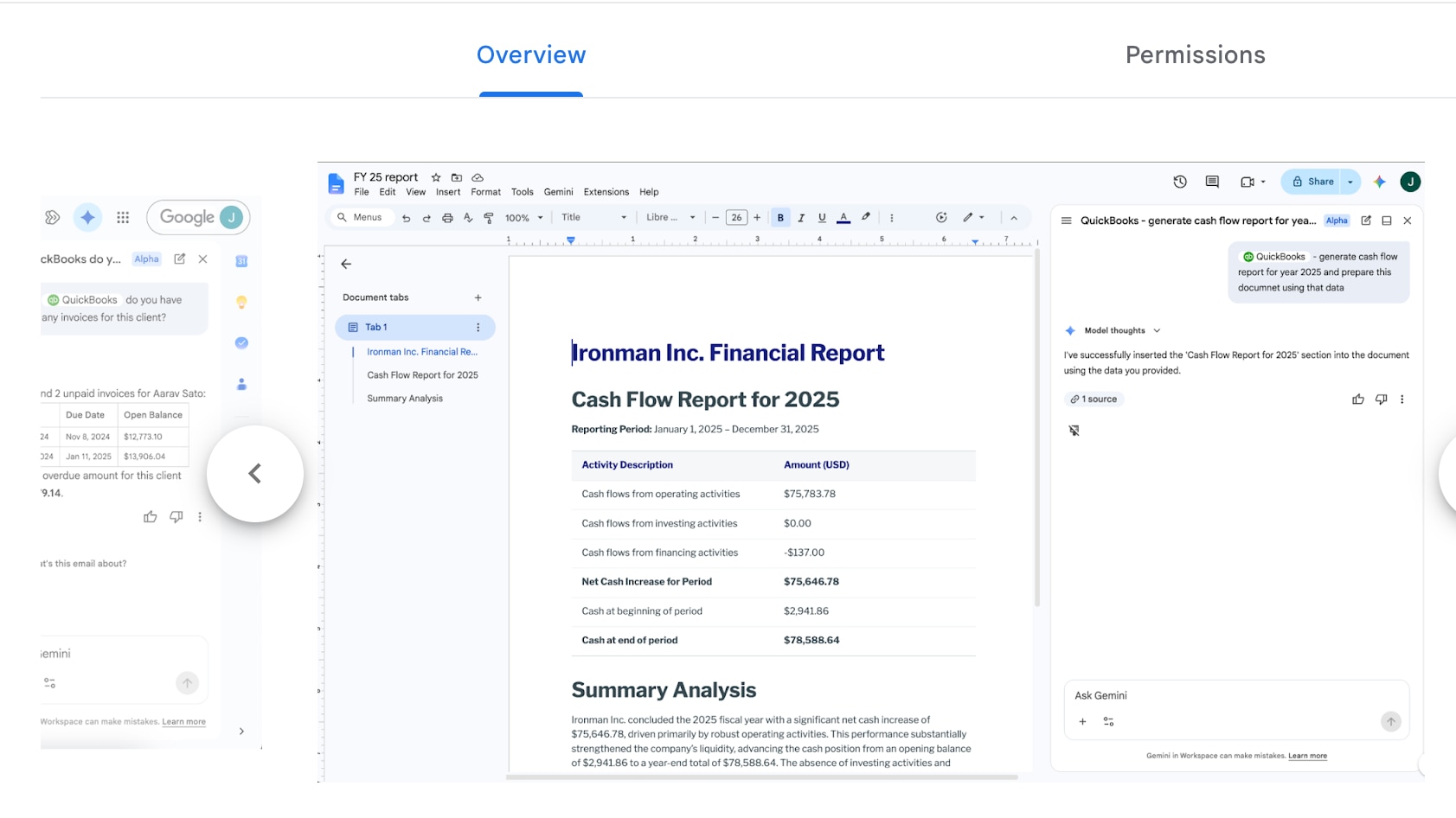
Google Docs editor showing an "Ironman Inc. Financial Report" alongside a Gemini side panel confirming the generation of a Cash Flow Report for 2025.

Getting started with QuickBooks and Gemini

If you’re ready to bring your business’s financial data directly into your daily workflow, install the QuickBooks connector from the Google Workspace Marketplace today to connect your QuickBooks account and start getting answers directly where you work.
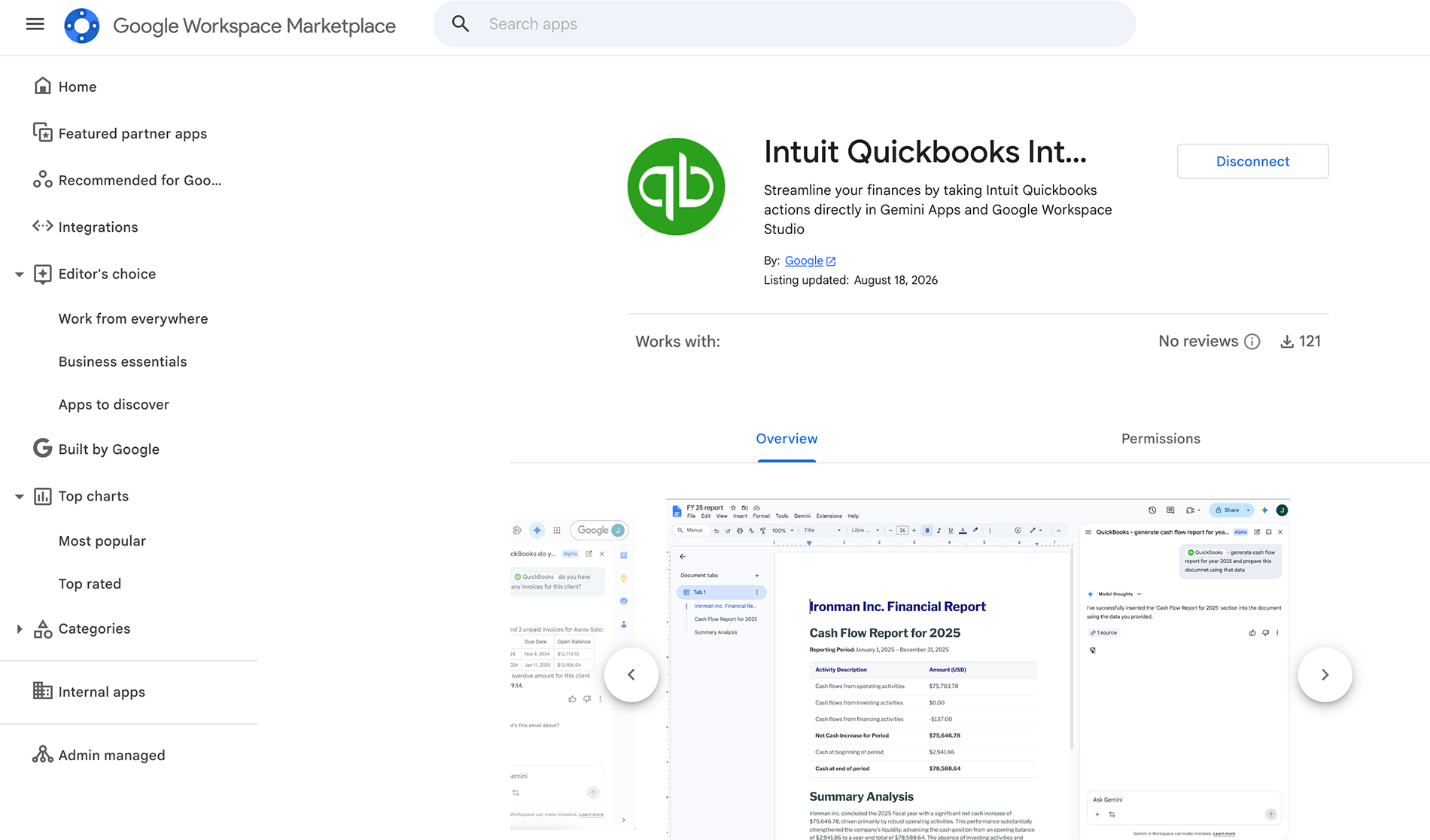
Google Workspace Marketplace listing page for the Intuit QuickBooks Integration app, showing app details and preview screenshots.

Disclaimer

This information is intended to outline our general product direction, but represents no obligation and should not be relied on in making a purchasing decision. Additional terms, conditions and fees may apply with certain features and functionality. Eligibility criteria may apply. Product offers, features, and functionality are subject to change without notice. 

© 2026 Intuit Inc. All rights reserved. Intuit, QuickBooks, TurboTax, Mailchimp, and Credit Karma are registered trademarks of Intuit Inc. in the U.S. and other countries.

Run and grow your business, unlock deeper insights, and work like you have a larger team behind you

Recommended for you

Mail icon
Get the latest to your inbox
No Thanks

Looking for something else?

QuickBooks

From big jobs to small tasks, we've got your business covered.

Firm of the Future

Topical articles and news from top pros and Intuit product experts.

QuickBooks Support

Get help with QuickBooks. Find articles, video tutorials, and more.