QuickBooks Blog
An illustration of a laptop with an online store
Running a business

Year-end checklist for small businesses: 15 steps to prepare for the new year


Key takeaways:

  • A year-end checklist simplifies financial reviews, tax prep, and the final closing process.
  • Reviewing reports and unpaid invoices can help you to fix problems before books close.
  • Spreading tasks out, keeping records organized, and automating routine work can make year-end feel more manageable.
  • Accounting software can simplify reporting and keep you organized as deadlines approach.


With 61% of business owners saying inflation has had the most impact on growth, now is the time to review your strategy and make sure you're ready for the challenges of the coming year.

The end of the year is always busy with holidays, family time, and planning for the new year. As a small business owner, you also need to tackle tasks like income statements, taxes, and employee incentives.

Balancing work and life as December 31 approaches can be tricky, but focusing on your business now can help you finish the year strong and set yourself up for success in the new year.

What needs to be done, and what’s optional? Use this year-end checklist to knock out the essential tasks and free up time for what matters most.

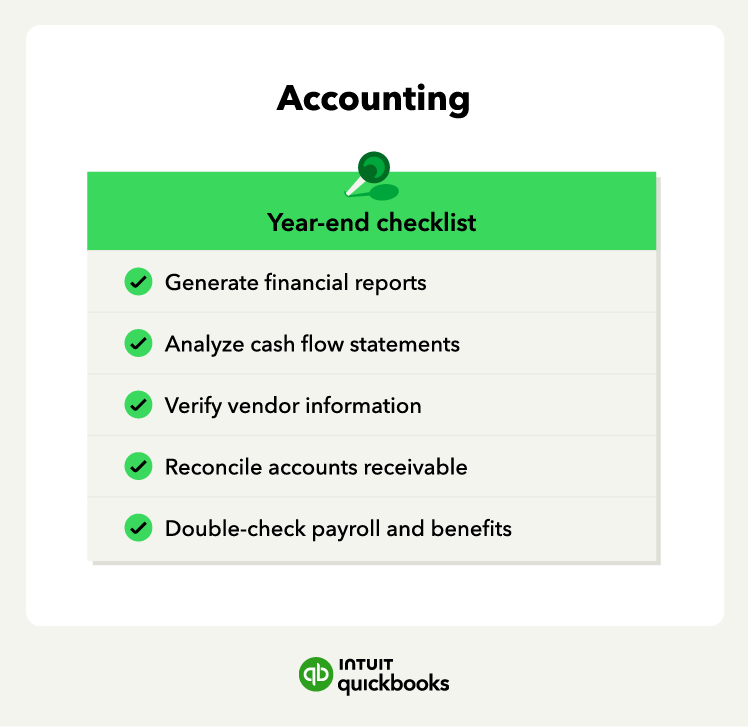
An accounting year-end checklist.

1. Run standard financial reports

The end of the year is a great time to review your business’s financial health. Use your accounting software to generate key reports, including an income statement, balance sheet, and cash flow statement.

The income statement is particularly important for understanding your profits and gauging your outlook for the new year. If profits are lower than expected, consider adjustments for the coming year. If profits are higher, it might be a good time to make investments and plan for depreciation.

Before making large purchases, consult an accountant to ensure you have the cash flow needed and understand depreciation rules.

2. Analyze cash flow statements 

A cash flow statement tracks how your business spends money over the year, with inflows representing income and outflows representing expenses. Your goal is to generate more income than you spend. Review your cash flow statement at year-end to spot trends.

Cash flow problems can arise for various reasons—identifying them early means you can address them faster. Remember, net cash outflows don’t always signal trouble—cash flow problems occur when outflows exceed inflows.

To calculate cash flow, break it down into three activities:

  • Operating: Revenue and expenses
  • Investing: Purchases and sales of assets
  • Financing: Loans and repayments

The formula adds your beginning cash balance to the net changes in each activity to determine your ending cash balance.

3. Verify vendor information

A lot can change for a business in a year, and the same goes for your vendors.

At year-end, verify that your vendors’ contact details—such as phone number, email, and contact name—are up to date. Remove any inactive vendors or incorrect information. If you have time, review your vendor relationships and consider negotiating better deals for the new year.

Confirm that you have current W-9 forms on file for contractors and vendors you'll need to report to the IRS. If you have time, review your vendor relationships and consider negotiating better deals for the new year.


note icon

Schedule a quarterly vendor review to catch outdated information throughout the year. This can help you spot opportunities to renegotiate terms before contracts renew.


4. Reconcile accounts receivable

Accounts receivable is the money customers owe you after purchasing goods or services on credit. If your unpaid invoice list is longer than desired, you’re not alone. US small businesses averaged around $17,500 per business in unpaid invoices, according to the QuickBooks Small Business Late Payments report.

To gauge how efficiently you collect revenue, calculate your accounts receivable turnover ratio. A higher ratio means customers pay quickly, while a lower ratio suggests your collections process may need improvement.

Regardless of your ratio, it’s wise to collect invoices before year-end to boost cash flow and start the new year with a clean slate.

5. Double-check payroll and benefits

It’s important to address any payroll issues before the year ends. Ensure you account for taxable fringe benefits like third-party sick pay or a company car in your payroll checklist. 

Don’t forget other benefits such as educational reimbursement (up to the $5,250 tax-free limit), health and life insurance, and transportation subsidies.

Confirm that any year-end bonuses are processed before December 31 so they're recorded in the correct tax year. The same applies to taxable compensation, like cash or cash-equivalent gifts, which should be included in payroll.

6. Determine what forms to file

Preparing your taxes ahead of time ensures you have everything needed to file and can help avoid penalties. Knowing which forms you’ll need to file for small business taxes ahead of time is an essential step. 

The tax form you have to file will depend on your business structure—and you might even have to file a couple of different forms. Some common tax forms for small businesses and solopreneurs include: 

  • Schedule C: Reports income as a sole proprietor together with Form 1040. 
  • Schedule K-1: Reports income if you’re an S corporation or partnership owner.
  • 1099-NEC: Reports nonemployee compensation
  • 1099-MISC: Reports rental income or gross proceeds. 
  • Form 1120: Reports income if you’re a C corporation
  • 1099-K: Reports card payments and third-party network transactions. 

Before the year ends, consider talking to a dedicated tax professional to understand which forms you need to file and make a list of them.

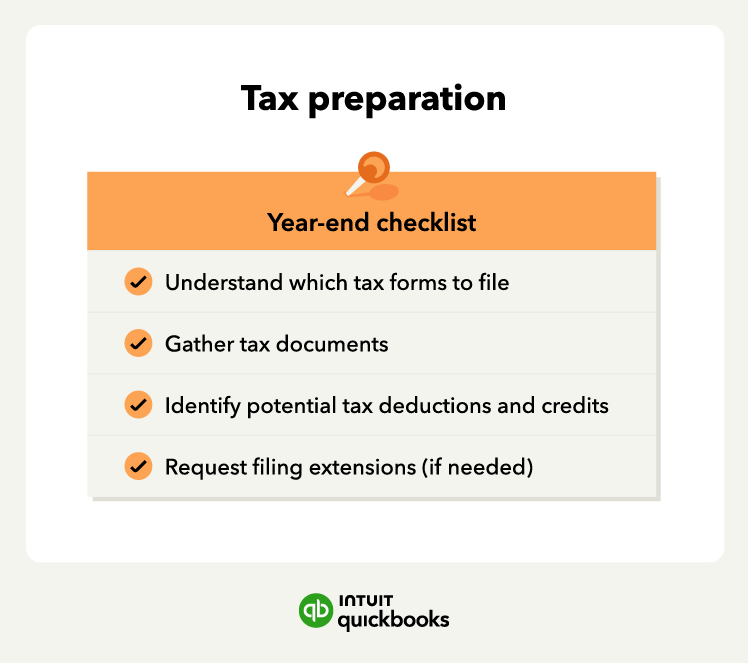
Tax preparation year-end checklist

7. Gather tax documents

You may have to look for different types of paperwork as tax season approaches. Stay prepared by keeping a tax checklist and gathering the necessary documents ahead of time.

Here are some common documents you may need to gather to submit your business’s taxes: 

  • Federal Tax ID number
  • Social Security number
  • Previous year’s tax returns
  • Bank account and credit card statements
  • Accounting journals and ledgers
  • Financial statements
  • Invoices
  • Receipts for business expenses
  • Employee and non-employee tax forms

Plan ahead of time to find these documents, gather employee tax forms, and keep all documentation stored in one place to make it easier to file your taxes. 

8. Implement tax saving strategies 

If you want to reduce your small business tax bills, look for tax deductions and credit opportunities before the year ends. You may find expenses and investments you can deduct from taxable income, which reduces how much you’ll owe for tax returns. 

Understand which tax deductions and credits you’re eligible for before tax season to ensure a lower small business tax bill. Some common deductions for small businesses include: 


  • General business expenses
  • Legal services
  • Advertising
  • Rent and insurance
  • Employee salaries and benefits


There are also different small business tax credits you may qualify for, including the Investment Credit, Work Opportunity Credit, and Small Employer Health Insurance Premium Credit. Prepare the documentation beforehand and consult with a tax preparation expert to maximize your savings.


note icon

Enhance with AI: AI can help identify potential deductions and credits by analyzing your financial records, flagging eligible expenses, and providing suggestions to reduce your tax burden. This can save you time and ensure you don’t miss out on savings.


9. Request filing extensions if needed

Sometimes your tax situation is complex, or you can’t prepare everything ahead of time. If you believe you won’t be able to file your business tax return on time, consider requesting a tax extension

Use Form 7004 to get a six-month extension for business taxes. You’ll still have to keep up with your estimated tax payments even with an extension, as it only allows you to submit your tax forms later.

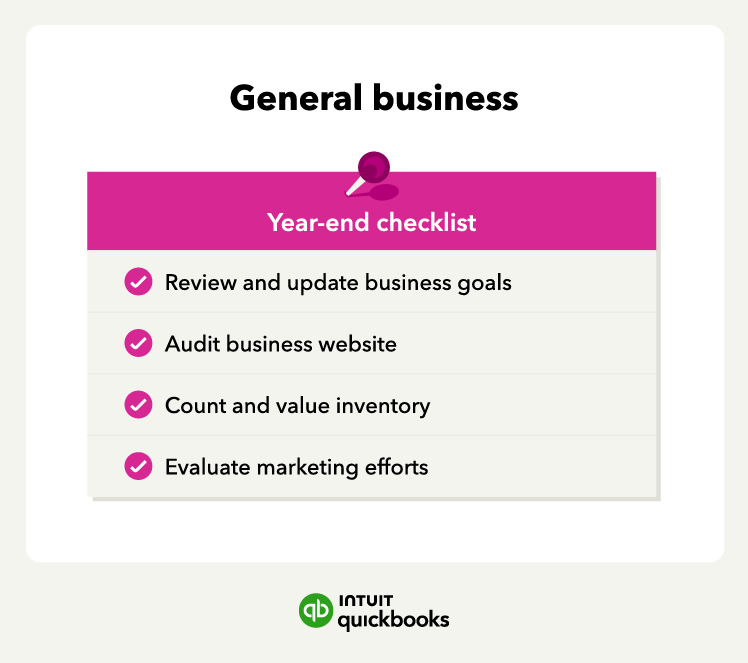
An end-of-year general business checklist.

10. Update your business goals

Using financial statements, customer feedback, and team input, evaluate last year’s goals. Did you achieve them, or did you take an unexpected path to a different kind of success?

With your earnings in mind, set goals for the new year. Focus on financial, client, and management goals. Once you’ve outlined your goals, create a high-level action plan for each to guide your progress.


Feel confident from day one

You're never too small, and it's never too soon to know you're on track for success.

11. Audit your website

Your website is often the first impression customers have of your business, making it necessary to keep it in top shape.In today’s e-commerce-driven world, your website is often the first impression customers have of your business—making it essential to keep it in top shape.

Go through your business website, click every link, test the “Contact Us” form, and call your 800 number to ensure everything works. These small tasks may seem mundane, but they’re crucial for maintaining your website as a reliable digital calling card.

12. Count and value inventory 

Counting and valuing inventory at year-end helps meet customer demand and prepares you for tax returns. Whether you use an automated inventory tracking system or need an analysis, take time to review your inventory.

Select a valuation method, such as FIFO (first in, first out), LIFO (last in, first out), or weighted average—based on what makes sense for your business. Set a specific day for the count and organize your inventory space. Record quantities, calculate total value, and update financial statements to start the new year organized.

13. Review marketing efforts

Evaluate your business’s marketing efforts at the end of the year to identify the effectiveness of your strategies. Understanding what worked and what didn’t can help you make better decisions for the upcoming year. 

Here are some steps to evaluate your marketing efforts: 

  • Review your initial marketing goals
  • Collect relevant marketing campaign data and metrics
  • Measure your KPIs to determine the success of campaigns
  • Compare the results to your industry and past years
  • Calculate the return on investment (ROI) for each marketing campaign

Next, start planning ahead. Develop a marketing plan for the new year based on your evaluation. Outline specific changes, new strategies, and optimizations to promotional campaigns and sales targets.

An information technology checklist

14. Backup computers

Even if you don’t rely heavily on technology, it’s wise to get your IT in order by year-end.

Back up essential files like accounting documents, client information, and emails. Provide employees with external drives or cloud storage to ensure all data is securely stored for the new year.

Regularly check that you can restore backup files without issues and protect your backups with encryption to prevent unauthorized access.

15. Download important files and reports

For easy data backup, follow the 2:1 rule:

  • 2 digital copies: Store in two separate cloud locations.
  • 1 offline copy: Save to an external hard drive and store it in a secure, separate location.

Even with cloud storage, downloading “hard” copies of important documents ensures you have access in case of outages or data loss.


note icon Use a consistent naming convention, such as YYYY-MM_DocumentName to keep files searchable and organized across all backup locations.


Common year-end challenges for small businesses

Between the holiday rush and planning for the new year, financial tasks can easily fall behind.

A few common challenges tend to slow the process down, including:

  • Disorganized records: Reconciling accounts takes longer when receipts and invoices are scattered.
  • Late reviews: Waiting until December leaves little time to fix errors or adjust cash flow.
  • Payroll complexity: Benefits, bonuses, and 1099s add extra layers of work that can delay January filings.
  • Manual systems: Spreadsheets and disconnected tools can make year-end work more time-consuming and increase the risk of errors.

Tips for making your year-end easier

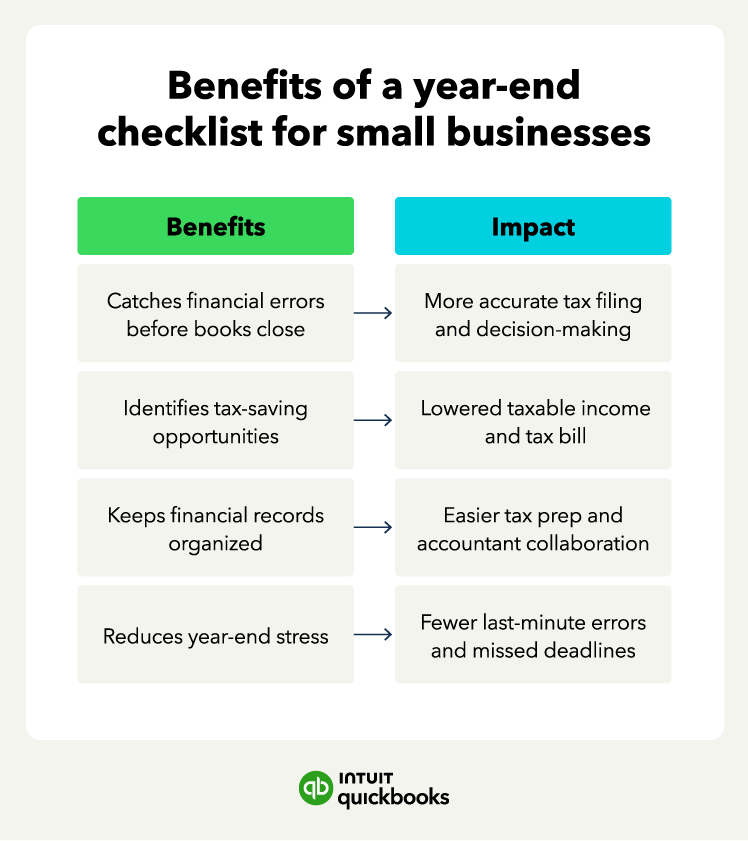
Year-end work feels more manageable when you spread tasks out and rely on systems that support consistency. A few simple tasks on your end-of-year checklist can reduce last-minute pressure and make the closing process smoother.

Benefits of a year-end checklist

Plan ahead

Year-end tasks are easier to manage when you start early, and planning ahead gives you more flexibility as schedules get tight.

You can start by:

  • Gathering documents in advance
  • Reviewing key reports before year-end
  • Setting internal deadlines for year-end tasks

Early preparation gives you time to address issues before year-end.

Automate manual tasks where possible

Look for opportunities to automate repetitive tasks like invoice reminders, expense tracking, and payroll processing. 

For QuickBook users, Intuit AI agents can help surface insights and keep workflows moving without adding extra steps to your day. You'll have the tools to reduce manual errors and spend more of your time running the business.

Review financials regularly

Don't wait until December to check your financial health. Schedule monthly or quarterly reviews of your income statements, balance sheets, and cash flow reports. Regular check-ins help you spot trends early and make adjustments throughout the year, so you're not scrambling when tax season arrives.

Keep records organized in one place

Centralize all your financial documents, receipts, and tax forms in a single secure location. When everything is organized and easy to find, you'll save hours of searching and reduce stress during tax preparation. Organized records also make it easier to share information with accountants or advisors when needed.

Run your business with confidence 

Closing out the end of the year is manageable if you keep and follow this year-end checklist. If you work with a trusted accountant, make an appointment with them as early as possible. The more you plan for these tasks throughout the year, the easier your year-end will be.

Investing in all-in-one accounting software, like QuickBooks, helps you keep track of everything from financial reports to payroll and inventory.

Spend less time fetching documents and more time running your business.

Disclaimer: This content is for information purposes only and the information provided should not be considered legal, accounting, or tax advice or a substitute for obtaining such advice specific to your business. Additional information and exceptions may apply. Applicable laws may vary by state or locality. No assurance is given that the information is comprehensive in its coverage or that it is suitable for dealing with a customer’s particular situation. Intuit Inc. does it have any responsibility for updating or revising any information presented herein. Accordingly, the information provided should not be relied upon as a substitute for independent research. Intuit Inc. cannot warrant that the material contained herein will continue to be accurate, nor that it is completely free of errors when published. Readers should verify statements before relying on them.

Disclaimer: Intuit Assist and certain other AI features and functionalities are currently available at no additional cost to certain QuickBooks users. Pricing, terms, conditions, special features, and service options are subject to change without notice. Intuit reserves the right to discontinue the feature at any time for any reason in its sole and absolute discretion.


Recommended for you

Mail icon
Get the latest to your inbox
No Thanks

Get the latest to your inbox

Relevant resources to help start, run, and grow your business.

By clicking “Submit,” you agree to permit Intuit to contact you regarding QuickBooks and have read and acknowledge our Privacy Statement.

Thanks for subscribing.

Fresh business resources are headed your way!

Looking for something else?

QuickBooks

From big jobs to small tasks, we've got your business covered.

Firm of the Future

Topical articles and news from top pros and Intuit product experts.

QuickBooks Support

Get help with QuickBooks. Find articles, video tutorials, and more.