- Start Your BusinessStart Your Business
- Starting a BusinessThe tools and resources you need to get your new business idea off the ground.
- PaymentsEverything you need to start accepting payments for your business.
- Funding & CapitalResources to help you fund your small business.
- Small Business StoriesCelebrating the stories and successes of real small business owners.
- Self-EmployedThe tools and resources you need to run your own business with confidence.
- Run Your BusinessRun Your Business
- Running a BusinessThe tools and resources you need to run your business successfully.
- AccountingAccounting and bookkeeping basics you need to run and grow your business.
- Cash FlowTax and bookkeeping basics you need to run and grow your business.
- PayrollPayroll essentials you need to run your business.
- TaxesTax basics you need to stay compliant and run your business.
- EmployeesEverything you need to know about managing and retaining employees.
- Grow Your BusinessGrow Your Business
- Growing a BusinessThe tools and resources you need to take your business to the next level.
- Sales & MarketingSpread the word: What you need to know about marketing your small business.
- FundingHow to find funding and capital for your new or growing business.
- Midsize BusinessesThe tools and resources you need to manage your mid-sized business.
- Enterprise Suite BlogThe tools and resources you need to grow your own business with confidence.
- E-CommerceHow to start and run a successful e-commerce business.
- TaxesTaxes
- How to fill out a 1099-NEC formLearn how to fill out and file 1099-NEC forms for independent contractors and freelancers.
- How to file small business taxesLearn how to navigate tax season with confidence and minimize your tax liability with this guide.
- Small business 1099: What you need to know for 2025Navigate the complexities of small business 1099 forms and filings with our comprehensive guide.
- 13 documents to give your accountant for small business taxesYour accountant will need these documents to file your small business taxes successfully.
- What's NewWhat's New
- NewsBrowse the latest news, press releases, and reports from QuickBooks.
- AI Resource HubFind the latest on Artificial Intelligence.
- Small Business DataThe latest research and insights for Small Businesses from QuickBooks.
- Small Business StoriesCelebrating the stories and successes of real small business owners.
- Holiday SuccessEverything you need to thrive during your business's busiest seasons.
- AI InnovationsBrowse the latest AI innovations in QuickBooks on the Intuit platform.
- ToolsTools
- All ToolsFree accounting tools and templates to speed up and simplify your workflow.
- AI-Powered Invoice GeneratorTry out this free invoice generator to create an invoice online using Intuit Intelligence.
- Payment Cost CalculatorFind out how much you could save by switching to QuickBooks Payments.
- Paycheck CalculatorAccurately estimate pay for all your employees.











If you run an auto repair or automotive-related business, you’re handling more than fast point-of-sale transactions. You may be managing custom repairs, diagnostics, parts delivery, or other specialized services that require detailed invoices. Provide transparency, support timely payments, and help ensure accountability by creating clear, well-organized invoices using a free invoice template or invoicing software. Download a free, customizable, and printable automotive invoice template from QuickBooks.
*See invoice template | Generate free invoice*
Jump to:
- Downloadable invoice templates for automotive businesses
- 7 elements every auto repair invoice should include
- What is an automotive invoice?
- Common businesses that use automotive invoices
- Automotive billing overview
- Automotive invoice template best practices
- When to use an automotive invoice template
- Key considerations for an automotive invoice template
- Auto repair invoice templates vs. QuickBooks
- Try our free auto repair invoice generator
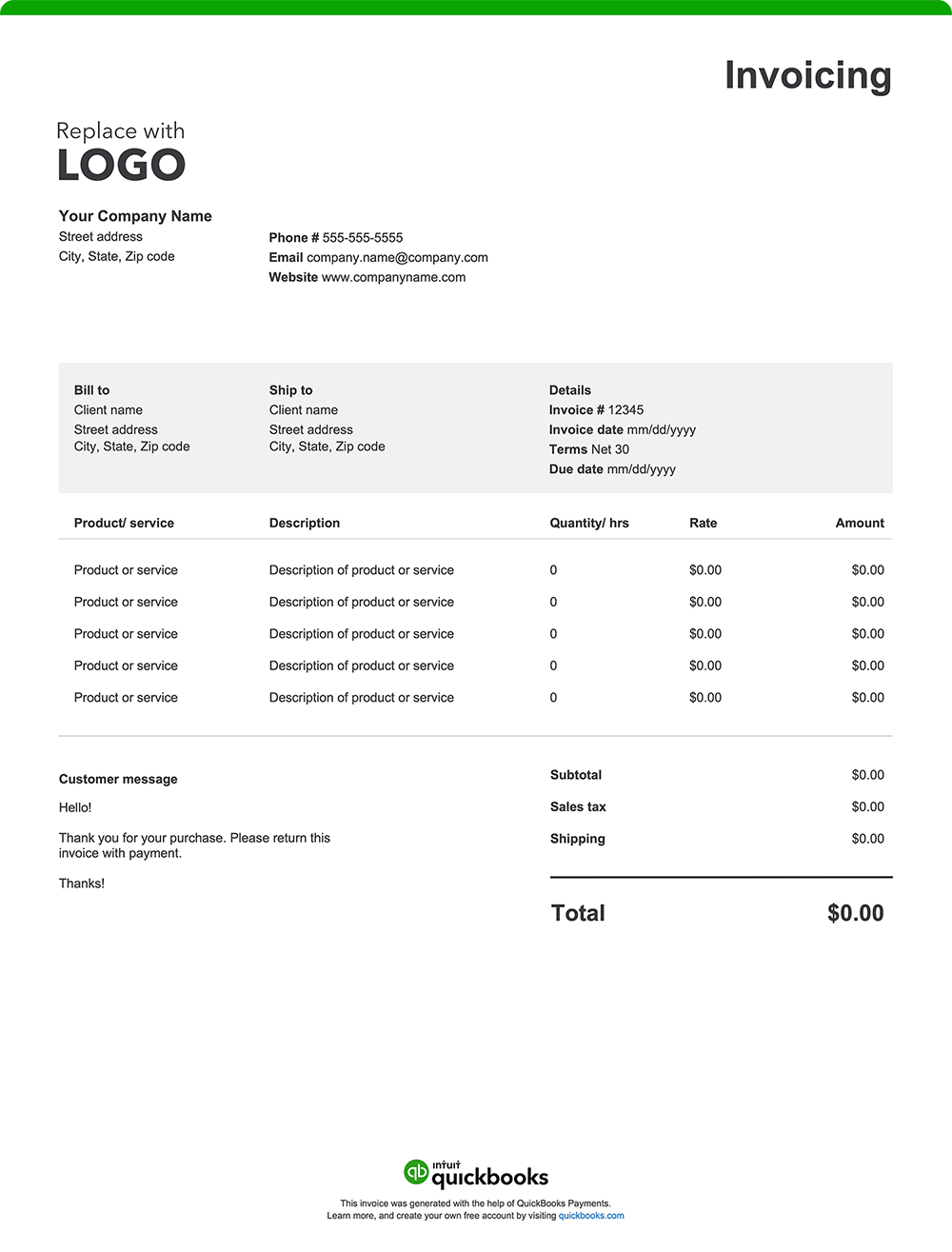
7 elements every auto repair invoice should include
From quick diagnostics to complete engine overhauls, your work speaks for itself. Make sure your invoice does, too—clear, accurate, and ready to get you paid.
A detailed, well-structured invoice helps keep your records straight and your cash flow steady. Here’s a breakdown of what every automotive invoice should include.
1. Business details
Include your shop name, address, phone number, email, and logo. This gives your invoice a professional appearance and reinforces your brand identity with repeat clients and fleet accounts. In some areas, it’s also required to list your shop license number or state repair registration number.
2. Customer and vehicle information
Add the customer’s name, phone number, and email. Be sure also to include the vehicle's year, make, model, Vehicle Identification Number (VIN), and license plate number. These important details help link the invoice to a specific vehicle and job.
Certain states also require that the odometer reading be recorded both when the vehicle is dropped off for service and when the invoice is issued.
3. Invoice number and date
Use a unique invoice number for each job and include the issue date. These identifiers support clean bookkeeping, simplify reporting, and make follow-ups easier for both you and your client. They also serve as important reference points for warranty coverage and documentation of service history.
4. Itemized list of services and parts
List each service performed and every part used. Include quantities, unit prices, and labor hours. A detailed breakdown helps customers understand exactly what they’re paying for, which can prevent confusion. Examples include:
- Brake pad replacement – 2 sets @ $85 each
- Labor – 3 hours @ $90/hour
- Oil filter – 1 unit @ $12.50
- Engine diagnostics – flat rate $100
- Vehicle inspection – flat rate $45
5. Any additional charges incurred
Maintain transparency by listing any extra fees that weren’t part of the base service. For example:
- Towing or mobile service charges
- Tire recycling fees
- Fluid or battery disposal fees
- Environmental or shop supply fees
- Weekend or emergency service rates
6. The total amount due
The "Amount Due" section of your invoice should outline the final total, incorporating:
- The initial subtotal of services provided
- Applicable taxes based on local requirements
- Additional fees, such as towing or fluid disposal fees
- Any discounts applied to the original cost, such as loyalty discounts
- Any other adjustments impacting the total amount owed
7. Payment terms and instructions
Alleviate confusion by detailing payment terms and instructions.
Here's what to include:
- Payment terms: Specify the payment due date, such as "net 30" (payment due within 30 days of the invoice date), "Due on Receipt," or any other agreed-upon payment terms.
- Accepted payment methods: List all the ways your clients can pay you, such as check, credit card, online payment, or cash.
- Payment details: Provide all the necessary information for each payment method, like your check mailing address or a link to your online payment portal.
- Late payment penalties: If you charge penalties for late payments, state the penalty amount or percentage.
- Early payment discounts: Note any early payment discounts and the conditions for receiving them.
What is an automotive invoice?
An automotive invoice is a document used to bill customers for vehicle-related services, parts, or specialty work. Invoicing is common for repair jobs, fleet maintenance, mobile services, and parts distribution. It provides a detailed breakdown of labor, materials, and charges, serving as a record for both the business and the customer.
Common businesses that use automotive invoices
Like other industries, invoicing plays a vital role across the automotive services and maintenance sector, helping professionals manage billing, track outstanding payments, and support cash flow. From independent repair shops to mobile service providers, many businesses rely on invoices to document services rendered and create a transparent billing and payment trail.
Auto repair shops
Shops that handle diagnostics, repairs, and replacements issue invoices detailing labor hours, parts used, and associated fees. This includes everything from brake work and alignments to engine overhauls.
Mobile mechanics
Technicians providing on-site diagnostics or repairs often invoice after completing a job, listing travel fees, service costs, and parts used.
Auto detailing businesses
Auto detailers operating from a fixed location or mobile unit use invoices to bill for interior/exterior services, paint correction, ceramic coatings, or specialty treatments.
Parts and accessories suppliers
Businesses that distribute OEM or aftermarket parts typically issue invoices for bulk orders or recurring deliveries, which include unit costs, shipping charges, and restocking fees, if applicable.
Collision and body shops
Shops performing bodywork, paint jobs, and insurance repairs issue detailed invoices that may be shared with customers and insurance companies, covering parts, materials, and paint matching fees.
Fleet maintenance providers
Automotive professionals managing commercial fleets or municipal vehicles often invoice clients on a monthly basis or per service call, providing bills for multiple vehicles.
Transmission specialists
Transmission shops invoice for complex diagnostics, part rebuilds, or full replacements, including labor-intensive services and often multi-day jobs.
Brake and muffler shops
These specialists invoice for inspections, replacements, and repairs related to brake systems, mufflers, and exhaust components. They typically bill for both parts and labor line items.
Oil change and lube centers
Fast-service providers issue invoices or receipts for oil changes, filter replacements, fluid top-offs, and routine maintenance checks, often in itemized package formats.
Automotive billing overview
Automotive billing covers any charges for labor, parts, diagnostics, or specialty services. A structured invoice outlines what your customers owe so they can clearly understand the charges, make timely payments, and keep accurate records for their own maintenance history or insurance claims. For business owners, well-organized invoices support cash flow, simplify bookkeeping, and reflect professionalism.
Automotive invoice template best practices
If you run an automotive service business, the following billing best practices can improve clarity for customers, expedite payments, and keep your records correct and in check. They also can help ensure your invoicing stays aligned with industry regulations and tax requirements.
Highlight your brand
Your business is your brand. Reinforce your name by using consistent visuals and information—like your logo, colors, and contact details—on every invoice to build recognition and trust with your customers.
Personalize for each job
Personalize each invoice with customer and vehicle information. Including the year, make, model, VIN, or odometer reading adds clarity. This level of detail and customization also helps keep track of service history and makes it easy to verify warranty eligibility for specific parts and labor.
Break down all charges
List services and parts separately with clear descriptions, quantities, unit prices, and totals. Include labor hours, diagnostic fees, and shop supplies. Itemized breakdowns outline the full scope of work and help prevent confusion. Reference OEM or aftermarket part numbers for added transparency around parts and pricing.
Add visual documentation
Consider attaching before-and-after photos of major repairs to validate the work performed and strengthen customer relationships.
Set payment terms upfront
Manage expectations and encourage timely payment by including the due date, accepted payment methods, and any applicable late fees.
Check for accuracy
Review all invoice details before sending. Mistakes in labor hours, part pricing, or tax calculations could delay payment and affect customer confidence.
Send as a PDF
Export and send your invoice as a PDF to ensure compatibility and preserve formatting. PDF invoices are easier to store, print, and reference later.
When to use an automotive invoice template
An invoice template is useful for automotive professionals who need to bill customers after services are completed—especially when payment isn’t collected upfront. This is common for:
- Repairs and diagnostics billed after vehicle pickup
- Collision work handled through insurance
- Fleet service or commercial vehicle accounts
- Mobile mechanic jobs
- Detailing services for dealerships or recurring clients
- Parts delivery to body shops or wholesale buyers
- Warranty-related or manufacturer-paid repairs
Key considerations for an automotive invoice template
An effective invoice template aligns with your day-to-day workflow, reflects your shop's professionalism, and helps ensure you receive payment promptly. Look for a template that can do the following:
Work for multiple service types
Your invoice should accommodate different jobs—whether it’s a brake repair, detailing package, or parts order—without needing constant reformatting.
Be easy to read at a glance
Customers should be able to quickly understand what they’re being charged for. A clean layout minimizes confusion and reduces the need for follow-up calls or disputes.
Function on mobile devices
If you work on-site or manage invoices from the shop floor, choose a format that works seamlessly on mobile devices and can generate PDF copies easily.
Include space for notes and disclaimers
An invoice template should have room to include warranty terms, recommended follow-up services, or disclaimers about what was or wasn’t addressed. This section is also a great place to add a quick thank-you message or highlight any issues that may need attention soon so the customer stays informed and knows when to come back.
Automatically calculate taxes and fees
Ensure the template can handle shop fees, environmental surcharges, sales tax, and any other region-specific charges to avoid manual errors.
Support for recurring or batch billing
For businesses servicing fleets or recurring clients, look for invoice templates or tools that can duplicate jobs, manage multiple vehicles, or handle batch billing efficiently.
Auto repair invoice templates vs. QuickBooks
Basic invoice templates in Excel, Word, or PDF may be sufficient for smaller operations like mobile mechanics or independent detailers, but they often require repetitive data entry and lack the flexibility to grow with your business. QuickBooks offers a faster, more reliable way for busy shop owners and other automotive professionals to create invoices, track payments, and manage cash flow.
Less manual work, fewer mistakes
Standard templates require you to retype customer info, labor rates, and parts details for every job. This increases the risk of errors and slows you down. QuickBooks saves your service descriptions, pricing, and customer records, allowing you to streamline accurate invoice generation.
Automate your invoicing
Handling regular fleet accounts or recurring maintenance visits? QuickBooks gives you automation tools that save time and reduce administrative work:
- Batch invoicing: Send multiple invoices at once.
- Recurring invoices: Bill repeat clients or scheduled service packages.
- Auto-reminders: Follow up on outstanding payments automatically
Invoice from anywhere
Whether you're in the garage, out on a roadside call, or handling back-office tasks, QuickBooks lets you send invoices from your phone or tablet. You can also attach estimates, photos, or signed work authorizations to keep everything organized and in one place.
Monitor your cash flow in real-time
QuickBooks shows you which invoices have been sent, viewed, or paid—and flags any that are overdue. Real-time reporting tools help you forecast revenue, manage expenses, and spot trends.
Make it easy to get paid
Offer your customers multiple payment options directly on the invoice. QuickBooks supports credit cards, ACH transfers, PayPal, and Apple Pay. The easier it is for customers to pay, the faster you get your money.
Send invoices via email or SMS
Deliver invoices via email or text. Add a personal message and a link to pay. It’s a convenient way to keep payments on schedule.
Try our free auto repair invoice generator
Create a custom automotive invoice online with QuickBooks. The invoice generator tool allows you to autofill vehicle details, add your shop’s branding, and send invoices with ease. Prefer a printable version? Download free templates in Word, Excel, or PDF.
When you’re ready for a more streamlined approach, QuickBooks makes it simple to automate invoicing, track payments, manage job costs, and generate detailed reports—all from one platform. That means less paperwork, simpler tax prep, and better insight into your business performance.
Recommended for you




Explore what you can do with QuickBooks
Explore what you can do with QuickBooks

See profit at a glance


Get expert help
Looking for something else?
Firm of the Future
Topical articles and news from top pros and Intuit product experts.
QuickBooks Support
Get help with QuickBooks. Find articles, video tutorials, and more.
Call Sales: 1-800-285-4854





© 2026 Intuit Inc. All rights reserved.
Intuit, QuickBooks, QB, TurboTax, Credit Karma, and Mailchimp are registered trademarks of Intuit Inc.
Money movement services are provided by Intuit Payments Inc., licensed as a Money Transmitter by the New York State Department of Financial Services. For details about our money transmission licenses, or for Texas customers with complaints about our service, please click here.
By accessing and using this page you agree to the Website Terms of Service.