You could save up to 25% on transaction costs².
Speak with us now to see if you qualify.
Talk to sales 1-800-515-8366
Monday - Friday, 6 AM to 4 PM PT

Table of contents
Table of contents
Most accounting software does exactly what it was built to do. The problem is that businesses grow while the software stays the same, so the gaps are filled with manual workarounds.
Finance starts maintaining spreadsheets on the side because the reports do not come out the way leadership needs them. Month-end close stretches into its third week. A new department head requests budget data, and someone has to pull and reformat a file to share it.
This article covers how to recognize when that has happened, what a more capable accounting solution looks like, and why jumping straight to ERP is often not the right answer.
Most businesses find ways to adapt as they begin to outgrow their accounting software. Those adjustments work in the short term, but they often create more work for finance teams and less visibility for decision-makers. The signs below can help identify when it's time to move beyond basic accounting tools.
Using spreadsheets for ad hoc analysis is typical. Problems can arise when they become the primary reporting infrastructure. For example, when board reports, department cost breakdowns, or cash flow forecasts live outside the accounting system.
Common consequences include:
Mid-sized businesses typically target a five to seven-day close. When it stretches to two weeks or more, leadership is making decisions based on last month's numbers while the current month is already underway.
Slow closes are often linked to:
Standard profit and loss and balance sheet reports answer basic questions. Growing businesses often need more insight into performance by department, location, project, customer segment, or budget.
If producing those reports requires exporting data and spending hours reformatting spreadsheets, the software is no longer keeping pace with the business.
Payroll sits in one application. Expenses live in another. Inventory is managed somewhere else. Accounting operates in a fourth system.
Instead of focusing on analysis, forecasting, or other high-value work, finance teams end up spending more time:
Every manual step creates another opportunity for duplicate entries, transposition errors, or data that is updated in one system but not another. Those risks become more difficult to manage as transaction volume increases.
As more people interact with financial data, businesses often need different levels of access, approval workflows, and audit trails.
Approvals should occur within the system, not through email chains or spreadsheets. Users should also be limited to the information relevant to their role. Without those controls, businesses often take on unnecessary risk and administrative work.
Adding a second location, a new department, or a product line changes what the accounting system needs to support.
Basic tools are designed for relatively straightforward operations. Tracking performance separately by business unit and then consolidating results is labor-intensive.
As needs expand, it becomes more difficult to track performance across business units and consolidate results accurately.
Cash flow forecasts are only useful when they can be updated quickly. If producing a 90-day forecast requires rebuilding spreadsheets each month, the process may be creating more work than it should.
Delayed forecasts make it harder to anticipate cash needs, evaluate different scenarios, and respond quickly when business conditions change.
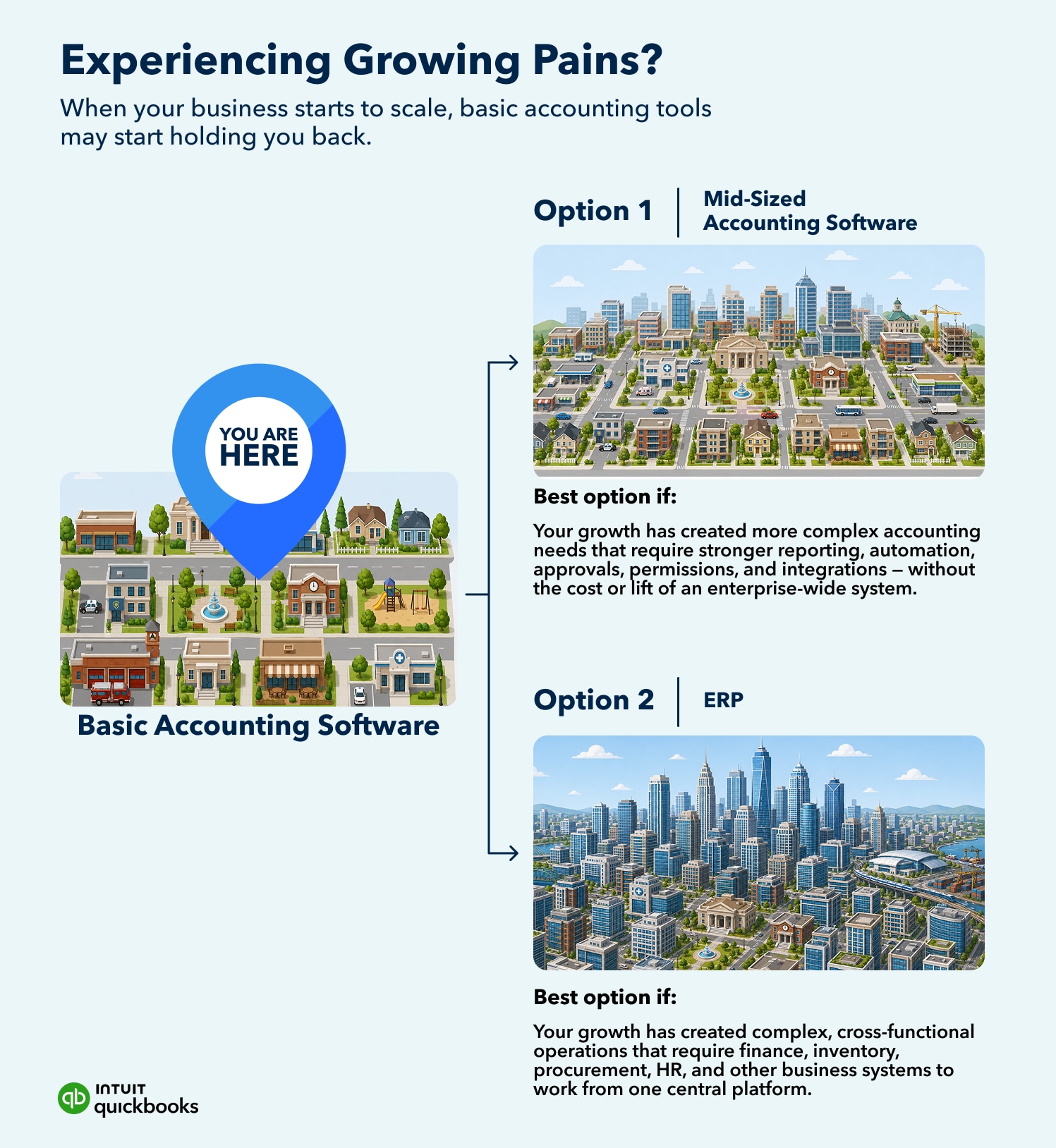
Mid-sized business accounting software sits between entry-level bookkeeping tools and full ERP systems. It’s designed for businesses that require more than transaction recording but are not yet managing the kind of operational demands that require an enterprise platform.
It’s the layer where accounting becomes financial management. Basic tools are built to record what happened. Mid-sized software is built to help you understand it—by department, location, project, or team—and act on it faster.
These platforms typically offer stronger reporting, financial controls, automation, and greater visibility into business performance without the complexity of a full ERP system.
They are built for finance teams asking questions their current software cannot answer efficiently:
The biggest difference is that mid-sized accounting software is designed to support the way finance teams work as the business grows.
Instead of relying on spreadsheets, disconnected systems, and manual processes, teams gain tools that help them:
Access controls are one example. Department heads can view their budgets without accessing the full profit and loss statement. Approvers can authorize transactions within predefined limits. External accountants can review records without making changes, while audit trails track who did what and when.

These capabilities help finance teams spend less time managing processes and more time using financial information to support decision-making.
More capable accounting software costs more than basic tools. Here is what that investment typically covers:
The cost of staying put
The other side of the comparison is what staying with the wrong software actually costs.
A finance team spending 15 to 20 hours a month on manual reconciliation that software could automate is absorbing that expense. Reporting delays, duplicate data entry, and errors that require time to trace and correct all carry real labor costs.
Those inefficiencies can add up to more than the price difference between basic and mid-sized software.
ERP systems are designed for businesses managing operations across multiple functions, such as manufacturing, supply chain, HR, and finance, within a single platform. For the right business at the right stage, that investment can make sense.
But not every company that has outgrown basic accounting software is ready for an ERP system. In many cases, the priority is better financial data, stronger controls, and more efficient processes rather than a full operational transformation.
Consider the following before committing to ERP:
For many growing businesses, a scalable accounting platform is the more practical next step. It can deliver the advanced reporting, controls, and automation they need today. Businesses with greater operational complexity may already be ready for an ERP, while others may choose to address their financial management needs before making that transition.

If basic accounting software is creating more work than it saves, the next step is finding a platform that addresses current friction while supporting where the business is heading. These are the most useful criteria to evaluate.
Start with what your finance team experiences every month. Which tasks still require manual steps that software should handle? Where do errors tend to originate? What takes the longest to produce?
Those answers should drive the evaluation. A platform that addresses the biggest constraints in your current workflow will deliver more value than one with a longer feature list that does not touch the actual problems.
Identify the reports that leadership depends on most, such as:
Assess whether each platform can produce those reports without requiring exports, manual calculations, or additional reporting tools.
Finance workflows involve more people as the business grows. Department heads review budgets. Operations managers approve purchases. External accountants need read access.
As part of its standard capabilities, the platform needs to support structured roles and documented approval trails for all of them.
Think about the systems your team uses every day: payroll, inventory, payments, expense management, and banking. Financial information is often spread across multiple applications, which can make reporting and reconciliation more difficult when those systems do not work well together.
Strong integrations reduce the need to transfer, enter, or reconcile information between applications. They also help eliminate duplicate work, improve data consistency, and reduce the time spent verifying information.
If your business runs multiple locations, departments, or revenue streams, the accounting software should be able to track performance at each level and consolidate results cleanly.
Subsidiaries and separate legal entities introduce additional reporting requirements, including intercompany transactions and consolidated financial reporting.
The subscription fee is only one line to compare. Implementation, data migration, training, additional users, and integrations all factor into the real cost.
Consider what the business may need in the next few years. Additional locations, higher transaction volume, new departments, acquisitions, or more users can all change what the accounting system needs to support.
Replacing software is time-consuming. Choosing a platform with room to support future requirements can help avoid repeating the evaluation process sooner than expected.
Businesses evaluating alternatives to basic accounting software will find a range of mid-sized accounting platforms on the market. QuickBooks Online Advanced is one option designed to help finance teams improve reporting and financial controls, while reducing manual work.
With QuickBooks Online Advanced, businesses can:
If you’re seeking deeper insights, custom workflows, and more efficient financial operations, consider QuickBooks Online Advanced. Try Advanced free for 30 days to access the tools and features you need to drive your business forward without requiring a full ERP implementation.

Call Sales: 1-800-285-4854