You could save up to 25% on transaction costs².
Speak with us now to see if you qualify.
Talk to sales 1-800-515-8366
Monday - Friday, 6 AM to 4 PM PT

Table of contents
Table of contents
Many people believe that entrepreneurship is their fastest path to financial stability. Intent to start a business in the US jumped 94% year over year in 2026, according to a QuickBooks survey. If you’re part of that wave and already running an LLC or corporation, you’ve probably come across Form 2553, the IRS form that lets your business elect S-corp tax status.
If you’re a freelancer or small business owner, this guide will help you decide whether electing for S-corp tax status makes sense for your bottom line. If you have other questions, like the difference between an LLC and an S-Corp, it’s worth settling that question first, since Form 2553 only matters once you’ve decided S-corp tax treatment is the right move for you.
Let’s walk through what Form 2553 is, who qualifies, when the form is due, and how to fill it out. We’ll also cover the mistakes that get elections rejected and what to do if you’ve already missed the deadline.
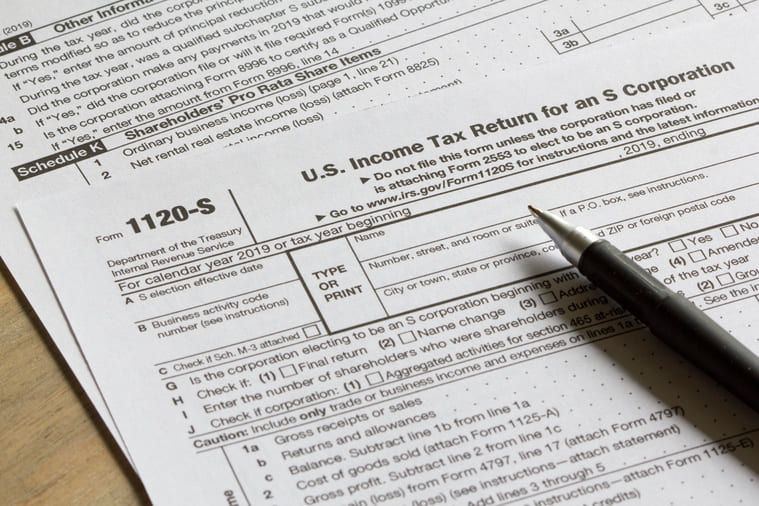
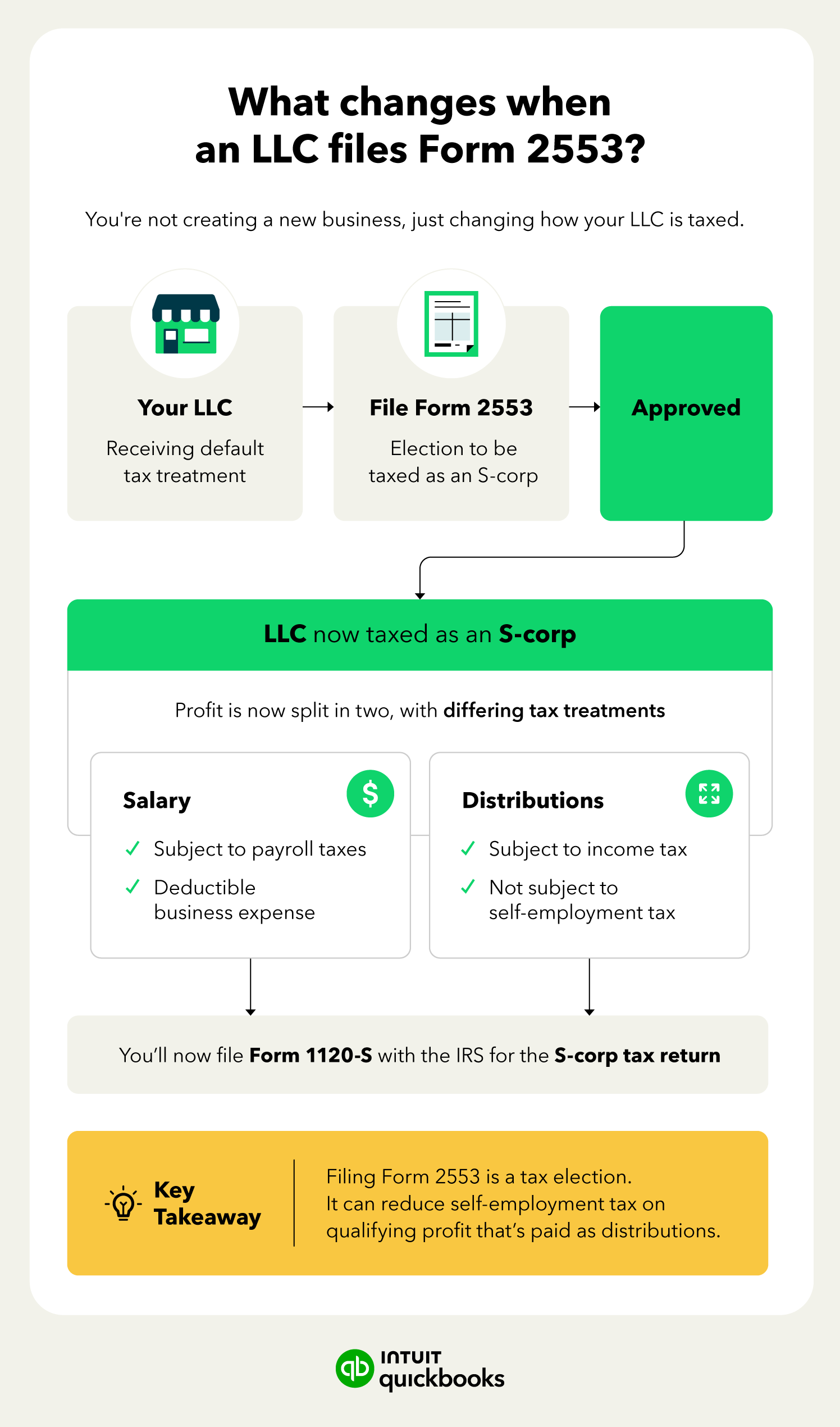
Form 2553 is the form the IRS uses to let eligible LLCs and corporations elect S-corp tax treatment. Filing it doesn’t create a new business or change your legal structure. Your LLC stays an LLC. Once the IRS approves the election, though, your business starts reporting income on Form 1120-S instead of the form you’d normally use.
The appeal comes down to how your income gets taxed. As an S-corp, you split your earnings into two buckets: a reasonable salary (subject to payroll tax) and distributions (not subject to self-employment tax). For business owners who are profitable enough to pay themselves a fair salary and still have money left over, that split can add up to meaningful savings.
Filing Form 2553 is a common next step after starting an S-Corp or forming an LLC when you also want S-Corp tax treatment.

Not sure if an S-corp election is worth it for your business?
If you’re breaking even or reinvesting everything back into the business, the payroll tax and extra filing requirements might not be worth the trade-off yet. It usually pays off once your net income comfortably covers a reasonable salary with profit left over.
Filling out Form 2553 means working through your business’s election information, fiscal year selection, a QSST election if it applies, and the final signatures before you submit.
We’ll go through this process step by step using a fictitious two-member LLC we're calling Willow Creek Design, LLC. That way, you can see exactly what goes where.

This is where Willow Creek Design, LLC enters its basic information: name, address, EIN, the effective date of election, and its selected tax year. Every shareholder or officer involved needs to sign, and each eligible shareholder signs the column K consent statement.
There are a few things to double-check here. The form asks for an EIN, not a Social Security number. If your business is brand new, you’ll need your EIN assigned by the IRS before you can file.
And the effective date isn’t the date you’re filling out the form. It’s the first day of the tax year you want the election to apply to. This field is one that people often get wrong. Also, every owner who held shares as of that effective date needs to sign Column K, not just whoever owns the business today.
If ownership changed hands at any point before you filed, don’t skip former owners. The IRS wants a signature from everyone who owned shares between the effective date and the filing date, even if they’ve since sold their stake.
Calendar-year filers, including Willow Creek Design, LLC, can skip this part entirely. It only applies if you’re making a Section 444 election or your business has an established, IRS-recognized fiscal year that isn’t the calendar year.
This part only comes into play if one of your shareholders is a trust electing QSST treatment. Most small business owners, including Willow Creek Design’s two members, can skip it.
Once the form is complete, it can be signed by hand or electronically in most cases. You’ll need to mail it, fax it, or attach a signed PDF version to certain e-filed returns. You can find the current, official version of Form 2553 on the IRS website.
Not every business qualifies for the S-corp election. Before you file, make sure your business checks these boxes:
If your business meets these requirements as an LLC, you can file Form 2553 directly. You don’t need to file Form 8832 first.
There’s no single fixed date for the Form 2553 filing deadline. It depends on when your tax year starts and whether your business is brand new or already up and running.
Here’s how that plays out for a calendar-year LLC: If your S-Corp election is effective Jan 1, you’d generally need to file by around March 15 or 16 of the same year. This depends on the year and whether that date falls on a weekend.
If you file after that window closes, your election typically defaults to the following tax year instead, unless you qualify for late-election relief.
Where you send Form 2553 depends on the state where your business is located. The IRS splits filers into groups based on location, and each group has its own mailing address and fax number.
This table goes over where to mail and where to fax Form 2553.
Whichever method you use, hold onto proof of filing. Keep a copy of the signed form, and if you fax it, save the confirmation page. The IRS doesn’t send an immediate receipt, so that proof is what you’ll have if anything gets questioned later.
Form 2553 only covers your federal tax treatment. Some states automatically recognize the federal S-Corp election, but others don’t. New York and New Jersey, for instance, are states that hold their own state-level elections with separate deadlines. Check with your state department of revenue or talk to a tax pro to confirm what your state requires.
Most rejected elections trace back to one of a handful of avoidable errors. Here’s what to watch for.
Every person who owned shares or membership interests between the effective date and the filing date needs to sign column K. That includes people who own the business today and owners who’ve since sold their stake.
The effective date is the first day of the tax year to which the election applies. People sometimes use the date they fill out the form, which is incorrect and could result in their elections being applied to the wrong tax year.
Form 2553 requires an EIN, which is different from a Social Security number. If you’ve just formed a new entity, get your EIN from the IRS before you file.
The IRS doesn’t confirm receipt of Form 2553 right away. Some businesses end up filing Form 1120-S for years without ever receiving official approval because they assume that the absence of a rejection letter means everything is fine.

If you missed the window, you’re not necessarily out of luck. Late-election relief under Rev.Proc 2013-30 can still get your business S-Corp treatment for the year you intended, as long as you meet a few requirements.
Reasonable cause doesn’t need to be dramatic. A common, accepted reason is that you or your accountant simply didn’t realize a separate election was required. The key is showing you’ve been operating as an S-Corp all along.
Both forms deal with how your business is taxed, but they’re not interchangeable.
Filing Form 2553 is a big step toward running your business more efficiently at tax time. Once your election is approved, the next question is usually how to pay yourself correctly and stay on top of payroll taxes without adding a second job to your plate.
That’s where accounting software like QuickBooks can take some weight off your shoulders.

Call Sales: 1-800-285-4854