Get 50% OFF QuickBooks
for 3 months
for 3 months












Retail teams don’t watch peak season approach. They staff up for it, stock up for it, and place six-figure inventory bets months before the first sale hits. By the time the rush lands, the store is pulling at everything at once: inventory to reorder before it sells out, adjusting staffing against high traffic timelines, launching promotions and customer questions stacking up faster than anyone can answer them.
The busiest weeks for your store are also the busiest weeks for your books, and the books don’t wait for the season to end. Every surge of orders is a surge of transactions to categorize: sales across channels, refunds, platform fees, shipping charges, sales tax. Payouts land in the bank short of what the dashboard says you sold, and someone has to figure out where the fees went. Wholesale invoices on net-30 keep aging while daily retail cash pours in.
And the questions that decide whether the season was a success show up at the worst possible time. Is there enough cash to reorder? Can you make payroll on Friday? The answers all live in QuickBooks, right when you have the least time to dig them up. For a lot of merchants and their bookkeepers, “record weekend” has meant “brutal Monday”: exports, spreadsheet cleanup, and line-by-line reconciliation.
Shopify is running your store and QuickBooks is running your books, and you are the bridge that did the Monday cleanup in between them. That’s the problem AI on both platforms is now built to solve, together. You don’t need to do this work anymore. AI does. Shopify Sidekick manages the backoffice side of the store, answering questions about your products, inventory, and sales right in your admin. Intuit Intelligence manages the money side, answering questions in QuickBooks from books that are already categorized: real margins by product and channel, whether deposits reconcile to payouts, and which invoices need chasing before payroll. Connect the two with the free QuickBooks integration for Shopify, and you can ask either one a plain-language question and get an answer from real-time data. No exports, no spreadsheet cleanup, no manual CSV uploads needed.
Let AI run your store and your books
Shopify Sidekick is the AI agent built into your Shopify admin. It already knows your products, customers, inventory, and sales, so instead of exporting data and hunting down answers, you just ask. What sold today? What’s running low? What do I need to reorder? Where should I transfer inventory? Sidekick answers it in plain language, from live data, right where you already work. It comes with every Shopify plan at no extra cost.
You can ask Sidekick about the store side the same way. For example:
- “What were my best sellers last week across all locations, and which locations need a restock or a transfer?”
- “Which products are low on stock and likely to sell out this weekend?”
- “Draft a product description in our store’s voice for this new arrival.”
- “Create a 15% discount code for email subscribers and schedule it for Friday.”
- “How did in-store sales compare to online this month?”
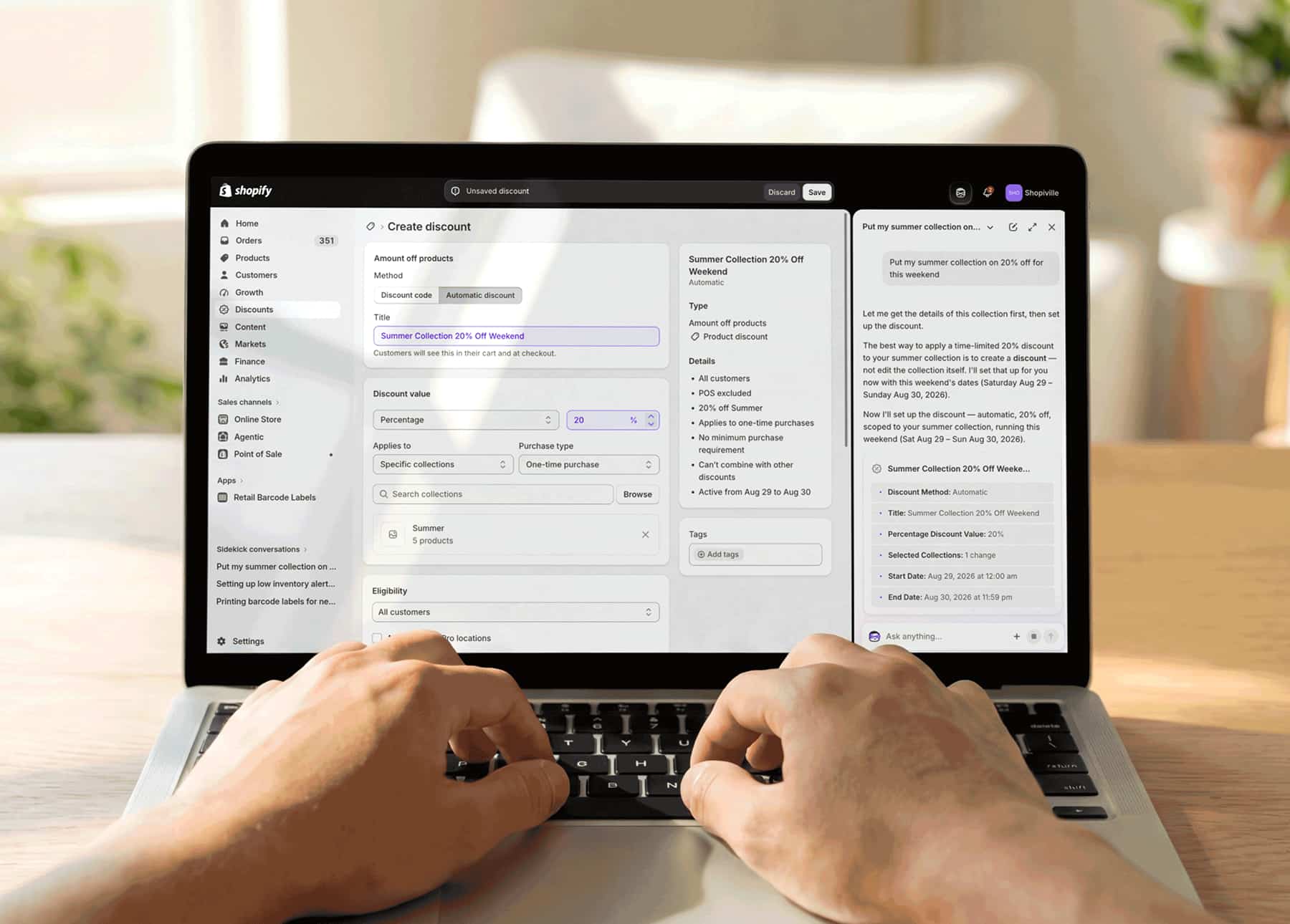
Because Sidekick reads your current store data, there’s nothing to export or re-enter first.
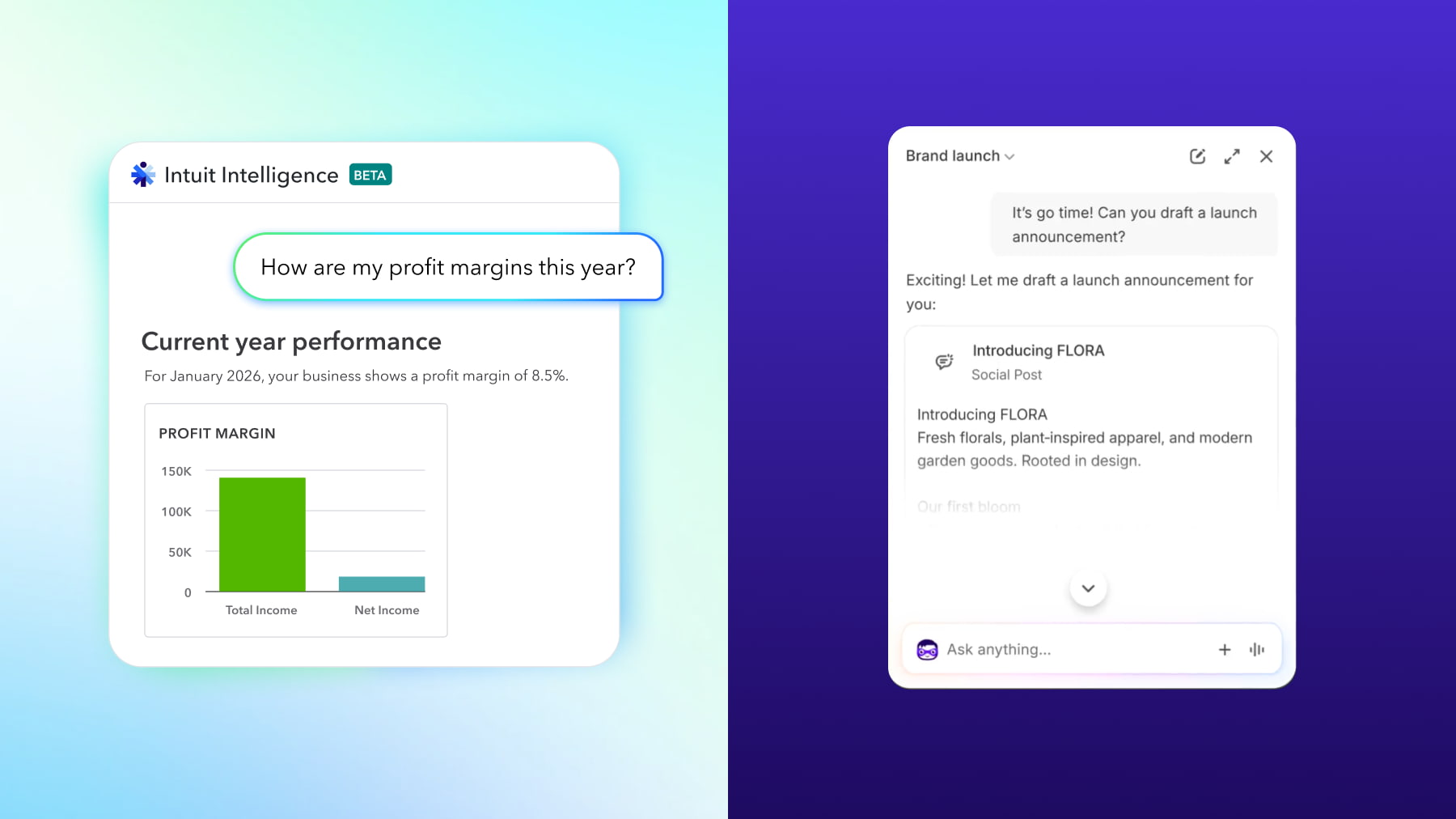
Intuit Intelligence takes it from there, answering money questions in QuickBooks (included in all paid plans) from your categorized books: revenue against last year, real margin by product or channel, which invoices are overdue, and whether a deposit reconciles to a payout.
Here’s what Intuit Intelligence can answer for a true picture of your finances:
- What did this month close? Revenue, AOV, cash vs last year?
- What’s my real margin on sneakers sold through my physical store vs. online store? Costed inventory in the books by channel, not just top-line.
- Does Friday’s deposit match the payout once fees are included?
- Which B2B invoices are due next week?
The bridge between them is the free QuickBooks integration for Shopify. Once connected, your Shopify sales, refunds, fees, and payouts flow into QuickBooks and land in the right accounts automatically. Shopify handles the store. QuickBooks handles the books. Both AI agents answer from channel-live data that’s already current.
Without the connection, Monday turns into a second job. You export the weekend, rename the columns, and hope the payout matches the bank. You have better things to do with that time.
Did the month actually close in the black?
Units out the door tell you the store was busy. Only the books can tell you whether the month was profitable. A record weekend can still carry thin margin, and a higher average order value doesn’t guarantee the cash landed.
To see what drove the month before you close it, ask Sidekick in the admin:
“What were my top products and busiest sales days last month, and how does that compare to the same month last year?”
It answers from your actual sales, online, and in store: your best sellers, the days that carried the month, and how units and average order value moved against last year. That covers what happened on the floor. Intuit Intelligence then handles the financial side and tells you whether the month was profitable.

Then take the money questions to Intuit Intelligence:
- “How did last month close: revenue, margin, cash, compared to the same month last year?”
- “What’s the difference between last month’s sales and what was paid out? Break down the fees.”
Because the integration has already categorized every sale, refund, and fee, you get an answer directly from your ledger, not a guess from a manually scrubbed export. Sidekick returns the store numbers on the spot, and because the books are already categorized, Intuit Intelligence can read the close without anyone cleaning up a spreadsheet first.

Keep on top of your margins with synced inventory and COGS
Big weeks lift the top line, and they can just as easily hide bad margins. You can sell through a SKU all weekend and still lose money on it if the cost of those goods never made it into the books.
When Shopify and QuickBooks are connected, products are matched so quantities and costs stay aligned as you sell. Sales from Shopify POS and Shopify’s Online Store flow in and keep the cost of goods sold current in QuickBooks, while inventory can sync bidirectionally from QuickBooks to Shopify if you’d rather run inventory operations from the books.
One catalog, one inventory source of truth, and one customer profile cover the floor and the online store, so a sale at the counter draws down the same stock as a sale on the website, and both land in the same reports. You can start selling in person: try Shopify POS free
Inventory tracking is included with QuickBooks Online Plus and above, and available as an add-on for Simple Start and Essentials.
Sidekick reads your current inventory and sell-through, so during a peak week you can ask:
- “What is selling fastest right now and what am I about to run out of?”
- “Based on the last four weeks, what should I reorder before the weekend?”
It surfaces the fast movers and the items to reorder from your store data. Intuit Intelligence then looks at those same products in the books and shows which ones are actually holding their margin. Ask it:
- “Which category’s margin slipped this month even though units were up?”
- “What’s my real margin on my top five SKUs, in-store versus online?”
Sidekick tells you what to reorder. Intuit Intelligence tells you whether it deserves the shelf space. During a peak month, that second answer is often the difference between celebrating record sales and protecting your cash.
Match every payout to every deposit
Shopify pays out your sales. The bank shows a number, minus fees. In a quiet week, you might chase that difference line by line. In a busy one, you don’t have the afternoon.
The integration matches your bank deposits to Shopify payouts, with a breakdown of fees and up to 12 months of comparative history. When something looks short, ask Intuit Intelligence:
“Why is Friday’s deposit short of the Shopify payout, and where did the fees go?”
If you use Shopify Balance or Shopify Credit, those accounts can connect to your QuickBooks bank feeds too (Bookkeeping, Bank transactions, Connect account), so the money you hold and spend in Shopify shows up in the same books.
The payout originates in Shopify, so you can check the store side first. Ask Sidekick, “What were my sales, refunds, and Shopify Payments payout for this week?” to get the gross-to-payout breakdown from your store data. Intuit Intelligence then reconciles that payout against what actually landed in your bank account.
Wholesale doesn’t pause for retail
If you sell B2B alongside retail, net-30 terms keep running while daily payouts come in, which is exactly how cash flow gets thin during a rush.
Shopify B2B orders sync into QuickBooks as invoices, complete with company details, catalog products, price lists, and payment terms, right alongside your retail sales. Ask Intuit Intelligence:
“Which B2B invoices are overdue this month, and who should I follow up with first?”
From there, send the customer a Shopify link to pay by vaulted card or ACH, or let the QuickBooks payments agent draft the follow-ups for your approval, sorting who gets a reminder email from who’s worth a friendly phone call. Either way, you find out who owes you during the rush, not after it.
Your B2B orders, companies, catalogs, and price lists live in Shopify, so Sidekick can help with the customer side of wholesale: “Which wholesale customers ordered this month?” or “Draft a follow-up note to this B2B customer about their latest order.” The orders and relationships stay in Shopify, while the invoices and collections are handled in QuickBooks.
Fees and sales tax, categorized as they happen
Peak volume means peak fees, shipping charges, and sales tax entries. Without the integration, that becomes January’s problem: re-coding shipping, hunting down platform fees, reconciling tax against store reports. With it, every sale arrives categorized, so the cleanup never piles up.
Before you hand the books to your accountant, ask Intuit Intelligence:
“Summarize Shopify fees, tax collected, and shipping for last month so nothing needs re-coding.”
Sidekick can pull the store view of the same week: “Show me total sales, tax collected, and sales by channel for this week.” That way what you hand your accountant matches what Intuit Intelligence has already categorized in the books.
AI that works while you approve
Both platforms are building agents that handle busywork and leave decisions to you. In QuickBooks, agents can surface overdue invoices to chase and transactions to review.
Shopify has its own agents for the storefront. During a rush, Sidekick takes the busywork off your plate: drafting product copy and email subject lines, cleaning up product images, and suggesting replies to customer messages in Shopify Inbox. Everything is drawn from your store, and you approve it before it goes out.
Connect once. Ask both.
Your store has answers. Your books have answers. You just need to ask. Connect Shopify and QuickBooks from the Shopify App Store. The integration is free, so Sidekick and Intuit Intelligence both work from the same live picture of your business.

Explore all the ways QuickBooks helps you stay on top of your Shopify finances.
Disclaimers
Pricing and availability. The QuickBooks integration for Shopify is free. It requires a QuickBooks Online subscription and a Shopify account, and separate plan fees apply. Features, functionality, and availability vary by plan, region, and eligibility. Terms, conditions, pricing, features, service, and support are subject to change without notice.
AI features. Example questions are illustrative. Answers depend on the data in your accounts, including complete and current cost, inventory, and transaction data. Review all AI-generated responses, drafts, and suggestions before relying on or acting on them.
Shopify products. Shopify Sidekick, Shopify POS, Shopify Balance, Shopify Credit, Shopify Payments, Shopify Inbox, and related offers, including the Shopify POS free trial, are provided by Shopify, a separate company. They are subject to Shopify’s terms, eligibility, and availability.
Intuit does not provide tax, legal, or accounting advice. Transactions, fees, and sales tax are categorized based on your account data and settings. Review them, and consult your accountant, before filing or relying on them.
Screenshots. Screens are simulated, use sample data, and may be edited or condensed. Actual product experience and results will vary.
Intuit, QuickBooks, and Intuit Intelligence are trademarks of Intuit Inc. Shopify and related marks are trademarks of Shopify Inc.
Recommended for you



Looking for something else?
Call Sales: 1-800-285-4854




