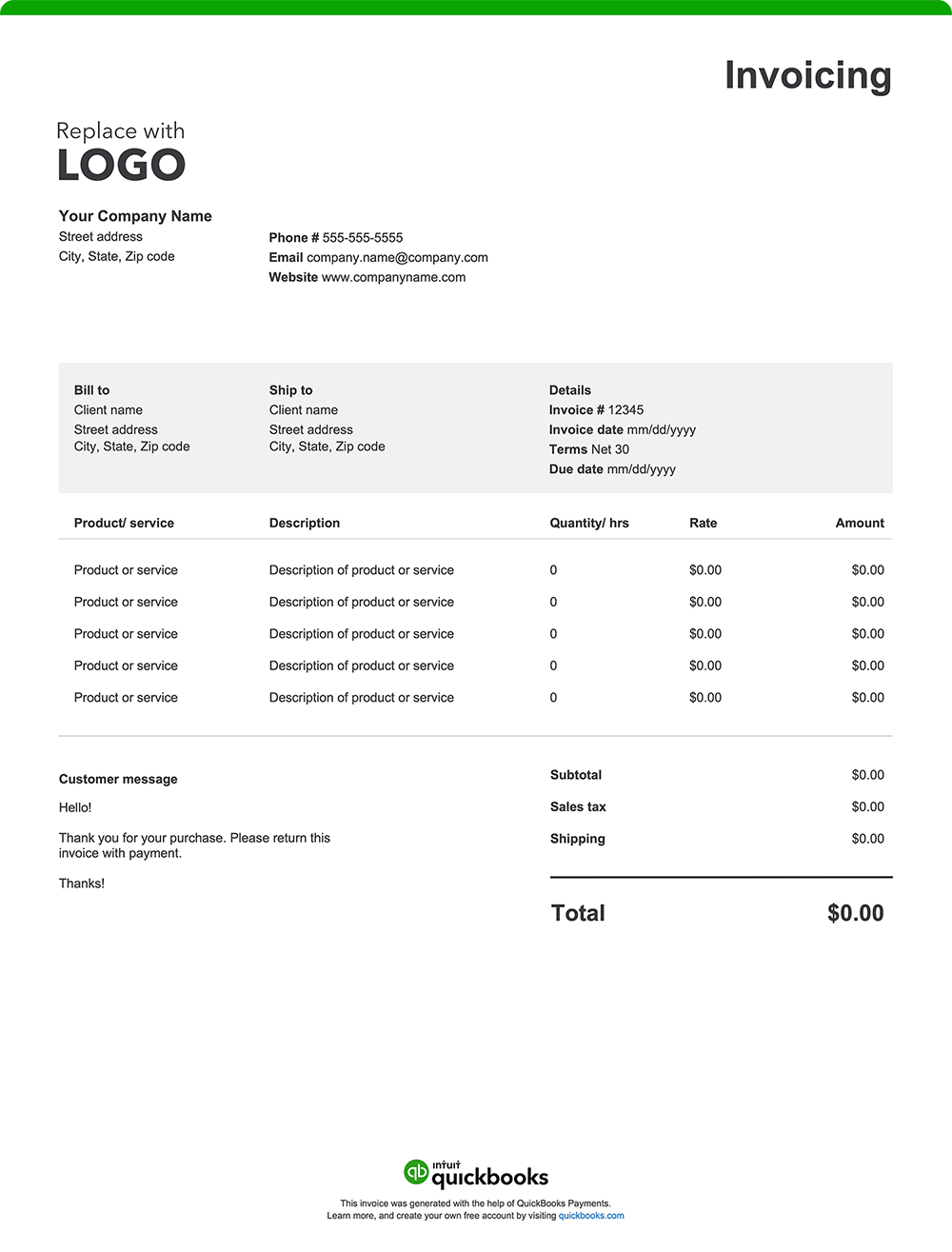
That major commercial build, complex repair job, or challenging residential remodel is complete. Now, it’s time to get paid for your labor and expertise. A well-designed construction invoice can help you get paid on time and maintain a polished image. Here’s what to include:
1. Company details
Your invoice should prominently display your construction company's name, physical address, phone number, email, and website.
You’ll also want to include your license number and any relevant certifications, such as OSHA certifications or specialty licenses. This information facilitates easy identification and reinforces your credibility as a qualified construction professional. Incorporate your company logo to enhance brand recognition and professionalism.
2. Date
In construction, invoice dates are important for both you and your clients.
For construction pros, invoice dates are necessary for tracking project milestones, managing payment schedules, protecting lien rights, and forecasting cash flow. For clients, invoice dates help track payment deadlines, manage budgets, and mark warranty periods.
The invoice date is also important for tax issues and overall project management. It ensures that income and expenses are reported in the correct tax periods and helps both parties adhere to contract terms, maintain a clear audit trail, and efficiently resolve potential disputes or insurance claims.
3. A list of the work completed
Describe provided services in detail, such as pouring foundation, installing plumbing systems, or framing walls.
An inclusive list helps the client fully understand the work completed, reducing the likelihood of disputes over charges.
4. Labor breakdown costs
Itemize labor charges based on how you bill, such as:
- Hourly rates
- Flat rates for specific tasks or trades
- Team labor rates or subcontractor costs
- Any additional labor-related fees, like overtime or emergency work.
Breaking down labor costs by specific tasks adds transparency, especially for complex projects. For example, you might list separate labor costs for demolition, framing, and drywall installation, with additional charges for an electrician or plumber.
5. Cost of products and materials used
Detail the costs associated with the products and materials utilized throughout the project. Consider specifying it as follows:
- The type and quantity of products or materials used
- The price charged per unit
- The cumulative total of units
6. Any additional charges incurred
Account for supplementary costs that may arise during the project, such as:
- Permit fees
- Inspections
- Equipment rentals (e.g., cranes or scaffolding)
- Delivery or disposal fees
- Filing fees
7. The total amount due
The "Amount Due" section of your invoice should outline the final total, incorporating:
- The initial subtotal of materials used and services provided
- Applicable taxes based on local requirements
- Additional fees, such as delivery or handling charges
- Any discounts applied to the original cost
- Any other adjustments impacting the total amount owed
8. Payment terms and instructions
As a construction professional, you work hard to complete your projects on time and to your client’s satisfaction. Facilitate getting paid for your jobs by outlining payment terms and expectations.
Here's what to include:
Payment terms
Specify the payment due date, such as "Net 30" (payment due within 30 days of the invoice date), "Due on Receipt," or any other agreed-upon terms.
Accepted payment methods
Make it easy for your clients by listing all the ways they can pay you, whether by check, credit card, online payment, or cash.
Payment details
Provide all the necessary information for each payment method, like your check mailing address or a link to your online payment portal.
Late payment penalties
If you charge penalties for late payments, state the penalty amount or percentage.
Early payment discounts
Mention any early payment discount available and how to qualify for it.