You could save up to 25% on transaction costs².
Speak with us now to see if you qualify.
Talk to sales 1-800-515-8366
Monday - Friday, 6 AM to 4 PM PT

Table of contents
Table of contents
Caring for animals requires focus, compassion, and expertise. Whether you’re running a busy small-animal clinic, managing an emergency hospital, or traveling as a mobile vet, your priority is always the well-being of your patients. Administrative tasks shouldn’t pull you away from the exam room or operating table—but clear, professional invoicing is essential to keeping your practice financially healthy so you can continue delivering top-tier care.
A free invoice template or invoicing software can help make billing simpler and more efficient.
*See invoice template | Generate free invoice*
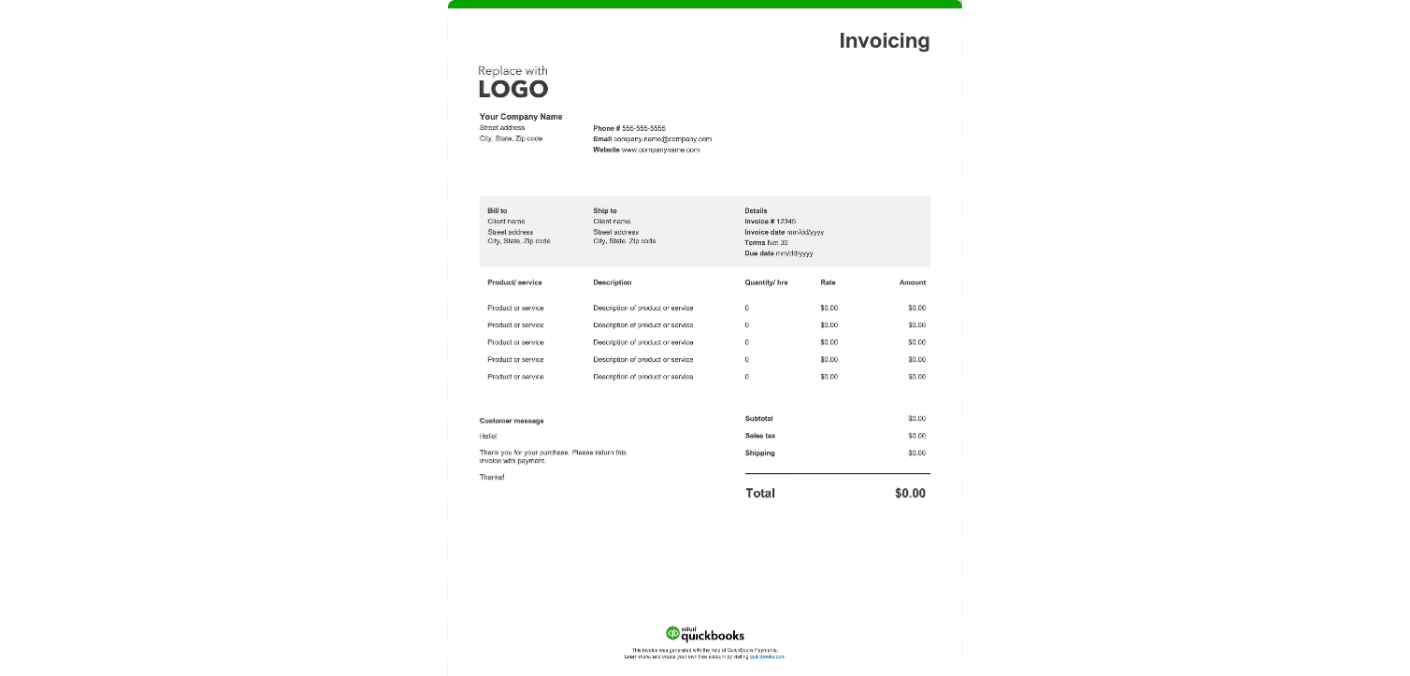

Veterinary billing can be complex due to the variety of services offered in a single visit. From routine vaccinations to complex surgeries and pharmacy items, clarity is key. To ensure you get paid promptly and avoid confusion, your invoice should cover specific details.
Display your practice name, physical address, email, and phone number at the top. Including your DVM license number fosters trust and professionalism, while your clinic logo reinforces your brand identity.
Assign a unique invoice number for each transaction to help you and your client track payment history. Pair this with a patient ID that links directly to medical records, making future billing and recordkeeping easier.
Include the invoice issue date, as well as the dates when medical care or specific procedures took place. Accurate dating helps your team verify treatments, supports pet insurance claims, and prevents confusion when reviewing patient histories or follow-up instructions.
Record the pet owner’s full name, mailing address, phone number, and email. Maintaining up-to-date client information supports seamless communication and reliable billing.
Note the animal’s name, species, breed, age, and weight. This ensures services and billing are matched to the correct patient—critical in multi-pet households or larger animal operations.
For transparency, break down every cost. Instead of a single line for "Medical Services," separate items such as "Comprehensive Physical Exam," "Rabies Vaccination," "Complete Blood Count (CBC)," or "Dispensed Amoxicillin."
List all dispensed or prescribed items. Include medication names, quantities, dosages, prescription foods, special diets, and medical supplies like cones or bandages. Detailed breakdowns support accuracy in both medical records and inventory management.
Document any extra charges not covered before. These may be charges related to emergency care, after-hours visits, farm calls, travel expenses, or administrative costs.
Show the sum of all charges—including services, products, additional fees, taxes, and any discounts—so the client has a clear understanding of their payment responsibility.
Your invoice should include straightforward payment terms and instructions that outline exactly how and when you expect to be paid. Indicate the following:
Add reminders for rechecks, upcoming vaccinations, or references to discharge instructions. Follow-up notes empower your clients to stay proactive in their animal’s ongoing care.
Healthy cash flow for your clinic relies on solid billing practices. When you create an efficient invoicing process, you not only support your business's financial stability but also enhance your client's experience. The following are some invoicing best practices that can help streamline billing and facilitate payment.
Pet owners may not understand medical jargon. While you need clinical accuracy for your records, try to make the invoice descriptions understandable. Instead of just writing "Prophylaxis," you might add "Dental Cleaning and Polishing."
Handing the invoice to the client at the reception desk before they leave is the industry standard. Immediate billing reinforces the value of the service while the visit is fresh in the client's mind.
If the pet owner needs clarity, take a moment to walk through the invoice with them. Briefly explaining the charges for medications or lab work builds trust and reduces the likelihood of disputed charges later.
If you allow billing for larger procedures or farm calls, monitor your accounts receivable closely. Send polite reminders for past-due payments to keep your revenue predictable.
Review your invoice for accuracy. Verify all charges, services, dates, and client details before sending or handing it over. Mistakes can lead to delayed payments or confusion, so a careful check saves time and hassle for everyone.
If emailing invoices, convert them to PDF format. This ensures they display correctly and can’t be accidentally altered, so your clients always receive a clear, professional document.
Most small animal practices collect payment at the time of service. For equine or large animal vets making farm calls, sending the invoice within 24 hours of the visit is recommended to ensure prompt payment.
Yes. While the contract is typically between the insurance company and the pet owner, noting "Insurance Claim Pending" or providing the necessary codes on the invoice can assist your clients in getting reimbursed faster.
While downloadable veterinary invoice templates are a practical starting point, growing veterinary practices often need more comprehensive solutions. From tracking inventory and managing payroll to handling client billing and payments, running a veterinary practice involves a lot of financial details., QuickBooks streamlines your workflow so you can focus on your patients—not paperwork.
Veterinary care often begins with a treatment plan or cost estimate, especially for surgeries, dental procedures, or complex cases. With QuickBooks, you can create and send estimates to pet owners, then easily convert approved estimates into invoices as services are completed. This seamless workflow keeps communication clear and ensures accurate, timely billing for both clients and your team.
Every visit doesn’t have to mean retyping details. QuickBooks can auto-fill invoices with saved client information and standard products or services, including your usual fees. You can add your clinic’s logo, licensing details, and personalized notes to keep invoices professional and consistent.
A busy veterinary clinic has lots of moving parts. QuickBooks provides automation to help you stay ahead:
QuickBooks gives you real-time dashboards to monitor outstanding payments, track cash flow, and identify trends by service type or provider. This helps you plan for expenses, like payroll and medical supplies.
Veterinary practices have a wide range of tax deductible expenses. QuickBooks helps you track and organize these costs in tax-related categories throughout the year. Mobile vets can even track mileage for farm calls and home visits with the mobile app. This organization makes it easier to work with your tax advisor to identify potential deductions and prepare accurate records for tax time.
Attaching documentation directly to invoices can help clients understand the provided services. QuickBooks lets you add files—such as treatment notes, lab results, medication details, or procedure summaries—right to the invoice. This extra context builds transparency, reduces follow-up questions, and helps clients feel confident in the care their pets receive.
With QuickBooks, you can create and send invoices wherever your day takes you, whether you’re in the exam room, on a farm call, or working from home. Send invoices instantly or schedule them to go out after each visit, and receive notifications when clients view or pay their bills. This flexibility keeps your billing timely and your practice running efficiently.
Integrated payment options, like credit/debit cards, ACH, or CareCredit, are easy for clients and help speed up your cash flow. When it’s simple for clients to pay, you spend less time chasing payments and more time providing care.
Create a custom veterinary invoice online with our free generator. You can autofill visit details, add your clinic or practice branding, download, and send the invoice in just a few clicks. Prefer a blank template you can fill out manually? Use our free printable invoices in Word, Excel, PDF, and other formats.
For veterinarians, mobile vets, and other animal care professionals looking for a faster way to manage billing, QuickBooks offers a practical solution. Our invoicing software automates the creation of clear, professional invoices that clients can pay right away. It also connects seamlessly with expense tracking, reporting tools, and client records, centralizing your financial management in one system. You’ll improve organization, support accurate tax preparation, and gain insights to make smarter business decisions for your practice.

Call Sales: 1-800-285-4854