You could save up to 25% on transaction costs².
Speak with us now to see if you qualify.
Talk to sales 1-800-515-8366
Monday - Friday, 6 AM to 4 PM PT

Table of contents
Table of contents
Even the profitable jobs can leave your company short of cash when you’ve got to pay wages and settle supplier invoices before you can bill the customer. The construction contracts you work under determine how you price the work, what you include with each invoice, and how the customer approves the cost of extra work.
Understanding how contract terms affect billing, job costs, change orders, and cash flow can help your team spot financial risk earlier and protect project margins as you take on more work.
Contract terms set both the billing cadence (when and under what conditions you can bill the customer) and the retainage percentage, directly controlling how long cash stays tied up in a project.
To manage construction cash flow, firms often build a 13-week forecast that separately accounts for retainage and billing lag. Otherwise, money that won’t arrive until later may appear available sooner.
Record the amount, billing date, likely payment date, and retainage release date for each expected payment in your forecast. Your forecast then shows when you can expect the cash and whether you’ll have enough to cover wages, suppliers, and other costs in the meantime.
Before approving a contract, finance needs the answers to these four questions:
You can then ask the customer to change any terms that may delay payment or leave you covering unexpected costs.
The five most common contract types are:
The right review cadence depends on the financial risk built into the project.
Cost-plus and time-and-materials contracts can shift more cost risk to the customer, while lump-sum and GMP work can expose the contractor to greater margin pressure when costs rise.
Higher-risk projects may warrant more frequent budget-versus-actual and cost-to-complete reviews so teams can identify overruns before they materially affect expected margin.
A one-size-fits-all approach is a mistake that prevents construction firms from growing. On some jobs, it makes spotting cost overruns before they eat into your margin much harder.
Whatever timetable you use, bring the next review forward if a project incurs extra costs, such as your crew needing more hours than planned or materials costing more than expected.
The contract type determines what you need to include in accurate construction job-costing estimates:
Looking at committed costs alongside actual costs can give teams a more complete view of expected project spending. For example, signed purchase orders or subcontracts may represent costs the business has committed to even if an invoice has not yet arrived.
Where the project uses a schedule of values, aligning cost tracking with that structure can make it easier to compare project costs with billed-to-date amounts. Finance teams can then compare cost-to-complete against billed-to-date by line item, not just for the whole project.

For cost-plus, time-and-materials, and unit-price work, effective construction inventory management links each purchase to the job it was used on. Otherwise, the margin calculation won’t include everything the job actually costs.
Progress billing helps prevent a cash gap by letting you invoice clients in stages as you complete the work. The amount billed can then keep pace with the job’s costs.
You can front-load the schedule of values by billing more of the contract value near the start. This can help you recover higher upfront costs sooner, but the owner or lender may delay approval if you can’t back up the amount on your invoice with records of the work you’ve completed and purchases made.
Some construction projects use AIA-style progress billing to show contract value, work completed, amounts previously invoiced, the current invoice amount, and the remaining balance. QuickBooks Online Advanced supports AIA-style progress invoicing tied to project estimates and phases, helping teams keep billing connected to the project’s financial records.
An unpriced change order leaves you paying for extra work before the customer has agreed exactly what they’ll pay for it.
Use this four-step change order request (COR) process as part of your approach to construction contract management:
Whatever process your company uses, document change requests promptly and follow the approval requirements established in the contract before treating the additional amount as approved. But submitting a COR doesn’t mean the customer has approved the change. The contract will say who must agree to the extra cost and any extension to the completion date.
A submitted COR gives you a written record to point to if there’s a disagreement later. You still need to follow the contract’s approval process before starting the work.
Example: A contractor carries out a $40,000 electrical change in week two, but the customer doesn’t approve the price until week nine. For seven weeks, the contractor records the extra costs without a matching increase in the contract value or billing. As a result, the WIP report includes the extra costs but not the pending contract increase, which makes the forecast profit appear lower.
Note: In QuickBooks Online Advanced, approved change orders can update the corresponding project estimate, budget, and invoice, keeping the financial impact of scope changes connected across the project workflow.
Catch underbilling and overbilling with a work-in-progress (WIP) schedule that compares what you’ve earned with what you’ve billed.
A WIP schedule helps compare project progress, estimated costs, recognized revenue, and amounts billed. One common cost-based approach estimates percent complete by comparing cost-to-date with estimated total cost.
Comparing recognized revenue with billed-to-date can help identify underbilling or overbilling.
In a simplified cost-based example, a $1 million project that is 40% complete would show $400,000 of earned revenue.
If it’s only 35% billed because the schedule of values wasn’t updated before the draw deadline, the invoices total $350,000. Your WIP reports will show that $50,000 gap.
Because there’s no invoice for that $50,000, it doesn’t appear in accounts receivable and can’t be collected during the current draw cycle. If that month’s cash forecast included the payment, your expected cash receipts are now $50,000 too high.
A construction project accounting process allows finance to add the expected collections to the next cash forecast and check whether the delay puts payroll or supplier payments at risk.
Link WIP reviews to your billing calendar and increase the review frequency when project costs, scope, or expected completion change materially.
At each review, project and finance leaders should update the following:
Once the review is complete, you’ll have current figures before the next invoice goes out, instead of making you wait for the CPA to prepare an annual WIP report at tax time.
Note: QuickBooks Online Advanced brings project budgets, job-cost reporting, budget-versus-actual visibility, change orders, and WIP reporting into the connected construction financial workflow.
If you’re managing several live contracts at once, individual job P&Ls aren’t enough to show you which jobs are dragging down margin or how much retainage is tied up across the portfolio.
As your project portfolio grows, build a consistent financial review around measures such as:
The company-wide view makes it easier to see where your cash is getting held up and which jobs are making less profit than expected.
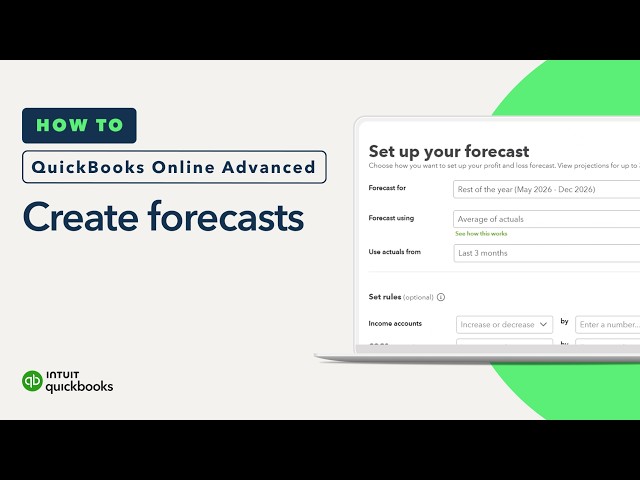
Note: QuickBooks Online Advanced supports custom reports and dashboards, more than 100 KPIs, and 13-week cash flow forecasting. Customers report closing their books 2.2 days faster per month on average, although results vary.
On every job, there’ll be one week when the gap between what you’ve paid out and what the customer has paid you is at its widest. Check when that week falls across all your live jobs. If several overlap, you may need to delay spending or arrange short-term funding before cash runs low.
As your construction business takes on more projects, keeping estimates, budgets, change orders, billing, and job costs connected makes it easier to see how each job is performing before problems reach the bottom line.


Call Sales: 1-800-285-4854