QuickBooks Blog
Illustration of a person calculating Amazon seller tax using a large calculator.
Running a business

Amazon seller tax: A guide for 2026


Here is what you need to know about your 2026 Amazon taxes:

  • Amazon now automatically collects and remits sales tax for orders in nearly every state.
  • Federal reporting thresholds for Form 1099-K have returned to $20,000 and 200 transactions for the 2026 tax year following recent legislative updates.
  • Fulfillment by Amazon (FBA) inventory placement can still create physical nexus in specific states.
  • Tax deductibles, like shipping, home office costs, and software fees, are essential for lowering your taxable business income.


The landscape for online sellers has shifted dramatically since the landmark 2018 South Dakota v. Wayfair decision. While marketplace facilitator (MF) laws have shifted the burden of collection to Amazon, business owners must still navigate registration requirements, income tax filings, and changing IRS thresholds.

Whether you’re new or a seasoned Fulfilled By Amazon (FBA) seller, understanding your tax obligations is key to growing your business. This guide covers how to manage sales tax, what forms you need for the 2026 tax season, and how to maximize your deductions.

2 scenarios when an Amazon seller needs to collect sales tax

Generally, if you are selling physical items, you are required to ensure sales tax is collected. Under the current tax environment, there are two primary reasons why you might be responsible for tax compliance in a specific state.

Sales tax nexus

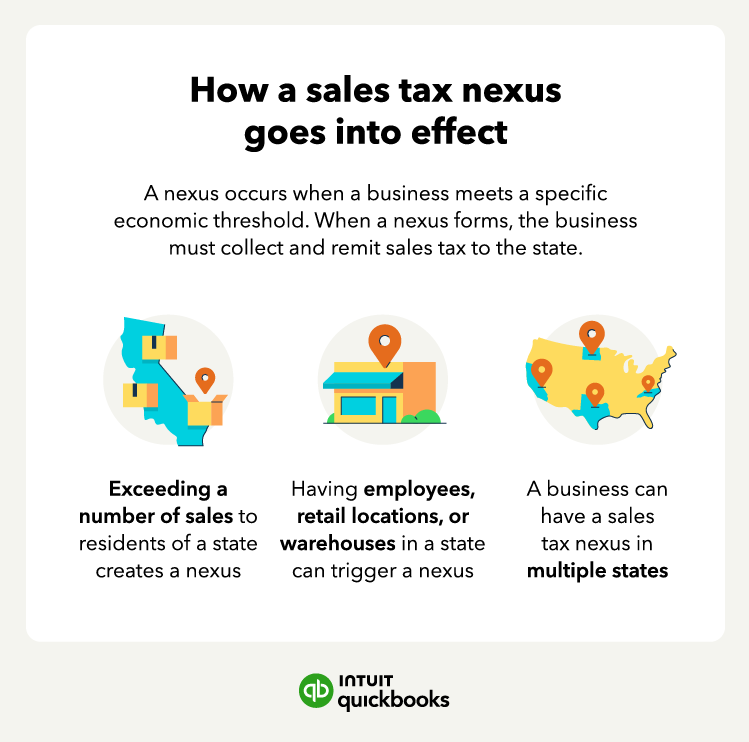
A sales tax nexus is a legal connection between your business and a state that is significant enough to require tax collection. This connection can be physical or economic.

Physical nexus: Established by having a storefront, a home office, employees, or inventory stored in a warehouse. Because Amazon moves your inventory across a vast network of fulfillment centers, you may technically have a physical nexus in dozens of states.

Economic nexus: Established by reaching a certain volume of sales. Most states have a threshold (often $100,000 in sales) that triggers a requirement to register with the state, even if you have no physical presence there.

Illustration showing how a sales tax nexus goes into effect that discusses minimum sales thresholds, having employees in a given state, and the possibility of having tax nexus in multiple states.

If you use FBA, you may have a tax nexus in any or all of the following locations where Amazon has corporate offices or warehouses:

  • Alabama
  • Arizona
  • Arkansas
  • California
  • Colorado
  • Connecticut
  • Delaware
  • Florida
  • Georgia
  • Idaho
  • Illinois
  • Indiana
  • Iowa
  • Kansas
  • Kentucky
  • Louisiana
  • Maryland
  • Massachusetts
  • Michigan
  • Minnesota
  • Mississippi
  • Missouri
  • Nebraska
  • Nevada
  • New Hampshire
  • New Jersey
  • New Mexico
  • New York
  • North Carolina
  • North Dakota
  • Ohio
  • Oklahoma
  • Oregon
  • Pennsylvania
  • Rhode Island
  • South Carolina
  • South Dakota
  • Tennessee
  • Texas
  • Utah
  • Virginia
  • Washington
  • Washington D.C.
  • Wisconsin

Amazon will handle the collection and payment of sales tax for these states, but it’s important to double-check that their system is set up correctly in regard to your store. If you sell items that may not be taxed in some areas, Amazon may still charge sales tax if you don’t set up product information correctly.

Every state that has sales tax has different rules regarding tax licenses or permits. If you have an economic nexus in a state, you need to make sure you’ve applied for all of the required documentation before you start selling.

Product taxability

Product taxability refers to whether a specific item is subject to sales tax and at what rate. These core principles of product taxability dictate how you collect sales tax and when you can qualify for exemptions.

  • Tax-exempt goods: Items like groceries, medicine, or certain types of apparel are exempt or taxed at reduced rates in many states.
  • Resale exemptions: If you are a wholesaler or a reseller buying inventory to sell later, you can often use a resale certificate to avoid paying sales tax on your initial purchase.
  • State-specific rules: Every state sets its own definitions for what is taxable.

Your accounting, your taxes. All in one place.

Save time by seamlessly moving from books to taxes in QuickBooks, then file your return with unlimited expert help and your maximum refund.*

How to collect sales tax on Amazon

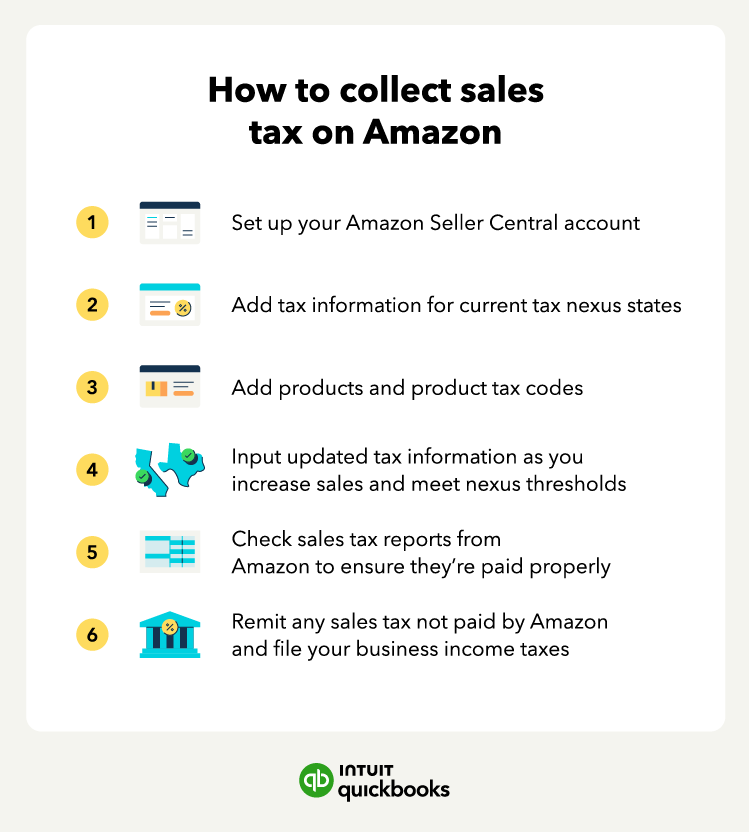
The benefit of being able to sell your items through a national marketplace like Amazon is that you have the opportunity to grow your customer base. But that means having to collect and pay sales tax in many different states. Luckily, Amazon does much of the work for you by collecting and remitting the proper sales tax on your behalf.

Illustrated chart covering how to collect Amazon seller tax with icons for the Amazon website, sales tax amounts, product and tax codes, states, spreadsheets, and a government building.

To set up internet sales tax collection in your Amazon Seller account, follow these steps:

1. Apply for tax permits or licenses for each state in which you have an economic nexus. This can take a lot of time, but the alternative is that you could face consequences for collecting sales tax without a license. When you receive your permits, you’ll also be assigned reporting and payment frequencies. Enter that information into your Amazon account.

2. Set up your tax codes for your products. This is especially important if you sell goods that aren’t taxed or are taxed at lower rates.

3. Check that all of the tax collection information in your Amazon Seller Central account is correct. You’re still responsible for following all laws and regulations, even if Amazon collects and remits taxes for you.

Don’t forget to update any information that changes over time. If your sales increase by a lot, some states might require you to remit taxes more frequently. Amazon will do this for you if you update your unique circumstances in your profile.

 How to file Amazon FBA taxes

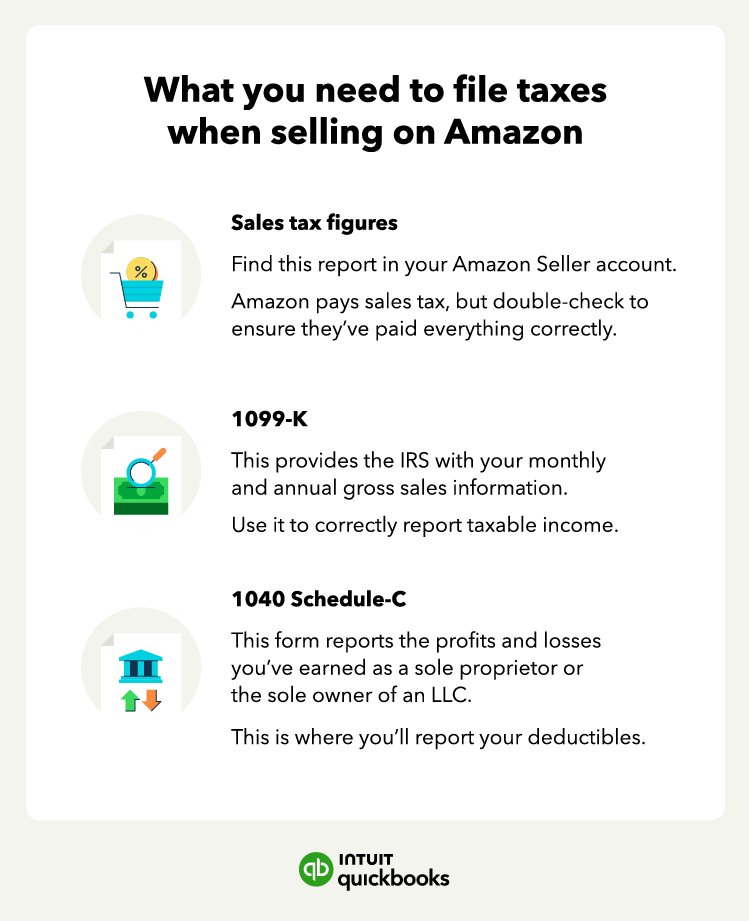
Just because Amazon handles sales tax on your behalf doesn’t mean they take care of any income tax your business owes. You’ll need to access several small business tax forms, including your sales tax figures, your 1099-K tax form, and a 1040 Schedule-C when you file your income taxes.  

Illustrated chart with information about what you need to file taxes when selling on Amazon with icons for sales tax figures, 1099-K form, and a 1040 Schedule-C.

Sales tax reporting

Even when Amazon remits the tax, some states require you to file a zero-dollar or informational return. This tells the state that you had sales, but Amazon collected the tax.

You can pull data for these filings directly from your account:

  • Go to the Reports tab and select Tax Document Library.
  • Click Generate Tax Report.
  • Choose the Marketplace Tax Collection Report to see what Amazon has paid for you
  • Choose the Sales Tax Calculation Report for any tax you were responsible for filing manually.

Most point-of-sale systems will have these tax amounts built in, but you can also use a sales tax calculator to ensure you’re charging the right amount.

1099-K tax forms

The 1099-K reports your gross sales to the IRS. For the 2026 tax year, the reporting threshold has returned to the historical standard. You’ll receive a 1099-K from Amazon if you meet the following criteria:

  • Gross sales: More than $20,000.
  • Transaction count: More than 200 transactions.

If you’ve met the requirements, Amazon will email you a copy of the form. If you can’t find that email:

  • Log in to your Amazon Seller account
  • Click “Reports”
  • Navigate to the “Tax Document” section to find your 1099-K

You can find any other tax documents you might need from Amazon in that section, too. And even if you do not receive a 1099-K, you are still legally required to report all business income to the IRS.

1040 Schedule-C

If you operate as a sole proprietor or a single-member LLC, you will likely use Schedule C to report your business profit or loss. File this form alongside your personal 1040 tax return.

If your business is growing, check if your state requires a general business license. While Amazon doesn't require you to have one to open an account, local regulations might.

Deductions for Amazon sellers

Maximizing your deductions is an effective way to lower your tax bill. In 2026, record-keeping is important, especially for digital expenses and home-based operations. These categories highlight common areas where you can reduce your taxable income by accurately documenting your operational and inventory costs.


It’s always a good idea to take advantage of tax breaks for small businesses so you can keep your company growing.

Run your business with confidence

Learning to file small business taxes is easier when you have a system consolidating all the data you need. And as complex as managing Amazon internet taxes sounds, business and accounting software, like QuickBooks, can help you track everything from your deductibles to your Amazon seller tax information.


Recommended for you

Mail icon
Get the latest to your inbox
No Thanks

Get the latest to your inbox

Relevant resources to help start, run, and grow your business.

By clicking “Submit,” you agree to permit Intuit to contact you regarding QuickBooks and have read and acknowledge our Privacy Statement.

Thanks for subscribing.

Fresh business resources are headed your way!

Looking for something else?

QuickBooks

From big jobs to small tasks, we've got your business covered.

Firm of the Future

Topical articles and news from top pros and Intuit product experts.

QuickBooks Support

Get help with QuickBooks. Find articles, video tutorials, and more.