










Global Talent Acquisition Day on September 2. If your business is hiring, take a look at Hiring trends 2026: AI, skills-based hiring, and the future of recruiting. Speaking of AI, your hiring team may want to brush up on how to ask better interview questions in the age of AI. Be sure to check out this month’s updates.
Table of contents
Table of contents
Coming soon: Access Mineral HR resources in QuickBooks Workforce
In a nutshell: At no additional cost, if you use QuickBooks Workforce, you will soon be able to access Mineral’s HR and compliance resources in the platform.**
Keeping up with changing employment laws can be challenging and time-consuming. Starting later this month, businesses using QuickBooks Workforce can get trusted answers and stay current with changing employment laws right in QuickBooks.
Mineral HR will provide access to:
- Trusted guidance, practical tools, and resources covering hiring, onboarding, workplace policies, compliance, and other everyday HR topics.
- Proactive compliance alerts and recommendations to help stay ahead of changing employment laws and HR requirements.
- Personalized HR guidance and unlimited access to certified HR advisors through a paid upgrade to Mineral Essential.

Get the details on Mineral HR through QuickBooks Workforce.
Important product and disclaimer information
Money movement services are provided by Intuit Payments Inc., licensed as a Money Transmitter by the New York State Department of Financial Services. For more information about Intuit Payments' money transmission licenses, please visit https://www.intuit.com/legal/licenses/payment-licenses/.
**Features
Mineral HR resources & experts: HR resources and experts are provided by Mineral, Inc. Access to Mineral resources varies by plan. Mineral experts are included with QuickBooks Workforce Elite, or available as a paid add-on to other Workforce plans. Mineral’s Privacy Policy and Terms of Service apply.
QuickBooks 401(k) by Vestwell
In a nutshell: QuickBooks 401(k) by Vestwell provides affordable retirement plans fully integrated with QuickBooks Workforce, so you can manage retirement benefits and payroll from the same platform.**
With QuickBooks 401(k) by Vestwell, you get:
- Integration: Plans connect directly with QuickBooks Workforce, for automatic contribution calculation, deduction, and remittance each pay cycle—no manual entry or reconciliation required.
- Compliance: Vestwell handles end-to-end plan administration on the back end, including non-discrimination testing, Form 5500 filing, plan documents, and participant notices.
- Comprehensive support: Your team gets access to Vestwell’s retirement experts and support professionals to help start, monitor, and manage your 401(k) plan.
Find out more about QuickBooks 401(k) by Vestwell.
Important product and disclaimer information
Money movement services are provided by Intuit Payments Inc., licensed as a Money Transmitter by the New York State Department of Financial Services. For more information about Intuit Payments' money transmission licenses, please visit https://www.intuit.com/legal/licenses/payment-licenses/.
**Features
401(k): Retirement offerings through QuickBooks 401(k) by Vestwell are provided and administered by Vestwell, and are sold separately. Neither Intuit, QuickBooks or their affiliates are a retirement plan administrator, fiduciary or other provider. Vestwell pays Intuit a fee for referred clients.
Agreement to Vestwell’s services agreement is required. Vestwell's fees are disclosed in and controlled by its services agreement and fee disclosure notices. Pricing may change during the three year term if there are material changes to the plan features or our scope of services, if the plan sponsor is or becomes a member of a controlled group or group of related entities, or due to applicable laws and regulations. Cannot be combined with other offers. Offer may be extended, modified or discontinued at any time without notice.
Two-way inventory sync between QuickBooks Online and Shopify
In a nutshell: QuickBooks Online now two-way syncs inventory data with your Shopify store, automatically keeping stock levels accurate across both systems with QuickBooks as the source of truth.
Two-way inventory sync keeps your Shopify inventory and QuickBooks records aligned automatically, updating both as sales and purchases occur. This helps your business reduce manual reconciliation that can weigh down your month-end processes. Here’s how it works:
- Purchase orders: When you receive stock against a purchase order in QuickBooks, on-hand quantities update and sync to Shopify, including partial shipments. QuickBooks records what was received and continues tracking the remaining quantity.
- Sales orders: When an order is placed in Shopify, it imports into QuickBooks as a sales receipt or invoice that automatically updates inventory on hand, cost of goods sold, and inventory asset values.
- One source of truth: QuickBooks remains the source of truth, and each adjustment it makes is recorded in Shopify’s audit log for full traceability.
Getting started: Inventory sync is turned on in the Shopify app settings within QuickBooks Online. Select the Shopify location to sync, and make sure items use the same SKU in both systems.
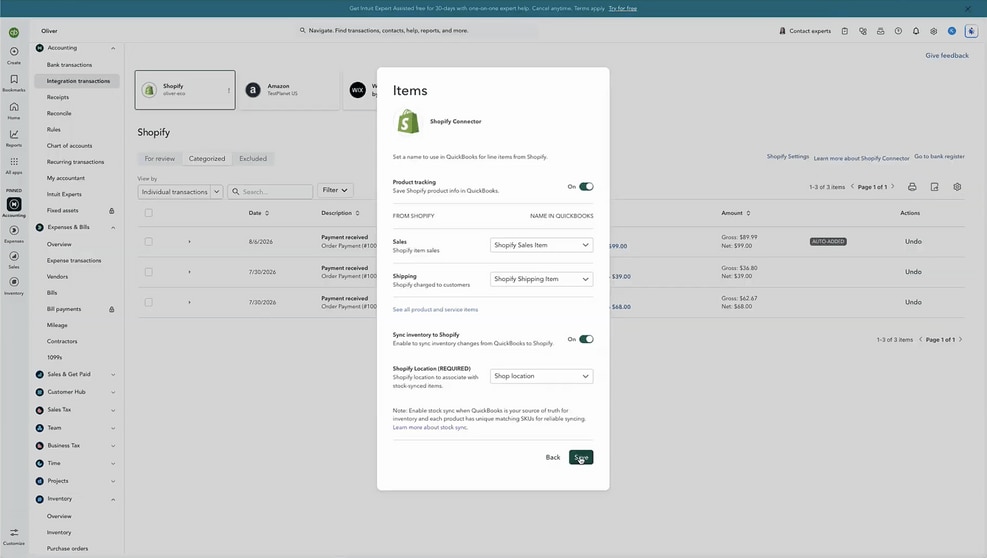
Try Shopify Connector now.
Grow your business with the QuickBooks ecosystem
Free Calculators

Advisory
Forecast your firm’s CAS revenue—instantly

Artificial Intelligence
Reveal the ROI of AI in your firm
eBooks

Advisory
Grow Your Firm with Client Advisory Services: eBook

Advisory
Grow Your Firm with Value-Based Pricing for Client Advisory Services: eBook

Advisory
Value-Based Pricing Questions to Ask Your Clients: eBook

Artificial Intelligence
AI in accounting: How AI is rewriting the accounting playbook
More on CAS

QuickBooks ProAdvisor
ProAdvisor In the Know: Client Accounting Services Learning Pathway

QuickBooks ProAdvisor
Client Advisory Services Foundations: The next evolution of accounting education
Podcast
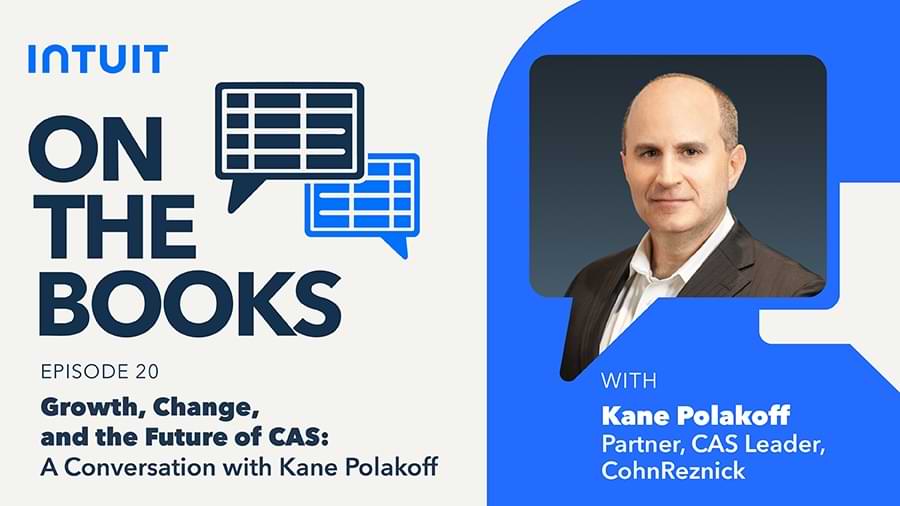
On the Books: Growth, change, and the future of CAS—A conversation with Kane Polakoff

Artificial Intelligence
AI fraud detection for client advisory firms

Advisory




