You could save up to 25% on transaction costs².
Speak with us now to see if you qualify.
Talk to sales 1-800-515-8366
Monday - Friday, 6 AM to 4 PM PT

Table of contents
Table of contents
When tax season rolls around, understanding which forms to file can feel confusing, especially when you work with both employees and independent contractors. And it's a common setup: nearly half (47%) of small businesses have contract workers on their team, according to QuickBooks Small Business Insights.
Unlike employees, contractors don’t receive a W-2. Instead, they complete a Form W-9 so you can collect their taxpayer information and use it to prepare a Form 1099, which reports how much you paid them during the year.
In this guide, we’ll break down the differences between W-9 vs. 1099 forms, when to use each, and how to manage them efficiently so your business stays tax-compliant and stress-free.
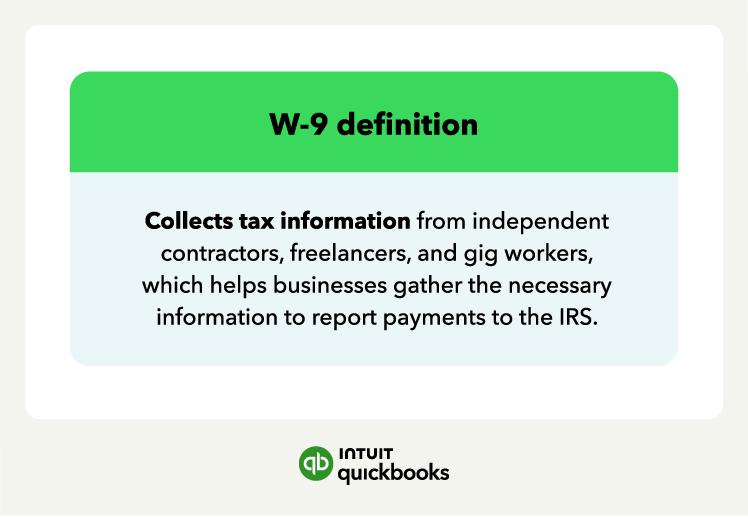
The W-9 form collects the tax information of independent contractors, freelancers, and other individuals or entities your business pays for services. It helps your business gather the necessary information to report payments to the IRS.
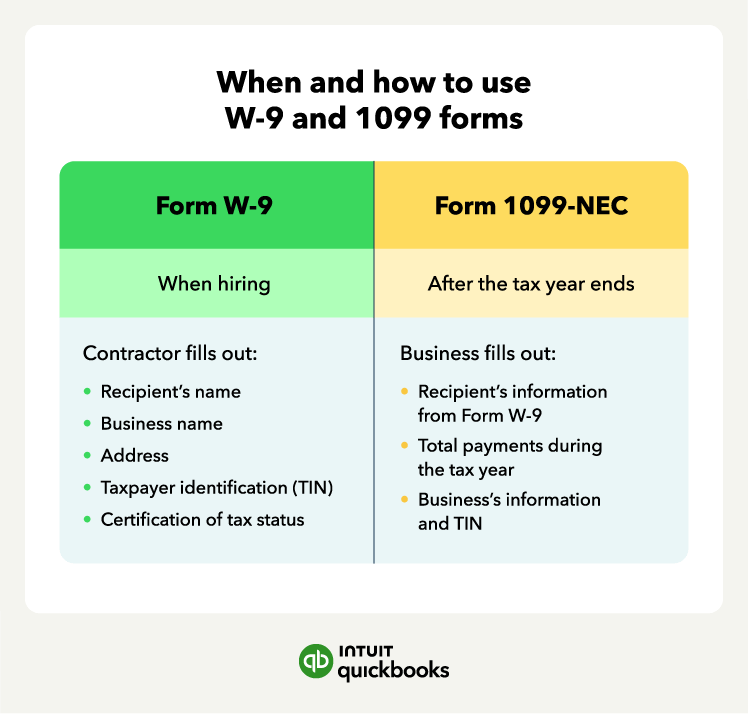
If the independent contractor earns over $2,000 in a year, they should complete a W-9 form. The information needed for this form includes:
If the independent contractor has a registered business, they should also provide their business name and EIN. Your business will then use the information from the W-9 form to fill out a 1099 form.

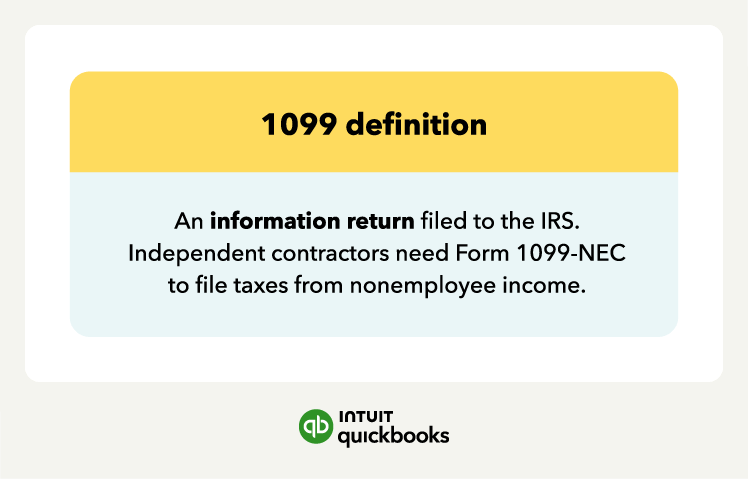
A 1099 is a tax form known as an information return, and there are different types. For filing independent contractor income, your business will use Form 1099-NEC. Independent contractors rely on this form to accurately file their tax returns and pay self-employment taxes.
Your business will fill out a 1099 form for each independent contractor, including freelancers and other entities, after the end of each tax year. The information in the contractor’s W-9 will help you fill out the 1099 form, but you’ll also need:
Prepare a 1099-NEC for all independent contractors paid $2,000 or more in a tax year and issue it to them by Feb. 1, 2027.
While your business uses both the W-9 and 1099 forms for tax reporting, the main difference is their purpose.
Independent contractors will use the W-9 form to fill out tax-related information to give to the business they provide services for. The 1099 form is a tax reporting form businesses use to report income paid to individuals or entities during the tax year.
Here are some other differences between a W-9 and a 1099 form:
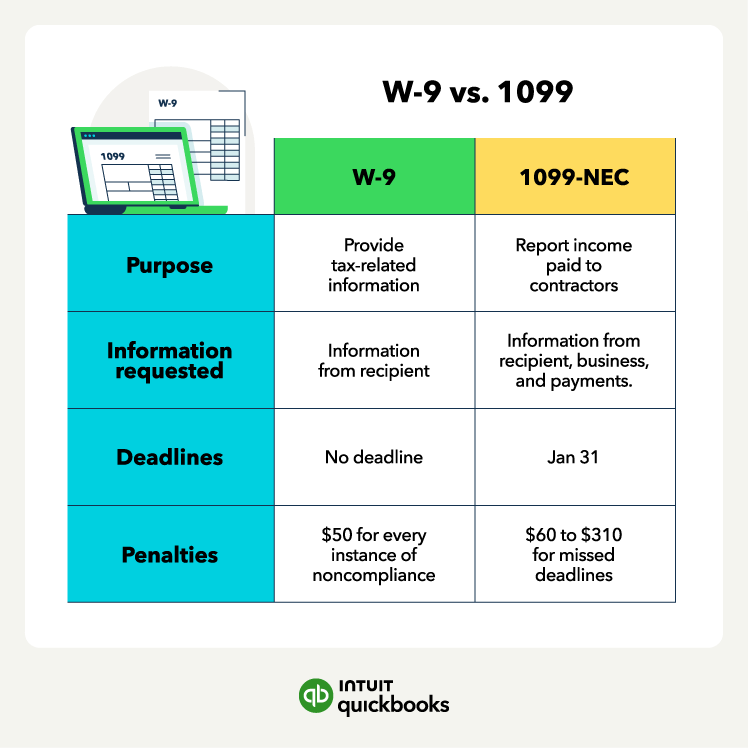
Another difference between W-9s and 1099s is the information requested in the form. A W-9 form collects information from the recipient, such as their name, business name (if applicable), address, and TIN.
A 1099 form reports the total payments made to the recipient, which will include the contractor’s information, your business’s TIN, name, and address, as well as the total nonemployee compensation.
You’ll work with the W-9 and 1099 forms at different times. As a business owner, you typically request a completed W-9 tax form from the independent contractor before you make payments to them—ideally as soon as you hire them. This ensures you have the necessary tax information for reporting.
However, there isn’t a deadline to submit the W-9 form, as you don’t have to file it with the IRS.
Your business has to provide a 1099 form to the IRS and the independent contractor.
The deadline to submit 1099-NEC forms to both nonemployees and the IRS is the same regardless of filing method: Jan. 31 (Feb. 1, 2027, since Jan. 31 falls on a Sunday).
If your business also files Form 1099-MISC, it has a later IRS deadline of Feb. 28 on paper (Mar. 1, 2027, due to the weekend shift) or Mar. 31 if e-filing.
Both forms also differ in terms of penalties. While the IRS doesn’t require you to file Form W-9, you must request contractors to submit the form. If a contractor doesn’t submit a W-9 form or provides incorrect information, they are subject to a $50 fine for every instance of non-compliance. If the payee provides incorrect information that leads to incorrect withholding, they may be subject to a $500 penalty.
If your business fails to issue Form 1099-NEC by the deadline, the penalty can vary from $60 to $340 per form. The penalty will vary depending on how long you issued the form after the deadline.
If your small business recently hired or plans on hiring independent contractors, freelancers, or gig workers, you’ll need to use both W-9 and 1099 forms.
Stay prepared for tax season by following these tips for using W-9 and 1099 forms together:
Consider using QuickBooks Workforce to help streamline the process of collecting W-9 forms, generating 1099 forms, and maintaining records. If you pay contractors regularly, pairing Workforce with Bill Pay can simplify vendor payments, track due dates, and keep everything organized in one place.
By following these tips for managing Forms W-9 and 1099, small business owners can minimize the risk of tax-related issues when working with independent contractors, freelancers, and gig workers.
Even small mistakes on W-9 or 1099 forms can lead to IRS penalties, delays, or confusion for first-time filers. Understanding where others go wrong can help you stay compliant and organized.
Failing to collect a W-9 before making payments is a common error. Without the contractor’s taxpayer information, you won’t have the details needed to complete a 1099 accurately.
This can lead to filing mistakes, IRS notices, and additional administrative work at year-end. You should treat W-9 collection as an essential step before issuing any payment.
Many business owners underestimate how important accuracy and timing are when filing 1099s. Common mistakes include:
Errors can trigger penalties ranging from $60 to $340 per form and may require corrections after the initial filing, creating extra work.
Confusing independent contractors with employees is a frequent problem for new small business owners. Misclassification can result in incorrect tax reporting, improper payroll withholding, and legal or IRS issues. Understanding the difference, contractors handle their own taxes and work independently, while employees are on payroll, is critical to filing the correct forms.
When a contractor does not provide a valid TIN or gives an incorrect one, businesses may be required to withhold a percentage of their payments for the IRS. Many business owners overlook this requirement, which can create unexpected tax obligations if not addressed. Properly handling backup withholding is essential to remain compliant and avoid penalties.
Still unsure about how W-9 and 1099 forms work together? This section breaks it down in plain language so first-time filers know what to do.
The W-9 form is where your contractor provides their personal or business tax information, like name, address, and Taxpayer Identification Number (TIN). Think of it as the “contact info” you need to report payments properly.
The 1099 form is what you file to the IRS to report the total income you paid that contractor during the year. Without a W-9, you wouldn’t have the information needed to complete the 1099 correctly.
Before you can complete a 1099, you must collect a W-9 from every contractor who earned $2,000 or more in the year. The W-9 tells you who the IRS expects to see on your 1099.
Step-by-step for first-time filers:
1. Request a W-9 when hiring a contractor, ideally before sending their first payment.
2. Check that the TIN and name match official IRS records.
3. Use the W-9 info to fill out the contractor’s 1099 accurately.

Without a W-9, your 1099 could be rejected or flagged by the IRS, leading to fines or delays.
If a business gives you a W-9 to fill out, it’s confirming you are not an employee. Independent contractors work for themselves, not on the company’s payroll.
Why it matters: Being a contractor means you handle your own taxes. You aren’t automatically paying Social Security, Medicare, or income tax through payroll. Instead, you report and pay taxes yourself.
Keep a copy of every W-9 you submit for your records. It’s proof of your contractor status in case the IRS asks for it.
Businesses generally do not withhold taxes for contractors. This means you must pay:
The main difference between a contractor and an employee is control over your work:
Why it matters for taxes: Independent contractors use W-9s and 1099s. Employees use W-2s, where the employer withholds taxes automatically. Understanding the difference ensures you file correctly and avoid IRS penalties.
Staying compliant with W-9 and 1099 requirements isn't a one-time task. It's an ongoing habit that protects your business from penalties and keeps your contractors' tax filings accurate.
1. Start by building a repeatable process rather than handling W-9s and 1099s as one-off tasks each January. Set up a standard onboarding step for every new contractor, so collecting a W-9 happens automatically before the first payment goes out.
2. Review IRS reporting thresholds each year. Requirements like the 1099-NEC threshold have recently changed, and using an outdated amount can lead to underreporting or a missed required filing.
3. Reconcile your contractor payments regularly instead of waiting until year-end. Comparing what you've paid against your records each quarter makes it easier to catch missing W-9s or TIN mismatches while there's still time to fix them.
4. Loop in a tax professional if you're unsure whether a worker qualifies as a contractor or how a specific payment should be reported. A quick check now costs less than correcting a filing later.
5. Consider letting payroll software handle the repetitive parts. Tools like QuickBooks Payroll can flag missing W-9 information, track which contractors are approaching reporting thresholds, and file 1099s electronically on your behalf.
Understanding the difference between W-9 vs. 1099 forms helps you stay organized and compliant when working with contractors. Collecting the right forms at the right time keeps your records accurate and your IRS filings smooth.
Simplify the process with QuickBooks Bill Pay, which helps you organize vendor payments, track due dates, and keep contractor records in one place, so you can spend less time on paperwork and more time running your business.
QuickBooks Online Payroll & Contractor Payments: Money movement services are provided by Intuit Payments Inc., licensed as a Money Transmitter by the New York State Department of Financial Services, subject to eligibility criteria, credit and application approval. For more information about Intuit Payments Inc.’s money transmission licenses, please visit https://www.intuit.com/legal/licenses/payment-licenses/









Call Sales: 1-800-285-4854