QuickBooks Blog
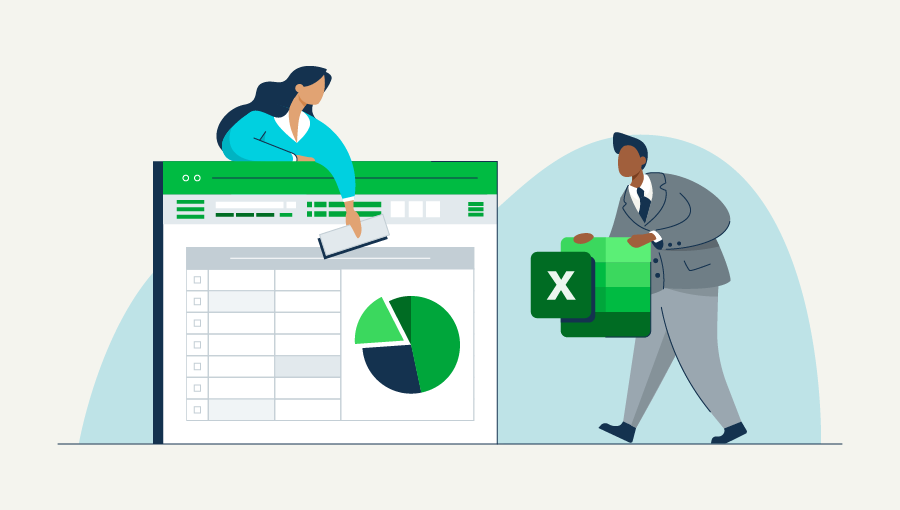
A business owner comparing excel vs accounting software.
accounting

Excel vs. accounting software: Key differences & which to use


Key takeaways:

  • Excel is affordable and flexible but requires heavy manual entry and carries a higher risk of error.
  • Accounting software automates tasks, integrates with other tools, and provides real-time insights.
  • Excel works best for very small businesses or those with simple transactions.
  • Accounting software scales with growth, improving accuracy and saving time.
  • Choosing between the two depends on your business’s size, complexity, and future plans.


According to a recent QuickBooks survey, 54% of respondents said they’re thinking about starting a new business in 2025. For many of these new entrepreneurs, one of the first decisions is how to manage their books: Stick with Excel, a familiar option, or upgrade to dedicated accounting software?

While both can handle financial data, the choice comes down to scalability, accuracy, and efficiency. Let’s explore the differences so you can make the right call for your business.

Jump to:

5 notable differences between Excel spreadsheets and accounting software

When you first start your business, Excel is a tempting choice for bookkeeping. It’s been around for ages, there are plenty of tutorials and Excel templates online, and it’s easy to find sample Excel accounting formulas. Best of all, you probably already have it.

Business owners looking to manage financial data tend to embrace two primary options: Excel spreadsheets and accounting software. While both options may seem similar on the surface, some key differences set them apart. Here are five key differences between Excel spreadsheets and accounting software:

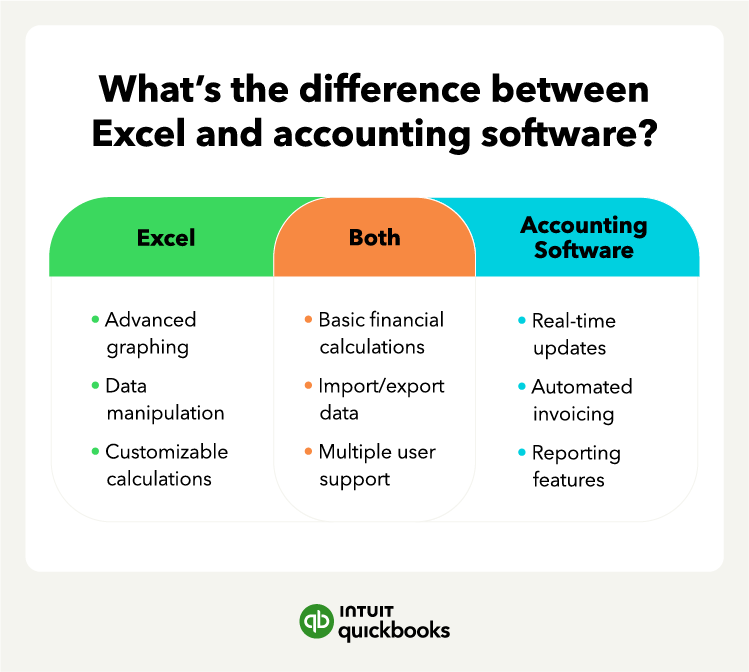
What's the difference between Excel and accounting software?

1. Features

Winner: Accounting software

When choosing between Excel and accounting software, one of the most important considerations is the features each option offers. While you can use both tools for financial management, accounting software exists specifically to meet the needs and requirements of businesses of all sizes.

A key benefit of accounting software is its accounting-specific features:

Excel, on the other hand, is a general-purpose tool you can customize to meet your specific accounting needs. However, it may be more time-consuming to set up and may not offer the same level of depth as accounting software in terms of integrated features.

Nonetheless, Excel accounting spreadsheets still offer several accounting-specific features that can be useful for businesses, such as the ability to create pivot tables and graphical reports.


note icon

Use Excel templates only as a starting point, not your full system. If you have recurring invoicing or payroll tasks, for example, let accounting software handle them.


2. Usability

Winner: Accounting software

Ease of use is a crucial factor when choosing between Excel and accounting software. Excel is a general-purpose tool capable of performing complex calculations, but it may require some technical familiarity to use effectively.

Meanwhile, accounting software focuses on user-friendliness and targets both novices and professionals in the accounting field. Accounting software's intuitive interfaces and helpful resources should make financial management seamless.

For instance, accounting software's straightforward dashboards allow users to recognize their financial position in real-time, providing overall visibility and data that can inform business decisions.

Excel is a versatile tool, but using it for accounting purposes can be challenging for some users. Accounting software is user-friendly, with intuitive interfaces and helpful tools that make financial management easier.


note icon

Test-drive accounting software using free trials. Hands-on experience will help you decide if the interface feels easier than managing spreadsheets.


3. Integrations

Winner: Accounting software

For business owners, integrations can significantly improve productivity and efficiency by streamlining workflows and cutting down on manual data entry errors.

In accounting, integrations are critical to ensuring that all financial records and data are accurate. Most accounting software systems offer integrations with other business applications, such as:

Your accounting, your taxes. All in one place.

Save time by seamlessly moving from books to taxes in QuickBooks, then file your return with unlimited expert help and your maximum refund.*

These integrations allow businesses to automate the transfer of information between different systems, reducing the need for manual data entry and eliminating the possibility of human error in the process. On the other hand, Excel doesn’t offer such integrations.

Similar to the fact that Excel accounting requires a lot of manual labor, it also does not integrate well with your other financial apps, like credit cards and bank accounts.

Your credit card and bank companies may allow you to download your statements in a spreadsheet format, but you’ll still have to import and organize all of this data into your existing accounting spreadsheet. Again, this takes a lot of time and exposes you to risk.


note icon

Connect your accounting software to your bank and payment processors right away. Automating these imports saves hours each month.


4. Pricing

Winner: Excel

One of the most significant factors when picking accounting software is pricing. Businesses need to find a solution that fits their budget. When comparing accounting software pricing, businesses should look at the upfront costs and the ongoing fees.

Many software systems charge a one-time fee for installation or setup, while others have a monthly or yearly subscription fee. It's helpful to determine which pricing model works best for the business and includes all the necessary features and functions.

Meanwhile, Excel tends to be cheaper than many accounting systems. But the cost of a tool like Excel has nothing to do with the sticker price. It’s all about how much time it requires to manage. Unfortunately, Excel involves a lot of working hours.

You’ll need to enter every business expense by hand. If you practice double-entry bookkeeping, you’ll need to enter every transaction twice. That’s double the manual data entry.

This means that everything from expense reports to the chart of accounts requires manual entry. Not only does this take time, but it also increases the risk of error. Just how much does this cost small businesses?


note icon

If you stick with Excel, schedule a weekly “audit hour.” Use it to double-check formulas and update your data to avoid costly mistakes.


5. Accuracy

Winner: Accounting software

Accuracy is crucial in accounting. Manual data entry is one of the main culprits of accounting errors. Accounting software removes the need for manual data entry by automating processes such as bank statement reconciliations and invoice tracking.

Meanwhile, spreadsheet errors can have a waterfall effect. Mess up one input with an incorrect digit or a misplaced comma or decimal point, and your spreadsheet will use that to miscalculate other computations.

For example, a small spreadsheet error cost Canadian power generator TransAlta $24 million in 2003. According to The Register, CEO Steve Snyder said the mistake was “literally a cut-and-paste error in an Excel spreadsheet.”

Modern accounting systems should go beyond recording data—they should help you make sense of it.

For example, Intuit AI agents can answer common questions, suggest next steps, and even guide you through tasks like setting up invoices or reconciling accounts. By combining automation with intelligent support, these tools make managing your books faster and less stressful.


note icon

Invest in training for you or your team when implementing new accounting software. Even a short session can unlock advanced features like automated reports and tax prep.


Pros and cons of using Excel for accounting

Excel is a popular spreadsheet program used by businesses of all sizes for financial analysis, data management, and other tasks. Key advantages of Excel include:

  • Flexibility: Excel is a powerful tool for various tasks, from simple data entry to complex financial modeling. Users can customize the program to suit their specific needs, creating custom Excel accounting formulas, macros, and charts. It’s also useful for inventory management.
  • Accessibility: Almost everyone has access to Excel, making it a convenient and universally recognized tool for data analysis. It's easy to share files and collaborate with others, even when working remotely.
  • Cost-efficient: Excel is readily available at a low cost or sometimes even for free. It's often a part of the Microsoft Office suite, which many businesses already have installed on their computers.

While it has many advantages, it also has its drawbacks. Let’s explore the cons of using Excel:

  • Limited capacity: Excel has limits in terms of capacity. Large amounts of data can slow down the program and cause errors. Furthermore, as the complexity of the analysis increases, the probability of errors occurring also increases.
  • Manual entry: Excel requires manual data entry, which can be time-consuming and prone to human error.
  • Accessibility: Excel files can quickly become outdated, making it difficult to keep track of changes and conflicts. This can cause confusion and errors, particularly when multiple users are working on the same file.

While Excel may be appropriate for small businesses or simple financial analysis, more complex businesses may need additional software to accommodate their requirements.

Take time back with AI agents in your corner

Let QuickBooks AI agents handle the busywork so you and your team can focus on what really matters.

Pros and cons of accounting software

When it comes to balancing the books and managing finances, businesses have a range of software options. Here are the top advantages of accounting software:

  • Scalability: Accounting software is often more scalable than manual accounting methods. As businesses grow, accounting software can handle more data, automate more processes, and offer more features. This can be especially useful for fast-growing companies that need to keep up with increasing levels of financial complexity.
  • Time-saving: One of the most significant benefits of accounting software is that it can automate many mundane financial tasks, such as processing payroll. This can free up time for business owners or finance professionals to focus on other areas of the business that require attention. From invoicing and billing to inventory management, accounting software can handle many financial processes quickly and accurately.
  • Accuracy: Accounting software can help reduce human errors, which can have a massive impact on a business's financial health. By automating processes, accounting software minimizes the risk of manual errors in financial statements, income statements, and balance sheets. It can also make tax returns much more accurate, ensuring businesses avoid costly mistakes and penalties.

On the other hand, like any software, accounting platforms have disadvantages, like:

  • Cost: While accounting software is more efficient, it can also be costlier than manual accounting methods. Many software solutions require a monthly or annual subscription fee. Additionally, there may be additional costs for technical support, data migration, and training.
  • Usability: While many accounting software solutions are user-friendly, there can still be a learning curve when utilizing them to their fullest potential. For those unfamiliar with the software, adapting to it may become time-consuming and frustrating.
  • Security: Accounting software can also be susceptible to security risks like all other software. In response, vendors have attempted to secure these platforms with high-level security features. However, this may not entirely address the issue of cybersecurity, and there is always the risk of data breaches.

While the upfront costs might be more for accounting software, the potential rewards of better financial management, streamlined processes, and accurate reporting can make it a valuable investment for any business.

How to choose between Excel and accounting software

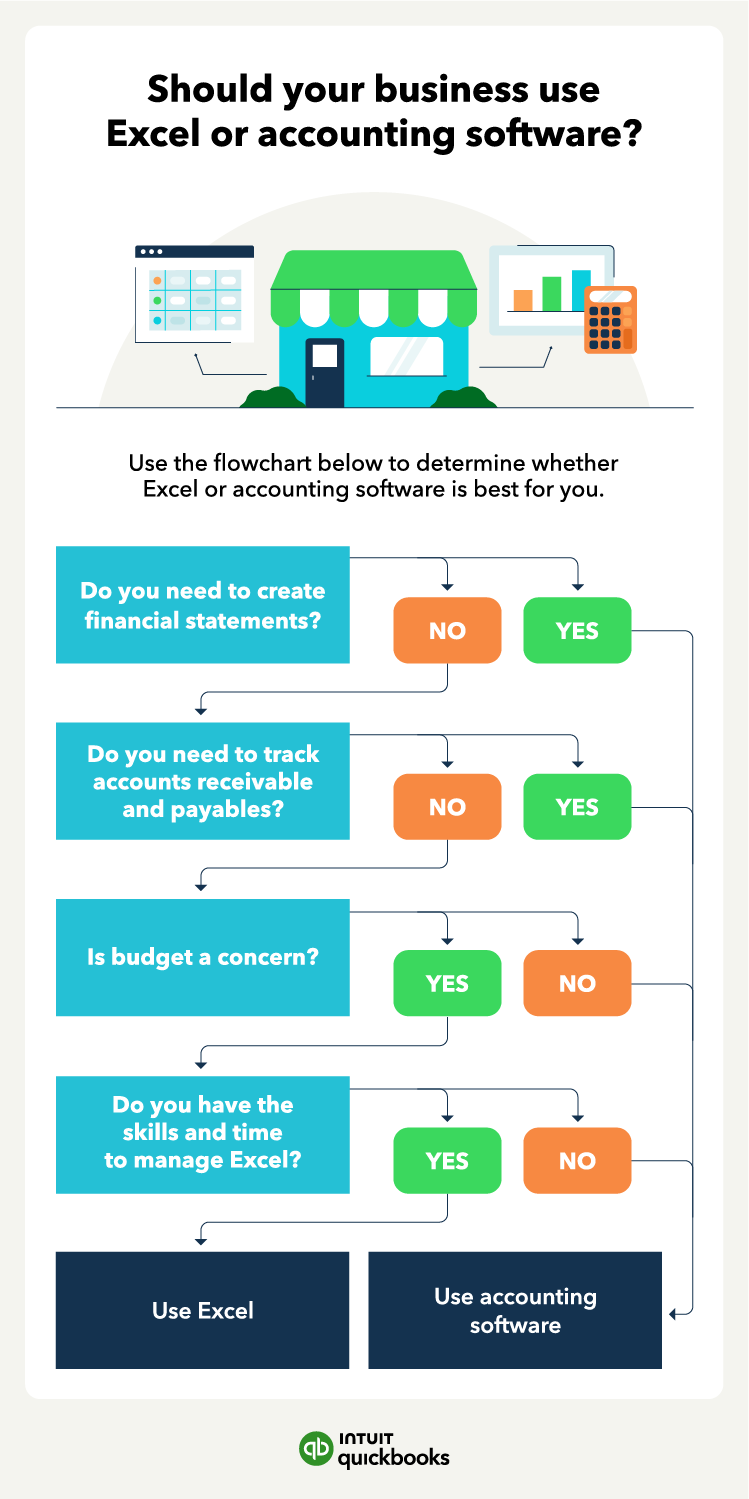
Excel might work when you first start your business or if you only have a few financial transactions a month. However, if you’re doing several hundred transactions and have a bunch of accounts to keep track of, it’s time to consider accounting software.

As your company grows, things change—you might change your prices, raise financing, roll out a few new products, or hire more people. Before you know it, your spreadsheet can’t keep up with your business finances. This is especially true if you need to create financial statements and track accounts receivable and payables.

Eventually, you may even consider automated accounting and the advantages of putting parts of your financial management on autopilot.

A decision tree exploring if you should use Excel or accounting software for your business.

Common mistakes to avoid when using Excel or accounting software

Even the best tools can cause headaches if you don’t use them correctly. Whether you rely on Excel or accounting software, avoiding these common mistakes will help you keep your finances accurate and your processes efficient.

What are some Excel mistakes to avoid?

Relying on one spreadsheet for everything. Using a single sheet to track all your financial data may seem convenient, but it increases the risk of errors and makes troubleshooting difficult.

Forgetting to back up files. Excel doesn’t automatically save data across devices or to the cloud. Without regular backups, you risk losing critical financial records.

Using formulas without double-checking. Even a minor typo in a formula can cause cascading errors across your entire workbook. Always review calculations and test formulas before relying on them.

What are Accounting software mistakes to avoid?

Not customizing your chart of accounts. Sticking with the default setup might limit how accurately you can track income and expenses. Tailor your chart of accounts to fit your business.

Skipping regular reconciliations. Just because accounting software automates entries doesn’t mean you can ignore reconciliations. Failing to review your accounts regularly can cause small errors to snowball.

Overlooking staff training. Accounting software is packed with powerful features, but without proper training, you and your team may not take full advantage of them.

Streamline your accounting and save time
Both Excel and accounting software can help you manage your books, but they serve different purposes. The right tool isn’t just about cost—it’s about choosing a system that supports your long-term growth and keeps your business finances accurate and stress-free.

Accounting software, like QuickBooks, delivers more value—saving time, reducing errors, and giving you clear financial insights.


*Disclaimers: QuickBooks Online Payroll & Contractor Payments: Money movement services are provided by Intuit Payments Inc., licensed as a Money Transmitter by the New York State Department of Financial Services, subject to eligibility criteria, credit and application approval. For more information about Intuit Payments Inc.’s money transmission licenses, please visit https://www.intuit.com/legal/licenses/payment-licenses/*


Recommended for you

Mail icon
Get the latest to your inbox
No Thanks

Get the latest to your inbox

Relevant resources to help start, run, and grow your business.

By clicking “Submit,” you agree to permit Intuit to contact you regarding QuickBooks and have read and acknowledge our Privacy Statement.

Thanks for subscribing.

Fresh business resources are headed your way!

Looking for something else?

QuickBooks

From big jobs to small tasks, we've got your business covered.

Firm of the Future

Topical articles and news from top pros and Intuit product experts.

QuickBooks Support

Get help with QuickBooks. Find articles, video tutorials, and more.