You could save up to 25% on transaction costs².
Speak with us now to see if you qualify.
Talk to sales 1-800-515-8366
Monday - Friday, 6 AM to 4 PM PT

Table of contents
Table of contents
Every construction business reaches a point where the owner can no longer review every invoice, approve every expense, or reconcile every transaction. The challenge is to build financial controls for construction that scale with your team without slowing down operations or introducing new risk.
Without a structured approach to delegation, most firms end up in one of two places: either approvals bottleneck at the top, or financial decisions are made in the field with no visibility from the office. QuickBooks Online Advanced gives growing contractors a middle path through granular user permissions, automated workflows, and audit visibility.
As a construction business grows, the owner can no longer be the financial checkpoint for every decision. The goal is to distribute that responsibility across the right people without creating gaps in oversight or exposing sensitive data to the wrong roles.
QuickBooks Online Advanced supports that structure with up to 25 configurable user seats. A project manager gets full visibility into job costs, project phases, and budget tracking for their active jobs, while payroll data and bank balances stay restricted to the finance team.
Field staff submitting time and receipts work through non-billable seats and plain-language expense category labels that map to the correct chart of accounts entries on the back end, so field data enters the books accurately without requiring accounting knowledge.

When configuring user roles, start with the principle of least access. Give each team member only what they need to do their job. It's easier to expand permissions as trust is established than to walk back access after an error occurs.
Manual approval processes create two problems: they slow projects down and they leave no record. Structured workflows enforce the segregation of duties and project governance that growing construction firms need as financial decisions move further from the owner.

Nearly 23% of construction projects experience delays exceeding 250 days due to manual handling of approvals, permits, and change orders. Replace ad-hoc approvals with rule-based workflows for bills, estimates, and purchase orders.
In QuickBooks Online Advanced, dollar-threshold triggers automatically route transactions to the appropriate manager before they post to the books. A subcontractor invoice under $5,000 might route directly to a project manager, while anything above that threshold requires a second sign-off from finance.
For major expenditures, parallel approval chains ensure both the project lead and the finance team review the transaction before it's committed. This removes the single-point-of-failure risk that comes with sequential approvals and keeps both sides of the organization aligned on job-level spending.
A 2024 FMI Corporation study found that superintendents spend 5.4 hours per week searching for documents, while project managers spend an additional 6.2 hours compiling, distributing, and tracking them.
The Task Manager functions as a centralized hub for pending approvals and financial decisions. Every open item is visible, assigned, and tracked; not buried in an inbox. You can link tasks directly to QuickBooks records, such as attaching a vendor quote to a purchase order approval request, so the reviewer has everything they need without hunting for supporting documents.
Automated notifications keep approvals moving. When a material order is waiting on a sign-off, the right person gets notified rather than the project manager following up manually. That reduction in manual coordination directly reduces the risk of project delays from late subcontractor payments or held material orders.
QuickBooks Online Advanced monitors project costs as they occur and alerts your team when expenses are tracking toward a budget overrun. That matters because the window to act on a cost problem closes fast — by the time it shows up in a month-end report, the job may already be past the point where corrective action is practical.
Real-time alerts let project managers and finance leads address variances while the work is still active: reassigning scope, renegotiating a subcontract, or flagging an estimate that needs revision. That's a fundamentally different operating posture from that of retrospective analysis.
According to AGC's 2024 productivity benchmarking report, the average mid-size contractor dedicates 22–28% of project coordination labor to document management tasks that add no value to actual construction work.
The gap between field data and financial reporting is where margin disappears. When project managers track costs in spreadsheets and finance works from a separate system, the reconciliation at month-end is manual, slow, and prone to error. QuickBooks Online Advanced closes that gap through a construction module that connects project-level data directly to the books.
Industry-standard cost groups (e.g., Labor, Materials, Subcontractors, Equipment, and Other) let you track actuals against estimates in real time, by phase. The table below shows how each cost group functions within the system:
Negative change orders maintain budget integrity by automatically subtracting scope reductions from project estimates. When a client removes a scope item, the budget adjusts immediately rather than leaving an inflated baseline that masks real performance. For billing, AIA-style invoicing gives controllers a clear view of contract values, amounts invoiced to date, and remaining balances across all project phases (without building a separate tracking sheet outside the system).
Set up phase-level budget tracking from the start of each job, not after the first invoice arrives. Retrofitting cost groups mid-project creates gaps in the historical record that complicate both reporting and audit review.
The most common hesitation around delegation is simple: what happens when someone makes a mistake? QuickBooks Online Advanced addresses that directly with two capabilities that give owners visibility into every change and the ability to undo errors before they compound.
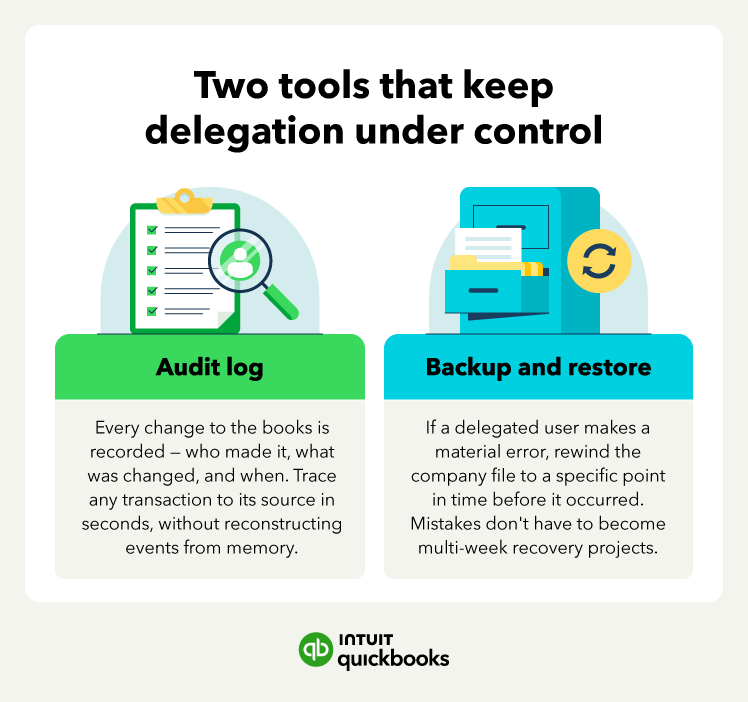
The audit log records every change made to the books: who made it, what was changed, and when. If a transaction looks wrong during review, you can trace it to the specific user and action without reconstructing events from memory or asking around.
That record also carries long-term value: buyers, lenders, and bonding companies treat a clean audit history as evidence that the business is run with discipline, and acquirers specifically discount firms with weak or undocumented financial governance.
According to the ACFE's 2024 Occupational Fraud report, construction ranks fourth among industries for median fraud losses, with a median loss of $250,000 per incident.
The Backup and Restore feature handles the other half of the equation. If a delegated user posts an incorrect journal entry, misapplies a payment, or deletes a transaction, you can rewind the company file to a specific point in time before the error occurred. Mistakes by trusted team members don't have to become multi-week recovery projects.
Growing a construction business means accepting that you can't personally review every financial decision, but it doesn't mean accepting the risk that comes with unstructured delegation. The firms that scale without losing control are the ones that build the right systems early: defined roles, automated workflows, real-time visibility, and a clear audit trail.
QuickBooks Online Advanced gives contractors the tools to delegate confidently and stay in control as their teams grow. See how it works for your business.

Call Sales: 1-800-285-4854