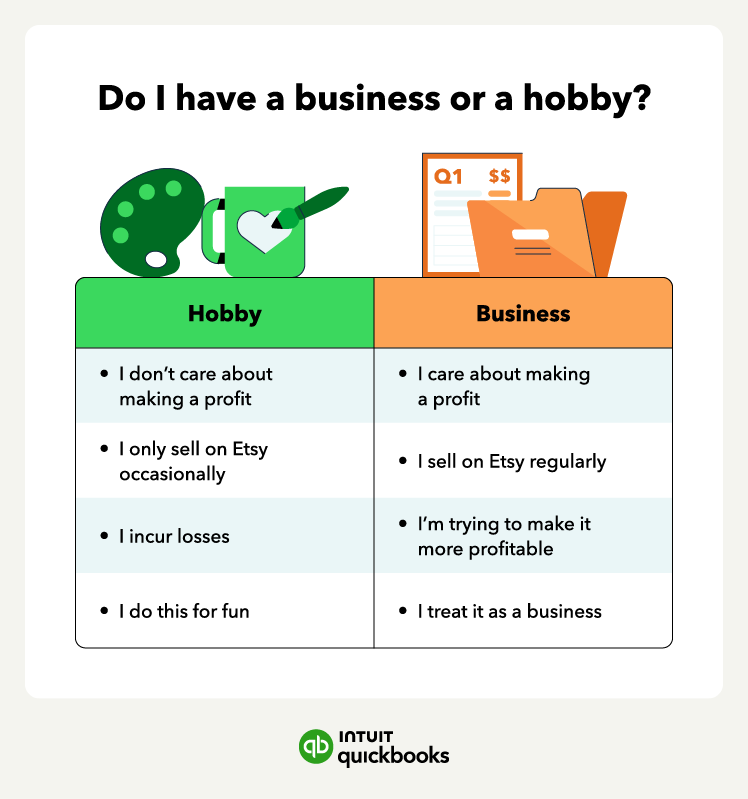
You may consider your Etsy shop a hobby if:
- Making a profit is not your main motivation to sell on Etsy.
- You only sell items on Etsy occasionally and don’t try to sell consistently.
- You incur losses from Etsy sales and don’t make an effort to try to become profitable.
- Your primary purpose is personal pleasure or recreation rather than making a profit.
If your Etsy shop is a hobby, you don't pay self-employment taxes. However, you should report 100% of your sales as "Other Income" on your tax return. The IRS does not allow you to deduct hobby expenses. You pay income tax on the total amount you earned, even if you spent more on materials and fees than you made in sales.
Now, you may consider your Etsy shop a business if:
- Making a profit is your main motivation on Etsy.
- You maintain regular activities and make efforts to improve and expand.
- You try to change your business practices to make it more profitable.
- You maintain detailed records of income and expenses, have a separate business bank account, and treat your Etsy shop as a business.
If the IRS considers your Etsy shop a business, it will count as self-employed activity unless you already have a different business structure. This means you’ll need an Employer Identification Number (EIN) or use your Social Security Number (SSN) if you’re a sole proprietor.
2. Organize and complete necessary tax forms
Once you determine your shop is a business, your goal is to gather the documentation needed to complete your tax forms.
To stay organized and avoid filing delays:
- Download your 1099-K: If you met the $20,000 in gross sales AND 200 transaction threshold, your form will be available by January 31.
- Verify your taxpayer details: Double-check that the name and tax ID (SSN or EIN) on file with Etsy exactly match your IRS records. Even a minor typo can trigger a shop suspension or delay your 1099-K.
- Gather expense receipts: Compile documentation for all deductible expenses, including supplies, equipment, shipping materials, advertising costs, and home office expenses. You'll need these to complete Schedule C accurately.
3. File your quarterly estimated taxes
Unlike W-2 employees, sole proprietors’ businesses pay estimated taxes each quarter. If you believe you owe more than $1,000 in taxes in a year, you’ll have to pay taxes quarterly.
To calculate how much you have to pay each quarter, you can base it on the previous year’s taxes if your income is consistent throughout the year or use Form 1040-ES to calculate your estimated taxes.
You must submit your quarterly taxes to the IRS by these deadlines:











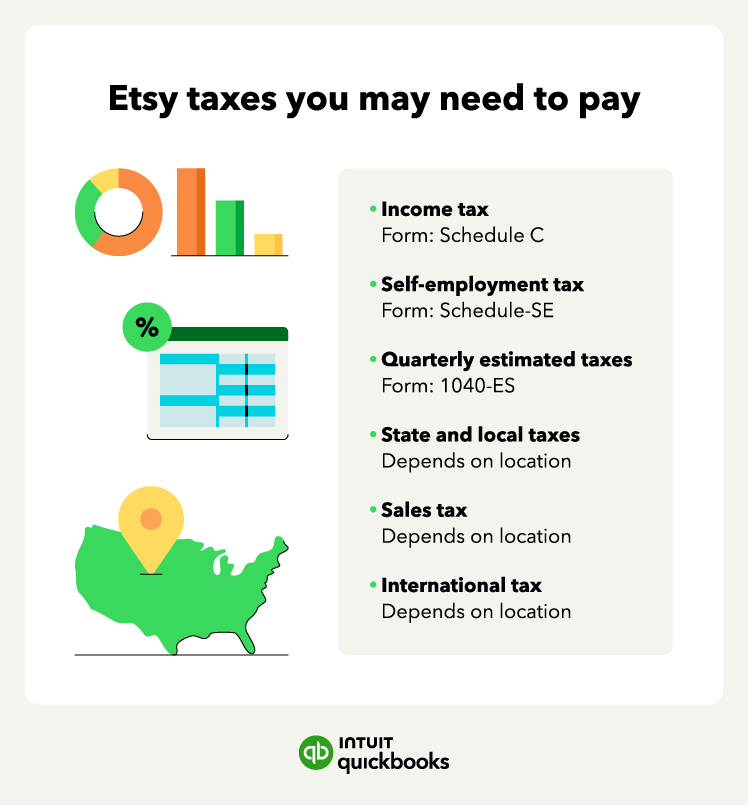
 Don't assume Etsy handles all your sales tax obligations. Check your state's requirements to ensure you're compliant.
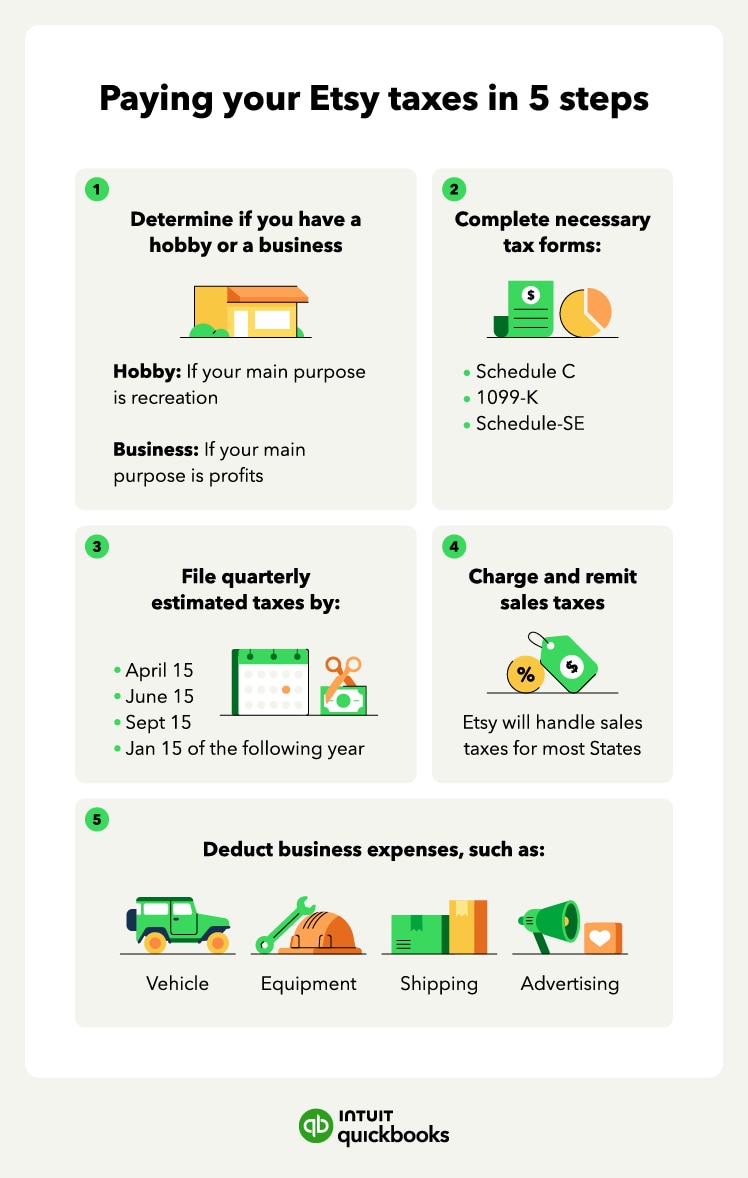
 Remember that these are just the deadlines for your estimated tax payments. You'll still need to file your annual tax return (Form 1040) by April 15th of the following year, reporting your total income and expenses for the year.