You could save up to 25% on transaction costs².
Speak with us now to see if you qualify.
Talk to sales 1-800-515-8366
Monday - Friday, 6 AM to 4 PM PT
Table of contents
Table of contents
Yes, late payment fees can encourage customers to pay sooner and help protect your business from overdue balances. When you set clear payment terms, share them upfront, and use tools like QuickBooks to send automatic reminders, you can improve cash flow and spend less time chasing payments.
While there isn't a single solution that fits every business, late payment fees are worth considering to instill a greater sense of urgency in your customers. Let’s look at what reasonable late fees you can charge and how to deal with late payments and unpaid invoices:
A late payment fee is an extra charge a customer needs to pay when they don’t pay a bill by the due date. These fees are incredibly common in B2B agreements to ensure timely payments. You can choose to charge a flat fee or a percentage of the overdue invoice amount.
Keep in mind that late fees are a one-time penalty, while interest charges accrue over time.
You can charge a flat rate or a recurring finance charge, typically calculated as a percentage of the overdue balance. For example, many companies apply a 1% to 2% monthly late fee on invoices that remain unpaid past the due date.
In practice, this means the fee is usually applied once an invoice becomes overdue (e.g., after 30 days, if your terms are Net 30) and may continue to accrue each month until the balance is paid. A 1% to 2% monthly fee equates to roughly 12% to 24% annually.
Before applying late fees, confirm your policy complies with state laws and clearly outline the terms—such as when fees begin and how often they’re charged—in your customer agreement. Once established, calculate the fee and add it to past-due invoices.
For example, say your late payment fee policy is 1% monthly. You have a $12,000 invoice for a project that is now a month overdue.
Here’s how you can easily calculate it:
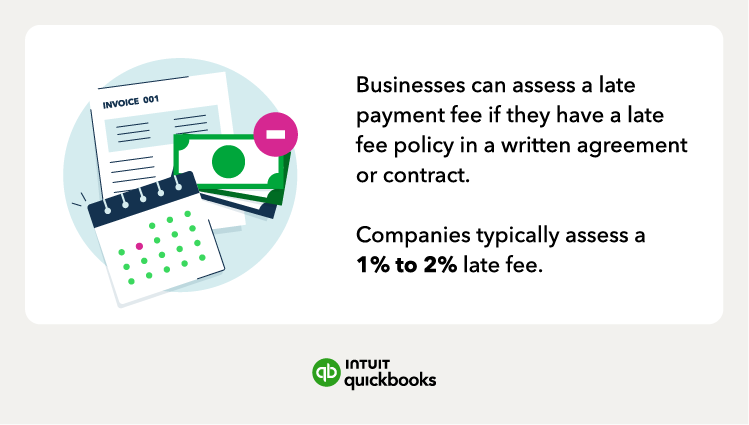
To charge a late payment fee, you must include your payment expectations within your original sales agreement or contract before doing business. A clear late payment policy helps protect your business from delinquent accounts and ensures your customers know exactly what to expect.
Here’s how to start charging late payment fees:
When deciding your late payment policy, you’ll need to determine the payment terms, such as when invoices are due. Also, you should figure out the late fees you’ll charge, generally a percentage of the past-due amount.
Document and send your late payment policy to your customers. Include it in your customer financing agreements or contracts because you can’t legally enforce a late fee if it wasn't agreed upon beforehand.
Your invoice should always include your payment terms (for example, due within 30 days) or payment due date.
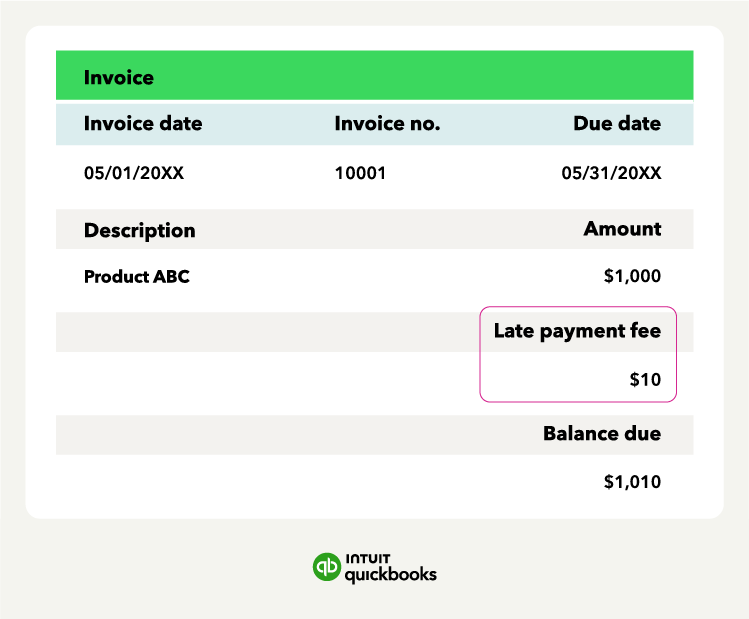
Additionally, when charging a late fee penalty, the original invoice should list both the payment due date and the late payment fee.
A late fee policy on your invoice can even be a short line at the bottom of your invoice, like:
*"Overdue invoices will be assessed a late fee of 1% for every month that the payment is overdue."*
The more obvious your payment terms and policy are, the better.
Before applying a late fee, consider whether reminders or structured follow-up may resolve the issue.

Take a look at some strategies to help encourage timely payment:
You may consider offering a payment plan for customers who hit financial rough patches.
Reminder emails with the invoice, amount due, payment date, and explanation of potential late fees are an easy way to nudge busy clients. In many cases, proactive reminders reduce the need to assess a late fee at all.
If you have a customer who regularly pays on time but suddenly finds themselves in a tight spot, consider offering a one-time extension.
Leverage occasional extensions to show clients that you value the relationship and are willing to compromise.
While late fees can help you get the money due to you, avoiding having to assess a late fee at all is better. You can help avoid unpaid invoices and having to charge a late payment fee with these invoice management tips:
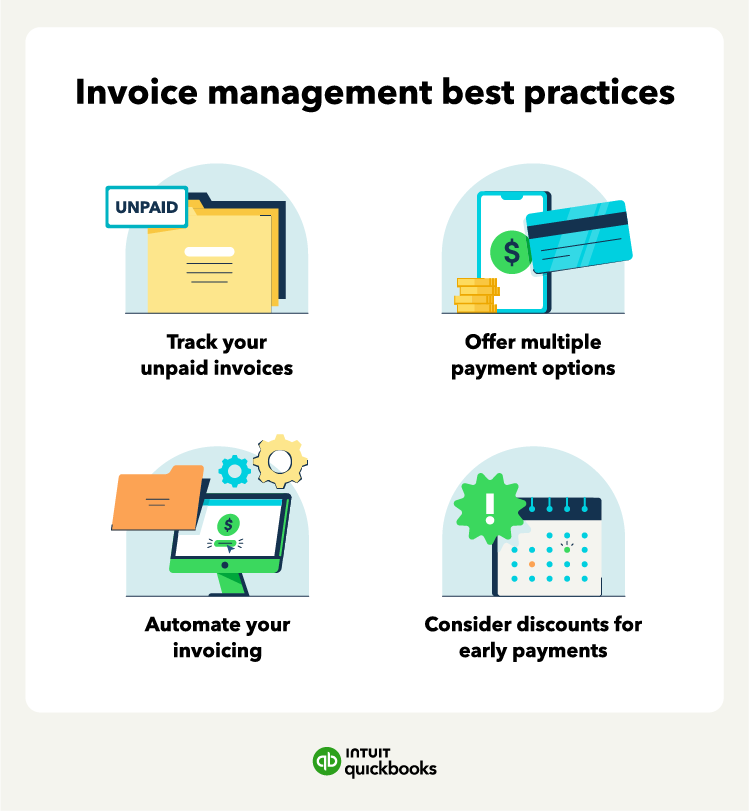
You’re going to have a hard time collecting past-due payments if you don’t know that they’re past due in the first place. Use tools like accounts receivable aging reports to keep track of your invoices and follow up on the late ones. Invoicing software like QuickBooks allows you to create, send, and track invoices in real time, so you always know where your money is.
Inflexible payment options could be why a customer hasn’t paid your invoice on time. Consider expanding your payment methods to include things like credit cards or digital payments. You can even enable online payments directly within the invoice to make paying as easy as a single click.
Automating your invoicing saves time and effort and gets your invoices into your customers’ hands as fast as possible. Instead of creating each invoice manually, you can rely on invoicing software like QuickBooks Online to generate and send invoices on a schedule, track their status, and trigger reminders when they’re due.
Recurring invoices help reduce the risk of late payments, especially for customers you bill the same amount on a recurring basis, such as monthly retainers or ongoing coaching. In QuickBooks Online, you can create a recurring invoice template, choose how often it should repeat, and enable Autopay so those invoices are paid automatically once the customer enrolls.
Consider offering a discount in exchange for quick payment, such as within 10 days of the invoice date. You can set up automatic reminders so you don’t have to awkwardly follow up manually.
AI-powered accounting software like QuickBooks Online employs AI agents that cut average collection cycles by five days using behavior-triggered reminders. Payments AI can identify overdue invoices and send reminders automatically, while the QuickBooks cash flow planner can help you forecast and manage gaps caused by any delayed payments
Managing your invoices can be easier with the help of invoice templates, which allow you to customize your invoice with late payment policies and discount offers.
Yes, in many cases, charging a late payment fee is legal if you disclose it upfront and follow state law. Your agreement should clearly explain the fee amount, when it applies, and any enforcement terms. While many states don’t set a maximum late fee or require a grace period, some do. For example, certain states cap late fees at 5% per month and require a five-day grace period.
Because the rules can vary, it’s important to review your state’s requirements before putting a policy in place. If you’re unsure, consult a legal professional.
A late fee policy should do two things: support your business and set clear expectations for customers. Here are a few legal and ethical factors to keep in mind.
You must include your late fee policy in your original agreement or contract. If you try to charge a fee without prior notice, your customer may have legal grounds to dispute it.
Some states cap the amount you can charge or require grace periods before a late fee kicks in. Always double-check local laws or speak with a legal advisor to stay compliant.
Even in states without specific limits, courts may still rule against unreasonable fees. Stick to common standards like 1% to 2% per month to avoid claims of predatory practices.
Apply your policy consistently to avoid favoritism or legal risk, but consider offering one-time exceptions to loyal customers who usually pay on time. This helps maintain goodwill without undermining your policy.
Any time you update your late fee terms, resend the agreement or invoice with clear documentation. Transparency helps prevent disputes and sets the tone for professional client relationships.
Late fees can encourage customers to pay sooner, but a strong payment system can help you prevent delays before they happen.
When you improve the way you invoice and collect payments, you can send automated reminders, offer flexible online payment options, and use AI-powered follow-ups to nudge customers respectfully. Tools like cash flow forecasting can also help you anticipate incoming revenue and plan ahead with more confidence.
With invoicing software like QuickBooks Online, you can bring all of those tools into one place. You can create professional, customized invoices, track their status in real time, and stay on top of payments with less manual work.
Yes, in some cases. You can charge interest instead of a late fee, or alongside one, if your agreement clearly allows it and your terms follow applicable laws.
Usually not. Most late fees are either a flat charge or a monthly percentage of the unpaid balance.
No. To charge a late fee, your customer should agree to it in writing before the invoice goes out.
Yes. If you collect late fees, you generally need to count them as taxable business income. Make sure you include them when you calculate your total income for tax purposes.
That depends on your business and your state’s rules. A grace period is not always required, but it can help you maintain goodwill, especially with long-term customers. Some states do require one, so it’s worth checking local laws before you finalize your policy.
*Disclaimers:
Based on U.S. Intuit Assist Beta customers using outstanding invoice notifications and AI-drafted invoice reminder features, compared to customers sending standard invoice reminders to the same customers, from January 2024 to August 2024. Not available in QuickBooks Online Advanced.*

Call Sales: 1-800-285-4854