- Start Your BusinessStart Your Business
- Starting a BusinessThe tools and resources you need to get your new business idea off the ground.
- PaymentsEverything you need to start accepting payments for your business.
- Funding & CapitalResources to help you fund your small business.
- Small Business StoriesCelebrating the stories and successes of real small business owners.
- Self-EmployedThe tools and resources you need to run your own business with confidence.
- Run Your BusinessRun Your Business
- Running a BusinessThe tools and resources you need to run your business successfully.
- AccountingAccounting and bookkeeping basics you need to run and grow your business.
- Cash FlowTax and bookkeeping basics you need to run and grow your business.
- PayrollPayroll essentials you need to run your business.
- TaxesTax basics you need to stay compliant and run your business.
- EmployeesEverything you need to know about managing and retaining employees.
- Grow Your BusinessGrow Your Business
- Growing a BusinessThe tools and resources you need to take your business to the next level.
- Sales & MarketingSpread the word: What you need to know about marketing your small business.
- FundingHow to find funding and capital for your new or growing business.
- Midsize BusinessesThe tools and resources you need to manage your mid-sized business.
- Enterprise Suite BlogThe tools and resources you need to grow your own business with confidence.
- E-CommerceHow to start and run a successful e-commerce business.
- TaxesTaxes
- How to fill out a 1099-NEC formLearn how to fill out and file 1099-NEC forms for independent contractors and freelancers.
- How to file small business taxesLearn how to navigate tax season with confidence and minimize your tax liability with this guide.
- Small business 1099: What you need to know for 2025Navigate the complexities of small business 1099 forms and filings with our comprehensive guide.
- 13 documents to give your accountant for small business taxesYour accountant will need these documents to file your small business taxes successfully.
- What's NewWhat's New
- NewsBrowse the latest news, press releases, and reports from QuickBooks.
- AI Resource HubFind the latest on Artificial Intelligence.
- Small Business DataThe latest research and insights for Small Businesses from QuickBooks.
- Small Business StoriesCelebrating the stories and successes of real small business owners.
- Holiday SuccessEverything you need to thrive during your business's busiest seasons.
- AI InnovationsBrowse the latest AI innovations in QuickBooks on the Intuit platform.
- ToolsTools
- All ToolsFree accounting tools and templates to speed up and simplify your workflow.
- AI-Powered Invoice GeneratorTry out this free invoice generator to create an invoice online using Intuit Intelligence.
- Payment Cost CalculatorFind out how much you could save by switching to QuickBooks Payments.
- Paycheck CalculatorAccurately estimate pay for all your employees.











Whether you create an invoice using a free template or invoicing software, a commercial invoice contributes to a more streamlined customs clearance process, accurate taxation, and timely delivery. Download a free, customizable, and printable commercial invoice template from QuickBooks.
*See invoice template | Generate free invoice*
Jump to:
- Downloadable commercial invoice templates
- 14 things commercial invoices should include
- The difference between a sales invoice and a commercial invoice
- Commercial invoice template format best practices
- Commercial invoice template vs. QuickBooks commercial invoicing software
- Common industries that use commercial invoices
- Try our free invoice generator powered by AI
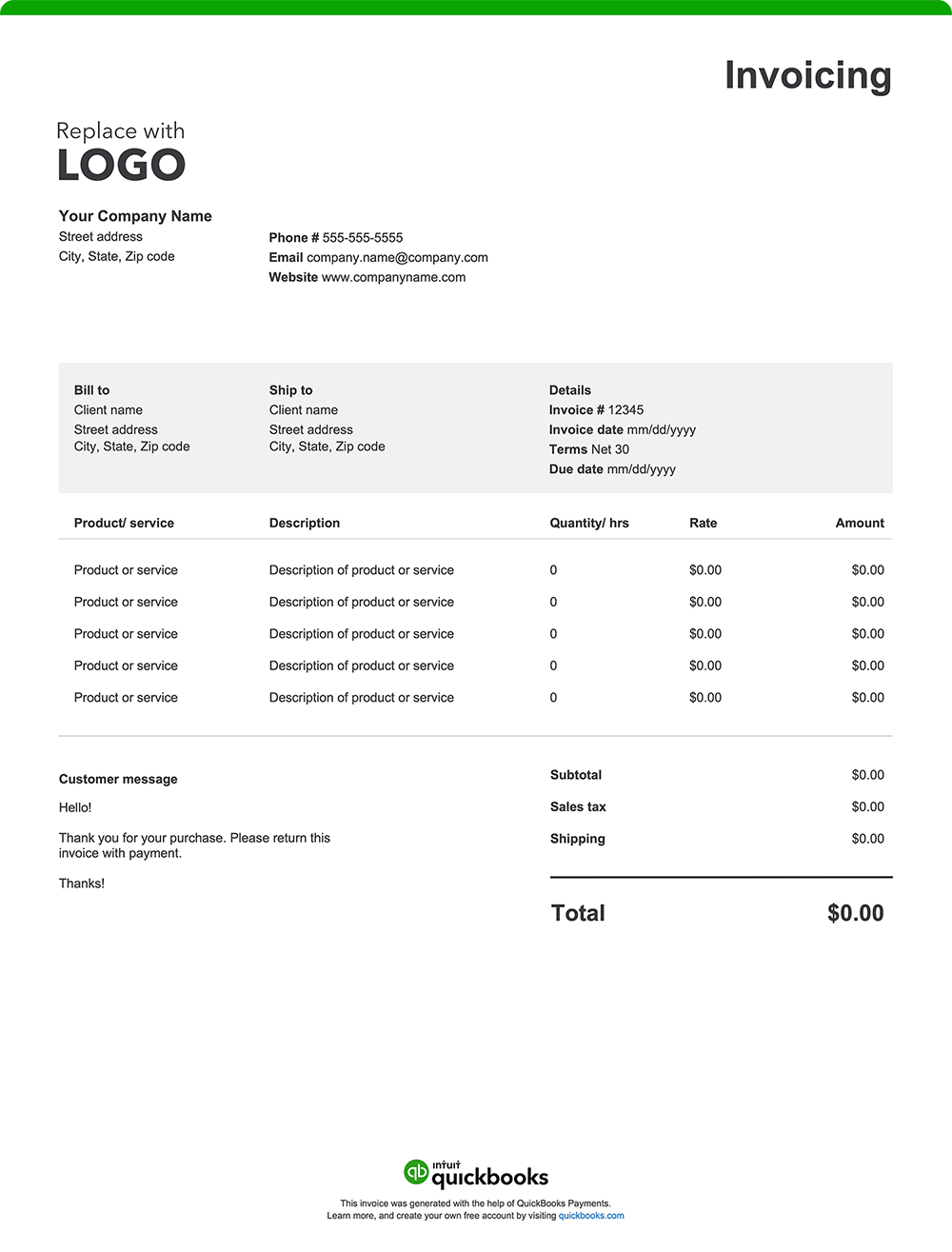
14 things commercial invoices should include
It is important to note that each country has specific commercial invoice requirements, including required forms and additional documentation. To avoid delays, check official sources in the destination country to ensure compliance.
A well-structured commercial invoice provides transparency, prevents delays, and keeps your business's international shipment and trade operations running efficiently. While formats and specific requirements can vary by country of import, here are 14 essential elements every commercial invoice should include:
1. Exporter/seller information
Your invoice should include your company name, address, and contact information. Identifying your exporter details ensures that customs authorities and your buyer can verify the origin of the goods and contact you if necessary.
2. Buyer/consignee information
Include the receiver’s company’s name and contact information. This information is necessary for proper delivery and for customs authorities to determine the final destination of the goods.
3. Invoice number
A unique invoice number aids in tracking and referencing the transaction, facilitating efficient recordkeeping and communication between parties.
4. Date
The invoice date establishes the timeline for payment terms and is essential for financial records and compliance with contractual agreements.
5. Description of goods
Provide detailed descriptions of your goods, including the quantities, unit prices, and total value. Customs authorities rely on this information to classify products accurately, which determines the applicable duties, taxes, and import fees.
6. Harmonized System (HS) code
The Harmonized System code is a globally recognized classification system used to categorize goods for international trade. This code is required on every commercial invoice to ensure customs authorities can accurately assess duties and taxes. Without the correct HS code, shipments may be delayed, misclassified, or held at customs.
7. Country of origin
Your commercial invoice must specify where the goods were manufactured or produced in order to apply correct tariffs, adhere to trade agreements, and enforce import restrictions or quotas.
8. Total invoice value
Include the total value of all the shipment contents. This value is used by customs to assess duties and taxes and serves as a record of the transaction's financial value.
9. Currency of transaction
Specifying the currency ensures clarity in payment terms and prevents misunderstandings regarding the amounts due.
10: Mode of shipment
Indicate whether the shipment is by air, sea, or land. This information can be used to track goods, estimate delivery times, and determine applicable shipping regulations.
11. Freight and other charges
Provide transparency and support accurate duty and tax assessments by itemizing costs related to shipping, insurance, and any other additional fees.
12. Payment terms and instructions
Your invoice should include straightforward payment terms and instructions that outline exactly how and when you expect to be paid. Be sure it lists the following:
- Payment timeframe: Specify the timeframe for payment, such as "Net 30" (payment due within 30 days of the invoice date), "Due on Receipt," or any other agreed-upon terms.
- Accepted payment method: List the payment types you accept, such as credit cards, online payment platforms, wire transfers, or Letters of Credit.
- Payment details: Include all required information for each payment method, like your check mailing address or online payment portal link.
- Late payment penalties: If you charge penalties for late payments, state the penalty amount or percentage.
- Early payment discount: Mention any discount available for early payment and eligibility criteria.
13: Certification statement
A certification statement is a declaration confirming the accuracy and authenticity of the information on the invoice. It should be signed by an authorized individual.
14: Destination Control Statement (DCS)
The Destination Control Statement (DCS) is mandatory for U.S. exports that require a license under the Export Administration Regulations (EAR) or International Traffic in Arms Regulations (ITAR). It must be included on the commercial invoice to confirm that the shipment is only authorized for the specified country and recipient, preventing unauthorized resale or transfer without U.S. government approval.
How do I send a commercial invoice?
You will submit a commercial invoice with your shipment, as it’s required for customs clearance. Typically, two copies are attached to the outside of the package for customs officials, and one copy is kept by you, the exporter, for your records. The consignee also receives a copy, often included inside the package. Governments use the commercial invoice to determine the true value of goods when assessing customs duties and taxes.
Risks of an incomplete or inaccurate commercial invoice
An incorrect or incomplete commercial invoice can lead to shipment delays, increased scrutiny, and potential legal or financial penalties from customs authorities. Inaccuracies can also disrupt supply chains, affect customer satisfaction, and result in additional costs to correct the problem. So, it is important that businesses take extra care when preparing commercial invoices, ensuring all required information is accurate and complete before shipment.
The difference between a sales invoice and a commercial invoice
A sales invoice requests payment for goods or services, primarily for domestic transactions. A commercial invoice serves both as a billing document and a customs declaration for international shipments. While both involve payment, commercial invoices are specifically required for cross-border transactions.
Commercial invoice template format best practices
Receiving customs clearance requires an accurate commercial invoice. Follow these best practices to help facilitate a smoother transaction.
Add your branding
Enhance your professional image by customizing your invoice with your business logo and brand colors.
Add invoice number and date
Assign each invoice a distinct number and date to streamline tracking and recordkeeping.
Personalize the purchaser’s details
Include your consignee’s full name, address, and billing info.
Detail goods and charges
Itemize all goods shipped. Don’t forget details, such as:
- Harmonized System (HS) Codes
- Shipment’s gross and net weight
- Country of origin of the goods
Specify transportation details
Provide the mode of shipment, port of loading, port of discharge, and final destination.
State the currency
Indicate the currency in which the transaction is conducted.
Set clear payment terms
Include due dates, accepted payment methods, and any special terms to avoid payment delays.
Double-check for accuracy
Review the invoice thoroughly to eliminate errors that could cause delays or disputes.
Save and send as a PDF
Download, save, and send the invoice as a PDF to ensure it maintains its format and is easily viewable.
Commercial invoice template vs. QuickBooks commercial invoicing software
If your business is engaged in international trade, it’s vital that you generate accurate and professional commercial invoices to ensure timely payments and compliance with customs regulations. Using an Excel, Word, or PDF invoice template is a basic solution for designing and sending invoices. The problem is these lack the efficiency and functionality offered by QuickBooks invoicing and accounting software.
Customize without repetitive manual entry
Traditional invoice templates require manual input for each transaction, including customer details, product descriptions, and pricing information. This repetitive data entry not only consumes valuable time but also increases the likelihood of errors.
QuickBooks invoicing eliminates repetitive manual entry by automatically populating details such as:
- Customer information
- Product data
- Country of origin
- Shipping mode
- HS codes
Its automation and streamlined processes help you generate accurate invoices with minimal time and effort.
Automate invoices
Managing multiple international shipments is a complex task, especially if you rely on manual invoicing and payment tracking. QuickBooks automates these processes with features like:
- Automatic payment matching. Transactions are automatically recorded and linked to the correct job or client, eliminating manual reconciliation and reducing errors.
- Batch invoicing. If you’re making a large number of shipments, batch invoicing can help you generate multiple invoices from a single-entry input.
Facilitate cash flow management
Whether you handle domestic or international transactions, effective cash flow management is essential. It becomes especially critical in international trade, where fluctuating exchange rates, varying payment terms, longer processing times, and complex customs regulations can delay payments.
QuickBooks helps by integrating invoicing with comprehensive bookkeeping features, allowing you to:
- Monitor unpaid invoices: Keep track of outstanding payments and send automated reminders to clients, reducing the risk of overdue accounts.
- Analyze payment histories: Access detailed records of client payment behaviors, aiding in credit assessments and relationship management.
- Plan for expenses: Utilize financial reports generated by QuickBooks to forecast future cash flow needs and make informed budgeting decisions.
Track invoices
Businesses can stay organized and on top of their payments—and their cash flow—with QuickBooks' tracking features. You'll know when your clients view or pay invoices and can follow up on overdue accounts confidently.
Get paid faster
When you make it as easy as possible for customers to pay you, it helps keep the cash flow steady and your business relationships strong.
QuickBooks simplifies international payments for trade shipments by integrating with third-party apps that support multi-currency transactions, global ACH, wire transfers, and other cross-border payment methods.
Common industries that use commercial invoices
Commercial invoices are essential for documenting transactions in industries where international shipping and customs clearance are involved, including:
International trade and export
Used to declare the value of goods to customs and ensure accurate duty assessment, commercial invoices help streamline import and export processes.
Manufacturing
Manufacturers use commercial invoices to document product details, quantities, and prices for international shipments, ensuring compliance with customs regulations.
Wholesale and distribution
Wholesale and distribution companies issue commercial invoices to outline bulk shipment details, helping buyers and customs verify the value and contents of large orders.
Agriculture and food export
Commercial invoices are used to list product type, weight, value, and origin. This is necessary to comply with food safety and customs regulations for perishable goods.
Pharmaceuticals and chemicals
Businesses within the pharmaceutical and chemical industries may use commercial invoices to detail chemical composition, quantity, and hazard classifications.
Try our free invoice generator powered by AI
Create a custom commercial invoice online with our free generator—autofill shipping details, add branding, download, and send. Prefer a downloadable blank invoice template? Use our free printable invoice templates in Word, Excel, PDF, and other formats.
For exporters seeking an easier and faster way to handle invoicing, QuickBooks offers a practical solution. Our invoicing software simplifies the billing process by automating the creation of professional commercial invoices. It also integrates seamlessly with expense tracking and reporting tools, centralizing your financial management. This streamlined approach helps with tax preparation, improves organization, and provides valuable insights to support smarter business decisions.
Recommended for you




Explore what you can do with QuickBooks
Explore what you can do with QuickBooks

See profit at a glance


Manage money
Looking for something else?
Firm of the Future
Topical articles and news from top pros and Intuit product experts.
QuickBooks Support
Get help with QuickBooks. Find articles, video tutorials, and more.
Call Sales: 1-800-285-4854





© 2026 Intuit Inc. All rights reserved.
Intuit, QuickBooks, QB, TurboTax, Credit Karma, and Mailchimp are registered trademarks of Intuit Inc.
Money movement services are provided by Intuit Payments Inc., licensed as a Money Transmitter by the New York State Department of Financial Services. For details about our money transmission licenses, or for Texas customers with complaints about our service, please click here.
By accessing and using this page you agree to the Website Terms of Service.