









You could save up to 25% on transaction costs².
Speak with us now to see if you qualify.
Talk to sales 1-800-515-8366
Monday - Friday, 6 AM to 4 PM PT

Table of contents
Table of contents
Construction growth brings new opportunities, but it also adds pressure as operations become more complex. More projects, tighter timelines, and larger cash swings make it harder to see where performance is holding—or slipping. Gut checks and lagging reports often fall short as visibility becomes harder to maintain.
If you’re operating at this level, key performance indicators (KPIs) should help guide how you run your business. The right metrics show where margins are thinning, where cash is getting tied up, and how performance is trending across projects so you can decide which projects and clients to focus on first. KPIs also give finance and operations a shared view of performance, so decisions aren’t made in silos.
This guide focuses on the construction KPIs that matter most at scale. You’ll see how to calculate each one, when to use it, and what healthy performance looks like—so you can improve job profitability, maintain steady cash flow, and keep projects moving with fewer surprises.
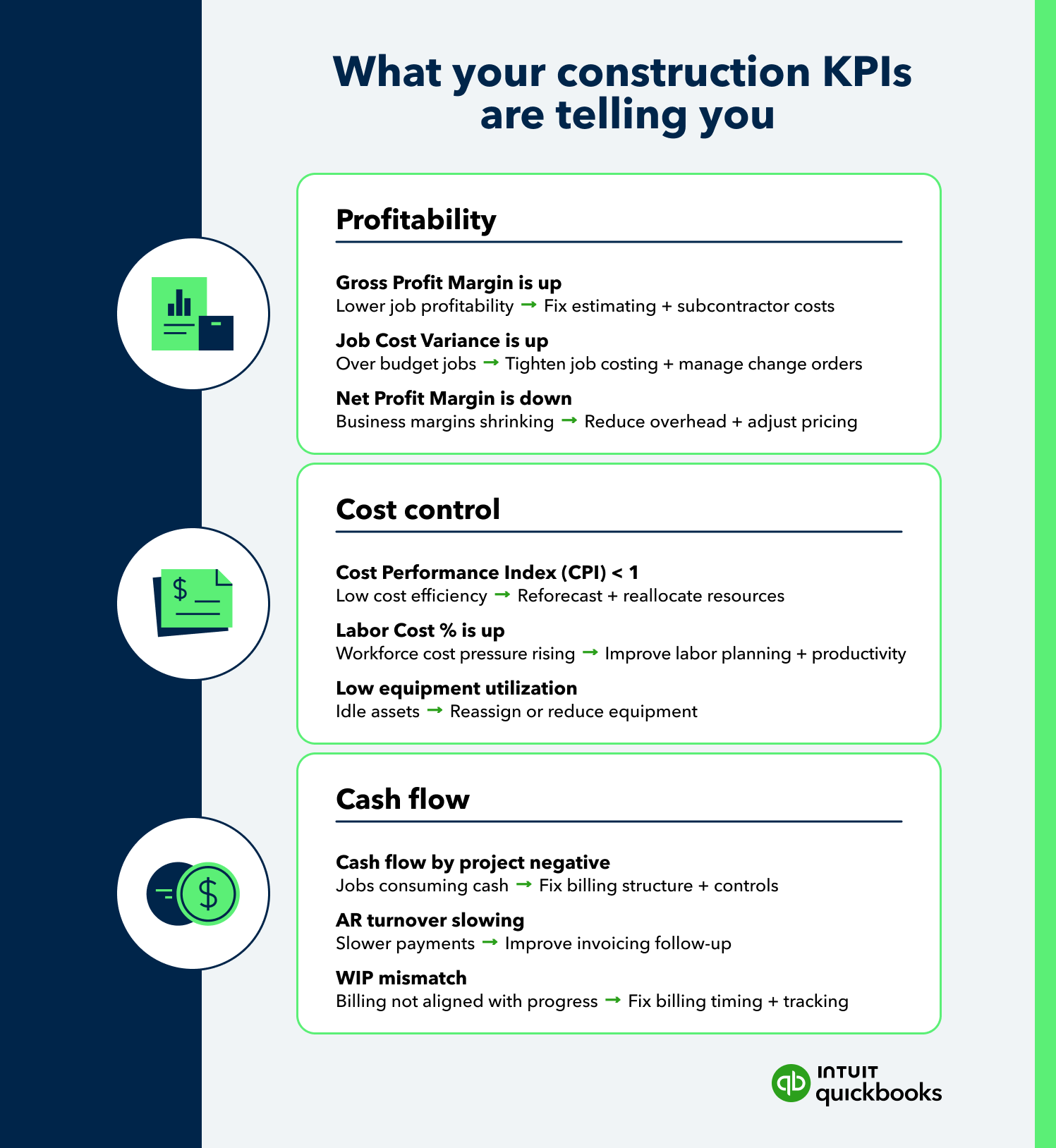
Use this cheat sheet to quickly reference how each KPI is calculated and what it indicates across your projects.

Profitability issues rarely show up all at once. They build across small gaps. Labor runs over, materials are priced too low, or estimates don’t hold up in execution. The following KPIs help you track performance at both the job and business level. They also make it easier to compare projects side by side, spot early signs of profit margin pressure, and step in before it hits your bottom line.
Measures how much profit remains after direct job costs are covered.
Formula: Gross profit margin = (Revenue – direct costs) ÷ revenue
Shows the gap between what you planned to spend and what the job is actually costing.
Formula: Job cost variance = Estimated cost – actual cost
Captures overall profitability after all expenses, not just job-level costs.
Formula: Net profit margin = Net income ÷ revenue
Cost control issues tend to surface during execution, not at closeout. Labor hours creep up, equipment sits idle, or spending outpaces progress. These KPIs help you track how efficiently resources are being used in real time, so you can manage costs more tightly and keep projects aligned with the plan.
Measures how efficiently project costs are translating into completed work.
Formula: Cost performance index = Earned value ÷ actual cost
Shows how much of the total project cost is tied to labor.
Formula: Labor cost percentage = Labor costs ÷ total project cost
Measures how effectively equipment is being used during available time.
Formula: Equipment utilization rate = Equipment usage time ÷ available time
Cash flow in construction rarely follows a straight line. Payment schedules, retainage, and billing cycles can create gaps between when work is completed and when cash is received. Even profit-generating projects can strain liquidity if inflows don’t align with spending. These KPIs help you measure how money is moving through active jobs, so you can stay ahead of shortfalls and keep projects funded as they progress.
Tracks the timing difference between money coming in and money going out for each job.
Measures how quickly your business collects payments from customers.
Formula: Accounts receivable turnover = Revenue ÷ average accounts receivable
Calculates the value of work completed but not yet billed or fully recognized as revenue.
Formula: Work in progress (WIP) = (% complete × contract value) – billed to date
Assessing KPIs across multiple jobs takes more than pulling reports. Teams often set up projects differently, record costs inconsistently, or enter data at different points in the lifecycle, which makes comparisons harder than they should be.
A consistent structure and disciplined process give you a reliable way to evaluate performance across projects, not just within them. This makes it easier to understand which jobs are driving results and which need attention.
Start with a consistent framework for how jobs are organized, including cost codes, phases, and categories. With a shared structure and formulas in place, performance comparisons become more straightforward and reliable.
Even small differences in setup or calculation can lead to conflicting conclusions about which projects are truly performing well.
Record all labor, materials, equipment, and overhead costs directly against the correct job. Accurate job-level data gives you a view of project performance and makes side-by-side comparisons possible.
Gaps in cost capture create blind spots. Projects may appear more profitable than they are, or losses may go unnoticed until it’s too late to act.
Keep estimating, accounting, and project tracking aligned by using the same cost structures and assumptions. That alignment connects budgets, actuals, and forecasts, so teams can evaluate performance across projects without extra reconciliation.
Misalignment across teams introduces inconsistencies. Numbers stop matching, and confidence in the data starts to erode, making it harder to act on KPI insights.
Monitor KPIs as the project progresses rather than waiting until completion. Ongoing visibility helps teams stay on track and make adjustments before small issues turn into larger cost problems. It also gives teams a better view across active projects, so they can shift focus where it’s needed most.
Waiting until closeout limits your options. By the time the data is reviewed, most of the decisions that impact profitability have already been made.
KPIs only create value when they influence decisions. Strong reporting surfaces trends, but the real impact comes from how quickly teams respond and what actions follow. Used consistently, these metrics help leaders decide which jobs need attention first, where to focus resources, and how to move from reactive management to more controlled, data-driven decisions.
KPI trends often reveal early signs of trouble, even when a project still appears on pace. A slight dip in margin or a shift in cost performance can point to deeper issues that need attention before losses build. Viewed across projects, these shifts show where performance is starting to break down, giving teams a chance to step in before costs climb further.
Past project performance provides a baseline for future pricing. Patterns in margins, labor costs, and overruns help refine estimates and reduce the risk of underbidding. For example, if similar projects consistently run over on labor, future bids can account for those higher actual costs.
Efficiency metrics highlight where resources are producing results and where they are falling short. Shifting labor or equipment based on that data can improve productivity without increasing overall spend. Taking a broader view across projects helps leaders decide where those changes will have the greatest impact.
Performance trends across similar jobs make it easier to see which types of work consistently deliver stronger margins. Teams can use these insights to prioritize higher-margin work and step back from projects that consistently fall short.
Reliable KPIs feed into more accurate financial projections. Combining historical performance with current job data helps refine expectations around revenue, costs, and cash flow. Using data from multiple projects also helps set more realistic expectations based on how the business actually performs.
Even with the right metrics in place, execution can break down. Inconsistent tracking, unclear definitions, or delayed data can limit the value of your KPIs. Avoiding these common construction business mistakes keeps your reporting reliable and actionable across projects, not just within a single job.
Adding more metrics can dilute focus if they aren’t tied to specific decisions. A smaller, well-defined set of KPIs is easier to manage and more useful in practice. A focused list makes it easier to act on what matters most.
Different calculation methods create conflicting results, which makes comparisons unreliable. For example, if one team includes subcontractor costs in job costs and another tracks them separately, margins won’t align. Aligning definitions across teams keeps reporting consistent and easier to act on.
Timeliness matters. Delays in entering costs, labor hours, billings, or change orders create a gap between what’s happening in the field and what appears in reports. That lag limits your ability to respond in real time and can lead to decisions based on incomplete data.
KPIs lose value when they’re only reviewed after the fact. Integrate KPIs into regular decision-making to keep teams focused on performance throughout the project lifecycle.
Growing project volume introduces complexity. Data gets spread across systems, reporting slows down, and small inconsistencies start to impact accuracy. QuickBooks Online Advanced brings structure to how construction teams capture, analyze, and act on performance data, so KPIs stay consistent and usable as your business scales.

QuickBooks Online Advanced connects financials and job-level data in one place, giving teams a unified view of costs, revenue, and performance. Project tracking and job costing tools make it easier to evaluate multiple jobs at once while staying aligned with overall financials.
Custom report builder and configurable dashboards provide up-to-date visibility into performance without relying on manual reporting. Teams can filter, group, and drill down to transaction-level details, then save reports as templates.
Custom fields support consistent data capture across projects, while role-based permissions help control how information is entered and accessed. A shared structure keeps KPI measurements aligned across teams and reduces reporting variation.
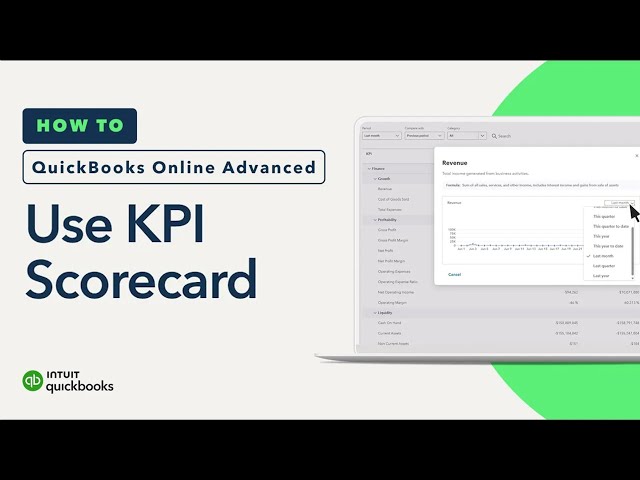
KPI scorecards bring key metrics into one view, making it easier to evaluate real-time progress. Teams can compare performance across periods, spot trends, and get a clear read on how results are shifting without rebuilding reports, so teams can quickly identify where to focus.
Intuit’s AI-powered tools analyze financial data to highlight patterns, surface anomalies, and flag variances as they happen. Teams can leverage these insights to move faster, focus on areas of concern, and make more confident decisions based on current performance.
Cash flow reporting includes built-in trend lines and period comparisons. Teams can model short-term cash positions, compare forecasted and actual results, and adjust plans based on current project performance.
Automation handles routine tasks such as approvals, reminders, and task assignments, reducing manual effort. Keeping workflows consistent helps ensure data stays current and KPI reporting reflects real-time activity.
Growth raises the stakes. You need sharper visibility, faster answers, and tighter control over performance. Key KPIs that matter most make that possible—and QuickBooks Online Advanced helps you put those insights to work where it counts.

Call Sales: 1-800-285-4854







