You could save up to 25% on transaction costs².
Speak with us now to see if you qualify.
Talk to sales 1-800-515-8366
Monday - Friday, 6 AM to 4 PM PT

Table of contents
Table of contents
Outgrowing an accounting system rarely happens all at once. It shows up in a slower close, more manual work, harder collaboration, and less timely financial information as the business becomes more complex.
For business owners and finance teams considering the switch from QuickBooks Desktop to QuickBooks Online Advanced, the bigger question is whether staying put is creating more friction than moving forward. Looking at those hidden operational costs can help determine when it’s time to make the change.
As a business grows, so too do its accounting needs. QuickBooks Desktop is a solid tool, but depending on the edition you run, file performance, user limits, and how the software is installed can slow your team and your internal processes.
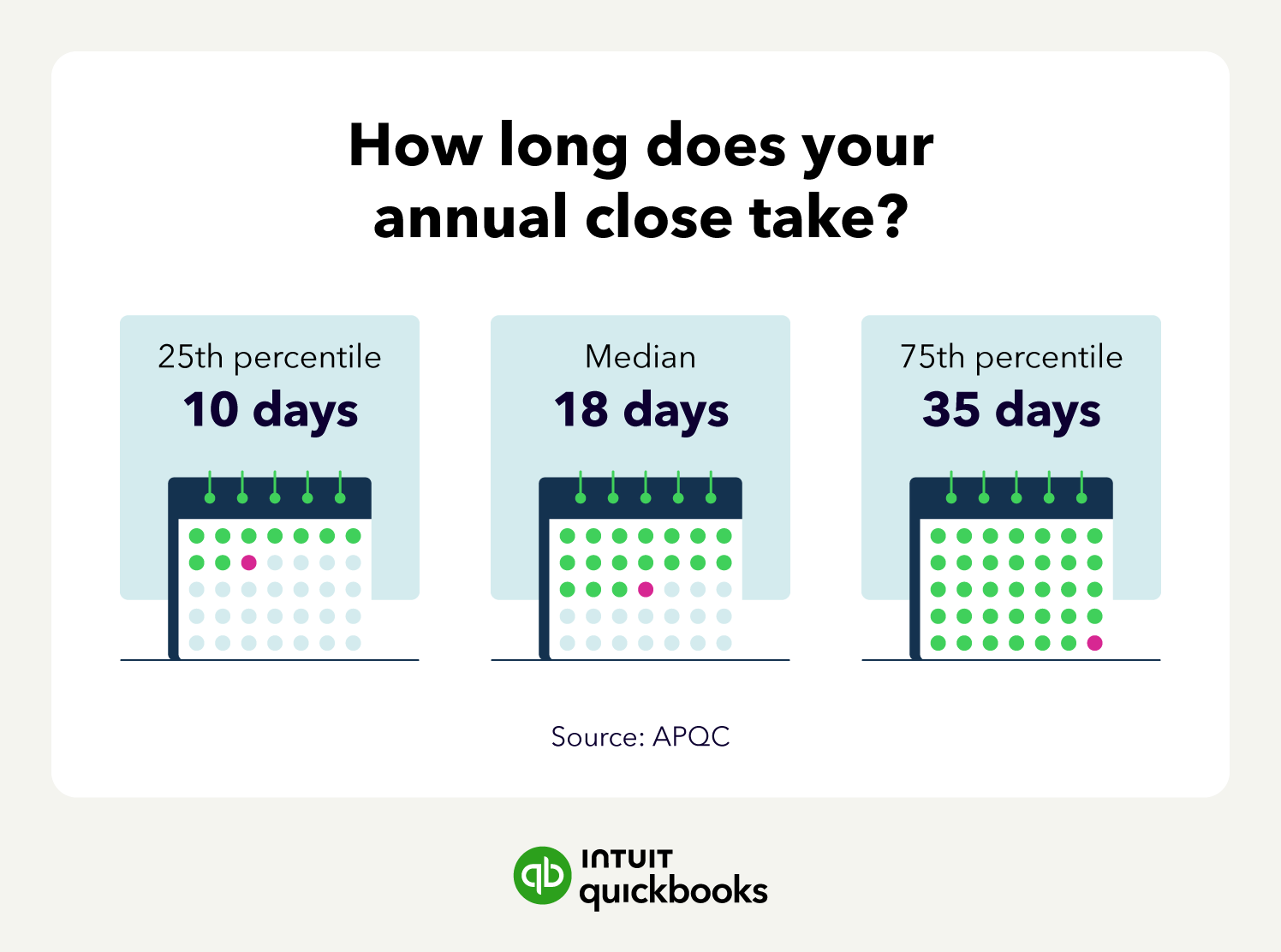
APQC (American Productivity & Quality Center) research shows that top-performing organizations complete their annual close in 10 days or less. The median is 18 days, and slower performers take 35 days. If your year-end close takes longer than 10 days, it's worth examining how much of that time is spent on work your accounting system can't handle on its own.
For QuickBooks Desktop users, common friction points include:
Businesses whose transaction volume, user count, and reporting complexity exceed what a single, locally hosted file can support may need to migrate away from QuickBooks Desktop to QuickBooks Online Advanced.
Depending on the edition and hosting setup, QuickBooks Desktop can constrain a growing finance team through file-based workflows, capped concurrent users, limited remote access, and manual spreadsheet-driven consolidation across locations.
But how exactly do these infrastructure issues impact your business? Let’s explore an example.
Business A has an annual revenue of $8 million and recently expanded to a second location. With hundreds of thousands of transactions to reconcile each month, their close process slows down.
Adding more staff to support the finance team hits a roadblock when Desktop user limits lock staff out of editing files. And with a loan out to fund their expansion, meeting lender reporting requirements becomes difficult with the Desktop version of QuickBooks.

Organizing and tracking data for a multi-person finance team often requires time-consuming manual input with QuickBooks Desktop. QuickBooks Online Advanced maintains an automatic, cloud-based audit log, providing you with better audit readiness.
While the fear of a disruption in business due to migration can make sticking with QuickBooks Desktop tempting, this move could be costing your finance team. Businesses often implement workarounds to software limitations, but these band-aid solutions can create problems of their own.
Here’s a quick overview of the potential costs and risks of staying on QuickBooks Desktop when you’ve outgrown the software.
No. QuickBooks Desktop Enterprise is still supported.
Lifecycle dates are worth tracking, but they're a secondary factor. The more useful question is whether your current edition still supports how your finance team needs to work. If your team is already working around user limits, access constraints, or spreadsheet-based reporting, that tells you more about timing than any support date.
Finance teams that make the switch to the cloud-based version of QuickBooks instantly gain access to tools like remote access, automated workflows, and multi-user capabilities. A key benefit here is faster work with increased accuracy and accountability.
For example, with simultaneous multi-user access, files will no longer be locked up, allowing staff to view up-to-date data in real time. And the automation tools available in QuickBooks Online Advanced can speed up reconciliation and eliminate manual entry tasks.
When it comes to measurable costs, these factors can result in a quicker close time, reduced IT overhead, and more accurate data for business decision-making.
Data continuity is one of the biggest concerns in any migration. When you migrate to QuickBooks Online Advanced, eligible data from your Desktop company file is copied over. The core reports you run every day, including profit and loss, balance sheet, and general ledger, are available on live data. Memorized Desktop reports don't transfer directly, so your implementation consultant can help you rebuild key views.
For your finance team, this means continuity in the reports you rely on most, plus access to the platform's broader reporting and automation tools from day one.
QuickBooks Online Advanced supports up to 25 users with granular role-based permissions, custom reports and dashboards, more than 100 KPIs, automated workflows, and connections to tools such as Excel and other business apps.
When it comes to day-to-day operations, here's how these features can assist you:
Business owners and finance teams that have already made the switch are reaping the benefits. According to an Intuit survey, 83% of customers agree QuickBooks Online Advanced gives them the data to close faster, and 85% agree its invoice workflows help them get paid faster.
Landtech Resources Incorporated, a surveying firm, moved a QuickBooks Desktop Enterprise company file with more than 25 years of history to QuickBooks Online Advanced over a weekend and was up and running by Monday. Vice President and Survey Coordinator Chase Grogg said the team "didn't miss a beat" during the move.
QuickBooks Online Advanced is for growing businesses that have outgrown QuickBooks Desktop and need more automation, visibility, and control within a single-entity setup.
For businesses that need multi-entity consolidation and intercompany transaction management, Intuit Enterprise Suite may be a better fit.
To determine whether it’s time to migrate to QuickBooks Online, start by identifying your unique pain points and their causes. Can the roadblocks be addressed through process improvements, or are they the result of reaching the limits of QuickBooks Desktop?
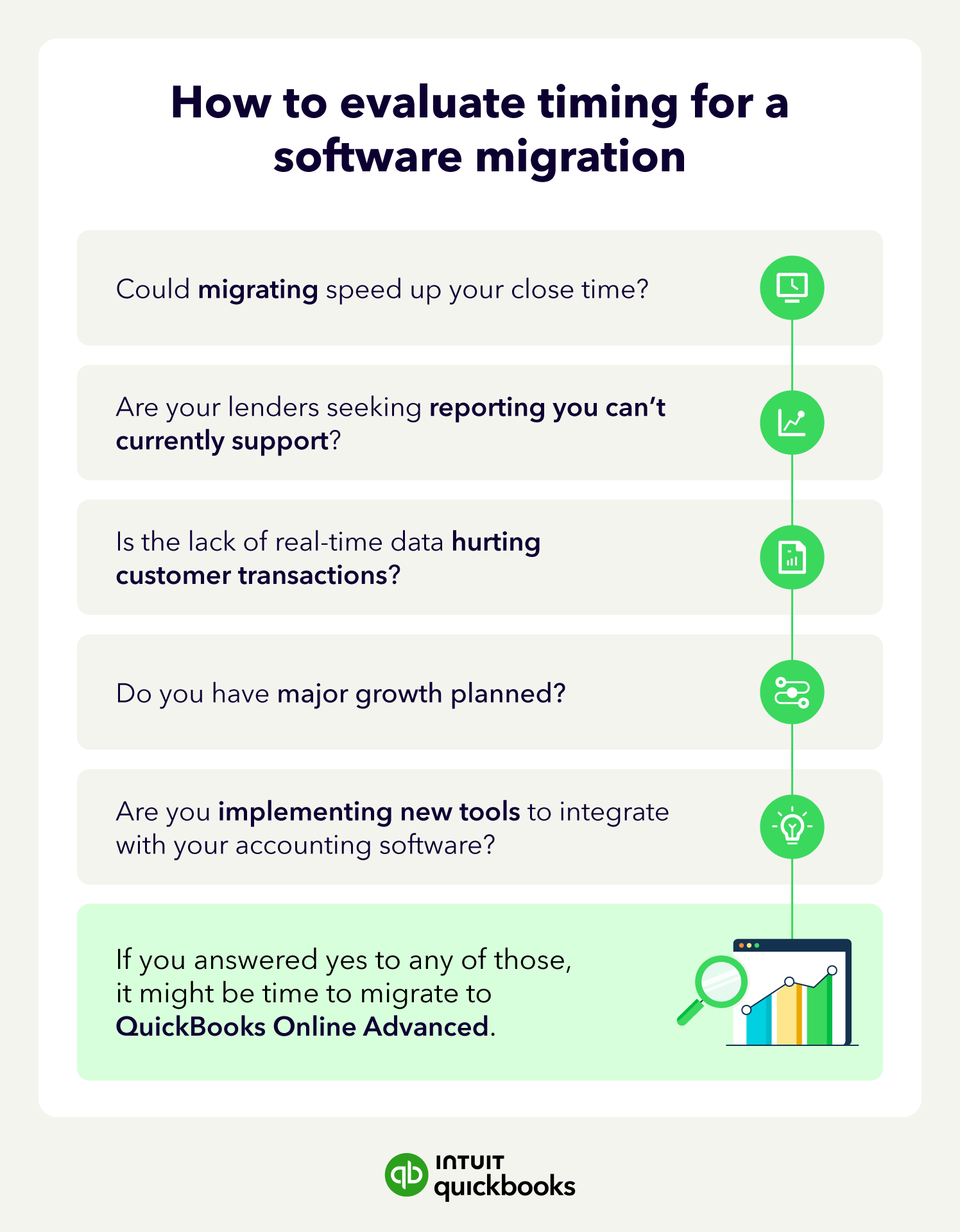
If you answered yes to any of those, it might be time for a change.
Once you've determined that the problem lies with Desktop's limitations, assess the costs of migrating versus the operational expense of staying with the Desktop version. Many teams worry about the potentially expensive disruptions migration might cause.
With QuickBooks Online Advanced, Desktop migrations are typically completed within 30 days through a structured, four-phase process led by a dedicated implementation consultant.
The costs of the alternative, staying with an accounting system that you've outgrown, are often invisible, but compound with time. For instance, a slow close now will only get slower as your business grows. Manual hours can increase, driving up your labor costs, and reporting risk will escalate each quarter you put off the migration.
If you find that delaying the move will cost you more than making the switch, then it's definitely time to migrate to QuickBooks Online Advanced.
Your implementation consultant will reach out within 2 business days of subscribing. They guide your team through planning, data migration, workflow setup, and a final review across at least four live sessions, and stay with you through your first close.
If Desktop no longer meets the needs of your growing business, switching to QuickBooks Online Advanced can help streamline your accounting processes. With the move, you get access to real-time data, custom KPIs, role-based permissions, and other beneficial accounting tools.
Learn more about QuickBooks Online Advanced and how it can support your next stage of growth.

Call Sales: 1-800-285-4854