You could save up to 25% on transaction costs².
Speak with us now to see if you qualify.
Talk to sales 1-800-515-8366
Monday - Friday, 6 AM to 4 PM PT

Table of contents
Table of contents
Whether you are a consultant, lawyer, or PR person, you’re offering your professional services to meet the needs of your clients and customers. But as firms add clients, projects, employees, and billing models, their accounting needs become more complex.
When the visibility that your finance team needs starts depending on spreadsheets, manual reconciliations, or disconnected tools, it might be signaling it is time to move to a new professional services accounting solution.
This guide looks at the operational signs to watch for, the capabilities growing firms should evaluate, and how QuickBooks Online Advanced can support more connected professional services workflows.
Professional services firms often outgrow basic accounting tools as project volume, billing complexity, and reporting needs increase. The challenge? Seeing project financials clearly enough to manage unbilled work, cash flow, and profitability.
For example, let's say you have a six-month project, and you’ve completed work and accrued billable time or expenses before the client is invoiced. If those amounts are difficult to see alongside project budgets, invoices, and costs, your finance team may need to rely on spreadsheets or manual reconciliations to understand what has been earned, billed, and collected.
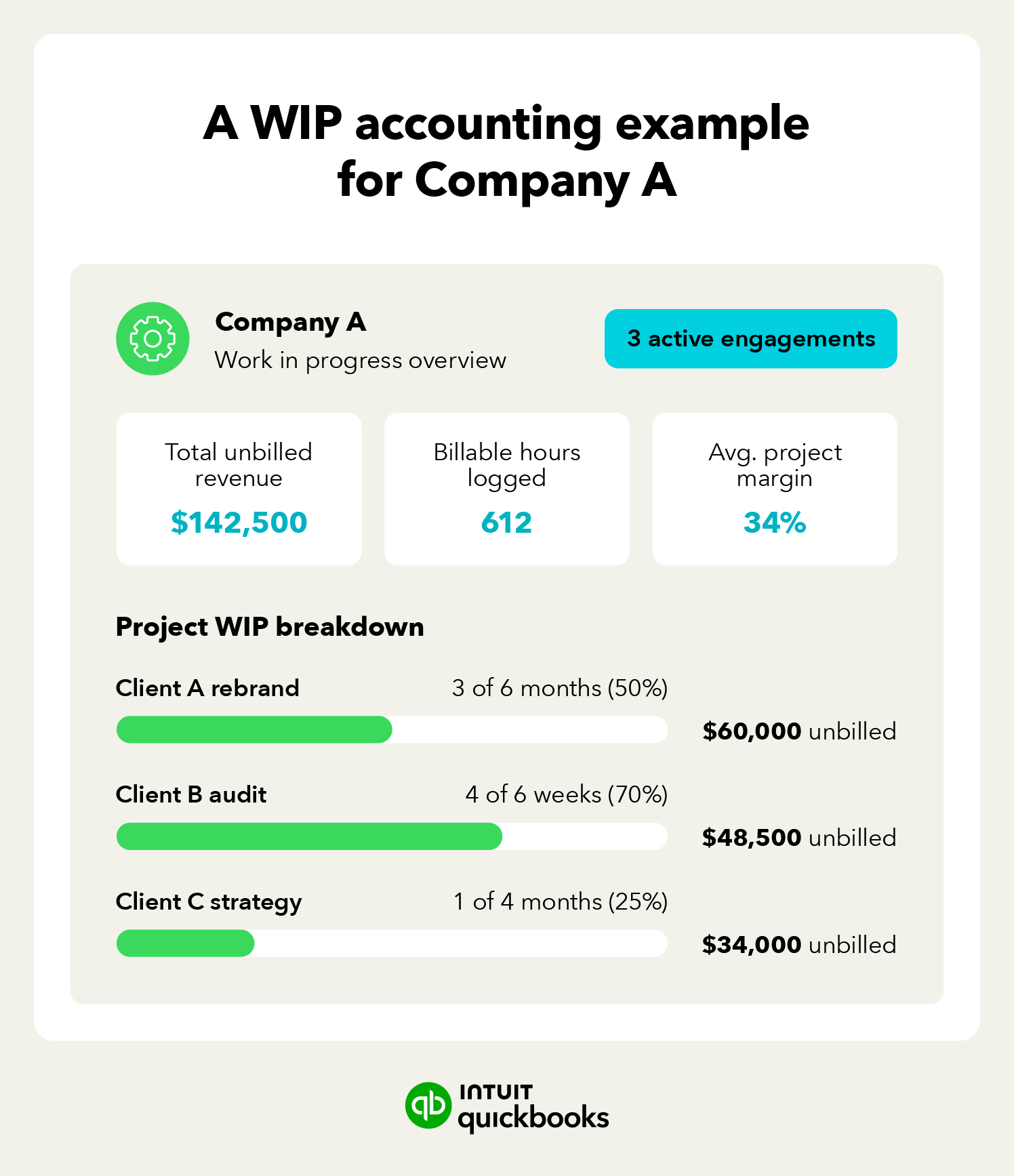
Bookkeeping provides the transactional foundation for accounting by recording income, expenses, and other financial activity. As your firm grows, you may need an additional layer of project-level analysis around profitability, unbilled work, billing, budgets, and forecasting.
That distinction becomes more important when you are managing multiple projects or varied billing models (i.e., charging both hourly and project-based fees). That forces the question: does your accounting system give you enough project and financial visibility to manage that added complexity?
If the answer is no, it may be time to evaluate a more capable platform such as QuickBooks Online Advanced.

Bookkeeping is actually the foundation for accounting, and one or more people on your finance team are likely serving the role of bookkeepers.
Strong signs that your current accounting software is holding you back include limited visibility into project or client profitability, the need to build utilization data manually, billing that lags behind work performed, and month-end reporting that takes days rather than hours.
Each of these factors impacts each company a little differently, but here’s some insight into how generic accounting software can stifle your business:
Utilization and invoice timing are useful signals because they show where operating friction is building. If billable capacity is falling, invoices are going out late, or teams are spending more time reconciling project data, the issue may be process-related, system-related, or both.

As you add clients and staff, those workarounds can compound. The result is more administrative work, slower billing, less timely project visibility, and more effort required to understand margins and cash flow.
Even more concerning is that these issues can compound over time. For example, as you add new staff and clients, the manual work needed to compensate for the limitations of generic accounting software increases.
The result is lower profit margins due to unbillable hours, slower invoicing, increased risk of human error, and reduced access to real-time data needed for decision-making.
When evaluating your accounting software, you need to be able to identify which issues are process-related and which are the result of a system limitation.
If it's just issues with your process, this may be fixable with training, cleanup, and documentation. However, system limitations will persist even with a disciplined team and processes.
For example, a low utilization rate may reflect inconsistent time tracking, staffing decisions, workload mix, system limitations, or a combination of those factors. If the accounting system is creating manual work or making project financials harder to see, that can be a reason to evaluate more capable software like QuickBooks Online Advanced.

Look for capabilities that match the way your firm actually works, including project and client profitability reporting, visibility into billable and non-billable time, flexible billing, unbilled-work visibility, and role-based access.
The final decision comes down to what capabilities your company needs. For firms with a small team and straightforward billing, simple or generic tools may be sufficient. But a full-featured platform can be more beneficial for businesses that handle multiple engagements, use diverse billing models, and have a growing headcount.
QuickBooks Online Advanced can help professional services firms bring project financials, reporting, and core accounting workflows into a more connected system. For growing teams, that can reduce manual handoffs and make it easier to see project costs and financial performance alongside the books.
QuickBooks Online Advanced supports that work with:
Osborn Architects Incorporated (OAI) moved to QuickBooks Online Advanced to bring payroll, timesheets, invoicing, and project tracking into one connected system.
OAI reported a roughly 30% increase in profitability and a roughly 25% monthly productivity gain after the move, driven largely by better visibility into project costs and less time spent on manual data entry.
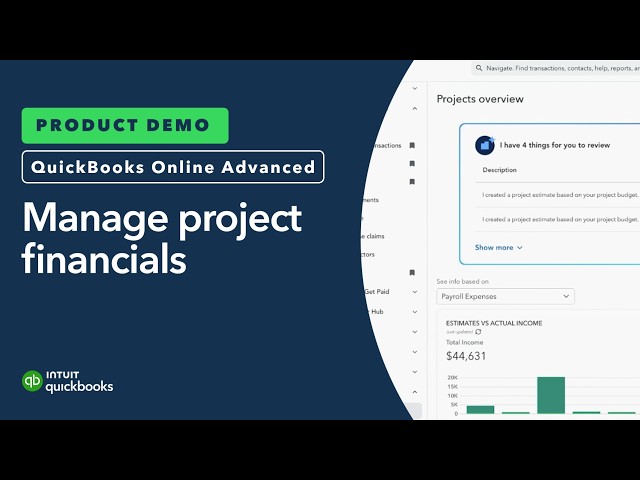
QuickBooks Online Advanced can be a strong fit for growing professional services firms that need more reporting, automation, and control within a single-entity setup.
If the firm’s requirements expand to multi-entity consolidation or intercompany transaction management, it may be time to evaluate an ERP system like Intuit Enterprise Suite instead. The decision should be based on the complexity of the firm’s requirements rather than a blanket size threshold.
Before you commit to new accounting software for consultants and other professionals, ask yourself these questions to ensure the software can meet your needs:
1. Can you view profitability by client or project without needing to complete manual work?
2. Is the software able to handle your specific billing models and track billable hours?
3. Is utilization data built in, or does it require a separate tool or add-on?
4. Can the software handle expense reimbursements without creating extra manual work?
5. Can the software give you clear visibility into unbilled work, billable time and expenses, and project financials?
6. Will the available roles and permissions scale with your growth?
7. Will you be able to integrate the software with the other business tools and resources you already use?
8. How much manual reconciliation will the switch eliminate versus introduce?
9. How long will the migration take?
With answers in hand, compare the operational value of the new system with the effort required to switch. If you’re moving from QuickBooks Desktop to QuickBooks Online Advanced, the migration includes a dedicated implementation consultant and a structured process. For other systems, the effort will depend on your data, workflows, and setup.
For QuickBooks Desktop → QuickBooks Online Advanced migrations, customers are paired with a dedicated implementation consultant who guides planning, data migration, workflow setup, and final review. The process is typically completed within 30 days.
Growing professional services firms need accounting software that can keep project financials, billing, reporting, and controls visible as complexity increases.
QuickBooks Online Advanced can support that next stage with custom reporting and dashboards, role-based permissions, project-focused workflows, and connected financial data. If your current system depends on spreadsheets or repeated manual workarounds to answer basic project and financial questions, it may be time to evaluate whether QuickBooks Online Advanced is a better fit.

Call Sales: 1-800-285-4854